Wordpress
-
10:34 Popular
How To Get New Templates For Beaver Builder WordPress Page Builder
Added 150 Views / 0 LikesHow To Get New Templates For Beaver Builder WordPress Page Builder More Info: https://www.wpcrafter.com/ultimate-beaver Beaver Builder: https://www.wpcrafter.com/beaverbuilder Beaver Builder Resources: https://www.wpcrafter.com/beaver-builder-resources/ If you are looking for more professional templates for your beaver builder website, then this video is for you. ~~~~~~~~~~~~~~~~~~~~~ All of my opinions in this video are my own, I was not paid to make
-
01:01

How to Get Old WordPress Admin Interface in WordPress 3 8
Added 69 Views / 0 LikesSome users may have updated to the WordPress 3.9 interface and disliked the changes. While it dies have new features some users simply want to use the previous interface for comfort. In this video, we will show you how to get the old WordPress admin interface in WordPress 3.8. If you liked this video, then please Like and consider subscribing to our channel for more WordPress videos. Text version of this tutorial: http://www.wpbeginner.com/plugins/how
-
13:17 Popular

How to get started as a WordPress freelancer
Added 116 Views / 0 LikesIt can be difficult to start out as a WordPress freelancer. How do you get first clients? How do you start to build up your client base? What can you do to connect to others in the WordPress community? We also started out as WordPress freelancers back in 2008/09, so I prepared a list of tips to help you get your WordPress freelancer career started. Helpful links for WordPress freelancers: WordPress meetups: https://www.meetup.com/topics/wordpress/ Wor
-
03:40 Popular

How to Get Started with Google My Business
Added 104 Views / 0 LikesIn today's video, we'll learn how to get started with Google My Business. Blog post: https://www.elegantthemes.com/blog/business/google-my-business •️ Learn more about Divi: https://www.elegantthemes.com/gallery/divi • Like us on Facebook: https://www.facebook.com/elegantthemes/ #GoogleMyBusiness #Business #ElegantThemes
-
02:59

How to Get Started with Pinterest Advertising
Added 67 Views / 0 LikesIn today's video, we'll learn how to get started with Pinterest Advertising. Blog post: https://www.elegantthemes.com/blog/marketing/pinterest-advertising ➡️ Learn more about Divi: https://www.elegantthemes.com/gallery... 🔵 Like us on Facebook: https://www.facebook.com/elegantthemes/ #Pinterest #Marketing #ElegantThemes
-
16:15 Popular
How to Get Started With the Yoast SEO WordPress Plugin - A Beginner's Guide
Added 119 Views / 0 LikesWordPress SEO quality can vary based on what theme you use, but the Yoast SEO plugin can both help a poor theme plus help you customize the SEO for each and every Post and Page you have on your site. We'll go over how to install it, configure it, and connect it directly to Google. - Interested in learning even more about WordPress. Check out https://winningwp.com for all kinds of tips, tricks, beginner guides, deals and resources! - Guide to Choosing
-
04:02

How to Get Started with Twitter Advertising
Added 52 Views / 0 LikesIn today's video, we'll learn how to get started with Twitter Advertising. Blog post: https://www.elegantthemes.com/blog/marketing/twitter-advertising ➡️ Learn more about Divi: https://www.elegantthemes.com/gallery... 🔵 Like us on Facebook: https://www.facebook.com/elegantthemes/ #Twitter #Marketing #ElegantThemes
-
07:16 Popular

How to get started with WordPress | Day #17 || 31 Videos in 31 Days
Added 114 Views / 0 LikesIn this video I give some basic advice and first tips to WordPress beginners on how to start with WordPress and what you should consider before you set up your first own WordPress website or blog. Please let me know, if you have any questions or suggestions on what should be added to the video. Thanks so much for your feedback! --- Mentioned websites from the video: - Recommended Hosting: https://wordpress.org/hosting/ - WordPress Free Themes directoy
-
04:29
How to Get the Most Out of Contact Form 7
Added 57 Views / 0 LikesIn today’s video, we cover how to get the most out of Contact Form 7. Blog post: https://www.elegantthemes.com/blog/wordpress/contact-form-7 Like us on Facebook: https://www.facebook.com/elegantthemes/
-
01:15 Popular

How to Get the URL of Images You Upload in WordPress
Added 131 Views / 0 LikesOften you may find a need to grab the URL of images you upload in WordPress. It might be because you want to share the link on your social networks or embed it in your sidebar. In this video, we will show you how to get the URL of Images you upload in WordPress. If you liked this video, then please Like it and consider subscribing to our channel for more WordPress videos. Text version of this tutorial: http://www.wpbeginner.com/beginners-guide/how-to-
-
02:31
How to Get the URL of Images You Upload in WordPress
Added 65 Views / 0 LikesDo you want to find the URL of images on your WordPress site? Sometimes you need the link to display it in a different location or on a social media platform. In this guide, we'll show you two different ways to easily find the URL of images that you upload on your WordPress site. This video brought to you by SeedProd, the best WordPress giveaway plugin available, take a look at their site here: ================================= https://www.seedprod.co
-
06:52
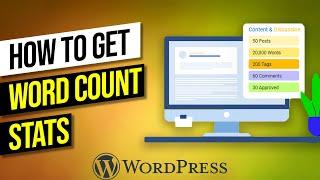
How to Get Word Count Stats in WordPress (3 Ways!)
Added 58 Views / 0 LikesDo you want to get word count stats in WordPress? When writing a post, you may have a specific word count that you’re aiming to reach. Plus, monitoring your word count stats can give you insights like what post length gets the most traffic and engagement. In this video, we will show you how you can show detailed word count stats in WordPress. 0:00 Intro 0:24 Word count in Wordpress 1:13 Using WP Word Count 3:26 Using WP Code --Related Links-- Want to
-
04:02 Popular
How To Get WordPress Posts To Page - Displaying Posts On A Page | WP Learning Lab
Added 140 Views / 0 LikesGrab Your Free 17-Point WordPress Pre-Launch PDF Checklist: http://vid.io/xqRL Download our exclusive 10-Point WP Hardening Checklist: http://bit.ly/10point-wordpress-hardening-checklist How To Get WordPress Posts To Page - Displaying Posts On A Page | WP Learning Lab This is one of those things that all beginners want to be able to do and it seems like it should be easy. Luckily, it actually is easy to do if you know how to do it :) There are two way
-
00:58

How to Get Your Own Elementor Cloud Website! ️ #shorts
Added 55 Views / 0 LikesShiri from Elementor explains how Michael (and you) can get your own Elementor Cloud Website! 🔔 Subscribe to our channel!🔔 https://www.youtube.com/c/Elementor?sub_confirmation=1 ☁️ Get Elementor Cloud Website ☁️ https://elementor.com/features/cloud/ Check out part 1! https://youtu.be/kdINK9EREXc #shorts #elementor #elementorpro #elementorcloud #wordpress
-
03:31
How to Get Your WordPress Website Verified on Pinterest
Added 75 Views / 0 LikesIn today’s video, we're going to to learn how to get your website verified on Pinterest. Blog post: https://www.elegantthemes.com/blog/tips-tricks/pinterest-domain-verify Like us on Facebook: https://www.facebook.com/elegantthemes/
-
07:18 Popular
How to Give Your Divi Audio Module “Intergalactic Vibes”
Added 126 Views / 0 LikesIn this video we share a fun way to style the Divi Audio Module our contributor has titled, "intergalactic Vibes." This design concept and tutorial is merely a simple exercise to show what's possible with a little imagination and creativity. Just the thing for a beginner looking to get more familiar with Divi and web design. You can view the blog post and get the code snippets here: https://www.elegantthemes.com/blog/divi-resources/how-to-give-your-di
-
03:24

How to Go Live on Facebook the Right Way
Added 55 Views / 0 LikesIn today's video, we'll learn how to go live on Facebook the right way. Blog post: https://www.elegantthemes.com/blog/marketing/how-to-go-live-on-facebook-the-right-way •️ Learn more about Divi: https://www.elegantthemes.com/gallery/divi • Like us on Facebook: https://www.facebook.com/elegantthemes/ #FacebookLive #Marketing #ElegantThemes
-
04:48
How to Go Remote or Start a Side Project Now
Added 70 Views / 0 LikesLooking to start a site, just starting to expand into remote work, or curious about what's going on at WPBeginner? This is our monthly video covering exactly what you're looking for. Come take a look at some of our articles this last month as well as helpful resources for those just starting a site or online business. This video brought to you by WPForms, the most beginner friendly WordPress form plugin, take a look at their site here: ===============
-
08:43 Popular

How To Have Transparent Headers In Generate Press WordPress Theme With Any Pagebuilder
Added 119 Views / 0 LikesHow To Have Transparent Headers In Generate Press WordPress Theme With Any Page Builder https://www.wpcrafter.com/gp-addons One of the most modern web design technique is to have transparent headers for the pages on your WordPress website. In this video I show you how to add them to the generate press theme with any page builder for WordPress. I specifically demonstrate doing this with beaver builder and elementor. 00:30 What does it look like 01:22 C
-
01:03 Popular

How to Hide a Post From Home Page in WordPress
Added 126 Views / 0 LikesHave you wanted to hide a post from your home page? While you can make a post password protected or private you may want to simply hide the post. In this video, we will show you how to hide a post from the home page in WordPress. If you liked this video, then please Like and consider subscribing to our channel for more WordPress videos. Text version of this tutorial: http://www.wpbeginner.com/plugins/how-to-hide-a-post-from-home-page-in-wordpress/ Che
-
06:08 Popular
How To Hide A Wordpress Page From Google
Added 104 Views / 0 LikesGrab Your Free 17-Point WordPress Pre-Launch PDF Checklist: http://vid.io/xqRL Check out the free WP & Online Marketing Summit For Beginners. The online event is June 18, 2019: https://events.wplearninglab.com/ How To Hide A Wordpress Page From Google https://youtu.be/0aIX9Whb3yQ Join our private Facebook group today! https://www.facebook.com/groups/wplearninglab In this tutorial, I'm going to show you 3 ways to hide a WordPress from Google and other
-
04:19

How to Hide a WordPress Page From Google
Added 99 Views / 0 LikesSometimes you may want to hide a page from search engines to keep away unwanted users or to protect your privacy. We understand how important this can be and we want to show you how you can hide pages from search engines on your site. In this video we will show you how to hide a WordPress page from Google without affecting your site's SEO. Text version of this tutorial: http://www.wpbeginner.com/wp-tutorials/how-to-hide-a-wordpress-page-from-google/ I
-
01:11 Popular
How to Hide Columns Per Device in Elementor
Added 107 Views / 0 LikesIn this tutorial, we'll go over how to hide a column in Elementor 2.5. Learn More: https://elementor.com/blog/introducing-flexible-layout/ Get Elementor Pro: https://elementor.com/pro/
-
02:03
How to Hide Elements with CSS on Your Website
Added 46 Views / 0 LikesIn today's video, we'll learn how to hide elements with CSS on your website. Blog post: https://www.elegantthemes.com/blog/wordpress/hide-element-css ➡️ Learn more about Divi: https://www.elegantthemes.com/gallery... 🔵 Like us on Facebook: https://www.facebook.com/elegantthemes/ #CSS #WordPress #ElegantThemes
-
01:08 Popular

How to Hide Featured Images on Individual Posts in WordPress
Added 147 Views / 0 LikesDo you want to hide featured images on select posts? There are many scenarios when you have a featured image but instead of removing it, you can simply hide it using a handy plugin. In this video, we will show you how to hide featured images on individual posts in WordPress. Text version of this tutorial: http://www.wpbeginner.com/plugins/how-to-hide-featured-images-on-individual-posts-in-wordpress/ If you liked this video, then please Like and consid
-
01:15

How to Hide Featured Images on Individual Posts in WordPress
Added 71 Views / 0 LikesDo you want to hide the featured images on individual posts in WordPress? There may be times when you have a featured image for a post, but instead of deleting it, you just want to hide it from your visitors. In this video, we’ll show you how to hide featured images on individual posts in WordPress. 0:00 Intro 0:06 What is a featured image? 0:18 Removing the featured image from a post --Related Material-- ►Want to read the post? Check it out here: htt
-
03:47 Popular

How to Hide the Divi Logo on a Single Page - Divi Nation Short
Added 130 Views / 0 LikesIn this episode of Divi Nation our host Nathan B. Weller and new Divi tutorial specialist Augustine Mak show you how to hide your logo on single pages. Get the code snippet here: http://goo.gl/Zj5ZhI Subscribe to our YouTube Channel: https://goo.gl/oxCa4h Subscribe to Divi Nation on iTunes: https://goo.gl/w8fccT Subscribe to Divi Nation via RSS: http://goo.gl/vz04Vc Get Divi Nation on Facebook: https://goo.gl/zPFjxj
-
01:58 Popular

How to Hide Unnecessary Items From WordPress Admin with Adminimize
Added 121 Views / 0 LikesIf you manage a multi-author blog then you may sometimes wish to hide parts of the interface from users who will not need to use those sections. This is both for your site's safety as well as to prevent accidental issues later. In this video, we will show you how to hide unnecessary items from WordPress admin with Adminimize. If you liked this video, then please Like and consider subscribing to our channel for more WordPress videos. Text version of th
-
02:22
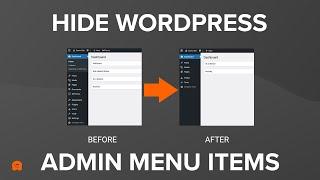
How to Hide Unnecessary Menu Items From WordPress Admin
Added 62 Views / 0 LikesDo you want to hide unnecessary menu items from the WordPress admin area? WordPress is a fantastic platform for creating websites but for some clients and users, the Admin area can be cluttered with menu items that they just don't need to see. By cleaning up the Admin area and hiding menu items it can stop users from accidentally changing important site settings and also helps keep them focused on the options they need. In this video, we are going to
-
04:06 Popular

How to Hide WordPress Login Page
Added 135 Views / 0 LikesIn this video, you will learn how to hide your default WordPress login page using a plugin called the WPS Hide plugin. This plugin is extremely lightweight and does an effective job of protecting your website against hackers. Get your FREE WordPress SEO Course from the Web Monkey Academy - https://thewebmonkeyacademy.com/ Get 2 months FREE access to more than 16,000 courses on SkillShare - https://www.skillshare.com/r/profile/Alexander-Oni/6660110 Fol









