Wordpress
-
18:10 Popular
How To Install WordPress Theme And Child Theme
Added 153 Views / 0 LikesHow To Install WordPress Theme And Child Theme Watch the entire playlist: https://www.wpcrafter.com/create-course-2017 Hosting: http://www.OrderNewHosting.com Elementor: https://www.wpcrafter.com/elementor-page-builder GeneratePress: https://www.wpcrafter.com/gp-addons LifterLMS: https://www.wpcrafter.com/lifter-lms In this video I show you how to install a theme in WordPress and the special child theme I am providing to you. You will need to install
-
01:35 Popular
How to Install WordPress Using Automatic “One-Click” Installers
Added 135 Views / 0 LikesIn today’s video we take a look at how to install WordPress using automatic “One-Click” installers. Blog post: https://www.elegantthemes.com/blog/wordpress/how-to-install-wordpress#1click Like us on Facebook: https://www.facebook.com/elegantthemes/
-
05:29
How to Install WordPress Using FTP
Added 67 Views / 0 LikesTrying to install WordPress with FTP and looking for some help for getting it connected? We've helped hundreds of users get stared with WordPress from installing it to the site setup itself. In this video we will walk you through how to install WordPress using FTP. Text version of this tutorial http://www.wpbeginner.com/how-to-install-wordpress/ If you liked this video, then please Like and consider subscribing to our channel for more WordPress videos
-
04:45 Popular

How to Install WordPress with cPanel (and Softaculous)
Added 139 Views / 0 LikesLearn how to quickly install WordPress with cPanel. Most cPanel software includes Softaculous, which allows you to easily install WordPress on your hosting server. If you're using a WordPress host that uses cPanel, this is one of quickest and easiest ways to install WordPress. Simply enter in a few details about your site, and within 30 seconds, you're all setup and ready to start editing your WordPress site. STEPS to Install WordPress with cPanel: -
-
08:26 Popular
How To Install WordPress: Four Simple And Easy Ways To Do It
Added 148 Views / 0 LikesTrying to figure out how to install WordPress? Watch this for a step by step beginner-friendly guide and go through the whole process. Get a domain name and hosting with discount*: http://bit.ly/WPHostingOffer Check these FREE WordPress Themes: https://goo.gl/Wc8UBb We post a NEW VIDEO every other day so be sure to SUBSCRIBE to our channel •https://goo.gl/RFB75x Again, if you’re a beginner, just use the auto installer that your host (hopefully) provid
-
07:02 Popular
How to Install WP Engine SSL via Let's Encrypt
Added 119 Views / 0 LikesStep-by-step instructions for installing a free SSL on WP Engine's hosting platform, and configuring the SSL to load your entire WordPress website over https. WP Engine offers free SSL certificates on all plans. With just a few clicks, you can be up and running on https. 0:27 - WP Engine SSL Caveats 2:33 - Request SSL 4:33 - SSL Setup 5:54 - Test Your Site for https The free WP Engine SSL certificate works great for all small business websites, as wel
-
00:47 Popular
How to Instantly Switch Between User Accounts in WordPress
Added 106 Views / 0 LikesSometimes you may have a need to test features for different levels of users. Logging in and out for each user can become a tedious process but there is a faster way.In this video, we will show you how to instantly switch between user accounts in WordPress. If you liked this video, then please Like and consider subscribing to our channel for more WordPress videos. Text version of this tutorial: http://www.wpbeginner.com/plugins/how-to-instantly-switch
-
01:40 Popular
How to Instantly Switch Between User Accounts in WordPress
Added 132 Views / 0 LikesSometimes you may have a need to test features for different levels of users. Logging in and out for each user can become a tedious process but there is a faster way. In this video, we will show you how to instantly switch between user accounts in WordPress. For this video we will be using the User Switching plugin found here: https://wordpress.org/plugins/user-switching/ While the plugin is installed and activated, you should be able to hover over us
-
02:45 Popular

How to Integrate Discord & Elementor
Added 134 Views / 0 LikesElementor integrations save you time by performing tedious tasks for you. Now you can easily integrate Elementor forms with Discord using webhooks. Watch our tutorial & learn how to connect Elementor with Discord to automate your workflow. Get Discord: https://discordapp.com/ Get Elementor : https://elementor.com/ Get Elementor Pro form integrations: https://elementor.com/pro/
-
02:33 Popular

How To Integrate Google Accelerated Mobile Pages In WordPress
Added 128 Views / 0 LikesGoogle Accelerated Mobile Pages ready for your Wordpress Site in minutes: http://bit.ly/2nfYFbv Google AMP, short for Accelerated Mobile Pages, is an open source mobile initiative from Google aimed at speeding up the mobile web. It essentially lets you create stripped-down versions of your posts and pages and serve them up to mobile visitors. For those visiting from Google Search, Google will even cache your AMP content to load it even faster. There a
-
02:20 Popular

How to Integrate MailerLite & Elementor
Added 162 Views / 0 LikesElementor integrations save you time by performing tedious tasks for you. Now you can easily integrate Elementor forms with MailerLite. Watch our tutorial & learn how to connect Elementor with MailerLite to automate your workflow. Get MailerLite: https://www.mailerlite.com/ Get Elementor : https://elementor.com/ Get Elementor Pro form integrations: https://elementor.com/pro/
-
03:21 Popular
How to Integrate Slack & Elementor
Added 150 Views / 0 LikesElementor integrations save you time by performing tedious tasks for you. Now you can easily integrate Elementor forms with Slack using webhooks. Watch our tutorial & learn how to connect Elementor with Slack to automate your workflow. Subscribe to our channel so you'll be the first to recieve more videos & tutorials! Get Slack: https://slack.com/ Get Elementor : https://elementor.com/ Get Elementor Pro form integrations: https://elementor.com/pro/
-
09:51

How to Integrate Slack with WordPress (Beginner’s Guide)
Added 78 Views / 0 LikesIntegrating Slack and WordPress opens up a whole new way for you to monitor events that happen on your WordPress site. By using Uncanny Automator to integrate these two fantastic platforms we can now get notifications straight to our desktop or mobile device when a writer updates a blog post on your site or a new lead form is submitted, and even when a new customer purchases something from your online store. In this video we show you how to set up eve
-
04:52 Popular

How to Integrate Your Etsy Shop into Your Divi Website
Added 113 Views / 0 LikesIn today’s Divi post, we’re going to show you how to integrate the items you have in your Etsy Shop into your Divi website. This could be a need you have for your own website or a request you’ve received from a client. Adding your Etsy items to your website could help you generate more sales. Especially if you own a website that has an attractive target audience and a good number of visitors. By integrating the Etsy shop into your website, you can rea
-
25:14
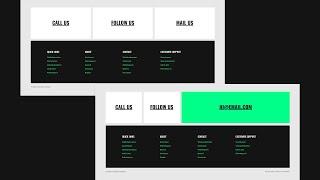
How to Interactively Highlight Contact Details in Your Global Footer with Divi
Added 51 Views / 0 LikesLearn more: https://www.elegantthemes.com/blog/divi-resources/how-to-interactively-highlight-contact-details-in-your-global-footer-with-divi Although a footer appears at the bottom of a page design, it’s a very important part of any website you create. People are used to the footer concept and they expect it on each website they visit. With Divi’s Theme Builder, you can create any footer design you want, but if you’re looking for a unique approach, yo
-
12:50 Popular
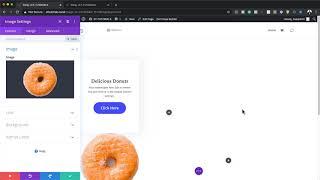
How to Keep Modules Fixed In Their Column Container with Divi
Added 117 Views / 0 Likes -
00:51

How to Keep Track of Your Post Ideas in WordPress
Added 94 Views / 0 LikesWhen writing a blog ideas can sometimes come at random times. A great solution to keep your ideas with your WordPress blog is to keep them on your blog instead of on something else. In this video, we will show you how to keep track of your post ideas. If you liked this video, then please Like and consider subscribing to our channel for more WordPress videos. Text version of this tutorial: http://www.wpbeginner.com/plugins/how-to-keep-track-of-your-pos
-
01:47 Popular

How to Keep WordPress from Forgetting You with Always Remember Me
Added 133 Views / 0 LikesThe most annoying part of the login screen is when you forget to click "Remember me" checkbox and hit login. Now wne you exit the browser it will forget that you logged in. In this video, we will show you how to automatically check the remember me checkbox to keep you logged in. Text version of this tutorial: http://www.wpbeginner.com/plugins/how-to-keep-wordpress-from-forgetting-you-with-always-remember-me/ If you liked this video, then please Like a
-
34:17 Popular

How to Label a Background Image with Engaging Tooltips in Divi
Added 125 Views / 0 LikesMultistreaming with https://restream.io/ Hey Divi Nation, welcome to a brand new Divi Use Case live stream where each week we show you how to add new design and functionality to your Divi website. Adding tooltips to label a background image is a creative way to engage visitors with valuable information about your product or service. The basic idea is to position icons (or text) at specific locations on the image (like a google map with pinpoints). And
-
05:16

How To Land Your Next Client With a Well Designed Proposal
Added 95 Views / 0 LikesIn today’s video, we're going to how to land your next client with a well designed proposal. Blog post: https://www.elegantthemes.com/blog/business/how-to-land-your-next-client-with-a-well-designed-proposal Like us on Facebook: https://www.facebook.com/elegantthemes/
-
06:52
How to Learn WordPress - What Worked for me
Added 77 Views / 0 LikesHow to Learn WordPress In this video I cover how I learned WordPress, and what I did to learn and remember things. I hope that this video gives you an idea of what you can do to improve at WordPress if you're just starting out as well! My Site: https://www.wpwithtom.com/ Best Hosts: SiteGround: https://wpwithtom.com/siteground GreenGeeks: https://wpwithtom.com/greengeeks NameHero: NameHero: https://wpwithtom.com/namehero WordPress Builders: Elementor:
-
02:21 Popular
How to Let Users Filter Posts and Pages in WordPress
Added 165 Views / 0 LikesDo you want to let users filter posts and pages when visiting your site? Letting your users filter posts by category, tags, post types, etc can help sort through your site. In this video, we will show you how to filter posts and pages in WordPress. Text version of this tutorial: http://www.wpbeginner.com/plugins/how-to-let-users-filter-posts-and-pages-in-wordpress/ If you liked this video, then please Like and consider subscribing to our channel for m
-
01:08 Popular

How to Limit Authors to their Own Posts in WordPress Admin
Added 141 Views / 0 LikesRunning a multi author site can be good for getting out content for your readers but could use some limitation controls. Through a plugin you can limit authors to their own posts. In this video, we will show you how to limit authors to their own posts in WordPress admin. If you liked this video, then please Like and consider subscribing to our channel for more WordPress videos. Text version of this tutorial: http://www.wpbeginner.com/plugins/how-to-li
-
01:00 Popular
How to Limit Comment Length in WordPress
Added 161 Views / 0 LikesWordPress comments encourage discussions around your topic but there may be a few comments with extreme lengths. These may not be helpful to users reading your article. In this video, we will show you how to how to limit comment length in WordPress. If you liked this video, then please Like and consider subscribing to our channel for more WordPress videos. Text version of this tutorial: http://www.wpbeginner.com/wp-tutorials/how-to-limit-comment-lengt
-
01:05 Popular

How to Limit Dashboard Access in WordPress
Added 188 Views / 0 LikesSome sites allow user registration but don't know how to control what the users see. You can limit what controls are available or you can simply remove any dashboard access. In this video, we will show you how to limit dashboard access in WordPress. If you liked this video, then please Like and consider subscribing to our channel for more WordPress videos. Text version of this tutorial: http://www.wpbeginner.com/plugins/how-to-limit-dashboard-access-i
-
01:07 Popular

How to Limit Heartbeat API in WordPress
Added 125 Views / 0 LikesWordPress Heartbeat API is a great feature to for plugin developers. However it can increase your CPU usage and slow down your site if you are not careful. In this video, we will show you how to limit heartbeat API in WordPress. If you liked this video, then please Like and consider subscribing to our channel for more WordPress videos. Text version of this tutorial: http://www.wpbeginner.com/plugins/how-to-limit-heartbeat-api-in-wordpress/ Check us ou
-
01:24 Popular
How to Limit or Disable Automatic Empty Trash in WordPress
Added 133 Views / 0 LikesIn WordPress, when a post is deleted it goes into the trash. By default after 30 days WordPress will automatically delete all trash content permanently. In this video, we will show you how to limit or disable automatic WordPress empty trash feature. Text version of this tutorial: http://www.wpbeginner.com/beginners-guide/how-to-limit-or-disable-automatic-empty-trash-in-wordpress/ If you liked this video, then please Like and consider subscribing to ou
-
08:12

How to Limit Scroll Effects to Column Containers with Divi
Added 56 Views / 0 LikesDivi's scroll effects help bring an entirely new dimension to the design you're creating. With every new Divi feature, we also try to share tutorials that'll help you view your web design from a different perspective. In this tutorial, we'll show you how to limit module scroll effects to column containers. This means that whatever kind of scroll effect you add, the module's motion effect won't surpass the column container. This results in a beautiful
-
05:32
How to Limit the Excerpt Length of Your Divi Blog Module
Added 50 Views / 0 LikesPost excerpts provide the reader with a small teaser about the content. They can be automatically generated from the content or manually created for each post. Regardless of how they’re created, it’s important to have control over their length. In this article, we’ll see how to limit the excerpt length of your Divi Blog module. We’ll also see how to style it to work great with your site’s design. Blog post: https://www.elegantthemes.com/blog/divi-reso
-
02:43 Popular
How to Limit the Number of Archive Months Displayed in WordPress
Added 122 Views / 0 LikesAre you wanting to display your archive months on your site and have been blogging for years? This can cause your archive widget to be quite large but there are a few methods for reducing the size of your archive. In this video we will show you a few ways to limit the number of archive months displayed in WordPress. Text version of this tutorial: http://www.wpbeginner.com/wp-tutorials/how-to-limit-the-number-of-archive-months-displayed-in-wordpress If









