Wordpress
-
08:54 Popular

Domain Name Ideas 2019: How To Find The Best Domain Name Available
Added 138 Views / 0 LikesWatch how to get the best domain name available for e-commerce, affiliate marketing, business, blogs, and so on. The website name generator I use in this video is: www.domainwheel.com It's free, and you can find domains in any niche you want. The trick is to use word variations along with your keyword, short words and even the name of your city. I would say one more thing before moving on. This is very important if you think about building a unique br
-
1:10:36 Popular

Elementor Pro Page Builder Tutorial - Part 1
Added 142 Views / 0 Likeshttp://wpsculptor.com http://wpsculptor.com/elementor (Elementor Pro affiliate link) In this tutorial, you’ll learn how to use several features of the Pro version of the Elementor Page Builder plugin. You’ll learn how to create professional custom slideshows, add advanced contact forms, add blog posts from specific categories using advanced filter queries (and display those posts in the exact way you want), and add countdown timers to create a sense o
-
3:30:09 Popular
Make a Custom Website with WordPress - Elementor Page Builder!
Added 177 Views / 0 Likeshttp://wpsculptor.com http://wpsculptor.com/hostgator (Hostgator affiliate link) In this tutorial, you’ll learn everything you need to know to create highy customized WordPress websites. You’ll learn how to use the free Generate Press theme and the free Elementor Page Builder plugin. The Elementor Page Builder allows you to control 100% of the content between your website’s header and footer allowing you to create websites that are uniquely your own,
-
04:35 Popular

How to Make a Coming Soon Page in WordPress
Added 129 Views / 0 Likeshttp://www.wpsculptor.com Learn how to create a coming soon page in WordPress. In this tutorial, I'll show you how to quickly setup the Coming Soon Page & Maintenance Mode plugin from SpeedProd. This is a simple plugin you can use to hide your WordPress website from the public while you develop it. When you are ready to officially launch your site to the masses, you simply disable the plugin setting and you're site will be live!
-
10:57 Popular

How to Use Global Features - Divi Elegant Themes - Save Time!
Added 133 Views / 0 Likeshttp://wpsculptor.com Learn how to use the Divi Global Feature for the Divi theme to save time when developing and updating your WordPress website. If you have sections on your WordPress site that appear on several different pages, you can use the Global Feature to make it easier to edit that content. If you have the same section in dozens of places, by making that section Global, you only have to make changes once instead of making the same change ov
-
32:52 Popular

Create a Blog with the WordPress Divi Theme
Added 122 Views / 0 Likeshttp://wpsculptor.com In this step-by-step video tutorial, I walk you through the process of using the basic blogging features included with WordPress and the Divi theme. You will need to own the Divi theme and have a basic understanding of how it works to be able to follow along with everything in this tutorial. Watch my comprehensive Divi theme WordPress tutorial: https://www.youtube.com/watch?v=7iVl_mAY9Gc Purchase the Divi theme through my affilia
-
14:37 Popular

Make a Website Video Background with an iPhone and iMovie
Added 109 Views / 0 Likeshttp://wpsculptor.com In this video I'll show you how to use an iPhone and iMovie to create a simple video for your website background. This is a great way to showcase your products or services. To follow the entire video, you will need the Premium Divi WordPress theme and you can access that through my affiliate link here: http://wpsculptor.com/divi (If you purchase a membership through my affiliate link I will get a commission for referring you. Tha
-
3:55:24 Popular

How to Make a PREMIUM Website with WordPress - Complete Tutorial
Added 112 Views / 0 Likeshttp://wpsculptor.com/divi (My Affiliate Link to Purchase the Divi theme) http://wpsculptor.com In this comprehensive tutorial, I show you how to create a state-of-the art website with WordPress. WordPress is a content management system used by many prominent brands and blogs. I also use the Premium Divi theme from Elegant Themes to create the website used in this tutorial and I think you’ll find the Divi theme just as amazing as I do. You’ll have the
-
2:00:04

How to Make a WordPress Website - Phenomenal!
Added 55 Views / 0 Likeshttp://www.wpsculptor.com Learn how to create a website with WordPress in this step by step video tutorial for beginners. Nothing is left out so that absolute beginners can easily follow along and create a fantastic website with WordPress using the free, mobile friendly Zerif theme. Zerif is currently one of the most downloaded WordPress themes and for good reason, it is awesome! It is also very easy to set up. Please let me know what you think of the
-
2:25:31 Popular

How to Create an Online Store with WordPress - eCommerce!
Added 143 Views / 0 Likeshttp://www.wpsculptor.com In this step-by-step video tutorial, I show you how to make a professional, full functioning online store with WordPress. We’ll be using a free theme called Storefront and a free eCommerce plugin called WooCommerce. The Storefront theme is easy to setup and I think it is a classy choice to go with. Enjoy creating an awesome online store with Storefront! If you find the video helpful, please like the video, subscribe, and favo
-
00:48

Welcome to my YouTube Channel - WpSculptor
Added 59 Views / 0 LikesWelcome to my YouTube channel! I create step-by-step video tutorials on how to create websites, blogs, and online stores with WordPress.
-
12:33 Popular

Control Which WIDGETS Appear on Which Pages - WordPress
Added 111 Views / 0 LikesIn this video tutorial, I show you a simple way to control which widgets appear on which pages on your WordPress website. I use a free plugin called Jetpack along with the Widget Visibility feature included with the JetPack plugin. Enjoy! To view the full length video tutorial that walks you through how I created the exact website used in this video, click this link: https://www.youtube.com/watch?v=xUugV3B43Mo
-
1:48:38 Popular

How to Make a BUSINESS Website with WordPress - PROFESSIONAL!
Added 155 Views / 0 Likeshttp://www.wpsculptor.com If you learned a lot in this video, you can do an awesome thing and help me out by clicking the "thumbs up" icon and subscribing to my channel. I am extremely grateful for you doing that! In this step-by-step video tutorial, I show you how to make a professional business website with WordPress using the free Spacious theme from Theme Grill. This tutorial is comprehensive and nothing is skipped so it should be easy to follow a
-
2:20:19 Popular
How to Make a CUSTOM Website and Blog with WordPress - BEGINNER Tutorial
Added 182 Views / 0 Likeshttp://www.wpsculptor.com In this step-by-step video tutorial, I walk you through how to make a custom website with WordPress using the free Virtue theme from Kadence Themes. This tutorial is designed for absolute beginners to be able to easily follow along. I hope you enjoy it! Things Covered in the Video: 0:00:00 Welcome Message 0:00:36 Bullet list of video contents 0:02:36 Complete walkthrough of what you’ll be creating 0:06:27 Setting up a domain
-
3:15:37 Popular

How to Create a PREMIUM Website with WordPress - Elegant Themes!
Added 152 Views / 0 Likeshttp://www.wpsculptor.com/divi (affiliate link) http://www.wpsculptor.com In this comprehensive step-by-step video tutorial, I walk you through how to make an incredibly professional WordPress website with the premium Divi theme from Elegant Themes. The video is designed so that everyone, including absolute beginners can easily follow along and build a great website. To purchase the divi theme, I greatly appreciate you using my affiliate link as it is
-
2:48:08 Popular

How to Create an ECOMMERCE Website with WordPress - Online Store!
Added 181 Views / 0 Likeshttp://www.wpsculptor.com In this step-by-step video tutorial, I walk you through how to create a professional and customizable eCommerce website with WordPress so you can start your own online store using the free Mystile theme and the free WooCommerce plugin. This tutorial is comprehensive so that nothing is left out and everyone can easily follow along! Things covered in this video include: 0:00:00 Introduction 0:00:30 Bullet list of what you'll be
-
2:36:57 Popular

How to Make a WordPress Website and Blog - From Scratch!
Added 112 Views / 0 Likeshttp://www.wpsculptor.com Learn how to make a professional website or blog with WordPress and the Hueman theme. The Hueman theme is very customizable so I show you how to come up with a professional color scheme that fits your look as well as how to create a logo. This is a step by step tutorial so absolutely nothing is left out. Therefore, absolutely beginners will be able to easily follow along! Things covered in this video include: 0:00:00 Introduc
-
2:02:51 Popular
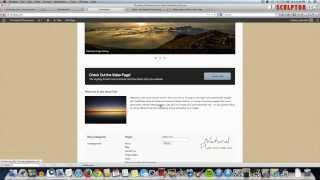
How To Make a Website with WordPress - CUSTOM!
Added 8,966 Views / 0 LikesVideo tutorial on How to Make a Website: To see the final result of what you will learn how to create, check out: http://www.nature.quickwebsitecreation.com In this step-by-step video tutorial, I will walk you through how to make a website with WordPress. You will also learn how to really make your website look professional by adding custom graphics, background images, textured backgrounds, creating a logo and working with images using free online res
Featured -
06:09 Popular
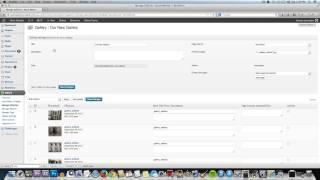
How to Use the NextGen Gallery Plugin for Wordpress - 2013
Added 115 Views / 0 Likeshttp://www.wpsculptor.com This video is a follow up video to my How to Create a Custom WordPress Website - BEGINNERS found here: http://www.youtube.com/watch?v=sPR_I00comE When I published the original video, the section on how to use the NextGen Gallery plugin is no longer up to date. With several updates to the plugin since then, it was time to do a quick video on how to use the current version of NextGen Gallery.
-
06:09 Popular
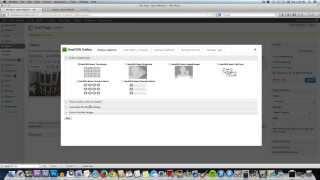
How to Use the NextGen Gallery Plugin for WordPress - 2013
Added 119 Views / 0 Likeshttp://www.wpsculptor.com This video is a follow up video to my How to Create a Custom WordPress Website - BEGINNERS found here: http://www.youtube.com/watch?v=sPR_I00comE When I published the original video, the section on how to use the nextgen gallery plugin is no longer up to date. With several updates to the plugin since then, it was time to do a quick video on how to use the current version of NextGen Gallery.
-
1:53:54 Popular

How to Make a WordPress Website and Blog - PROFESSIONAL!
Added 201 Views / 0 Likeshttp://www.wpsculptor.com In this video, I show you how to make a website using WordPress from start to finish and do not skip any steps whatsoever. I also show you how to make a blog. The website you'll learn how to create is extremely professional and uses the amazing Customizr WordPress theme. I'm going to cover a lot of ground with this video but even as a complete beginner, you will be able to follow along and make an awesome website! Things cove
-
2:22:22 Popular

How to Make a Custom ECOMMERCE Website With WordPress - BEGINNERS
Added 185 Views / 0 Likeshttp://www.wpsculptor.com In this step-by-step tutorial, I walk you through how to set up an online store with WordPress. I am using a great theme called Mio from splashingpixels.com. The theme itself resembles the look of Apple's website but you can customize the background/font/text color/etc...The Mio theme is also designed specifically for the eCommerce plugin we will be using called WooCommerce from woothemes.com Both the theme and the plugin are
-
14:54
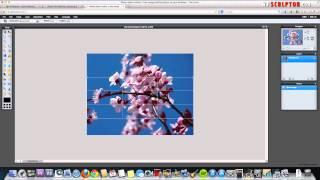
How To Add a Slide Show to a WordPress Website - EASY to Use!
Added 85 Views / 0 Likeshttp://www.wpsculptor.com This video is a follow up video to one of my full length website design tutorials that walks you through the process of creating a website from start to finish and uses the same WordPress theme that is used in this video. That video can be found here: http://www.youtube.com/watch?v=sPR_I00comE In this video, I walk you through how to add a slide show to any page on your WordPress website. The slide show plugin is called "Easi
-
04:42
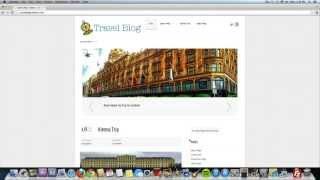
Humix Theme Fix
Added 54 Views / 0 Likeshttp://www.wpsculptor.com In this video, I demonstrate a quick solution for getting rid of the "missing image icons" that appear with the Humix theme when using certain web browsers such as Google Chrome. The image you need to download is found here: http://wpsculptor.com/humix-fix/ Thank you to those who pointed the broken images out!
-
11:04 Popular
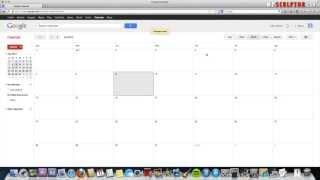
How To Embed a Google Calendar onto a WordPress Website
Added 134 Views / 0 Likeshttp://www.wpsculptor.com In this step-by-step tutorial video, I demonstrate how to set up a Google Calendar and then embed that Calendar onto a page on your WordPress site. This is great for people that have events that they would like to display with a calendar on their website. I also show you how to use hyperlinks with your Google Calendar so that users can be directed to other webpages such as a ticket purchasing page or a PayPal page directly fr
-
10:05 Popular

Youtube Gallery Plugin For WordPress - Video Tutorial
Added 108 Views / 0 Likeshttp://www.wpsculptor.com For an extensive full link tutorial on how to create a custom website with WordPress using the same theme as the one I used for this tutorial, check out: https://www.youtube.com/watch?v=sPR_I00comE In this tutorial video, I demonstrate how to use a Free WordPress plugin called TubePress to create a clean looking YouTube gallery for your website. The gallery will display thumbnail images of the YouTube videos that will open up
-
15:14 Popular
WordPress Social Media Plugin - How to Install (Step by Step Tutorial)
Added 165 Views / 0 Likeshttp://www.wpsculptor.com Learn How to Create a Blog with WordPress Using the Humix theme (this is the theme in the video and this tutorial is definitely comprehensive): https://www.youtube.com/watch?v=G-zexszNgbE In this video tutorial, I demonstrate step by step exactly how to install a WordPress social media plugin called social media feather. You will learn how to easily integrate your social media pages like Facebook, twitter, Google Plus, YouTub
-
1:37:45 Popular
WordPress Blogging Tutorial (For BEGINNERS) - How to Create a Blog with WordPress
Added 171 Views / 0 Likeshttp://www.wpsculptor.com My Host Gator Affiliate Link: http://wpsculptor.com/hostgator In this step-by-step blogging tutorial video, I show you how to create a professional WordPress blog. This video is intended for people that are completely new to building a blog or a website so it is very detailed and starts off with getting a domain name and hosting account! This will be the first of several WordPress blogging videos so be sure to subscribe to my
-
06:03 Popular
How to Center Navigation Menu WordPress Twenty Twelve Theme
Added 114 Views / 0 Likeshttp://www.wpsculptor.com This video is a follow-up video to my extensive tutorial that walks you through the process step-by-step from the very beginning to create your own website from start to finish found here: https://www.youtube.com/watch?v=sPR_I00comE In this video, I show you how to center the navigation menu on the page with the WordPress Twenty Twelve theme. By default, the navigation menu appears to the far left of the screen but you can po
-
10:06 Popular
Move Header Image, WordPress Twenty Twelve
Added 108 Views / 0 Likeshttp://wpsculptor.com In this video, I show you how to move the header image above the navigation bar for the WordPress Twenty Twelve theme. I also show you how to create a quick text logo with Pixlr, a free photo editing application, and add that logo to your WordPress website. This is a follow up to another tutorial that walks beginners through the process of creating a custom website with WordPress from start to finish: http://www.youtube.com/watch









