Wordpress
-
01:30 Popular

How to Scan Your WordPress Site for Potentially Malicious Code
Added 107 Views / 0 LikesYou may be wondering if there are ways to scan your site for potentially malicious code. There are a few free and paid options you can go with and it is a good idea to regularly checkup on your site. In this video, we will show you how to scan your WordPress site for malicious code. If you liked this video, then please Like and consider subscribing to our channel for more WordPress videos. Text version of this tutorial: http://www.wpbeginner.com/plugi
-
01:19 Popular

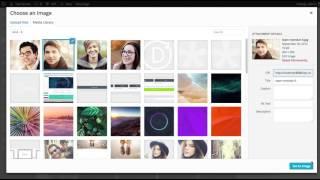
How to Add Remote Media Libraries in WordPress
Added 107 Views / 0 LikesWordPress is a great platform for video publishers wanting to add their videos to their posts. However you will have to locate the video in another window to copy and paste the url to your site. In this video, we will show you how to add remote media libraries in WordPress. If you liked this video, then please Like and consider subscribing to our channel for more WordPress videos. Text version of this tutorial: http://www.wpbeginner.com/plugins/how-to
-
01:08 Popular

How to Customize WordPress Excerpts No Coding Required
Added 107 Views / 0 LikesText version of this tutorial: http://www.wpbeginner.com/plugins/how-to-customize-wordpress-excerpts-no-coding-required/ Do you want to customize your WordPress excerpt? Excerpts are the short extracts of text from your posts followed normally by "read more...". In this video, we will show you how to customize WordPress excerpts with no coding required. If you liked this video, then please Like and consider subscribing to our channel for more WordPres
-
01:49 Popular

How to Create Temporary Login for WordPress
Added 107 Views / 0 LikesHave you ever needed to create a temporary account that will automatically expire after a specific date? Sometimes offering temporary access to the admin area is required. In this video, we will show you how to create a temporary login for WordPress without passwords. Text version of this tutorial: http://www.wpbeginner.com/plugins/how-to-create-temporary-login-for-wordpress-no-passwords/ If you liked this video, then please Like and consider subscrib
-
01:56 Popular

How to Show Before and After Photo in WordPress
Added 107 Views / 0 LikesAre you looking to display before and after photos on your site? These before and after photos can help give a side by side comparison of two identical images in an appealing way. In this video, we will show you how to easily show a before and after photo in WordPress. For this tutorial we will be using the plugin 'Twenty20 Image Before-After' found here: https://wordpress.org/plugins/twenty20/ With the plugin installed and activated you can now add o
-
05:29 Popular
WordPress 101 - Updating WP to the New Version
Added 107 Views / 0 LikesUpdate your WordPress website to the latest version. Use the above tutorial to know about how you can update to the latest WordPress version and use the new updated features on your website. Useful WordPress Themes Links: WordPress Blog Themes - https://mythemeshop.com/theme-category/wordpress-blog-themes/ WordPress Business Themes - https://mythemeshop.com/theme-category/wordpress-business-themes/ WordPress eCommerce Themes - https://mythemeshop.com/
-
02:21 Popular

Tiger Bill Recommends MyThemeShop Products
Added 107 Views / 0 LikesTiger Bill is the owner of TigerMix Media (https://tigermix.com/), which helps those who are looking to create a viable, long-term business online through honest product reviews, training, and useful tools of the trade.
-
05:50 Popular

How to fix Facebook incorrect thumbnail issue in WordPress?
Added 107 Views / 0 LikesFacebook uses Open Graph tags to determine the preferred image that is needed to be used as a thumbnail on its platform. Often times, when multiple images on your site have been set with the og:image tag and your featured image size is smaller than the rest of the images, it may lead to the confusion and Facebook may pick an incorrect thumbnail. Also, if you are using plugins like Yoast SEO, it automatically adds the og tags on your site in order to p
-
00:58 Popular

#1 Free Video Blogging WordPress Theme | TheMotion
Added 107 Views / 0 LikesThe Motion WordPress theme it's a stunning, responsive video blogging theme excellent for Creative Agencies!Get the theme here: http://bit.ly/2mmpgob TheMotion is a clean and elegant Video WordPress theme primarily made for video sites, and it can also be a perfect fit for blogs or portfolio websites. It features a beautiful slider, classy light colors, and a modern appearance. Its stylish and minimalist design makes it multipurpose, ready to fit any
-
01:49 Popular

Divi Footer Design Challenge Winners
Added 107 Views / 0 LikesIn this video we announce our top three submissions for the Divi Footer Design Challenge. Read the accompanying blog post: http://goo.gl/H7FaS0 Subscribe to our YouTube Channel: https://goo.gl/oxCa4h Subscribe to Divi Nation on iTunes: https://goo.gl/w8fccT Subscribe to Divi Nation via RSS: http://goo.gl/vz04Vc Get Divi Nation on Facebook: https://goo.gl/zPFjxj Divi Footer Design Challenge: Top 3 Submissions http://www.laurenkstein.com/ http://www.krs
-
03:19 Popular

Introducing Divi 2 4
Added 107 Views / 0 LikesThe best WordPress themes on the market just got better. Way better: http://www.elegantthemes.com/blog/theme-releases/divi-2-4
-
08:30 Popular

Extra Tabbed Posts Module
Added 107 Views / 0 LikesIn this tutorial we give you an overview of the Tabbed Posts module. View Extra's Demo: http://goo.gl/9xZgl4 View Extra's Documentation Page: http://goo.gl/ewQCp2 Buy An Elegant Themes Membership: https://goo.gl/lCWgL0 Subscribe to our YouTube Channel: http://goo.gl/tdnfju
-
1:06:26 Popular

Divi Nation, Episode 15 - Building & Launching Productized Services with Tim Strifler
Added 107 Views / 0 LikesIn this episode of Divi Nation we get to know guest host Tim Strifler. Tim is a Divi Community Member and avid WordPress Entrepreneur set on creating a successful productized service that generates passive income. He's already done this once, but now he's looking to learn from his first endeavor and improve in round two. In their interview Divi Nation Host Nathan B. Weller gets Tim to share what exactly those lessons are and what we can all learn from
-
01:50 Popular

Divi 3 0 Sneak Peek Undo, Redo & Revision History
Added 107 Views / 0 LikesThe release of Divi 3.0 is only 6 days away, and today we are happy to post our final sneak peek. Swing by the blog for more info: https://www.elegantthemes.com/blog/divi-resources/the-final-divi-3-0-video-sneak-peek-a-look-at-the-visual-undo-redo-and-revision-history
-
17:22 Popular

5 Useful Divi Global Modules & How to Build Them
Added 107 Views / 0 LikesIf you are designing a big website, it can be very time consuming having to add the same element on every page and then having to edit every one individually when you want to make a change to it. To get around this, Divi uses ‘global items’. When you make a module or section a global item, it stores it in a library, so you can edit one it once and it will update all instances of it across the website.
-
57:33 Popular

This Week in WordPress (November 11 to 17, 2017)
Added 107 Views / 0 LikesThis Week in WordPress (11-11 to 11-17, 2017) Every week, we here at Elegant Themes take you through the best news, tutorials, and resources that were published this week about our beloved WordPress. If you have any cool stuff that you want to talk about, let us know in the comments! --News Elegant Themes: What to Expect from WP 4.9 https://www.elegantthemes.com/blog/resources/wordpress-4-9-what-you-can-expect-in-the-next-release WordPress 4.9 “Tipton
-
10:45 Popular

The Divi Comments Module
Added 107 Views / 0 LikesThe comments module allows you to place a comment form anywhere on your page. If you are using a standard page or post without the Divi Builder, comments will always appear below your post content. Once the Divi Builder is enabled, however, you can place the comments module anywhere on your page and the comments form will appear in the location of the module. This gives you a lot more control over your comments! View the full documentation here: https
-
10:00 Popular
The Divi Text Module
Added 107 Views / 0 LikesText can be added anywhere on your page. Text modules can be placed within any column type, and when combined with other modules, they make for a truly dynamic page. When you add a text module, you are given all of the editing capabilities of a normal WordPress page. The text module can be used to create a small bit of text within a complex layout, or it can be used in a full width column to create an entire page. View The Full Documentation Page: htt
-
10:48 Popular
The Divi Social Follow Module
Added 107 Views / 0 LikesView The Full Documentation Page: https://www.elegantthemes.com/documentation/divi/social-follow/
-
59:13 Popular

Divi Use Case Live Stream | How to Add Event Scheduling and Booking to your Site
Added 107 Views / 0 LikesMultistreaming with https://restream.io/ If you ever wanted to add event scheduling to your website, you won’t want to miss this Divi Use Case. I’ll be showing you how the powerful Modern Events Calendar plugin can integrate with Divi's beautiful Pottery Studio Layout to produce an effective event scheduling system for your users. I will be covering: - How to configure the Modern Events Calendar plugin settings. - How to create new events. - How to en
-
1:00:26 Popular

The Weekly WP Roundup with B.J. Keeton (November 9, 2018)
Added 107 Views / 0 LikesMultistreaming with https://restream.io/ Welcome, Divi Nation, to the Weekly WP Roundup. Every week I run all over the internet to grab the best news, tutorials, and resources I can find to bring back here and share with you on Friday afternoons. Feel free to throw any questions you have in the comments...or just say hi! --NEWS Elegant Themes is Giving Away an iMac Pro! https://www.elegantthemes.com/black-friday-2018/#black_friday_giveaway_scroll Clas
-
1:00:57 Popular

The Weekly WP Roundup with B.J. Keeton (December 21, 2018)
Added 107 Views / 0 LikesMultistreaming with https://restream.io/ Happy Holidays, everyone! This week is the final WP Roundup of 2018, so let’s not delay and get right into links! Remember, today is the final day for the ET Cyber Monday sale! Don’t miss 25% memberships: https://www.elegantthemes.com/cybermonday --NEWS WordPress 5.0.2 Released with Performance Gains of 330% for Block-Heavy Posts https://wptavern.com/wordpress-5-0-2-released-with-performance-gains-of-330-for-bl
-
02:29 Popular

The Brand New ElegantThemes com!
Added 107 Views / 0 LikesCheck it out here: https://www.elegantthemes.com/blog/theme-releases/the-brand-new-elegantthemes-com Today we are launching the brand new ElegantThemes.com. This is a complete website redesign that reframes our membership’s value, brings to the forefront our core products, digs deep into Divi and all of its amazing features, and most importantly, greatly improves the membership experience for our current customers. This is something we have been worki
-
04:22 Popular

Get a FREE Mechanic Layout Pack
Added 107 Views / 0 LikesLearn more: https://www.elegantthemes.com/blog/divi-resources/get-a-free-mechanic-layout-pack Hey Divi Nation! Thanks for joining us for the next installment of our weekly Divi Design Initiative where each week, we give away brand new, free Divi Layout Packs from our design team to you. This time around, Kenny and his team have created an awesome Mechanic Layout Pack with custom images, icons and image masks that'll help you personalize any mechanic w
-
04:03 Popular

Get a FREE Veterinarian Layout Pack for Divi
Added 107 Views / 0 LikesHey Divi Nation! Thanks for joining us for the next installment of our weekly Divi Design Initiative; where each week, we give away a brand new, free Divi Layout Pack from our design team to you. For this week, Kenny and his team have created a brand new Veterinarian Layout Pack. This layout pack is the designed with a beautiful blend of playfulness and professionalism. The design is packed with custom icons, graphics, and images that will work for an