Wordpress
-
06:52
How To Manually Update A WordPress Plugin
Added 58 Views / 0 LikesDo you want to learn how to manually update a WordPress plugin? If so, this video is perfect for you! We'll walk through the steps of downloading a new version of the plugin from the source, uploading it to your WordPress site and replacing the old version. Plus, we'll discuss some best practices for keeping your site secure while updating plugins. So what are you waiting for? Watch now and become an expert at manual updates! //* Grab your free 17-Poi
-
03:54 Popular

How to Manually Update WordPress Plugins via FTP
Added 160 Views / 0 LikesSometimes a plugin update fails or has an issue that will break your website that can only be fixed by updating the plugin. This can be a confusing process for new users but we're here to help walk you through it. In this video we will show you how to manually update WordPress plugins via FTP. Text version of this tutorial http://www.wpbeginner.com/beginners-guide/how-to-manually-update-wordpress-plugins-via-ftp/ If you liked this video, then please L
-
03:41 Popular

How To Manually Update WordPress Theme And Plugins
Added 167 Views / 0 LikesWhether you are using a free or a paid theme or plugin, when there are new version updates available, you will receive a message on your WordPress Dashboard suggesting an update, but there are certain cases when this doesn't happen. There are a few reasons for this, but in this video, we will take a look at the way you can manually update WordPress themes and plugins If you want to know more about the reason why you don;t get the update message here a
-
29:30

How to Mark a New Divi Section with Subtle Motion Shapes
Added 90 Views / 0 LikesMultistreaming with https://restream.io/?ref=wVYnR There are many ways you can make your visitor aware of the fact that they’re moving on to another section on your page. Within Divi, there’s a wide range of section dividers you can use right off the bat. But if you’re looking for a more animated way to make it clear, you’ll love this tutorial. We’ll show you how to mark a new Divi section using subtle motion shapes. We’ll create these shapes with Div
-
03:37 Popular

How to Match Your Desktop & Mobile Menu Bar with Divi
Added 147 Views / 0 LikesIn today’s Divi post, we’re going to share a quick tip that will help you enhance your mobile designs. We all know that your design on mobile is just as important as it is on desktop, but because of some standard settings within Divi, not all changes you make in the Theme Customizer look the same on Desktop as they do on mobile. Read the article here: https://www.elegantthemes.com/blog/divi-resources/how-to-match-your-desktop-mobile-menu-bar-with-divi
-
15:03
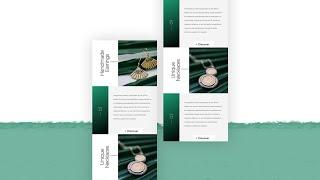
How to Maximize Divi’s Mobile Viewports Using Rotated Copy
Added 62 Views / 0 LikesWhen designing a website, you have an important choice to make at the very beginning: “What device am I going to design for first?” Often, the answer is desktop. But just because you design for desktop first, doesn’t mean your mobile design can’t be as thorough. By using rotated copy, for instance, you can maximize Divi’s mobile viewports and fit more content inside the mobile viewports without overburdening your visitors or your design. In this tutor
-
12:24 Popular

How to Migrate a WordPress Site to a New Domain With WPVivid
Added 102 Views / 0 LikesHow to Migrate a WordPress Site to a New Domain With WPVivid - Here I go step by step through two ways to clone a website to a new domain name. I use the website migration plugin WPVivid and show you how to do both WordPress site migration and scheduled WordPress site backups. I hope you enjoy the video! WPVivid: https://www.wpwithtom.com/wpvivid Best Budget Hosts: https://www.wpwithtom/greengeeks http://wpwithtom.com/ Check out my WordPress courses!
-
02:00 Popular

How to Migrate From Font Awesome 4 to Font Awesome 5
Added 102 Views / 0 LikesElementor v2.6 introduces the Icon Library, which includes an update to the Font Awesome 5 library. In this step-by-step video, we take you through the process of updating your Font Awesome icons. Elementor v2.6 is now available in Beta, get it here: https://github.com/elementor/elementor/issues/8431 Read more about it here: https://docs.elementor.com/article/584-migration-to-font-awesome-5 Get Elementor: https://elementor.com/ Get Pro: https://eleme
-
10:17

How To Migrate From WordPress com to WordPress org 2021
Added 34 Views / 0 LikesDo you want to move your site from WordPress.com to WordPress.org? Many bloggers start with WordPress.com for a free starting point and then run into the limitations of the platform and want to transfer to WordPress.org. It can seem like a complicated process but, in this video, we'll walk you through how to transfer your site from WordPress.com to WordPress.org. This video is sponsored by MonsterInsights, a powerful plugin to help you use your analyt
-
17:20 Popular

How to Migrate Site to Managed GoDaddy WordPress Hosting
Added 164 Views / 0 LikesIn this video, I'll walk you through all the steps required to migrate your website to the managed GoDaddy WordPress Hosting platform. We'll specifically be migrating a website from GoDaddy's cPanel hosting to GoDaddy's WordPress hosting plan. 00:59 - Enter WordPress Admin & FTP info 03:41 - Once migration is finished... 04:38 - Login to your WordPress Admin; TEST TEST TEST - Correct theme is active, and it looks just like your existing site - Your th
-
06:46 Popular

How to migrate WordPress SEO data from one theme/plugin to another
Added 118 Views / 0 LikesIn this video, I'll show you how to migrate (transport) WordPress SEO data from custom meta fields in a theme or plugin, to a new theme or plugin of your choice. I use StudioPress in this example, get StudioPress themes here: https://plugintut.com/go/studiopress Learn more: https://plugintut.com Subscribe! https://plugintut.com/subscribe Follow us! http://twitter.com/plugintut Like us! http://facebook.com/plugintut
-
02:02

How to Minify Your Website's CSS, HTML & Javascript
Added 90 Views / 0 LikesIn today’s video we take a look at how to minify Your Website's CSS, HTML & Javascript. Blog post: https://www.elegantthemes.com/blog/tips-tricks/how-to-minify-your-websites-css-html-javascript Like us on Facebook: https://www.facebook.com/elegantthemes/
-
01:12
How to Moderate New User Registrations in WordPress
Added 95 Views / 0 LikesAllowing users to register on your site can sometimes open the door to spam registrations. While you can delete registrations after the fact there is a way to moderate them like comments. In this video, we will show you how to moderate new user registrations in WordPress. If you liked this video, then please Like and consider subscribing to our channel for more WordPress videos. Text version of this tutorial: http://www.wpbeginner.com/plugins/how-to-m
-
07:08 Popular

How to Monetize a Podcast
Added 116 Views / 0 LikesIn today’s video, we're going to learn how to monetize a podcast. Blog post: https://www.elegantthemes.com/blog/business/how-to-monetize-a-podcast Like us on Facebook: https://www.facebook.com/elegantthemes/
-
00:53 Popular

How To Monetize Your WordPress Website With URL Shortener
Added 158 Views / 0 LikesUse https://shorte.st to shorten links in Revive Old Post WordPress plugin and make money. SHORTE.ST Will turn your links into earning ones by adding an adlayer. Your visitors will see an ad before reaching a destination page and you will make money. Other Useful Links and Videos that will help you build your website: 30+ Free and Premium WordPress Themes: https://themeisle.com/wordpress-themes/ Top Free & Premium WP Plugins: https://themeisle.com/wor
-
01:20 Popular
How to Monitor User Activity in WordPress with Simple History
Added 135 Views / 0 LikesRunning a multi-author blog can have quite a few challenges. One tool most admins seek out is a way to monitor activity on their websites. In this video, we will show you how to monitor user activity in WordPress with Simple History. If you liked this video, then please Like and consider subscribing to our channel for more WordPress videos. Text version of this tutorial: http://www.wpbeginner.com/plugins/how-to-monitor-user-activity-in-wordpress-with-
-
08:36 Popular

How to Monitor Your WordPress Website Uptime For Free
Added 140 Views / 0 LikesHow to Monitor Your WordPress Website Uptime For Free https://www.wpcrafter.com wordpress, website uptime, uptime monitor, website monitoring, website maintenance, create a website, uptime (software), wordpress (software), monitor -~-~~-~~~-~~-~- Please watch: "How-to Make A WordPress Website 2016 In 60 Minutes - Business or Restaurant, Create Build Develop" → https://www.youtube.com/watch?v=0j1NzwuBvSw -~-~~-~~~-~~-~- ~~~~~~~~~~~~~~~~~~~~~ All of my
-
11:22 Popular
How To Move / Transfer A Domain Name To A New Host / Owner / Person / Or Account
Added 161 Views / 0 LikesHow To Move / Transfer A Domain Name To A New Host / Owner / Person / Or Account If you have a domain name that you want to transfer to a different registrar or to a different person altogether, this video will teach you how. Here are the links from the video: https://www.wpcrafter.com/namecheap Here are some recommended web hosts: https://www.wpcrafter.com/a2hosting https://www.wpcrafter.com/inmotion-hosting ~~~~~~~~~~~~~~~~~~~~~ All of my opinions i
-
09:20 Popular
How To Move A WordPress Website From localhost To Server Using All-In-One Migration WordPress Plugin
Added 151 Views / 0 LikesGrab Your Free 17-Point WordPress Pre-Launch PDF Checklist: http://vid.io/xqRL Check out the free WP & Online Marketing Summit For Beginners. The online event is June 18, 2019: https://events.wplearninglab.com/ How To Move A WordPress Website From localhost To Server Using All-In-One Migration WordPress Plugin https://youtu.be/n45K2PYSAmo Join our private Facebook group today! https://www.facebook.com/groups/wplearninglab Link to Duplicator plugin tut
-
00:58 Popular

How to Move Comments Between WordPress Posts
Added 121 Views / 0 LikesSometimes you may feel the need to create a new version of a older post. The problem with doing this is you will lose all of your old comments. In this video, we will show you how to move comments between WordPress posts. If you liked this video, then please Like and consider subscribing to our channel for more WordPress videos. Text version of this tutorial: http://www.wpbeginner.com/plugins/how-to-move-comments-between-wordpress-posts/ Check us out
-
11:51 Popular

How to Move from Blogger to WordPress
Added 103 Views / 0 LikesStart Here • https://websitelearners.com/blogger-to-wordpress/#start Get the best tools for your website • https://websitelearners.com/tools/ Watch How to Move from Blogger to WordPress – in 3 simple steps. Why Move to WordPress? WordPress provides a lot more options compared to blogger. In WordPress, there is something called as plugins which allows you to add new features to your website. For example: Let's say: You want to add a live chat to your s
-
10:54 Popular
How To Move WordPress from Local Server to Live Site
Added 152 Views / 0 LikesVery detailed video that shows you how to transfer wordpress form a local server to a live site.
-
08:10 Popular

How to Move Wordpress from Local Server to Live Website
Added 168 Views / 0 LikesGet your hosting account • https://websitelearners.com/get/hostingl2l Get the best tools for your website • https://websitelearners.com/tools/ Design your WordPress Site (Using Drag & Drop): https://youtu.be/YWA-xbsJrVg This video shows - how you can move your WordPress site from your local computer to a LIVE website. By following this tutorial, you’ll be able to launch your website - LIVE on the Internet, where anyone will be able to access it, just
-
23:17 Popular

How To Move WordPress From Your Old Web Host To A New Host
Added 150 Views / 0 LikesIn this video tutorial I teach you how to move WordPress from your old web host to Name Hero manually. If you’re moving from a web host that utilizes cPanel, we can migrate the entire account for free within the first 30 days. However, if your current web host doesn’t use cPanel or if you’d prefer to do a manual migration, this is how you can assure everything gets switched over. Learn more about our high-speed cloud WordPress hosting here: https://ww
-
04:41 Popular

How To Move WordPress Login Page For WordPress Security & Hack Prevention | WP Learning Lab
Added 137 Views / 0 LikesGrab Your Free 17-Point WordPress Pre-Launch PDF Checklist: http://vid.io/xqRL Download our exclusive 10-Point WP Hardening Checklist: http://bit.ly/10point-wordpress-hardening-checklist How To Move WordPress Login Page For WordPress Security & Hack Prevention | WP Learning Lab In this tutorial I'm going to show you how to use the Move Login plugin to move the default WordPress login page. This will help reduce the likelihood of a successful brute for
-
02:46 Popular

How To Move Your WordPress Blog To A New Page
Added 205 Views / 0 LikesBy default WordPress has a blog on its homepage. But what if you want your blog section on a different page? In this video, we'll show you how, in just a few easy steps. - Interested in learning even more about WordPress. Check out https://winningwp.com for all kinds of tips, tricks, beginner guides, deals and resources! - Guide to Choosing the Best WordPress Hosting: https://winningwp.com/best-wordpress-hosting/ - Beginner WordPress Guides: https://w
-
00:55 Popular

How to Notify Post Authors of New Disqus Comments in WordPress
Added 115 Views / 0 LikesDisqus is a comment system that many sites use to reduce the load on your site. Normally only admins and moderators are notified of new comments. In this video, we will show you how to notify post authors of new Disqus comments in WordPress. If you liked this video, then please Like and consider subscribing to our channel for more WordPress videos. Text version of this tutorial: http://www.wpbeginner.com/plugins/how-to-notify-post-authors-of-new-disqu
-
01:40 Popular

How to Notify Users Only On Replies to Their WordPress Comments
Added 136 Views / 0 LikesLooking to improve user engagement by sending a notification to users only when someone replies to their WordPress comments? There is not a built-in method in WordPress for letting users know there is a reply to a comment on your site. In this video, we will show you how to notify users only on replies to their WordPress comments. For this tutorial we will be using the Subscribe to Comments Reloaded plugin found here: https://wordpress.org/plugins/sub
-
01:01 Popular
How to Notify Users When Their Comment is Approved in WordPress
Added 117 Views / 0 LikesComment moderation is a great tool to keep discussions on your site safe and helps to avoid spam. The downside to this is there is no easy way to inform users when their comment has been approved. In this video, we will show you how to notify users when their comment is approved. If you liked this video, then please Like and consider subscribing to our channel for more WordPress videos. Text version of this tutorial: http://www.wpbeginner.com/plugins/
-
03:06 Popular

How to Obtain Intergeo API key
Added 113 Views / 0 LikesHow to retrieve API Key for Intergeo Maps WordPress plugin. Get all the details • Once the Intergeo Maps plugin is installed, you can find it in your WordPress dashboard by clicking Settings - Intergeo Maps. Next, go to https://developers.google.com/maps/documentation/javascript/get-api-key#key and press "Get a key" button. Then just name the project and press "Create and enable the API" and voila! The magic happened. In the last step, add the Key to









