Wordpress
-
05:50 Popular

How to Make The Social Media Follow Module Fixed Like Monarch
Added 138 Views / 0 LikesIn today’s tutorial, we’re going to show you how to make the Social Media Follow Module fit certain needs. Social Media Follow is a module that is rarely missing from any page on any website. It’s one of the main ways to connect the social media channels with the website. Read more: https://goo.gl/ZekSru
-
05:41 Popular

How to Make The Standard and Vertical Navigation Overlap on Your Divi Website
Added 121 Views / 0 LikesIn this post, we’re going to show you how to combine the standard and vertical navigation. More specifically; how to make the secondary menu and footer overlap the vertical navigation on your website. That means you won’t have to choose between having a top navigation or vertical navigation; you can do both! You can style the primary menu and secondary menu however you want within your Theme Customizer, that’s not what we’re going to help you achieve
-
12:18 Popular

How To Make WooCommerce Checkout Like Shopify - Conversion Optimized, Oh And [ FREE ]
Added 123 Views / 0 LikesIn this WooCommerce tutorial, I'll show you how to take your boring and poorly converting WooCommerce checkout page and make it conversion-optimized just like Shopify. As I shared in the video, I have a full WooCommerce tutorial on the way, the link will be added below in a day or two. Also make sure to check out the free Kadence Theme https://www.wpcrafter.com/kadence • WordPress Deals May 2020 • * SiteGround -- https://www.wpcrafter.com/siteground (
-
03:16 Popular

How to Make Your Blog Your Homepage in WordPress
Added 104 Views / 0 LikesHow to Make Your Blog Your Homepage in WordPress In this quick video I show you how to setup your blog to be your homepage within WordPress. Changing the WordPress homepage is an easy fix when you know where to look. In this video video I show you how to make your blog the homepage in a matter of clicks as well as how to create a separate page for blog posts. I hope you enjoy it! My Site: https://www.wpwithtom.com/ Best Hosts: SiteGround: https://wpwi
-
04:43 Popular

How to Make Your Divi Footer Fixed
Added 138 Views / 0 LikesIn today’s Divi tutorial, we’re going to show you how to create a fixed footer for your website instead of a normal one. Read article: https://goo.gl/crSCuW
-
03:30 Popular

How to Make Your Divi Footer Sticky
Added 130 Views / 0 LikesIn this tutorial, we’ll show you exactly how to make the footer on your Divi website sticky. Using a sticky footer may be one of the requests you get when you’re designing a website for a client or a need you have when you’re creating a website of your own. We’ll show you two possibilities that will make your footer sticky. The first way is through CSS code and the second one through jQuery code. Read more: https://www.elegantthemes.com/blog/divi-reso
-
04:55 Popular
How to Make Your Divi Navigation Start at the Bottom, Then Stay Fixed at Top When Scrolling
Added 149 Views / 0 LikesIn today’s Divi tutorial we’ll show you, step by step, how to make a fixed navigation on your website when scrolling and after you’ve passed the height of your full screen. If you follow the steps in this post and recreate the fixed navigation, you’ll see that the navigation will bring a nice interacting effect to your primary menu and to your website in general. Read post: https://goo.gl/p1SN65
-
02:58
How to Make Your Footer Sticky with Divi
Added 55 Views / 0 LikesA sticky footer is a fantastic way to display important content to your visitors. The footer stays at the bottom of the screen as they scroll so they always have easy access to the content. This is ideal for contact information, special links, and more. Fortunately, creating a sticky footer is easy with Divi. In this tutorial, we’ll see how to make one section of your Divi footer sticky, and we’ll adjust it differently for desktop and phone devices. R
-
26:25
How to Make Your Logo Cross The Primary & Secondary Menu Bars Inside Your Divi Header
Added 66 Views / 0 LikesLearn more: https://www.elegantthemes.com/blog/divi-resources/how-to-make-your-logo-cross-the-primary-secondary-menu-bars-inside-your-divi-header When it comes to building a header, the possibilities are endless. You can include anything you can imagine inside your Divi header if you use the Divi Theme Builder. Today, we’re adding another highly-requested header design tutorial to your list of resources. We’ll show you how to make your logo cross the
-
2:02:47 Popular

How to Make Your Own Website 2019 | Divi WordPress Tutorial [UPDATED]
Added 124 Views / 0 LikesWant to know how to make your own website for 2019? With this Divi WordPress tutorial, we show you how! Free tutorial: https://ohklyn.com/how-to-make-your-own-website/. Discount hosting: https://ohklyn.com/go/bluehost-discount/ Topics in this Divi WordPress tutorial include how to make your own website, how to make a WordPress website from scratch, and how to create a WordPress website for business. In this WordPress website tutorial for beginners, we
-
09:08 Popular

How to Make Your Section Background Image Selectively Show Through with Divi
Added 126 Views / 0 LikesYou can basically apply a background image to anything within the Divi Builder. Whether it’s a section, row, column or module, the possibilities are endless. And with blend modes, you can even make background images show through selectively. This allows you to make modules to connect with each other on another level. Where one module stops, the other module takes over. They don’t behave as separate elements anymore but, instead, help you get a view of
-
31:54 Popular
How to Make Your Transparent Header Sticky on Scroll with Divi
Added 109 Views / 0 LikesLearn more: https://www.elegantthemes.com/blog/divi-resources/how-to-make-your-transparent-header-sticky-on-scroll-with-divi When it comes to setting up a global header for your website, there are many ways to approach it. One of the more subtle approaches is a transparent header. Transparent headers are placed on top of your pages’ hero sections, which can lead to beautiful designs that focus on a minimal but clear approach. If you decide to go for a
-
00:48

How to Make Your Videos Responsive in WordPress with FitVids
Added 84 Views / 0 LikesWhen you embed a video by default these videos are not responsive on your site. Users visiting your site with a smaller screen size will see video containers of the wrong size. In this video, we will show you how to make your videos responsive in WordPress with fitvids. If you liked this video, then please Like and consider subscribing to our channel for more WordPress videos. Text version of this tutorial: http://www.wpbeginner.com/plugins/how-to-mak
-
04:39 Popular

How to Make Your Website Responsive With Elementor's Mobile Editing Tools
Added 136 Views / 0 LikesResponsive Web Design means making your website look good on all devices (desktops, tablets, and mobile phones). Get Elementor, free forever, including mobile editing: https://elementor.com In this video, we show five ways in which you can use the Free Elementor Page Builder for WordPress to edit any site and make it 100% mobile responsive. The methods we cover include: - Mobile font size - Reverse columns - Responsive column width - Padding and margi
-
01:50 Popular

How to Make Your WordPress Blog Completely Private
Added 128 Views / 0 LikesYou may want to create a blog for personal use not to be seen by most people but to be shared with friends and family. This can be for sharing photos or keeping a log of things for your family. In this video, we will show you how to make your WordPress blog completely private. If you liked this video, then please Like and consider subscribing to our channel for more WordPress videos. Text version of this tutorial: http://www.wpbeginner.com/beginners-g
-
02:49 Popular

How to Make Your WordPress Blog Completely Private
Added 121 Views / 0 LikesDo you want to be able to make your site completely private? Often users will want to use WordPress to share personal photos with select people but not to the world. In this video, we will show you how to make your site completely private as well as password protecting specific posts. Text version of this tutorial: http://www.wpbeginner.com/beginners-guide/how-to-make-your-wordpress-blog-completely-private/ If you liked this video, then please Like an
-
09:21 Popular

How To Make Your WordPress Website Run Faster By Changing 1 Setting
Added 149 Views / 0 LikesHow To Make Your WordPress Website Run Faster By Changing 1 Setting My website: https://www.wpcrafter.com For any WordPress website owner, the most important thing that you need to pay attention to is to make sure that your website loads fast for your website visitors. In this video I'm going to show you one setting change that you can do right now to drastically make your website load faster on the front and for your website visitors and the back end
-
10:51 Popular

How to Make Your Written Content Readable on Image Backgrounds with Divi 2018
Added 113 Views / 0 LikesMaking sure the content or copy for your website is readable is equally as important as making sure you’re choosing the right words. Of course, getting the overall right look and feel for your website is important as well. But without readable and valuable content, the purpose of a site will most likely get lost. When you’re creating your website with Divi, you have different design options that allow you to make sure that the copy you’re sharing is r
-
12:22 Popular

How To Make Zelle PRO WordPress Theme Like Demo (Step By Step)
Added 164 Views / 0 LikesBeing a one-page theme, Zelle Pro (former Zerif) will feature most of your website content on the home page. More details • 0:32 | Plugin Recommendations 1:45 | Other Options (Site Identity, Colors, General Options, Background, Social media) 3:32 | Big Title Section: With homepage slider, you can display your most important messages along with custom buttons. After that, there is the features section. This is the section where you can show the product
-
43:10 Popular
How To Manage All Your Websites In 1 Dashboard FREE - MainWP Tutorial
Added 119 Views / 0 LikesIf you have more then 1 WordPress website and want an easier way to manage and update them using a free tool, then this tutorial is for you... The tool is MainWP. Thanks for watching! ~~~~~~~~~~~~~~~~~~~~~ All of my opinions in this video are my own, I was not paid to make this video. Whenever there is a link in any of my videos, if there is an affiliate program available, it's safe to assume that you are clicking on an affiliate link. Please check my
-
23:23 Popular

How To Manage Automated WordPress Backups And Restore Your Data
Added 131 Views / 0 LikesIn this video tutorial I explain our automated WordPress backup system at NameHero and demonstrate how to restore your files and database(s) right inside of cPanel. You can learn more about our WordPress hosting here: https://www.namehero.com/wordpress-hosting.php
-
01:47 Popular
How to Manage Content Progress on Multi Author WordPress Blogs
Added 119 Views / 0 LikesManaging a multi author blog can be difficult. If you want a quick and easy way to help organize post information then you should use Content Progress. In this video, we will show you how to manage content progress on multi author blogs. If you liked this video, then please Like and consider subscribing to our channel for more WordPress videos. Text version of this tutorial: http://www.wpbeginner.com/plugins/manage-content-progress-multiauthor-wordpre
-
21:45 Popular
How To Manage Multiple WordPress Websites In 1 Control Panel Secure & Completely Free
Added 155 Views / 0 LikesIn this tutorial, I will teach you how to manage multiple WordPress websites from 1 centralized control panel for free. That's right, it's gonna be free. In fact, I have used this for 5 years and its been a great experience. More info: https://www.wpcrafter.com/mainwp Here is that other tutorial on how to install WordPress on your local computer https://www.youtube.com/watch?v=7pISvhK4Iys ~~~~~~~~~~~~~~~~~~~~~ All of my opinions in this video are my o
-
19:22 Popular
How To Manage Multiple WordPress Websites In 1 Control Panel To Stay On Top Of Everything
Added 131 Views / 0 LikesHow To Manage Multiple WordPress Websites In 1 Control Panel To Stay On Top Of Everything If you have more then 1 website, it can be a pain to stay on top of everything. In this video I look at the 4 most used WordPress control panels to manage more then 1 WordPress website easily. Here are the services that I discussed in the video ManageWP https://managewp.com InfiniteWP https://infinitewp.com iTheme Sync https://ithemes.com/sync/ MainWP https://www
-
04:19
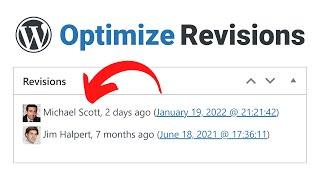
How to Manage WordPress Revisions to Optimize Site Performance
Added 77 Views / 0 LikesIn today's video, we'll learn how to manage WordPress revisions to optimize site performance. Blog post: https://www.elegantthemes.com/blog/wordpress/how-to-manage-wordpress-revisions-to-optimize-site-performance ➡️ Learn more about Divi: https://www.elegantthemes.com/gallery/divi 🔵 Like us on Facebook: https://www.facebook.com/elegantthemes/ #Optimize #WordPress #ElegantThemes
-
01:05 Popular

How to Manage, Track, and Control File Downloads in WordPress
Added 117 Views / 0 LikesSometimes a site gives away freebies to their readers and it is becoming a common practice. It would be better if you could track and monitor your downloads more efficiently. In this video, we will show you how to manage, track, and control file downloads. If you liked this video, then please Like and consider subscribing to our channel for more WordPress videos. Text version of this tutorial: http://www.wpbeginner.com/plugins/how-manage-track-control
-
10:11
How To Manually Add Adsense To bbPress Forums
Added 92 Views / 0 LikesHow to manually add Adsense to bbPress Forums https://youtu.be/XmZ3QwxcCNo Advanced Ads plugin mentioned in the tutorial: http://bit.ly/advanced-ads Download your exclusive 10-Point WP Security Checklist: http://bit.ly/10point-wordpress-hardening-checklist The first step is to access the cPanel file manager Next, you'll need to find your bbPress templates as shown on the animated GIF below. The file named content-archive-forum.php is responsible for t
-
04:49 Popular
How To Manually Backup WordPress MySQL Database, Files and Folders | WP Learning Lab
Added 129 Views / 0 LikesHow To Manually Backup WordPress MySQL Database, Files and Folders https://youtu.be/cfLFO7kiS2Y The other half of this tutorial, how to manually restore from a backup: https://www.youtube.com/watch?v=7RazMUnBFnQ&list=PLlgSvQqMfii4qdGkBEavOHwqRqEzhhk5d In this WordPress tutorial, I'm going to show you how to manually backup WordPress MySQL database, files and folders. Being able to backup your website is important because you will want to do this befor
-
03:42 Popular
How to Manually Install A Plugin In WordPress Via cPanel - WordPress Plugin Install
Added 109 Views / 0 LikesLearning how to manually install a plugin in WordPress via cPanel is a core WordPress skill you need to have. This tutorial shows you how, step-by-step. While you're at it, check out this video that shows how to install a WordPress theme via cPanel: //* Join our private Facebook group today! https://www.facebook.com/groups/wplearninglab //* Here are 20+ reasons why I host all my sites with SiteGround: https://wplearninglab.com/siteground-wordpress-hos
-
04:24

How To Manually Install A Theme In WordPress - Install A WordPress Theme Through cPanel
Added 78 Views / 0 LikesIn this tutorial you learn how to manually install a theme in WordPress. For some premium themes, this is one of the only ways to install them. The other way you do it is shown in this tutorial: . The good part of learning how to install a WordPress theme through cPanel is that you learn a little more about the inner workings of WordPress. This is never a bad thing. //* Join our private Facebook group today! https://www.facebook.com/groups/wplearningl









