Wordpress
-
03:56 Popular

3 Best PayPal Alternatives for WordPress Users
Added 104 Views / 0 LikesIn today's video, we check out the 3 best PayPal alternatives for WordPress users. Blog post: https://www.elegantthemes.com/blog/wordpress/best-paypal-alternatives •️ Learn more about Divi: https://www.elegantthemes.com/gallery/divi • Like us on Facebook: https://www.facebook.com/elegantthemes/ #PaypalAlternative #WordPress #ElegantThemes
-
03:42 Popular

How to Send Large Files and Videos Without Email
Added 104 Views / 0 LikesIn today's video, we check out different ways you can send large files and videos without email. Blog post: https://www.elegantthemes.com/blog/business/how-to-send-large-files-and-videos-without-email •️ Learn more about Divi: https://www.elegantthemes.com/gallery/divi • Like us on Facebook: https://www.facebook.com/elegantthemes/ #SendLargeFiles #Business #ElegantThemes
-
03:40 Popular

How to Get Started with Google My Business
Added 104 Views / 0 LikesIn today's video, we'll learn how to get started with Google My Business. Blog post: https://www.elegantthemes.com/blog/business/google-my-business •️ Learn more about Divi: https://www.elegantthemes.com/gallery/divi • Like us on Facebook: https://www.facebook.com/elegantthemes/ #GoogleMyBusiness #Business #ElegantThemes
-
56:22 Popular
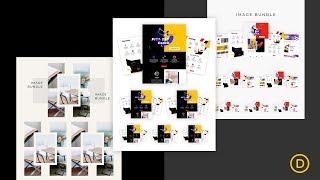
How to Use Divi’s Position Options to Create Image Bundles
Added 104 Views / 0 LikesHey Divi Nation, welcome to a brand new Divi Use Case live stream where each week we show you how to add new design and functionality to your Divi website. Whether you or looking for a fresh new look for an image gallery or just wanting a nice display for product images, this tutorial should help. Normally, when adding images to a Divi website, we may limit the design to one image per column. While this is traditionally a safe and clean design, you ma
-
13:02 Popular
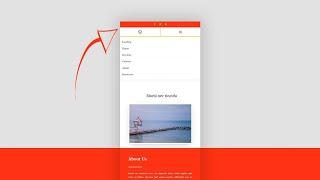
How to Create a Fixed Header with Divi’s Position Options
Added 104 Views / 0 LikesWith Divi’s new position options, turning your header into a fixed one is easier than ever. With just a few clicks, you can turn your static custom-built header into a fixed one that follows your visitors throughout their stay on your website. In this tutorial, we’ll show you the general steps you need to follow to create your fixed Divi header. Read more: https://www.elegantthemes.com/blog/divi-resources/how-to-create-a-fixed-header-with-divis-positi
-
14:03 Popular
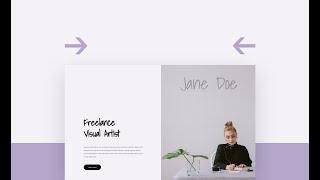
How to Create a Beautiful Column Colliding Hero Section on Scroll with Divi
Added 104 Views / 0 LikesDivi’s scroll effects bring a ton of new design possibilities to the websites you create. The subtle interactions you choose to add can really help elevate the overall look and feel of your website. It all gets even better as soon as you synchronize scroll effects. In this tutorial, we’ll specifically handle creating a beautiful column-colliding hero section on scroll. The hero section design merges two different columns on scroll, which in turn helps
-
03:16 Popular

How to Make Your Blog Your Homepage in WordPress
Added 104 Views / 0 LikesHow to Make Your Blog Your Homepage in WordPress In this quick video I show you how to setup your blog to be your homepage within WordPress. Changing the WordPress homepage is an easy fix when you know where to look. In this video video I show you how to make your blog the homepage in a matter of clicks as well as how to create a separate page for blog posts. I hope you enjoy it! My Site: https://www.wpwithtom.com/ Best Hosts: SiteGround: https://wpwi
-
20:35 Popular
WordPress Gutenberg Tutorial: How to Easily Work With the Block Editor
Added 104 Views / 0 LikesAre you looking for an easy tutorial on how to use WordPress Gutenberg editor? We'll show you how to use Gutenberg to create your posts in WordPress. And we'll cover some of the most popular blocks like the paragraph, image, and link block. We'll also highlight a few Gutenberg blocks like the Cover page and the Gallery block. And did you know that many plugins like WPForms use blocks to easily integrate their plugins with your post or pages. This vide
-
40:08 Popular

Create A Custom Login Page Custom Registration Page With Custom Fields Using WPForms, ACF, Elementor
Added 104 Views / 0 LikesIn this tutorial, you will learn how to create a custom login page custom registration page. The form functionality will be provided by WPForms, the page design by Elementor and the custom fields by ACF. You will learn how you can link the custom fields to user profiles and connect those fields to the registration form. //* Check out WPForms here: https://wplearninglab.com/go/wpforms001 Always backup your site just in case (or use a staging site), her
-
10:17 Popular

How to Customize WooCommerce Checkout Page (The Easy Way)
Added 104 Views / 0 LikesDo you want to customize your WooCommerce checkout page? The default WooCommerce checkout page isn’t optimized for conversions. By customizing and optimizing your checkout page, you can increase your conversions and make more sales. In this video, we’ll show you how to easily customize your WooCommerce checkout page, step by step without writing any code. 0:00 Intro 0:12 Using SeepProd 2:08 Setting up and designing your checkout page 8:21 Tip #1 - Red
-
1:15:33 Popular

How to Create an Online Store with WordPress in 2023 (Step by Step)
Added 104 Views / 0 LikesStarting an online store can be a daunting task, especially if you're not tech-savvy. But don't worry - we can help you out! This video will show you in step-by-step detail how to start an online store in 2023. We'll cover everything from choosing the right hosting to installing WordPress and WooCommerce. We will also add products and set up payment processing too. Our goal is to make the process as easy and painless as possible, so you can get your s
-
00:59 Popular
Revolutionize Your Inbox with Tidio's Multi-Platform Integration #shorts
Added 104 Views / 0 Likeshttps://youtu.be/eKHKdNF-M1o - watch the full Tidio video. 5 Ways Tidio Can Make Your More Money This Year
-
05:47 Popular

5 Best AI Design Tools in 2023
Added 104 Views / 0 LikesAI has taken the world by storm. With countless tools available, it can assist you in various tasks, from content writing and mathematics to code generation and image creation. Whether you’re a designer, developer, or just looking to streamline your workload, we’ve got you covered. In this video we will go over the 5 Best AI Design Tools in 2023! 📣 Read The Full Blog Post: https://www.elegantthemes.com/blog/design/best-ai-design-tools We covered some
-
03:33 Popular

5 Best WordPress Directory Plugins in 2023
Added 104 Views / 0 LikesIn this video, we'll be highlighting the top 5 WordPress directory plugins for 2023. Whether you're looking to create a business directory, job board, or any other type of directory website, these plugins offer powerful features and functionality to help you easily create and manage your directory listings. 📣 Read The Full Blog Post: https://www.elegantthemes.com/blog/wordpress/best-wordpress-directory-plugins We covered some great products in this vi
-
51:05 Popular

3.14 Beta: First Look (Live Walkthrough) with Ashley Whitehair
Added 104 Views / 0 LikesJoin me as I take a first look at the new 3.14 beta edition of Elementor and Elementor Pro. These new versions include: ✅ [Pro] New Carousel Widget for Nesting Elements ✅ [Pro] Loop Grid - Static Item Position ✅ [Pro] Important - Loop Carousel HTML Changes in Pagination and Navigation ✅ Global Styles Preview ✅ Elementor UI and UX Improvements ✅ More Styling Options in Various Widgets ✅ Performance & Accessibility Improvements If you would like learn m
-
17:52 Popular
How To Create Coming Soon & Under Construction Pages With WordPress While Building Your Website
Added 103 Views / 0 LikesHow To Create Coming Soon & Under Construction Pages With WordPress If you are building a new website or if you are trying to do some maintenance to an existing website, then you probably need a coming soon or under construction page for your website visitors In this video I will show you the fastest and easiest way you created beautiful coming soon and maintenance pages for your WordPress website. Also if you did want to purchase Elementor Pro here i
-
29:27 Popular

Plutio Review - How To Manage Projects Effectively For Freelancers & Small Teams
Added 103 Views / 0 LikesWondering if Plutio is the right project management system for your freelance or small team? This review will show you the inside of the app. It is currently available on AppSumo, $49 for a lifetime account which is an insanely great deal. If you do want to purchase it, use this link https://www.wpcrafter.com/plutio 4 Types Of user accounts Pros No Branding, other then the url & notification emails Unlimited clients 5 Team Mates - Additional team mate
-
24:30 Popular

Another WordPress Page Builder Bites The Dust & Why Most Reporting Tools Like GTMetrix SUCK
Added 103 Views / 0 LikesIn this video we talk about another page builder that is closing up shop and why reports like iThemes Security & GTMetrix suck. Also I will share some of the latest updates with the channel. Lots of good things coming for sure.
-
19:32 Popular

How To Get More Free Traffic To Your WordPress Website With SEO
Added 103 Views / 0 LikesWe all want more free traffic to our websites and in this video, I share a simple strategy for ranking your content high on Google... Sadly, people make SEO out to be more complicated then it really is. Sure, anything takes work, but there is a simple process for anyone that wants to improve their WordPress SEO. Here are some of the links from the video: WebTextTool Review: https://www.youtube.com/watch?v=MFU8DQ2daFA WebTextTool Deal: https://www.wpcr
-
11:03 Popular

Best Free & Paid Elementor Template Packs for WordPress - Something For Everyone
Added 103 Views / 0 LikesIn this video, I will share the best free templates for Elementor and some of the best paid templates as well, if that interests you. Really though, the free ones are pretty awesome. Don't have Elementor Pro yet? Get my free training course with your purchase. More Info: https://www.wpcrafter.com/elementor Astra https://www.wpcrafter.com/astra Crocoblocks https://www.wpcrafter.com/crocoblock GeneratePress https://www.wpcrafter.com/generatepress OceanW
-
01:33 Popular
WordPress 4.5 "Coleman" - New Features Montage
Added 103 Views / 0 LikesThis quick little video highlights the new features in WordPress 4.5. WordPress 4.5 will be released on April 12, with quite a few new features and 372 bug fixes. Nothing completely game changing in this WordPress release, but lots of good code cleanup, UI improvement, and standards laid out for future development. Here are a few of the things you can expect to see when you update to WordPress 4.5. - New Inline Link Editing - New Text Patterns for cod
-
26:58 Popular

Elementor Pro Part 1 - Website Header Build
Added 103 Views / 0 LikesGrab Your Free 17-Point WordPress Pre-Launch PDF Checklist: http://vid.io/xqRL Get 25% off Elementor Pro here (aff): https://wplearninglab.com/go/elementor022 Elementor Pro Part 1 - Website Header Build https://youtu.be/njhnbtNSX_o Check out the next tutorial in this series: https://www.youtube.com/watch?v=njhnbtNSX_o&list=PLlgSvQqMfii62eB0bpGM8InwqKTp5ZCdy Join our private Facebook group today! https://www.facebook.com/groups/wplearninglab Get on the
-
00:58 Popular

How to Require Featured Images for Posts in WordPress
Added 103 Views / 0 LikesIf you run a multi-author blog you may find there are a few errors such as a missing featured image. Through a plugin there is a way to make sure this is not one of your issues. In this video, we will show you how to require a featured image for posts in WordPress. If you liked this video, then please Like and consider subscribing to our channel for more WordPress videos. Text version of this tutorial: http://www.wpbeginner.com/plugins/require-feature
-
00:53 Popular
How to Create Chat Rooms using WordPress for your Users
Added 103 Views / 0 LikesNormally when communities want to chat they use Twitter or IRC. But there is a plugin that uses WordPress' interface to create a chat. In this video, we will show you how to create chat rooms using WordPress for your users. If you liked this video, then please Like and consider subscribing to our channel for more WordPress videos. Text version of this tutorial: http://www.wpbeginner.com/plugins/how-to-create-chat-rooms-using-wordpress-for-your-users/
-
00:53 Popular

How to Add Staff Member Profiles in WordPress with Staffer
Added 103 Views / 0 LikesThere are ways to add a staff member profile in WordPress. One way is to edit some of your files but a easier way would be to use a plugin. In this video, we will show you how to add staff member profiles in WordPress with Staffer. If you liked this video, then please Like and consider subscribing to our channel for more WordPress videos. Text version of this tutorial: http://www.wpbeginner.com/plugins/how-to-add-staff-member-profiles-in-wordpress-wit
-
01:14 Popular

How to Turn Off Related YouTube Videos in WordPress
Added 103 Views / 0 LikesYouTube is a great platform for hosting and sharing your videos. Some users avoid using YouTube because the related videos showing at the end of the video. In this video, we will show you how to turn off related videos when embedding YouTube videos in WordPress. If you liked this video, then please Like and consider subscribing to our channel for more WordPress videos. Text version of this tutorial: http://www.wpbeginner.com/plugins/how-to-turn-off-re
-
02:17 Popular

How to Fix WordPress Posts Returning 404 Error
Added 103 Views / 0 Likes404 errors can pop up from time to time due to how complex WordPress is behind the scenes. These errors can make it seem like your site is completely gone but you don't have to worry we have helped many users work through removing this error. In this video we will show you how to fix your WordPress posts returning the 404 error. Text version of this tutorial: http://www.wpbeginner.com/wp-tutorials/how-to-fix-wordpress-posts-returning-404-error/ If you
-
02:38 Popular

How to Fix the Syntax Error in WordPress
Added 103 Views / 0 LikesA common and seemingly frightening error that users can run into is the Syntax error. This error can prevent you from making any changes on your site and prevent it from even being visible but we're here to help you resolve this issue without too much hassle. We recommend using a FTP for this tutorial, if you do not know what a FTP program is take a look at our tutorial below: http://www.wpbeginner.com/glossary/ftp Text version of this tutorial: http:
-
03:34 Popular
How to Track Outbound Links in WordPress
Added 103 Views / 0 LikesDo you want to track outbound links in WordPress? Outbound links are links that send users to sites other than your own site such as for affiliate products, social networks, or simply other websites that you have linked to. In this video, we will show you how to easily track outbound links in WordPress to see which get the most clicks. For this video, we will be using MonsterInsights which you can purchase from here: https://www.monsterinsights.com/ U
-
50:26 Popular

WordPress Tutorial for Beginners (No Coding Required)
Added 103 Views / 0 LikesIn this WordPress tutorial, you'll learn how to create a website from scratch, in one afternoon. This is the first video in a series where we'll walk you through the different ways you can make money with your website. You'll learn how to get hosting, install WordPress, and how to build the site you want, without writing any code. This tutorial will use Astra theme with Astra Starter sites and Beaver Builder lite, so you can get up and running quickly









