Wordpress
-
07:03

How to Replace WordPress Archive Pages With Dynamic Content & Custom Layouts
Added 59 Views / 0 LikesIn this video, we'll show you how to replace WordPress archive pages using Neve's Custom Layouts Module and Otter's dynamic content feature. Get Neve Pro → https://themeisle.com/themes/neve/ Download Otter → https://wordpress.org/plugins/otter-blocks/ Docs ↓ https://docs.themeisle.com/article/1677-dynamic-values https://docs.themeisle.com/article/1721-the-dynamic-link-feature-otter-features-library https://docs.themeisle.com/article/1678-the-dynamic-i
-
03:15 Popular
How To Replace WordPress Cron On Cloudways - It's Super Easy
Added 165 Views / 0 LikesIn this video, I will show you how to replace the WordPress cron if you are using Cloudways as your web hosting service. It's quite easy and I was surprised that I couldn't find this info anywhere. Cloudways https://www.wpcrafter.com/cloudways Cloudways Discount Code: WPCRAFTER Full Cloudways Tutorial Video https://www.youtube.com/watch?v=tsl0CTahz-U Cron Text: */5 * * * * cd /home/master/XXXAPPIDXXX/public_html; /usr/local/bin/php -q wp-cron.php Repl
-
01:05 Popular

How to Replace ‘Enter Title Here’ Text in WordPress
Added 101 Views / 0 LikesWordPress shows 'Enter title here' as a placeholder text in the title field when you are creating a new post. This can be confusing for some custom post types. In this video, we will show you how to replace the 'Enter title here' text. If you liked this video, then please Like and consider subscribing to our channel for more WordPress videos. Text version of this tutorial: http://www.wpbeginner.com/wp-tutorials/how-to-replace-enter-title-here-text-in-
-
50:21 Popular
How to Require a Terms and Conditions Agreement On Your Contact Form with Divi
Added 102 Views / 0 LikesMultistreaming with https://restream.io/ Every website should have a Terms and Conditions Agreement in place. Although it isn’t required by law (like a Privacy Policy), it can be extremely vital to the health of your online business. For this use case tutorial, I’m going to be walking you through how to build a contact form with Caldera Forms and Divi’s Business Consultant Layout Pack that requires users to agree with your terms and conditions before
-
00:58 Popular

How to Require Featured Images for Posts in WordPress
Added 103 Views / 0 LikesIf you run a multi-author blog you may find there are a few errors such as a missing featured image. Through a plugin there is a way to make sure this is not one of your issues. In this video, we will show you how to require a featured image for posts in WordPress. If you liked this video, then please Like and consider subscribing to our channel for more WordPress videos. Text version of this tutorial: http://www.wpbeginner.com/plugins/require-feature
-
03:39 Popular
How to Reset a WordPress Password from phpMyAdmin
Added 176 Views / 0 LikesAre you trying to reset your password and not able to get in your site? Sometimes you don't have access to the email account that your user is set up with or your site is not correctly sending you the email. We've helped hundreds of users solve this issue and have created this video to help guide you on how to reset your WordPress password from phpMyAdmin. WordPress makes it easy to reset your password on the login page but can sometimes have an issue
-
06:23 Popular

How To Reset A WordPress Site Instead Of Reinstalling
Added 131 Views / 0 LikesGrab Your Free 17-Point WordPress Pre-Launch PDF Checklist: http://vid.io/xqRL Check out the free WP & Online Marketing Summit For Beginners. The online event is June 18, 2019: https://events.wplearninglab.com/ This is how you reset WordPress to default settings with a few clicks. It is faster than re-installing WordPress when you need a fresh site. Check out the plugin WP Reset Plugin in the repository: https://wordpress.org/plugins/wp-reset/ Link to
-
05:19 Popular
How To Reset A WordPress Website Back To Default - Better Than Reinstalling WordPress
Added 150 Views / 0 LikesHow To Reset A WordPress Website Back To Default • - Better Than Reinstalling WordPress More info: https://www.wpcrafter.com Have you ever wanted to reset WordPress and start from the beginning? Well one way is to delete and reinstall WordPress, but this is a much better solution, just reset WordPress. It's much faster and easier, and can be done really fast. Reset your WordPress install today. reset wordpress admin password reset wordpress admin pass
-
03:51 Popular

How to Reset a WordPress Website Back to the Default Install
Added 118 Views / 0 LikesHow to Reset a WordPress Website In this video I show how to completely reset your WordPress website back to the default install in minutes. This can be very helpful if you mess up everything and just want a clean slate to restart with. I hope this video helps you out if you need to reset WordPress! WP Reset: https://www.wpwithtom.com/wp-reset My Site: https://www.wpwithtom.com/ Best Hosts: SiteGround: https://wpwithtom.com/siteground GreenGeeks: http
-
01:14 Popular

How to Reset Passwords for All Users in WordPress
Added 139 Views / 0 LikesFor security of your site it is sometimes required to force a reset of passwords for all of your users. This could be due to being previously hacked or if you decide that you need to do housecleaning on old passwords your users are still using. In this article we will show you how to reset the password for all users in WordPress. Text version of this tutorial: http://www.wpbeginner.com/plugins/how-to-reset-passwords-for-all-users-in-wordpress If you l
-
02:02 Popular

How to Reset WordPress Admin Password on Localhost
Added 184 Views / 0 LikesIf you have a local install of wordpress and lose the password it can be quite difficult to reset hat password without knowing how. The main reason this is difficult is that most local installs do not have the option to reset by email due to how they are installed. In this video, we will show you how to reset the WordPress admin password on localhost. Text version of this tutorial: http://www.wpbeginner.com/wp-tutorials/how-to-reset-wordpress-admin-pa
-
08:19 Popular
How To Reset WordPress Instead Of Reinstalling - It's Faster & Easier To Start Fresh
Added 113 Views / 0 LikesIf you are wanting to start over with your WordPress install, here is the fastest and easiest way to do it. You will end up with a clean install with a few clicks. ~~~~~~~~~~~~~~~~~~~~~ All of my opinions in this video are my own, I was not paid to make this video. Whenever there is a link in any of my videos, if there is an affiliate program available, it's safe to assume that you are clicking on an affiliate link. Please check my website for any ass
-
03:50 Popular
How To Reset WordPress To Default Settings In 4 Minutes
Added 181 Views / 0 LikesLearn how to safely reset WordPress to default in less than 4 minutes. Whether you are a developer who often needs to start with WordPress from scratch or you just messed something up really bad and don't know how to reverse it, here's the easiest way to safely reset individual tables or the whole WordPress Database to Default Settings. Text version of How to Reset your Wordpress to Default: http://bit.ly/2n7rmqV ========================== Other Usefu
-
09:16 Popular
How To Reset WordPress To Default | Start Over WITHOUT Re-Installing WordPress!
Added 120 Views / 0 LikesHow To Reset WordPress To Default | Step By Step WordPress Reset In this video we'll be going over a step by step process on how to reset your WordPress website WITHOUT having to re-install WordPress from scratch! I'll walk you through each and every step carefully so you can do it yourself! Oftentimes you make a mistake, a theme install goes wrong, or you just decide you want to re-use that WordPress install for another purpose. Don't start from scra
-
04:32 Popular
How to Reset WordPress to its Default Settings (NEW)
Added 170 Views / 0 LikesCheck out the fastest and easiest way to reset WordPress to default.You will see how to keep your themes and plugins untouched and reset everything else. WordPress will be back to its original settings, and you can start over with new templates and new starter sites. Remember that all of your posts, pages, and media files will be lost, so make sure you have a working Backup before playing around. Useful resources for your WordPress website: • Neve Wor
-
06:45 Popular

How To Reset WP Back To Default - Easiest Way To WP Reset For WordPress Websites
Added 229 Views / 0 LikesIn this tutorial, I will show you the easiest way to reset WP back to it's default settings. If you are looking for a WP reset, you have found it. You're just new to WordPress and you're trying lots of things on your website, but you realize, I wish I could just start over fresh a new, in this video, I'm going to show you how to reset your WordPress installation back to the way it was when you first installed WordPress. Here I am on my WordPress websi
-
00:54 Popular

How to Reset Your WordPress Database to Default Settings
Added 172 Views / 0 LikesYou may find yourself needing to reset your WordPress database to it's default settings. If you are using a local install of WordPress this can be a faster way than reinstalling WordPress. In this video, we will show you how to reset your WordPress database to default settings. If you liked this video, then please Like and consider subscribing to our channel for more WordPress videos. Text version of this tutorial: http://www.wpbeginner.com/plugins/ho
-
05:14 Popular
How to Reset Your WordPress Database to Default Settings
Added 151 Views / 0 LikesHave you found a need to reset your WordPress site to the default settings? We've had users reach out to us about needing to bring their WordPress site back to the settings of when it just started out. In this video, we will show you how to reset your WordPress database to the default settings. Are you looking for a popup solution for your site? OptinMonster has a powerful suite of tools for calls to action for your site. OptinMonster is running their
-
08:37

How to Restart a WordPress Site – Reset WordPress (The Fast Way!)
Added 64 Views / 0 LikesLooking to reset or restart your WordPress site? You are in the right place because in this video we not only show you how to reset your WordPress site in a flash but also run through backing up that site before we reset everything. In this video, we used the Advanced WordPress Reset plugin https://en-gb.wordpress.org/plugins/advanced-wp-reset/ Want to find out more about Updraftplus check out the site here https://updraftplus.com/ --Top Resources-- ⚡
-
04:39 Popular

How to Restart a WordPress Site – Reset WordPress The Fast Way
Added 101 Views / 0 LikesAre you wanting to reset your site back to the very basic WordPRess installation? This isn't a common need or something that needs to be done often but it is helpful to know how to do this. In this video, we'll show you how to restart a WordPress site the fast way. This video is sponsored by MonsterInsights, a powerful plugin to help you use your analytics information to the fullest, take a look at MonsterInsights here: ===============================
-
00:57 Popular

How to Restore an Original Image in WordPress
Added 101 Views / 0 LikesMake a mistake while editing? No problem! I'll show you how to revert back to the original image in WordPress. You can restore any WordPress image back to its original version at any time. If at any time you want to revert back to the original image that you uploaded, you can do so easily with the Restore Image button. This will bring back your original image, before you made any edits to it. Remember: If you’ve already inserted this image elsewhere o
-
08:33

How To Restore Deleted Pages In WordPress
Added 38 Views / 0 LikesGrab your free 11-Point WordPress Security Checklist PDF: https://wplearninglab.com/get/wordpress-redirects.php?utm_source=youtube&utm_medium=video&utm_campaign=wp_security_lockdown&utm_id=11_point_wp_security_checklist&utm_term=WZSrRwqO9dI&utm_content=video_description Deleting a page by accident is the worst. Luckily, there are some ways you can restore deleted pages. In this video I show you 3 different ways to do that progressing from the simplest
-
00:48 Popular

How to Restore the Missing Link Title Field in WordPress
Added 123 Views / 0 LikesIn WordPress 4.2 the link title field in the insert link section was replaced by the link text field. This is slightly disappointing for many users who feel the link title field is useful for SEO. In this video, we will show you how to restore the missing link title field in WordPress 4.2. If you liked this video, then please Like and consider subscribing to our channel for more WordPress videos. Text version of this tutorial: http://www.wpbeginner.co
-
02:59 Popular

How To Restrict Access To Areas Of Your WordPress Website
Added 140 Views / 0 LikesIn today’s video we take a look at how to restrict access to areas of your WordPress website. Blog post: https://www.elegantthemes.com/blog/tips-tricks/how-to-restrict-access-to-areas-of-your-wordpress-website Like us on Facebook: https://www.facebook.com/elegantthemes/
-
01:00 Popular

How to Restrict Authors to Specific Category in WordPress
Added 152 Views / 0 LikesMulti-author sites requires great editorial workflow. If you have authors working on specific topics then you can limit them to only publish in that topic. In this video, we will show you how to restrict authors to a specific category. If you liked this video, then please Like and consider subscribing to our channel for more WordPress videos. Text version of this tutorial: http://www.wpbeginner.com/plugins/how-to-restrict-authors-specific-category-in-
-
00:58 Popular

How to Restrict Usernames in WordPress
Added 131 Views / 0 LikesIf you have ever dealt with a membership site you know there are always users who want to use an inappropriate username. Sometimes containing foul language or even trademark words. In this video, we will show you how to restrict usernames in WordPress. If you liked this video, then please Like and consider subscribing to our channel for more WordPress videos. Text version of this tutorial: http://www.wpbeginner.com/plugins/how-to-restrict-usernames-in
-
01:19 Popular

How to Restrict WordPress Site Access by IP or Logged In Users
Added 175 Views / 0 LikesWhen you are ready to publish a new product and want to promote it with a website. You may not be ready to make it public so you can test it for errors first. In this video, we will show you how to restrict WordPress site access by IP or logged in users. If you liked this video, then please Like and consider subscribing to our channel for more WordPress videos. Text version of this tutorial: http://www.wpbeginner.com/plugins/how-to-restrict-wordpress-
-
08:04 Popular
How to Restrict Your WordPress Forms to Logged in Users Only
Added 128 Views / 0 LikesAre you wanting to restrict your WordPress form submissions to logged-in users only? These types of forms help to collect information from members, employees, or other registered users. In this video, we'll show you how to restrict your WordPress forms to logged-in users only. This video brought to you by WPForms, take a look at their site here: ================================= https://wpforms.com/ ================================= For the discount,
-
09:45
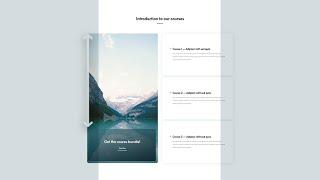
How to Reveal a Column CTA in a Sticky State with Divi
Added 44 Views / 0 LikesAt a certain point when you’re creating a page design, you might run into a list of services, courses, or something similar that you want to share in an interactive way. The design you’re using for your list content plays a very important role in how your visitors digest the content. And with most lists, you’re also going to want to include a call to action that connects the dots. If you’re looking for a creative way to do that, you’ll love this tutor
-
23:38 Popular

How to Reveal an Underlying Image Grid in Your Hero with Divi’s Sticky Options
Added 154 Views / 0 LikesLearn more: https://www.elegantthemes.com/blog/divi-resources/how-to-reveal-an-underlying-image-grid-in-your-hero-with-divis-sticky-options Creating a hero section that catches your visitors’ attention can set the tone for the rest of the website. If you’re looking for a creative way to use Divi’s sticky options to help you get there, you’ll love this tutorial. Today, we’re showing you how to reveal an underlying image grid in your hero with Divi’s st









