Wordpress
-
09:58

How To Regenerate Thumbnails In Wordpress And Why
Added 95 Views / 0 LikesRegenerating thumbnails is one of those "under the radar" tweaks in WordPress that is an obvious need on many sites once the webmaster knows about it. The two big benefits of regenerating thumbnails in WordPress is that it will make sure the images you have (not just the thumbnails) are the right size of the theme you're using. If you have switched themes at any time AFTER you've already uploaded images to your site you probably need to regenerate the
-
01:12 Popular

How to Regenerate Thumbnails or New Image Sizes in WordPress
Added 113 Views / 0 LikesWhen you upload an image to WordPress it generates different sizes and saves them in uploads. Many WordPress themes define new images sizes with but only for images uploaded after the theme was activated. In this video, we will show you how to regenerate thumbnails or new image sizes in WordPress. If you liked this video, then please Like and consider subscribing to our channel for more WordPress videos. Text version of this tutorial: http://www.wpbeg
-
06:09

How to Register a Domain Name (+ simple tip to get it for FREE)
Added 85 Views / 0 LikesAre you looking to start a blog or a new business and are needing a domain name, this is the guide you need. The first step in a new site is to find and register a good domain name for your users to find your site. In this guide, we'll show you how to register a domain name, step by step, including how to register a domain name for free. This video brought to you by SeedProd, the best WordPress landing page plugin available, take a look at their site
-
01:42 Popular

How to Remove Author and Date Info from Your WordPress Posts
Added 135 Views / 0 LikesIn today’s video we take a look at how to remove author and date information from your WordPress posts. Blog post: https://www.elegantthemes.com/blog/tips-tricks/how-to-remove-author-and-date-information-from-your-wordpress-posts CSS Code: /* Remove meta data */ .entry-meta .byline, .entry-meta .cat-links { display: none; } .entry-meta .posted-on { display: none; } Like us on Facebook: https://www.facebook.com/elegantthemes/
-
10:17 Popular
How To Remove Divi Shortcodes When Changing WordPress Themes
Added 132 Views / 0 LikesHow To Remove Divi Shortcodes When Changing WordPress Themes Original Source: http://victorfont.com/remove-divi-shortcodes-changing-themes/ Ok here is the deal, this really isn't that hard, right?! I don't see what the big deal is here. I think it's more people just hating on Divi, but to each their own. Ok so there are more then one ways to do this, this is just the one I read about. Anyone that know anything about coding and WordPress can accomplish
-
02:34

How to Remove Divi Shortcodes When Changing WordPress Themes
Added 82 Views / 0 LikesHow to Remove Divi Shortcodes When Changing WordPress Themes In this video I show how to get rid of shortcode errors or issues when you change themes by using a simple plugin called shortcode cleaner lite. There is a pro version you can pick up as well if you need it. Either way this plugin should help resolve most, if not all of your shortcode issues and save you hours of time! I hope this helps you out! My Site: https://www.wpwithtom.com/ Best Hosts
-
01:00 Popular

How to Remove NoFollow From WordPress Comments
Added 123 Views / 0 LikesText version of this tutorial: http://www.wpbeginner.com/wp-tutorials/how-to-remove-nofollow-from-wordpress-comments/ By default WordPress automatically adds a nofollow tag to all links in the comments. Recently one of our readers asked if it was possible to remove the nofollow from WordPress comments. In this video we will show you how to remove nofollow from WordPress comment links. If you liked this video, then please Like and consider subscribing
-
03:15 Popular

How to Remove Numbers from WordPress URLs
Added 141 Views / 0 LikesDid you ever encountered numbers like -2 or ?p=123 in your WordPress URLs? In this video, we will show you how to remove numbers from WordPress URLs. If you liked this video, then please Like and consider subscribing to our channel for more WordPress videos. Text version of this tutorial: http://www.wpbeginner.com/beginners-guide/how-to-remove-numbers-from-wordpress-urls/ Follow us on Twitter: http://twitter.com/wpbeginner Checkout our website for mor
-
03:50
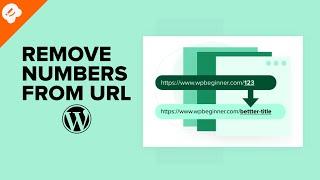
How to Remove Numbers from WordPress URLs (Step by Step)
Added 60 Views / 0 LikesDo you want to know how to get rid of numbers from WordPress blog posts and landing page URLs? WordPress offers different URL structures for your website, including post ID numbers, year, day, and post title. Having numeric URLs is not SEO friendly and provides a bad user experience. In this video, we will show you how to get rid of numbers from WordPress URLs. 0:00 Intro 0:14 Changing to Post name 0:57 Removing duplicate pages (even AFTER you trash t
-
09:05 Popular

How To Remove Sidebars From Divi
Added 140 Views / 0 LikesRemoving the Sidebar from Divi’s default page template can easily be done when you are using the Divi Builder. However, since the default template still shows on pages like 404’s and archives, you may want to take out the sidebar from you template altogether. Read more: https://www.elegantthemes.com/blog/divi-resources/how-to-remove-sidebars-from-divi
-
03:23

How To Remove The Background Of A Picture [Without Photoshop]
Added 83 Views / 0 LikesIn this video I'll show you how to remove the background of a picture to make it transparent for free. You can make images transparent like this for WordPress websites or any type of project where you need backgrounds removed. I hope this helps you out! My Website: http://wpwithtom.com/ Best Hosts: SiteGround: https://wpwithtom.com/siteground GreenGeeks: https://wpwithtom.com/greengeeks NameHero: NameHero: https://wpwithtom.com/namehero WordPress Buil
-
06:37

How to Remove the Date from WordPress URLs
Added 89 Views / 0 LikesAre you wanting to remove the date from your WordPress URLs? WordPress has SEO friendly URL structures including ones that add dates to your WordPress post URLs. In this video, we'll show you how to easily remove the date from your WordPress URLs. This video is sponsored by MonsterInsights, a powerful plugin to help you use your analytics information to the fullest, take a look at MonsterInsights here: ================================= https://www.mon
-
03:36

How to Remove the Divi Footer from Certain Pages
Added 63 Views / 0 LikesOne of the most valuable features of the Divi Theme Builder is the ability to create custom templates and assign them to specific pages or posts. You can create a different template for every page or post, certain post types, tags, categories, products, etc. The Theme Builder can also be used to remove those templates with the same level of detail. In this article, we’ll see several methods of how to remove the Divi footer from certain pages using the
-
04:03 Popular

How To Remove The Google Hacked Site (Malware) Warning - Website Hack Recovery | WP Learning Lab
Added 139 Views / 0 LikesGrab Your Free 17-Point WordPress Pre-Launch PDF Checklist: http://vid.io/xqRL Download our exclusive 10-Point WP Hardening Checklist: http://bit.ly/2eY3X5D How To Remove The Google Hacked Site (Malware) Warning - Website Hack Recovery | WP Learning Lab In this tutorial you will learn how to remove the warnings that Google puts into their search results when they suspect that your website has been hacked. This will also remove attack page warnings and
-
04:23 Popular

How to Remove The Name Fields of The Divi Email Optin Module
Added 173 Views / 0 LikesIn today’s tutorial, we’re going to show you how to remove the name fields of the Divi Email Optin Module. Deleting the name fields is not only about making sure the name and last name field, that are standard in the email optin module, don’t appear visually. It’s also about the functionality. By default, the first name and the email address are required for a subscription. That’s why just making the name fields invisible won’t help the process. To he
-
04:19 Popular

How to Remove the Powered by WordPress Footer Links
Added 170 Views / 0 LikesDo you want to remove the Powered by WordPress link from your site's footer? We've had many questions about removing this from your site as it is normally added in most WordPress themes but what is involved in removing it or if you are allowed to remove it. In this video, we will show you how to remove the powered by WordPress footer links from your site. Many themes use the footer area to display the "Proudly powered by WordPress" link and it is lega
-
01:00 Popular

How to Remove the Remember Me Option from Your WordPress Login
Added 139 Views / 0 LikesThe remember me option for your WordPress login is a useful way for users not to need their passwords. This can however be a security risk if you use a public computer or network to do work on your blog. In this video, we will show you how to remove the remember me option from your WordPress login. If you liked this video, then please Like and consider subscribing to our channel for more WordPress videos. Text version of this tutorial: http://www.wpbe
-
02:46 Popular
How to Remove the Sidebar in WordPress
Added 138 Views / 0 LikesAre you looking to get rid of the sidebar from your WordPress site? The sidebar is the widget-ready area in your WordPress theme. We're here to help you get rid of that widget area on your site to help make your site look how you want. Text version of this tutorial: http://www.wpbeginner.com/wp-themes/how-to-remove-the-sidebar-in-wordpress If you liked this video, then please Like and consider subscribing to our channel for more WordPress videos. Chec
-
05:16 Popular
How To Remove The WordPress Version Number From Your Site - Hacker Proofing | WP Learning Lab
Added 143 Views / 0 LikesGrab Your Free 17-Point WordPress Pre-Launch PDF Checklist: http://vid.io/xqRL Download our exclusive 10-Point WP Hardening Checklist: http://bit.ly/10point-wordpress-hardening-checklist How To Remove The WordPress Version Number From Your Site - Hacker Proofing | WP Learning Lab remove_action('wp_head', 'wp_generator'); //Remove WordPress version from site In this tutorial you're going to learn how to remove the WordPress version number (WordPress ge
-
02:05 Popular
How to Remove Visual Editor Mode in WordPress
Added 138 Views / 0 LikesDo you want to remove the visual editor for WordPress? The visual editor is a WYSIWYG interface that WordPress offers for writing your posts and pages but some users are more comfortable writing in HTML in the text editor. In this video we will show you how to remove the visual editor in WordPress. Text version of this tutorial: http://www.wpbeginner.com/beginners-guide/how-to-remove-visual-editor-mode-in-wordpress/ If you liked this video, then pleas
-
08:43

How To Remove WordPress Admin Notices And Nag Screens For Good!
Added 73 Views / 0 LikesIn this WordPress tutorial, I'll show you how to permanently remove all those annoying admin notices and nag screens inside of your WordPress admin area. Custom function to remove admin notices (remember to edit the classes) Link https://d.pr/n/r9mji1 TOP WORDPRESS DEALS JULY 2022 🟡 Presto Player -- https://www.wpcrafter.com/prestoplayer (SAVE 10% Auto Applied) 🟡 Astra Theme -- https://www.wpcrafter.com/astra (SAVE 10% Coupon WPCRAFTER) 🟡 Kadence Them
-
01:37

How to Remove WordPress From cPanel
Added 59 Views / 0 LikesHow to Remove WordPress From cPanel In this video I go over removing WordPress from your cPanel. This is a quick and easy process as long as your host has cPanel like this. After you remove WordPress you can easily re-install it if needed, or move on to something else. Regardless of why you're removing WordPress in the cPanel I hope this video helps you out! My Site: https://www.wpwithtom.com/ Best Hosts: SiteGround: https://wpwithtom.com/siteground G
-
01:22 Popular

How to Rename Images and Media Files in WordPress
Added 122 Views / 0 LikesSometimes you want to change an image file name after you have uploaded it to WordPress. WordPress allows you to change the labels but not directly the image file name.In this video, we will show you how to rename images and media files in WordPress. If you liked this video, then please Like and consider subscribing to our channel for more WordPress videos. Text version of this tutorial: http://www.wpbeginner.com/plugins/how-to-rename-images-and-media
-
05:17 Popular
How to Rename Images and Media Files in WordPress
Added 116 Views / 0 LikesAre you wanting to change the name of an image file after uploading it to WordPress? While WordPress allows you to change an image alt tag and caption, they don't give a built-in method to change the file name. In this video, we will show you how to easily rename images and media files in WordPress. This includes a method to replace images after renaming them on your computer. This video is sponsored by MonsterInsights, take a look at MonsterInsights
-
02:49 Popular
How to Rename the Uncategorized Category in WordPress
Added 110 Views / 0 LikesIf you have wanted to rename the uncategorized category in WordPress then luckily there are two easy ways to do so. There are two methods depending on how you are wanting to do it. In this video we will show you how to rename the uncategorized category in WordPress. Text version of this tutorial: http://www.wpbeginner.com/beginners-guide/rename-the-uncategorized-category/ If you liked this video, then please Like and consider subscribing to our channe
-
01:38 Popular

How to Replace a WordPress Image & Keep the File Name
Added 145 Views / 0 LikesLearn how to replace an image in WordPress but keep the same file name. This also works for PDFs, as well as other file types. Replacing WordPress images can be helpful if you use images from a user interface, such as when writing tutorials or how-to articles. If the UI changes, you don’t want to have to go through each of your help articles and insert a new image with the updated UI. Similarly, if you run an WooCommerce store, you might have inserted
-
04:45 Popular

How To Replace An Image In WordPress Media Library
Added 126 Views / 0 LikesGrab Your Free 17-Point WordPress Pre-Launch PDF Checklist: http://vid.io/xqRL How To Replace An Image In WordPress Media Library https://youtu.be/eweXkxE3YrA Join our private Facebook group today! https://www.facebook.com/groups/wplearninglab Plugin in the repo: https://wordpress.org/plugins/enable-media-replace/ I recently discovered how to replace an image in WordPress media library. Even though I've been using WordPress for nearly a decade I'm alw
-
13:26
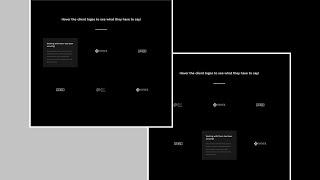
How to Replace Client Logos with Testimonials on Hover Click with Divi
Added 88 Views / 0 LikesLooking for a way to add interaction to client logos and matching testimonials? With Divi’s responsive content feature, it’s now easier than ever to show different content in a module’s default state and on hover. In today’s Divi tutorial, we’ll demonstrate that by showing you how to replace client logos with testimonials on hover (desktop) and click (tablet and phone). We’ll use the Blurb Module to help us get there! You’ll be able to download the la
-
14:42 Popular
How to Replace the Primary Menu Bar with Divi’s Fullwidth Menu Module
Added 140 Views / 0 LikesThe primary menu bar makes navigating for visitors seamless. Apart from the default primary menu bar we're used to in WordPress, you've probably come across the Fullwidth Menu Module that Divi offers as well. Usually, it is used to display other menus on your website that are different from the primary menu you have at the top of each page. But you can also easily use the Fullwidth Menu Module to replace your primary menu bar. This gives you the freed
-
06:52

How to Replace The Single Post Template in WordPress Using Dynamic Content & Custom Layouts
Added 66 Views / 0 LikesIn this video, you will learn how to use the Custom Layouts Module from Neve pro & Dynamic Content from Otter to replace the default single post template in WordPress. Get Neve Pro → https://themeisle.com/themes/neve/ Download Otter → https://wordpress.org/plugins/otter-blocks/ Docs ↓ https://docs.themeisle.com/article/1677-dynamic-values https://docs.themeisle.com/article/1721-the-dynamic-link-feature-otter-features-library https://docs.themeisle.com









