Wordpress
-
10:08 Popular

How to Create a Landing Page in WordPress
Added 103 Views / 0 LikesIn this video I show how to create a landing page in WordPress. Making a landing page does not have to be hard. I cover how you can easily setup a lander in a few minutes by utilizing a free theme and free plugin within WordPress. For more advanced edits it would take some more time, but either way it's a great way to quickly get your product or content in front of an audience. My Site: https://www.wpwithtom.com/ Best Hosts: SiteGround: https://wpwith
-
06:39 Popular

How to add Google AdSense to WordPress
Added 103 Views / 0 LikesHow to add Google AdSense to WordPress In this video I go over how to add google adsense to your WordPress website. Google adsense is a way that you can add advertisements to a website and start earning money. Here, I show you how to setup adsense and monetize both widgets in the sidebar of your blog as well as a Google adsense plugin that can be used to display ads within your blog posts. I hope this video helps you start earning from your website co
-
2:05:09 Popular

Programa 10 | WordCamp Madrid, Productividad y Semana #WordPress
Added 103 Views / 0 LikesEn el programa número 10 de WordPress Live, hablamos sobre la WordCamp Madrid 2019 con su organizador principal, haciendo una valoración "insitu" sobre el mayor evento de WordPress celebrado en España hasta la fecha. Por otro lado, entrevistamos a Ibon Azkoitia, todo un experto en productividad para emprendedores que, además de darnos algunos tips o consejos para ser más productivo, nos habla sobre alguno de sus proyectos. Por ejemplo, hablamos sobre
-
1:24:34 Popular
How to build a WordPress membership website
Added 103 Views / 0 LikesIn this bootcamp styled episode, Carrie Dils and I walk through what it takes to build a membership website on WordPress. We cover all angles of a membership site including: 1. Which plugins 2. Which themes 3. The launch checklist 4. Promotion 5. Audience Plugins & themes used in this video: Restrict Content Pro: https://plugintut.com/go/restrictcontentpro Utility Pro Theme: https://store.carriedils.com/downloads/utility-pro/ Easy Pricing tables: http
-
06:41 Popular

Top 3 of Our BEST WordPress Themes to Start a FANTASTIC Blog (+ How To Use Them)
Added 103 Views / 0 LikesIn this video, I will show you our top three WordPress themes you can use to start a fantastic blog in any niche you can imagine. 1. Get Neve- http://bit.ly/DownloadNEVE 2. Get Hestia - http://bit.ly/HestiaPRO 3. Get Zelle - http://bit.ly/DownloadZELLE Website → https://themeisle.com WordPress Articles → https://themeisle.com/blog/ Facebook → https://www.facebook.com/themeisle/ Other useful resources: • Get professional hosting from Siteground, with d
-
1:02:56 Popular

The Weekly WP Roundup with B.J. Keeton (October 25, 2019)
Added 103 Views / 0 LikesMultistreaming with https://restream.io/ Welcome to Friday, Divi Nation. And you know what that means! The top news, tutorials, and resources that were published this week about WordPress. Expand the video description and see what we’ve curated for you, follow along, and be sure to take part in the live chat. Feel free to throw in any comments or questions you may have. Divi 4.0 is live! https://elegantthemes.com/4 --NEWS WordPress 5.3 Field Guide htt
-
54:42 Popular
The Weekly WP Roundup with B.J. Keeton (November 15, 2019)
Added 103 Views / 0 LikesMultistreaming with https://restream.io/ It’s Friday again, and that means we’re going live with the best WordPress news, tutorials, and resources that came out this week. Feel free to chime in on live chat with any comments or questions you may have, and all the links we discuss will be in the description of this video. --NEWS Revealing $1,000,000 In Free Black Friday Prizes (And More) https://www.elegantthemes.com/blog/general-news/revealing-1000000
-
08:35 Popular
The Power of Elementor Pro (Episode 2)
Added 103 Views / 0 LikesWelcome to a new episode about Elementor Pro. In this video, I will show you the preview of another 10 widgets. 1. Flip Box 2. Call to Action 3. Media Carousel 4. Testimonial Carousel 5. Reviews 6. Table of Contents 7. Countdown 8. Share Buttons 9. Blockquote 10. Facebook Button Watch the power of Elementor Pro (Episode 1) here: https://youtu.be/u2owsejnuUA Get Elementor pro: http://bit.ly/DownloadElementor In the following video, I will show you the
-
04:35 Popular
Best and NEW WordPress Plugins for Newsletter, Image Category and Current Year (Ep.4)
Added 103 Views / 0 LikesIn this episode with best new WordPress plugins I will show you tools for newsletter sign up, image category organizer and how to display the current year in posts and pages. 1. Slide to subscribe plugin 00:40 2. HappyFiles plugin 2:26 3. Dynamic Month and Year plugin 3:24 Check out the previous videos with best WordPress plugins: Episode 1: https://youtu.be/BuCELOze71A Episode 2: https://youtu.be/N-nm5VR22E0 Episode 3: https://youtu.be/An3IRUCjGUE Fu
-
05:04 Popular
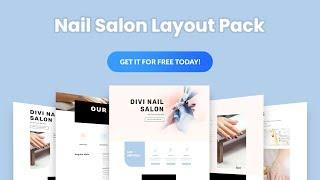
Get a FREE Nail Salon Layout Pack for Divi
Added 103 Views / 0 LikesLearn more: https://www.elegantthemes.com/blog/divi-resources/get-a-free-nail-salon-layout-pack-for-divi Hey Divi Nation! Thanks for joining us for the next installment of our weekly Divi Design Initiative where each week, we give away brand new, free Divi Layout Packs from our design team to you. This time around, Kenny and his team have created a beautiful Nail Salon Layout Pack that'll help you get your next nail salon website up and running in no
-
01:41 Popular
What Is A Website URL?
Added 103 Views / 0 LikesIf you read anything at all about websites, at some point you'll see the abbreviation "URL". In this video we'll talk about what it means, and how to understand it.
-
12:53 Popular
How To Customize Woocommerce Order Confirmation Emails
Added 103 Views / 0 LikesIn this tutorial you will learn how to customize WooCommerce order confirmation emails with more data. In a previous tutorial (here: https://www.youtube.com/watch?v=qN7eU_UboMg&list=PLlgSvQqMfii4RPNBbdpjCdmlJfSJRt6Cw ), you learned how to customize the appearance of your WooCommerce emails. Here you will learn how to add more data to your emails. You can combine these two emails to create highly customized WooCommerce emails. //* Local by Flywheel bui
-
09:15 Popular

Create a Popup Text Path Menu with a Hover Image Effect in Elementor [Advanced PRO]
Added 103 Views / 0 LikesIn this Advanced Tips & tricks tutorial we’ll learn how to create a popup text path menu with an awesome animated hover effect on the image to really level up our navigation designs. The tutorial will cover: ✔︎ Creating a popup menu ✔︎ Using the Text Path Widget with a custom SVG ✔︎ Hiding and rotating image using custom CSS ✔︎ Connecting the popup menu to the icon in header section ✔︎ And much more! Links: Text Path Widget Tutorial https://youtu.be/a
-
08:59 Popular
LearnDash Course Grid Design w/ Design Upgrade Pro
Added 102 Views / 0 LikesCompletely customize the design of the LearnDash Course Grid add-on using our Design Upgrade Pro Plugin for LearnDash. With over 24 options for just the Course Grid alone, there's almost infinite possibilities. All LearnDash customizations are made using the WordPress Customizer so they can be previewed live, and they are applied/compatible on desktop, tablet & mobile devices. COURSE GRID DESIGN OPTIONS: - Grid Items: Border width, color & radius - Gr
-
01:41 Popular

How to Get a Facebook Post URL to Embed on Website
Added 102 Views / 0 LikesHow do you find a Facebook post URL? Learn how to grab any Facebook post URL in 60 seconds. You might need a Facebook URL if you're trying to embed a Facebook post onto your website. Here are 2 simple ways to find and copy the URL to your clipboard. STEPS to get a Facebook Post URL: - Navigate to your Facebook feed, or the Facebook page where the post resides - Look for the date that the post was published - (option 1) Right-click the date --- Choose
-
06:42 Popular

Media Cleaner Wordpress - These Can Be Awesome Or Trouble
Added 102 Views / 0 LikesGrab Your Free 17-Point WordPress Pre-Launch PDF Checklist: http://vid.io/xqRL Media Cleaner Wordpress - These Can Be Awesome Or Trouble https://youtu.be/LjQ-ohMVyFA #wordpress #medialibrary #optimization Join our private Facebook group today! https://www.facebook.com/groups/wplearninglab In this tutorial I show you how to use a media cleaner WordPress. But using it can be dangerous because it may recommend deleting images that are still in use on you
-
01:19 Popular

How to Add Recipes in WordPress with SEO Friendly Formatting
Added 102 Views / 0 LikesThere are plenty of food sites that use WordPress and the number is growing. If you want to share recipes then there is an easy way to do so. In this video, we will show you how to add recipes in WordPress with SEO friendly formatting. If you liked this video, then please Like and consider subscribing to our channel for more WordPress videos. Text version of this tutorial: http://www.wpbeginner.com/plugins/how-to-add-recipes-in-wordpress-with-seo-frie
-
01:49 Popular
8 Proven Methods to Promote Old Posts in WordPress
Added 102 Views / 0 LikesDo you want to increase your website's traffic? One method to do so is to promote your older articles. In this video, we will show you 8 proven methods to promote old posts in WordPress. If you liked this video, then please Like and consider subscribing to our channel for more WordPress videos. Text version of this tutorial: http://www.wpbeginner.com/wp-tutorials/8-proven-methods-to-promote-old-posts-in-wordpress/ Check us out on Facebook: https://www
-
03:47 Popular
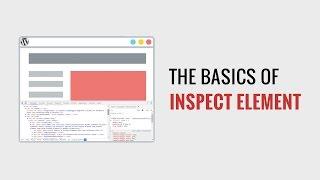
Basics of Inspect Element With Your WordPress Site
Added 102 Views / 0 LikesMost modern browsers have helpful and powerful tools like inspect element to figure out common problems. The inspect element tool can be opened with your right click or using the buttons control, shift, and I together. In this article we will show you the basics of inspect element and how to use it with your site. Text version of this tutorial: http://www.wpbeginner.com/wp-tutorials/basics-of-inspect-element-with-your-wordpress-site/ If you liked this
-
08:15 Popular
How to Set Up Your Email List (The Right Way)
Added 102 Views / 0 LikesIn this video, you'll learn how to set up your own email list so you can grow your subscribers. To begin, you would want to ensure you have an email marketing service that you are signed up with such as Constant Contact. If you are looking for alternatives, we have a list of those we would recommend here: https://www.wpbeginner.com/showcase/best-email-marketing-services/ This video brought to you by OptinMonster, take a look at their site here: ======
-
05:29 Popular
WordPress 101 - Creating a WordPress Post
Added 102 Views / 0 LikesStarting out with WordPress? Learn how to create a WordPress post. Useful WordPress Themes Links: Premium WordPress Themes - https://mythemeshop.com/themes/ Free WordPress Themes - https://mythemeshop.com/theme-category/free-wordpress-themes/ Useful WordPress Plugins Links: Premium WordPress Plugins - https://mythemeshop.com/plugins/ Free WordPress Plugins - https://mythemeshop.com/plugin-category/free/ Connect: Facebook - https://www.facebook.com/MyT
-
01:28 Popular

Barry Vaudrin Recommends MyThemeShop
Added 102 Views / 0 Likeshttps://mythemeshop.com/blog/customer-stories-interview-with-barry/ Barry Vaudrin is a cruise journalist and travels around the world in cruise ships for a living. He uses and recommends MyThemeShop WordPress themes. Useful WordPress Themes Links: WordPress Blog Themes - https://mythemeshop.com/theme-category/wordpress-blog-themes/ WordPress Business Themes - https://mythemeshop.com/theme-category/wordpress-business-themes/ WordPress eCommerce Themes
-
09:03 Popular

How to fix “Are you sure you want to do this” error in WordPress?
Added 102 Views / 0 LikesIf you are a WordPress user, you might have faced the “Are you sure you want to do this” error in WordPress. This is a common error that could occur when a plugin or theme does not use Nonce properly. Nonce are the special security keys which while performing the admin action can be appended to URLs. In an instance when a plugin or theme uses it incorrectly, it can result into users seeing this error. Know more about it in this detailed video.
-
05:19 Popular
Amazon WordPress Plugin: How to Integrate WordPress With Amazon
Added 102 Views / 0 LikesLearning how to integrate WordPress with Amazon is a great way to improve your website revenues. Let's go over two ways to combine these platforms! WordPress’ versatility makes it perfect for integration with other platforms, and Amazon is no exception. By using a plugin or two, you’ll be able to tap into the latter’s massive audience and use it to monetize your blog or manage sales on both channels directly from WordPress. These are the two methods t
-
05:34 Popular

How To Build A WordPress Website Without Any Code [HESTIA & TOOLSET]
Added 102 Views / 0 LikesWe are working with the team at Toolset for a series about how to build WordPress websites without writing code. We would love to know in the comments what type of sites you want to see developed. • Get Hestia: http://bit.ly/2kZ2rpn • Get Toolset: https://bit.ly/2Ld8ZuS Website → https://themeisle.com WordPress Articles → https://themeisle.com/blog/ Facebook → https://www.facebook.com/themeisle/ ThemeIsle is the go-to source for the High-Quality WordP
-
08:52 Popular
Using The Divi Portability System
Added 102 Views / 0 Likeshttp://www.elegantthemes.com/gallery/divi/documentation/importing/
-
02:32 Popular

Divi 3 0—Adding New Content
Added 102 Views / 0 LikesDivi 3.0 is a revolutionary new visual website builder for WordPress. Learn more here: http://www.elegantthemes.com/blog/theme-releases/divi-3-0
-
09:54 Popular
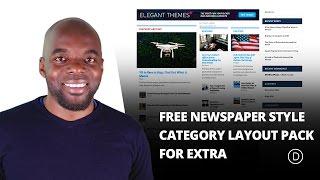
Free Newspaper Style Category Layout Pack for Extra
Added 102 Views / 0 LikesWe’ve had a lot of requests for Extra specific freebies and today we’re finally providing one. I’m excited to announce that in today’s post we’re giving away an Extra Category Layout (along with the necessary demo content) for a news website like The New York Times, Washington Post, or other large, high volume news website. This layout is not a full site design, but it is the perfect starting point for anyone wanting to fine tune their homepage for a
-
08:14 Popular

How to Create and Use the Ken Burns Effect within Divi
Added 102 Views / 0 LikesThe “Ken Burns Effect” is a great tool for web developers who want to engage their site visitors with visual storytelling. That’s why in today’s post I’m going to show you a way to add this effect to Divi’s full-width header module and fullwidth slider module slides. However, its application extends to the other Divi sections and modules as well. Once you understand the CSS behind the effect, you will have more control over the way your background ima