Wordpress
-
48:32 Popular

Building the Evol Empire with Divi featuring Andrew Tuzson - The Divi Nation Podcast, Episode 42
Added 259 Views / 0 LikesIn this episode of Divi Nation our guest Andrew Tuzson shares the story of how he started and scaled Evol Empire Creative, the structure the company has adopted as it's grown, and the systems that make what they do possible. And, of course, how Divi fits into all of that. It's a great chat to tune into if you're running your own Divi Agency with the hopes of scaling up to ten, twenty, or even more employees.
-
13:42

6 Microinteractions That Will Make Your Divi Site More Enjoyable
Added 70 Views / 0 LikesMicrointeractions are a great way to enhance user experience as they interact with your site. Slight animations of icons, images, or form fields can cue the user to take action in a fun and purposeful way. There are countless microinteractions you can include on your site, but a good rule of thumb is to keep them “micro”. You don’t want to overdue it. Read more:https://www.elegantthemes.com/blog/divi-resources/6-microinteractions-that-will-make-your-d
-
10:50 Popular
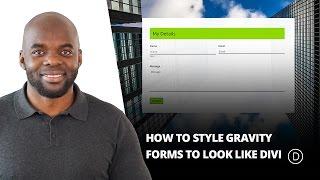
How to Style Gravity Forms to Look Like Divi
Added 127 Views / 0 LikesWhen it comes to WordPress form plugins there are quite a few options to choose from. In a previous Elegant Themes tutorial, I shared some CSS snippets for styling the Caldera Forms plugin. Caldera is a great free form builder plugin option, but today we’re going to be sharing some styling tips for Gravity Forms. Gravity Forms is one of the (if not the) most popular premium form builder plugins for WordPress websites. Read more: https://www.elegantthe
-
01:43 Popular

Divi Feature Update! Introducing Divi Wireframe View For The Visual Builder
Added 132 Views / 0 LikesLearn more here: https://www.elegantthemes.com/blog/theme-releases/divi-wireframe-mode This new view mode instantly transforms the Visual Builder into a streamlined block-based builder similar to the classic Divi Builder. Now you can bounce back and forth between both view modes and use the interface the best suits you and your current project.
-
13:56 Popular
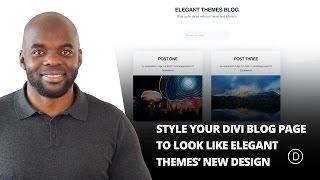
How to Style Your Divi Blog Page to Look Like Elegant Themes’ New Design
Added 126 Views / 0 LikesToday I’m going to show you how to design your blog page like the new Elegant Themes blog using Divi’s Blog Module. The three major design modifications include: (1) changing the default three-column blog grid layout to only two columns, (2) placing the featured image below the headline and post meta, and (3) sizing the featured image for the new column width. These are accomplished by adding a few lines of code. Aside from that, the Divi Builder and
-
06:22 Popular
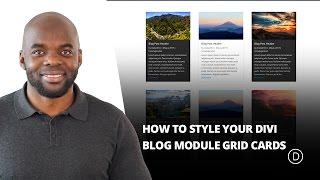
How to Style Your Divi Blog Module Grid Cards (With 4 Examples)
Added 116 Views / 0 LikesDivi’s Blog Module has a useful grid layout option for your blog posts. The grid template organizes your blog posts into boxes or cards that make it easier to view more posts on your screen than a standard full-width blog layout. The Blog Module Settings allow you to customize the overall design of your grid. You can easily make all of your cards the same background color, font, margins, etc… However, the styling options are limited to the design of t
-
39:20 Popular

Establishing Multiple Streams of Recurring Revenue with John Wooten - Divi Nation Podcast, Ep. 43
Added 120 Views / 0 LikesIn this episode of Divi Nation John Wooten of Artillery Media and Superfly shares his freelancer story, his WordPress/Divi story, and then shares some ways in which he has established multiple streams of recurring revenue for his business. Enjoy!
-
06:25 Popular

How to Insert Ads Above, Inside, and Below Your Divi Blog Post Content
Added 141 Views / 0 LikesDivi makes it easy to insert ads into your blog posts. Built in to Divi Theme Settings, there is a section that allows you to place an “un-widgetized” ad image/banner or adsense code under your blog post content. But, this is somewhat limiting since it only allows you to place the ad in one spot – at the bottom of your posts. Read more: https://www.elegantthemes.com/blog/divi-resources/how-to-insert-ads-above-inside-and-below-your-divi-blog-post-conte
-
02:55 Popular

The Best Divi Feature Of The Year? Introducing Options Organization & Options Search
Added 112 Views / 0 LikesFind out more here: https://www.elegantthemes.com/blog/theme-releases/options-organization
-
08:14 Popular

How to Create and Use the Ken Burns Effect within Divi
Added 102 Views / 0 LikesThe “Ken Burns Effect” is a great tool for web developers who want to engage their site visitors with visual storytelling. That’s why in today’s post I’m going to show you a way to add this effect to Divi’s full-width header module and fullwidth slider module slides. However, its application extends to the other Divi sections and modules as well. Once you understand the CSS behind the effect, you will have more control over the way your background ima
-
10:07 Popular
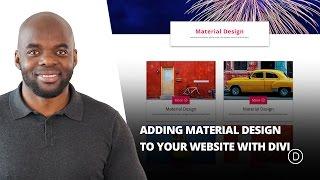
Adding Material Design To Your Website With Divi
Added 120 Views / 0 LikesIn today’s design, I’m using bold colors and images on a white background to entice the user. I’m also adding shadows and movement when hovering over certain elements to further engage the user. I’m adding a button that straddles the line between image and content since both are relevant to the call to action. And lastly, I added a little movement to the button icon which purposefully “points” them in the right direction. All of these elements are con
-
42:07 Popular

The Logistics of Doing a Divi Client Site in 24 Hours Featuring Jake Kramer - Divi Nation, Ep 44
Added 112 Views / 0 LikesIn today's episode of Divi Nation we interview Jake Kramer of Artillery Media, Superfly, and Pageinaday.com. He shares his WordPress/Divi story, gives us an overview of the business he helps run, and then gets into the details and logistics of how they provide a growing stream of customers with 24 hour Divi websites. Enjoy! See the episode or listen to it on our blog: https://www.elegantthemes.com/blog/divi-resources/the-logistics-of-doing-a-divi-clie
-
05:09 Popular
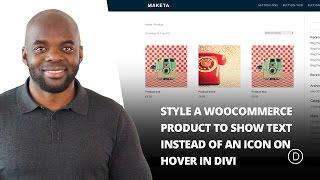
How to Style a WooCommerce Product to Show Text Instead of an Icon on Hover in Divi
Added 106 Views / 0 LikesIn this post we won’t be going over WooCommerce in detail but a great article about Divi + WooCommerce was just recently published on our blog and you can find it here. Sometimes styling WooCommerce can be a bit tricky, especially if your CSS game is a bit lacking or somewhat non-existent. What we’ll be doing today is changing what users see when they hover over a product. Read article here https://goo.gl/TKIQlq
-
05:32
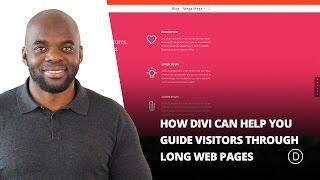
How Divi Can Help You Guide Visitors Through Long Web Pages
Added 98 Views / 0 LikesIn-page navigation is essential in two main scenarios: long-form content in general and one-page websites in particular. As the landscape has shifted towards long-form content in the last few years, proper structuring and organization of that content has become more important than ever. Attention spans are declining, and if people have to trudge through too much information to get to what they’re looking for, chances are you’ll lose them. In-page navi
-
02:12 Popular

Introducing The New Divi Documentation System & Update Divi Documentation
Added 116 Views / 0 LikesLearn more here: https://www.elegantthemes.com/blog/theme-releases/divi-documentation-update
-
07:06 Popular
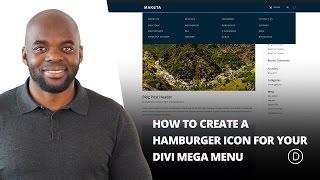
How to Create a Hamburger Icon for Your Divi Mega Menu
Added 137 Views / 0 LikesHamburger icons have become synonymous with menus. The three stacked horizontal lines represent the idea of a list and have been nicknamed “hamburger” for it’s obvious similarities. Divi uses the hamburger icon to toggle your main menu on mobile and on certain header styles like “slide in” and “fullscreen”. Today I’m going to show you how to use a hamburger icon to toggle a mega menu on click. This is a great solution for those sites with lots of menu
-
00:53 Popular

Divi 3.0: Add Gorgeous Video Backgrounds in Seconds
Added 119 Views / 0 LikesWith the latest Divi 3 you can add gorgeous video backgrounds in seconds. Give it a try https://www.elegantthemesdemo.com/?et_fb=1
-
01:30 Popular
Divi 3 Create a Single Page Faster Than Ever Before
Added 119 Views / 0 LikesWith the latest Divi 3 you can create a single page faster than ever before from scratch. Give it a try https://www.elegantthemesdemo.com/?et_fb=1
-
00:56 Popular

Divi 3.0 Display Your Images Beautifully
Added 113 Views / 0 LikesWith Divi 3.0, you can display your images beautifully. Give it a try today https://www.elegantthemesdemo.com/?et_fb=1
-
00:58 Popular
Divi 3.0 Create Effective Opt in Pages Fast
Added 101 Views / 0 LikesWith Divi 3.0, you can create Effective Opt-in Pages Fast using MailChimp and Aweber. Give it a try today https://www.elegantthemesdemo.com/?et_fb=1
-
01:07 Popular
Divi 3.0 Create Beautiful Section Backgrounds Easily
Added 136 Views / 0 LikesWith the new Divi 3.0 you can create beautiful section backgrounds easily in just a few clicks. Give it a try today https://www.elegantthemesdemo.com/?et_fb=1
-
01:28 Popular
Divi 3.0 Create a Stunning Portfolio in Minutes
Added 143 Views / 0 LikesWith the new Divi 3.0 you can create a stunning portfolio in minutes. Give it a try today https://www.elegantthemesdemo.com/?et_fb=1
-
05:08 Popular

How to Add a One Click WordPress PDF Download Using Divi
Added 118 Views / 0 LikesIn this video, I show you how to add a one click wordPress PDF download Using Divi. If you’ve never considered offering content as PDFs, you definitely should! PDFs enable you to package together your site’s most compelling content, and offer it to readers in a concise, easily accessible format.
-
02:14 Popular

Introducing Divi Keyboard Shortcuts
Added 116 Views / 0 LikesView all the keyboard shortcuts here: https://www.elegantthemes.com/blog/theme-releases/introducing-divis-new-power-user-features
-
16:01 Popular
How to Create a Navigation Mosaic with the Divi Slider Module
Added 122 Views / 0 LikesIn this video, I am going to show you how to Create a Navigation Mosaic with the Divi Slider Module. The slider is probably one of the more popular design elements seen in websites today and has been for some time. Most people probably think of hero sliders or gallery sliders as two of the most common uses for them, but really they can be used for all kinds of applications — for CTA areas, to display team members, to use for testimonials, or even as n
-
09:40 Popular
How to Style Divi’s Slider Module for a Bold Team Members Area
Added 128 Views / 0 LikesIn this video, I am going to show you how to Style Divi’s Slider Module for a Bold Team Members Area. Traditionally team members have a “card” style look or are placed one per column. This is just another idea to display your staff as well as make use of Divi’s slider module in a creative way. Click the link to view the post: https://www.elegantthemes.com/blog/divi-resources/how-to-style-divis-slider-module-for-a-bold-team-members-area
-
09:18 Popular
How to Add Parallax Elements and a Slide-Down Transition to the Divi Slider Module
Added 117 Views / 0 LikesIn today’s slider tutorial we’re going to change the slider animation so that the text and button slide down from the top. We’ll also be styling it using parallax settings so the transparent images we’re using appear to “float” above the background. It’s an appealing effect when done correct and draws the eyes to your call to action. Here is the link to the post: https://www.elegantthemes.com/blog/divi-resources/how-to-add-parallax-elements-and-a-slid
-
08:44 Popular
How to Add a “Soft Box” Shadow to Your Divi Slider Module
Added 108 Views / 0 LikesIn today’s slider tutorial we’re going to change the slider animation to slide in from the right. We’ll also be styling a sleek slider box with a soft-box shadow. This design is subtle but elegant and can easily be tweaked to fit just about any kind of website. Here is the link to the post: https://www.elegantthemes.com/blog/divi-resources/how-to-add-a-soft-box-shadow-to-your-divi-slider-module
-
08:57 Popular
How to Style the Divi Slider with a Static Text Description
Added 110 Views / 0 LikesIn today's slider tutorial instead of changing out the animation name on the slide description, I'm actually going to be removing it altogether, and I'll explain why below. I'm also bringing in a few gradients, 'cause who doesn't love a gradient? Aaaand I'll show you how to have three buttons instead of two. Here is the link to the post: https://www.elegantthemes.com/blog/divi-resources/how-to-style-the-divi-slider-with-a-static-description-text
-
07:18 Popular
How to Give Your Divi Audio Module “Intergalactic Vibes”
Added 126 Views / 0 LikesIn this video we share a fun way to style the Divi Audio Module our contributor has titled, "intergalactic Vibes." This design concept and tutorial is merely a simple exercise to show what's possible with a little imagination and creativity. Just the thing for a beginner looking to get more familiar with Divi and web design. You can view the blog post and get the code snippets here: https://www.elegantthemes.com/blog/divi-resources/how-to-give-your-di









