Wordpress
-
26:37

Want page speed in the 90's? Nitropack setup, settings and walkthrough
Added 88 Views / 0 LikesIf you're looking to get the most out of Nitropack, then this video is for you! You're going to learn some tips and tricks on how to set Nitropack up for maximum page speed. After watching this video, you'll be able to set up your own Nitropack and see a noticeable difference in your page loading times. //* Get NitroPack for free here: https://wplearninglab.com/go/nitropack002 Grab your free 17-Point WordPress Launch Checklist PDF: https://wplearningl
-
1:11:16
Elementor Showoff 2022 Live Event!
Added 88 Views / 0 LikesFasten your seatbelts for an exciting event! We’ll be announcing the winners of the Showoff competition, and you’re invited to attend the festive celebrations 🥳 Join us for a fascinating discussion with well known guest speakers and a live chat. Tune in on Wednesday, Dec 21, to join us here on YouTube. We will also live stream the event via Facebook, so follow this link if you want to join us there: https://fb.me/e/3RQxpm97I See you there! Update: Che
-
01:39

What is RSS How to use RSS in WordPress
Added 87 Views / 0 LikesMany WordPress sites use RSS feeds and WordPress automatically publishes them. Some users don't know how to use the RSS. In this video, we will show you how to use RSS in WordPress. If you liked this video, then please Like and consider subscribing to our channel for more WordPress videos. Text version of this tutorial: http://www.wpbeginner.com/beginners-guide/what-is-rss-how-to-use-rss-in-wordpress/ Follow us on Twitter: http://twitter.com/wpbeginne
-
03:15

How to Add a New Post in WordPress and Utilize all the Features
Added 87 Views / 0 LikesWhile some may think adding a new WordPress post is self-explanatory, it can be confusing for beginners. Not to mention even some users do not know all of the available options in the post editor. In this video, we will show you how to add a new post in WordPress with all the features. If you liked this video, then please Like and consider subscribing to our channel for more WordPress videos. Text version of this tutorial: http://www.wpbeginner.com/be
-
08:35

How to Create A Slider in WordPress
Added 87 Views / 0 LikesDownload the plugin • https://websitelearners.com/get/smartslider Get the best tools for your website • https://websitelearners.com/tools/ Beautiful websites require hard work. However, Wordpress makes it easy to make. One of the features that makes websites beautiful is the slider. Sliders are very powerful elements in websites. They are lovely, and can be used to convey a lot of information, using only a small part of the web page. Making sliders co
-
04:57

How to fix the syntax error in WordPress?
Added 87 Views / 0 LikesThe WordPress syntax error mainly occurs due to the syntax error in the code of the respective WordPress Theme, plugins or in the WordPress editable files. Learn how to overcome this error step by step by watching this detailed video screencast.
-
1:01:29
The Weekly WP Roundup with B.J. Keeton (June 7, 2019)
Added 87 Views / 0 LikesMultistreaming with https://restream.io/ Welcome to Friday, Divi Nation. We are back with a curated list of news, tutorials, and resources about WordPress that we think will end your week just right. Feel free to say hi in the comments, ask any questions you have, or just join in on the conversation. All the links we talk about will be in the description of the video --NEWS Introducing #WeeklyWPRoundup: https://twitter.com/search?q=%23weeklywproundup&
-
02:15

How to Add Scrolling Effects to Your Website
Added 87 Views / 0 LikesIn this tutorial, we'll go over how to add scrolling effects and animations to your website. You'll learn: •︎ How to create scrolling effects •︎ Add horizontal scroll animations •︎ Use an element anchor point, and much more! Read more on Motion Effects here: https://elementor.com/blog/introducing-motion-effects/ Get Elementor Pro: https://elementor.com/pro/
-
10:04

Free Translation Plugin For WordPress
Added 87 Views / 0 LikesFree Translation Plugin For WordPress Download the website translator at: https://www.conveythis.com/?utm_source=WpwithTom In this video I show you how to translate a WordPress website for free with the ConveyThis plugin. With this plugin WordPress translations become easy. You can translate your website to another language literally in a matter of minutes. In this video I show you how. I hope you enjoy it! This video has been kindly sponsored by Conv
-
05:41

TOP 5 Plugins für Wordpress Webseiten -- 2019
Added 87 Views / 0 LikesSuchst du nach Empfehlungen für die Top 5 Wordpress Plugins für deine Wordpress Seite oder Blog? In diesem Video zeige ich dir meine Top 5 Wordpress Plugins und erkläre dir kurz was sie machen und wie du Plugins installieren kannst.
-
02:58

How to Create a Dropdown Menu in WordPress | Beginners Series
Added 87 Views / 0 LikesHow to create a dropdown menu in WordPress. In this beginners series video I go over how to make a dropdown menu in WordPress quickly. In my example I use a standard dropdown with 3 sub items for a main menu page. However, you can use as many sub items as you want and even have sub items of sub items within a huge menu. This isn't recommend, but it helps display just how easy it is to make a dropdown menu using wordpress. My website! http://wpwithtom.
-
03:16

Vanity Phone Numbers: Everything You Need to Know for Your Website or Business
Added 87 Views / 0 LikesIn today’s video, we're going to learn everything you need to know about vanity phone numbers. Blog post: https://www.elegantthemes.com/blog/business/vanity-phone-numbers-everything-you-need-to-know-for-your-website-or-business Call-able links: https://youtu.be/EDoowuaEfWI Like us on Facebook: https://www.facebook.com/elegantthemes/ #ElegantThemes
-
03:57
Get a FREE Event Planner Layout Pack for Divi
Added 87 Views / 0 LikesHey Divi Nation! Thanks for joining us for the next installment of our weekly Divi Design Initiative; where each week, we give away a brand new, free Divi Layout Pack from our design team to you. For this week, Kenny and his team have created a timely Event Planner Layout Pack we think you are going to love. This layout pack provides everything one needs to get an event planner site up and running in no time, including dedicated page layouts for portf
-
03:56

What Is an iFrame? (And How to Use Them)
Added 87 Views / 0 LikesIn today's video, we learn about iFrames and how to use them. Blog post: https://www.elegantthemes.com/blog/wordpress/what-is-an-iframe-and-how-to-use-them •️ Learn more about Divi: https://www.elegantthemes.com/gallery/divi/ • Like us on Facebook: https://www.facebook.com/elegantthemes/ #iFrame#WordPress #ElegantThemes
-
04:57

4 Best Chatbots for your WordPress Website
Added 87 Views / 0 LikesIn today's video, we check out the 4 best chatbots for your WordPress website. Blog post: https://www.elegantthemes.com/blog/wordpress/best-chatbots-for-your-wordpress-website •️ Learn more about Divi: https://www.elegantthemes.com/gallery/divi • Like us on Facebook: https://www.facebook.com/elegantthemes/ #Chatbots #WordPress #ElegantThemes
-
03:30

How WordPress Users Can Opt Out of Google Analytics Tracking
Added 87 Views / 0 LikesIn today's video, we'll learn how WordPress users can opt out of Google Analytics tracking. Blog post: https://www.elegantthemes.com/blog/wordpress/how-wordpress-users-can-opt-out-of-google-analytics-tracking •️ Learn more about Divi: https://www.elegantthemes.com/gallery/divi • Like us on Facebook: https://www.facebook.com/elegantthemes/ #GoogleAnalytics #WordPress #ElegantThemes
-
16:50
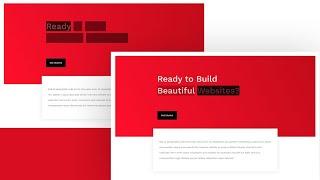
How to Add CSS Text Block Animations to Your Headline with Divi
Added 87 Views / 0 LikesYour headline is one of your homepage’s most important parts. It’s usually the first piece of copy people read which makes it their first impression. Like any other first impression, you want it to be a good one. Now, if you’re looking for a creative way to showcase your headline, you’ll enjoy this post. In this tutorial, we’ll show you how to add CSS text block animations to your headline and you’ll be able to download the layout’s JSON file for free
-
03:56
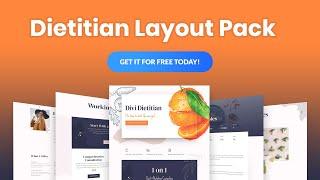
Get a FREE Dietitian Layout Pack for Divi
Added 87 Views / 0 LikesHey Divi Nation! Thanks for joining us for the next installment of our weekly Divi Design Initiative; where each week, we give away a brand new, free Divi Layout Pack from our design team to you. This week, our design team has created a brand new Dietitian Layout Pack. Dietitians need a website that can handle various types of content. This layout pack makes it easy for dietitians to develop a website with everything they need and more. With clean and
-
28:34
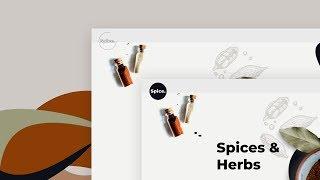
How to Add & Animate Your SVG Logo Inside Your Global Header with Divi’s Theme Builder & Anime.js
Added 87 Views / 0 LikesGo to the blog post: https://www.elegantthemes.com/blog/divi-resources/how-to-add-animate-your-svg-logo-inside-your-global-header-with-divis-theme-builder-anime-js Your logo is a central part of your brand’s identity. That’s why it’s almost always included in any website header you come across. When adding a logo to your header, you can choose to upload a PNG file or go for an SVG integration instead. For a more customized approach, you can also anima
-
24:07

How To Make More Money, Create Better Experiences, & Reduce Costs, With Website Automation [HOT]
Added 87 Views / 0 LikesIn this WordPress tutorial, I'll show you how to make more with your website. I mean sell more products, sell more courses, sell more of everything. Links From The Video * Automator Plugin -- https://www.wpcrafter.com/automator (SAVE 70%) Table Of Contents 00:00:00 Intro 00:00:22 Zapier Is Not The Answer 00:00:43 Zapier Is Dumb 00:02:11 Zapier Is Expensive 00:02:38 Problem With Zapier Integrations 00:04:00 The Answer For WordPress Users 00:07:37 How A
-
04:34
Best Practices to Optimize Your Anchor Text
Added 87 Views / 0 LikesIn today's video, we'll check out some best practices to optimize your anchor text. Blog post: https://www.elegantthemes.com/blog/wordpress/how-to-optimize-your-anchor-text •️ Learn more about Divi: https://www.elegantthemes.com/gallery/divi • Like us on Facebook: https://www.facebook.com/elegantthemes/ #AnchorText #WordPress #ElegantThemes
-
18:05
How to Write a Blog Post in WordPress - My Step by Step Formula
Added 87 Views / 0 LikesHow to Write a Blog Post in WordPress In this video I go over my process for creating and editing a blog post. After that I show you some key things to know about your blog post within WordPress. I think this blog writing tutorial is a great way to get started as a beginner. I hope it helps you out! SEMRush: https://www.wpwithtom.com/semrush My Site https://www.wpwithtom.com Best Hosts: NameHero: https://wpwithtom.com/namehero GreenGeeks: https://wpwi
-
14:31

Black Friday WordPress Deals Are Live Now!
Added 87 Views / 0 LikesBlack Friday WordPress Deals Are Live Now! Below are the live sales that I recommend checking out!! Hosting Sales: GreenGeeks: https://wpwithtom.com/greengeeks SiteGround: https://wpwithtom.com/siteground NameHero: https://wpwithtom.com/namehero WPXHosting: https://www.wpwithtom.com/wpx Liquid Web: https://www.wpwithtom.com/liquidweb Cloudways: https://www.wpwithtom.com/cloudways WordPress Builders: Elementor: https://wpwithtom.com/elementor Divi: htt
-
03:00

The Divi Cyber Monday 2020 Sale Starts Now
Added 87 Views / 0 Likes• View The Sale - https://www.elegantthemes.com/cyber-monday-2020/ • Get Divi Today - https://www.elegantthemes.com/discount/cyber-monday-2020/ • Upgrade To Lifetime - https://www.elegantthemes.com/members-area/membership/cyber-monday-2020/ • Amazing Deals On The Divi Marketplace - https://www.elegantthemes.com/marketplace/ The Divi Cyber Monday Sale starts right now, and if you missed our Black Friday sale, then that means you have one more chance to
-
06:13

Black Friday 2020 Deals Update
Added 87 Views / 0 LikesMore Black Friday deals have been released now that BF is officially here. In this video, I show you all the sales I've found for software tools that I use regularly. I even have walkthrough videos for most of them on this channel. If you've been saving up for Black Friday, now's your chance to get some mega deals. Here's the video I published earlier this week with even more deals on software I use everyday (or at least every week): https://youtu.be/
-
09:38
How to Capture Emails in WordPress
Added 87 Views / 0 LikesAre you wanting to get a list of people who have contacted you on your WordPress site? Possibly for creating an email list in the future or wanting to gauge interest in a product. In this video, we'll show you how to capture emails in WordPress. This video brought to you by WPForms, the most beginner friendly WordPress form plugin, take a look at their site here: ================================= https://wpforms.com/wpbeginner ========================
-
03:51

21 Online Business Ideas Anyone Can Get Started
Added 87 Views / 0 LikesIn today's video, we'll check out 21 online business ideas anyone can get started. Blog post: https://www.elegantthemes.com/blog/business/online-business-ideas ➡️ Learn more about Divi: https://www.elegantthemes.com/gallery/divi 🔵 Like us on Facebook: https://www.facebook.com/elegantthemes/ #OnlineBusiness #Business #ElegantThemes
-
08:35

How To Optimize YouTube Video Embeds On WordPress - Killing Your Website Speed
Added 87 Views / 0 LikesIn this WordPress tutorial, I'll show you how to improve the page speed performance if you are using YouTube video embeds on your website. Did you know that having a YouTube video on your website slows down the page load. YouTube videos embeds automatically load the YouTube video player on each page load and it destroys your load speed. Here is a quick and simple fix. 🔥🔥🔥 WordPress Deals April 2021 🔥🔥🔥 * Presto Player -- https://www.wpcrafter.com/pres
-
59:24
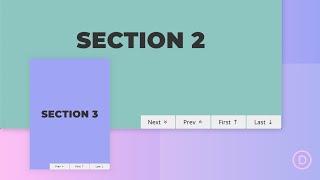
How to Add Sticky Page Navigation Links to Divi Sections
Added 87 Views / 0 LikesLearn more: https://www.elegantthemes.com/blog/divi-resources/how-to-add-sticky-page-navigation-links-next-previous-first-last-to-divi-sections Sometimes it is more convenient to navigate page content by clicking buttons rather than scrolling. This is especially true for one-pagers or if you have certain sequential sections on a page that warrant optimal accessibility for users. Adding sticky page navigation links to the bottom of sections can be a un
-
05:43
Get the FREE Ultimate Divi Black Friday Layout Bundle by Elegant Themes
Added 87 Views / 0 Likes🎁 Want this free gift? ➡️ https://www.elegantthemes.com/blackfriday 📢 Get 25% Off Divi: ➡️ https://www.elegantthemes.com/blackfriday Everyone who purchases a new Elegant Themes Membership or who upgrades their existing Membership will gain access to this free gift in the members area of their new account. 🎉 Current Lifetime Members can access it right now! https://www.elegantthemes.com/members-area/perks/ Blog post links: Landing Page: https://www.ele









