Wordpress
-
00:20

How to Create a Reusable Social Media Block in WordPress
Added 83 Views / 0 LikesDo you add your social media channels to all of your posts? One of the best things about WordPress blocks is that they can be saved and reused. This is helpful for website owners and bloggers who frequently need to add specific content snippets to their articles or pages. In this video, we'll show you how to quickly add a reusable social media block in WordPress. To do this, click on the menu button located at the right corner of each block’s toolbar.
-
03:56

How to EASILY Embed Instagram Feed in Your WordPress Website (Step by Step)
Added 76 Views / 0 LikesAre you looking for an easy way to embed Instagram feeds on your WordPress website? Embedding Instagram on your WordPress site is one of the easiest ways to get more traffic, engagement, and followers. In this video, I'll show you how to easily embed Instagram feeds on your website in under 10 minutes. --Links-- ►Add This One Thing For Higher Click-Through Rates https://youtu.be/vpexf1x7_Hs ►Written Tutorial: How to Easily Embed Instagram in WordPress
-
06:54

9 Best Quiz Plugins for WordPress (2022)
Added 59 Views / 0 LikesDo you want to know the best quiz plugins for your WordPress website? Quizzes can help create viral content for your site and boost engagement. This video will share the best quiz plugins for WordPress that will help you engage your users and increase the time spent on your site. --Links-- ►Create a Membership Website with WordPress (That Makes Money) https://www.youtube.com/watch?v=JwUfRTJR0eI ►Written Article: 9 Best Quiz Plugins for WordPress (2022
-
00:18
How to Quickly Add Heading Block in WordPress
Added 53 Views / 0 LikesInstead of using the block to search for the heading and choose the heading size, Click on the area where you want your heading to go, and add the number of hashtags or number of pound signs that you want for your heading. then hit the space bar And the correct heading size will appear Then you can write out what you want your heading to say. --Top Resources-- ⚡Use Promo Code WPBVIP⚡ ►Best WordPress Contact Form Plugin https://wpforms.com/wpbeginner ►
-
02:45

How to Add RSS Sitemap in WordPress (The Easy Way)
Added 51 Views / 0 LikesDo you want to add an RSS sitemap to your WordPress website? An RSS sitemap helps Google index your website content and updates more quickly. Google recommends using an RSS sitemap combined with an XML sitemap for the best SEO results. In this video, we'll show you how to get indexed faster by easily adding an RSS sitemap to your WordPress website without any code. --Links-- ►How to Setup All in One SEO for WordPress Correctly (Ultimate Guide) https:/
-
04:11

How To Embed a YouTube Playlist In WordPress - BEST Method
Added 52 Views / 0 LikesDo you want to embed your YouTube playlists on your WordPress website? Adding a playlist to your landing pages and blog posts can help boost user engagement and improve your SEO or search engine optimization rankings. Plus, it can help grow your channel and get more subscribers. In this video, we'll show you how to embed YouTube playlists in WordPress. --Links-- ►6 Best Video Editing Software Compared (Easy & Powerful) https://www.youtube.com/watch?v=
-
00:24

How to Quickly Change Permalink Structure in WordPress
Added 58 Views / 0 LikesBy default, your web link structure in WordPress looks something like this. To change it, go to your WordPress dashboard. Go to settings, then permalinks to change. From here, choose the structure that you want to have for your website. We recommend using a URL structure that includes the post name in the URL. This makes your URLs more user-friendly and can improve your WordPress SEO. Click save changes and you now have a new URL structure. --Top Reso
-
05:18
How to Set Up WordPress Form Tracking in Google Analytics
Added 49 Views / 0 LikesAre you wondering how your WordPress forms are performing? Tracking forms in Google Analytics helps you uncover insights about how people interact with your forms, where your leads are coming from, which marketing campaigns are performing the best, and more! In this video, we’ll show you how to set up WordPress form tracking in Google Analytics. 0:00 Intro - what you can see when you track your form. 1:19 Will this work with my form? 1:51 Setting up M
-
04:05

5 Best WordPress Business Directory Plugins
Added 77 Views / 0 LikesAre you looking for the best WordPress business directory plugins? A business directory helps users discover service providers in a particular niche or category. At the same time, it helps those businesses find customers and opportunities. As a website owner, you can even make money online by selling paid listings on your business directory. In this video, we'll talk about some of the best WordPress business directory plugins that can help you save ti
-
00:18
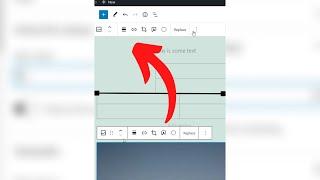
FINALLY How to Move the Block Toolbar
Added 78 Views / 0 LikesYou may have noticed that there is a toolbar that appears on top of every block. You can move this toolbar to the top of the editor if you want. In the top right corner, click on the three-dot button and then select the Top Toolbar option. now the toolbar will stay at the top no matter what block you choose. --Top Resources-- ⚡Use Promo Code WPBVIP⚡ ►Best WordPress Contact Form Plugin https://wpforms.com/wpbeginner ►Best WordPress Analytics Plugin htt
-
02:22
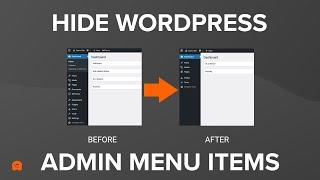
How to Hide Unnecessary Menu Items From WordPress Admin
Added 61 Views / 0 LikesDo you want to hide unnecessary menu items from the WordPress admin area? WordPress is a fantastic platform for creating websites but for some clients and users, the Admin area can be cluttered with menu items that they just don't need to see. By cleaning up the Admin area and hiding menu items it can stop users from accidentally changing important site settings and also helps keep them focused on the options they need. In this video, we are going to
-
04:46
How to Install a WordPress Plugin (3 Easy Methods)
Added 61 Views / 0 LikesOne of the things every new WordPress user needs to know is how to install a WordPress plugin. Plugins are like apps for your website, and the WordPress plugin directory has over 55,000 free plugins ready to install on your site. There are also thousands of awesome premium plugins that help grow your site too. In this video, we are going to show you 3 quick and easy ways to install a plugin in WordPress. --Links-- How to use FTP to upload files to Wor
-
00:14
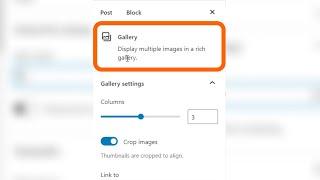
How to Automatically Create an Image Gallery in WordPress
Added 38 Views / 0 LikesGutenberg allows you to just drag and drop files anywhere on the screen, and it will automatically create the block for you. Find all the images you want to add, drag them onto the post, and it will automatically create a gallery block. adjust the columns, add the alt text, and you're good to go --Top Resources-- ⚡Use Promo Code WPBVIP⚡ ►Best WordPress Contact Form Plugin https://wpforms.com/wpbeginner ►Best WordPress Analytics Plugin https://www.mons
-
10:17 Popular

How to Customize WooCommerce Checkout Page (The Easy Way)
Added 103 Views / 0 LikesDo you want to customize your WooCommerce checkout page? The default WooCommerce checkout page isn’t optimized for conversions. By customizing and optimizing your checkout page, you can increase your conversions and make more sales. In this video, we’ll show you how to easily customize your WooCommerce checkout page, step by step without writing any code. 0:00 Intro 0:12 Using SeepProd 2:08 Setting up and designing your checkout page 8:21 Tip #1 - Red
-
21:58

17 Best and Free WooCommerce Plugins for Your Store
Added 50 Views / 0 LikesAre you looking for the best WooCommerce plugins for your store? Plugins are the best part of making an online store using WooCommerce. They allow you to add new features and grow your business. There are tons of free and paid plugins that you can use but not all of them are good. So, it’s hard to find the best WooCommerce plugins for your eCommerce site. In this video, we have hand-picked some of the best WooCommerce plugins for your store to increas
-
00:58

WordPress Website Redesign Discoverability
Added 41 Views / 0 LikesWhen working on your WordPress website redesign, you want to think about discoverability. How easy it is for your users to find what they are looking for on your website. You can watch the full episode here: https://www.youtube.com/watch?v=iqIcbPmz5Cc --Top Resources-- ⚡Use Promo Code WPBVIP⚡ ►Best WordPress Contact Form Plugin https://wpforms.com/wpbeginner ►Best WordPress Analytics Plugin https://www.monsterinsights.com/ ►Best Lead Generation Plugin
-
05:44
How to Increase the Maximum File Upload Size in WordPress
Added 70 Views / 0 LikesDo you want to increase the maximum file upload size in WordPress? Sometimes a low file upload size limit can stop you from uploading files with the media uploader or installing larger WordPress plugins and themes. In this video, we’ll show you how to easily increase the maximum file upload size in WordPress to fix those issues. 0:00 Intro 0:05 How to find your max file upload size 1:16 Method 1 2:35 Method 2 2:45 Method 3 3:44 Method 4 4:34 Method 5
-
01:15

How to Hide Featured Images on Individual Posts in WordPress
Added 70 Views / 0 LikesDo you want to hide the featured images on individual posts in WordPress? There may be times when you have a featured image for a post, but instead of deleting it, you just want to hide it from your visitors. In this video, we’ll show you how to hide featured images on individual posts in WordPress. 0:00 Intro 0:06 What is a featured image? 0:18 Removing the featured image from a post --Related Material-- ►Want to read the post? Check it out here: htt
-
00:53

WordPress Website Redesign: Make Checklist
Added 64 Views / 0 LikesYou want to make a checklist of everything you need to do with your website redesign. This is a snippet of our full podcast episode: https://www.youtube.com/watch?v=iqIcbPmz5Cc WordPress Website Redesign with Syed Balkhi (100,000+ New Pageviews, Better SEO Rankings, and More) Subscribe to our Podcast: https://www.youtube.com/channel/UCmm2mYCMRVDcnWrZXyPzRkQ?sub_confirmation=1 --Top Resources-- ⚡Use Promo Code WPBVIP⚡ ►Best WordPress Contact Form Plugi
-
08:56

11 Best Analytics Solutions for WordPress Users
Added 60 Views / 0 LikesAre you looking for the best analytics solutions for your WordPress site? An analytics tool allows you to learn how many visitors are coming to your website, where they come from, and what they do on your site. Many beginners rely on their best guesses when starting a new website or blog. You don’t have to do that, when you can collect data and make informed decisions to grow your business with these analytics solutions. In this video, we have hand-pi
-
08:02
How to Make a Volunteer Application Form in WordPress
Added 40 Views / 0 LikesManaging applications for an organization can take a lot of time and effort so you may have wondered if there is an easy way to add a volunteer application form to your WordPress site. In this video, we make this process much easier by combining the power of WordPress and WPForms. In under 10 minutes, you will learn how to make a volunteer application form, with email notifications and the ability to view all submissions in one place. We go step-by-st
-
00:52

WordPress Website Redesign: Why Search is Important
Added 48 Views / 0 LikesSearch on your website becomes more important as you grow it. In this snippet Syed talks about how important search became in the website redesign for WPBeginner. This is a snippet of our full podcast episode: https://www.youtube.com/watch?v=iqIcbPmz5Cc WordPress Website Redesign with Syed Balkhi (100,000+ New Pageviews, Better SEO Rankings, and More) Subscribe to our Podcast: https://www.youtube.com/channel/UCmm2mYCMRVDcnWrZXyPzRkQ?sub_confirmation=1
-
04:05
How to Add New Users To Your WordPress Site (3 Ways)
Added 81 Views / 0 LikesIf you are looking for a way to add new users to your WordPress website then this video will help you out. You may want to add a new blog writer, have someone help out with site maintenance or even want to build a membership website for paying customers. In this video, we show you three quick ways you can add new users to your site. --Links-- MemberPress https://memberpress.com/ How to Add New Users and Authors to Your WordPress Blog https://www.wpbeg
-
07:13
WordPress 6.0: Best features and biggest changes
Added 56 Views / 0 LikesWordPress 6.0 Beta arrived a few days ago, and it is expected to be released on May 24th, 2022. It will be the second major release of 2022 and will come with many new features and improvements. We have been closely monitoring the development and trying out new features on our test sites. In this video, we’ll give you a sneak peek into what’s coming in WordPress 6.0! 0:00 Intro 0:09 What we're covering in this video 0:49 The Style Switcher 1:30 Export
-
00:23

WordPress Website Redesign: Tip #1
Added 51 Views / 0 LikesWhen going through a WordPress website redesign, here is tip #1 for a successful redesign. This is a snippet of our full podcast episode: https://www.youtube.com/watch?v=iqIcbPmz5Cc WordPress Website Redesign with Syed Balkhi (100,000+ New Pageviews, Better SEO Rankings, and More) Subscribe to our Podcast: https://www.youtube.com/channel/UCmm2mYCMRVDcnWrZXyPzRkQ?sub_confirmation=1 --Top Resources-- ⚡Use Promo Code WPBVIP⚡ ►Best WordPress Contact Form
-
07:04

How to Display Popular Products on WooCommerce Product Pages
Added 58 Views / 0 LikesDo you want to learn how to add popular products on your WooCommerce product pages? Showing popular products on your online store pages is a proven way to boost sales. This is why Amazon, Walmart, and all other big stores have a best-seller widget. In this video, we’ll show you how to display popular products on your WooCommerce product pages. 0:00 Intro 0:56 How SeedProd can help 2:18 Creating a store page 5:40 Using Shortcodes -Related Links-- ► Wou
-
03:24

How to Properly Add Google AdSense to Your WordPress Site
Added 43 Views / 0 LikesDo you want to add Google AdSense to your WordPress website? Google AdSense is one of the easiest ways to start making money online with your website. It allows you to automatically sell your website’s ad space to advertisers and get paid. In this video, we will show you how to add Google AdSense in WordPress, along with some best practices and tips to increase your earnings. 0:00 What you need to use Google AdSense 0:33 Getting your AdSense Code 1:26
-
06:02

How to Solve Error Too Many Redirects Issue in WordPress (4 Methods)
Added 57 Views / 0 LikesIf you have seen the error 'Too Many Redirects' when accessing your WordPress website and can't access the site then watch this video as we cover a few ways you can solve this error. We go through step-by-step and use both an FTP Client and a File Manager to access the WordPress files on the website so you can use whichever method suits your situation. --Links-- ► Looking for the code used in the video? Check out the full article here https://www.wpbe
-
11:22

How to Create a Booking Form in WordPress (2 ways)
Added 57 Views / 0 LikesIf you want to create a booking form on your WordPress site there are a few ways you can do it. In this video, we show you two ways to create a fantastic booking form with WPForms and Formidable Forms. --Links-- ►Check out WPForms - https://wpforms.com/ ►Download Formidable Forms here - https://formidableforms.com/ ► Related video - How to Create a User Registration Form in WordPress https://youtu.be/f5UazoNTnac --Timestamps-- 0:00 Intro 0:16 Method 1
-
05:19
How to Add a Navigation Menu in WordPress
Added 52 Views / 0 LikesDo you want to add a navigation menu to your WordPress site? WordPress comes with a drag and drop menu interface that you can use to create header menus, menus with dropdown options, and more. In this video, we will show you how to easily add a navigation menu in WordPress. 0:00 Intro 0:10 Where to go in WordPress 0:44 Creating a new menu 1:38 Customizing your menu 3:14 Using Widgets 3:46 If you don't see the menu editing in Appearance -Related Links-









