Wordpress
-
01:23 Popular

Divi. The Ultimate WordPress Theme And Visual Page Builder
Added 135 Views / 0 LikesTry it for free today: https://www.elegantthemes.com/gallery/divi/?utm_source=commercial&utm_medium=keywords&utm_campaign=youtube Divi is a revolutionary WordPress theme and visual page builder for WordPress. With Divi, you can build your website visually. Add, arrange and design content and watch everything happen instantly right before your eyes. The speed is incredible, the interface is beautiful and the experience is pure magic.
-
04:09 Popular
Download the Free Divi Wireframe Single Static Product Sections Kit for Landing Pages & Catalogs
Added 135 Views / 0 LikesIn this video we show you how to download and install the free Divi Wireframe Single Static Product Sections Kit for Landing Pages & Catalogs. Get the free download here: https://www.elegantthemes.com/blog/divi-resources/download-the-free-divi-wireframe-single-static-product-sections-kit-for-landing-pages-catalogs
-
10:02 Popular
5 Fantastic Ways to Style Divi's Testimonial Module
Added 135 Views / 0 LikesIn this video, I show you 5 Fantastic Ways to Style Divi's Testimonial Module. Website testimonials are more important than ever. Reviews on Google, Yelp, Facebook, etc are important for businesses and clients often will focus on those, but what most clients don’t focus on (or keep updated) are the testimonials on their website. Divi 100 Here is the link to the css code: http://www.elegantthemes.com/blog/divi-resources/5-fantastic-ways-you-can-style-d
-
04:41 Popular

Divi Nation Reacts to Divi 3.0, WCOC, & Meeting In Person For The First Time - Divi Nation Short
Added 135 Views / 0 LikesIn this video we catch up with a large group of Divi community members at WordCamp Orange County to talk Divi 3.0, WordCamps Orange County, and of course getting to meet each other in person for the first time. View the blog post here: http://www.elegantthemes.com/blog/divi-resources/the-divi-nation-reacts-to-divi-3-0-wordcamp-orange-county-meeting-in-person-for-the-first-time-divi-nation-short Subscribe to our YouTube Channel: https://goo.gl/oxCa4h S
-
05:44 Popular
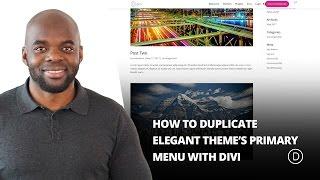
How to Duplicate Elegant Theme’s Primary Menu with Divi
Added 135 Views / 0 LikesThe new Elegant Themes menu has been a popular request for developers to duplicate on their own sites. The main feature of the menu is the call to action (CTA) button that grabs the attention of visitors by changing colors and animating when scrolling down the page. Having this kind of CTA button on your site will likely increase click rate and conversions. Today I’m going to show you how to duplicate Elegant Theme’s primary menu using Divi. To implem
-
03:20 Popular

Divi Feature Update! Introducing The New Customizable Visual Builder
Added 135 Views / 0 LikesLearn more here: https://www.elegantthemes.com/blog/theme-releases/divi-feature-update-introducing-the-new-customizable-visual-builder When it comes to building the best website builder on the planet, it’s important that we focus on not only what the builder can do, but also on how those things get done. The Divi Builder interface is a place where hundreds of thousands of designers spend their days. Each click, each move of the mouse, every single int
-
07:44 Popular
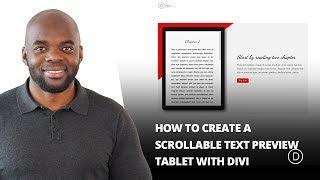
How to Create a Scrollable Text Preview Tablet with Divi
Added 135 Views / 0 LikesIn today’s tutorial, we’re going to show you how to create a scrollable text preview tablet on your website. The text preview will be represented in a tablet where the visitors can scroll within the tablet to read a few of the chapters that are being shared. Adding a text preview tablet to your website is an excellent way of teasing your visitors. You’re giving them the chance to explore a piece of the content you’ve created. Once they’ve read the con
-
08:31 Popular
How to Create Irregularly Shaped Section Transitions with Divi
Added 135 Views / 0 LikesOne of the best ways to boost the design of your website is by using different section transitions. In a previous post, we’ve shown you how you can do that using the Divi built-in options only. However, if you’re looking to create something a little bit more advanced or personalized, you can create irregularly shaped section transitions as well. Because of their complexity, the best way to approach this is by using images with a transparent border. Re
-
05:00 Popular

Download An Amazing (Free) Divi Business Layout Pack
Added 135 Views / 0 LikesHey Divi Nation, thanks for joining us for the next installment of our weekly Divi Design Initiative; where each week, we give away a brand new, free Divi Layout Pack from our design team to you. This week Kenny and the design team have created a stunning Business Layout Pack with seven different pages that provide you with everything you need to get a professional business website up and running in just a few clicks. Download the layout pack here: ht
-
54:28 Popular
How to Create a Digital Resources Page with Divi’s Design Conference Layout Pack
Added 135 Views / 0 LikesMultistreaming with https://restream.io/ Designing a digital resource page with Divi is easy when you utilize the design elements of your layout to work for you. The visual builder has many helpful features that make this process rather enjoyable. But design isn’t everything. It is also important that your resource page functions. In this use case tutorial, I’m going to walk you through how to design a functional digital resources page using Divi’s De
-
02:36 Popular

Divi Feature Sneak Peek: Divi Powered Post Types
Added 135 Views / 0 LikesToday we are proud to announce that Divi is coming to each and every post type near you! Currently the Divi Builder can be used on posts, pages, and projects. Soon, that same power will be expanded to all post types. When we release Divi Powered Post Types you’ll be able to enable or disable the Divi Builder on any post type–whether it’s custom built by you or provided by a third party plugin–with a single click from Divi’s Theme Options. See the whol
-
18:03 Popular
How to Create an Elegant Process Page with Divi’s Architecture Firm Layout Pack
Added 135 Views / 0 LikesEvery week, we provide you with a new and free Divi layout pack which you can use for your next project. Along with every layout pack, we also share a use case that’ll help you take your website to the next level. This week, as part of our ongoing Divi design initiative, we’re going to show you how to create an elegant process page using Divi’s Architecture Firm Layout Pack. To create this page, we’ll reuse elements that are already present within the
-
04:41 Popular

Get a FREE & Professional Digital Marketing Layout Pack for Divi
Added 135 Views / 0 LikesHey Divi Nation! Thanks for joining us for the next installment of our weekly Divi Design Initiative where each week, we give away two brand new, free Divi Layout Packs from our design team to you. For the second layout pack of this week, Kenny and his team have created a gorgeous Digital Marketing Layout Pack with no less than 8 unique layouts that are ready to be customized and used. This layout pack's use of abstract shapes and vibrant colors perfe
-
02:52 Popular

Divi Feature Update! Huge Design Efficiency Improvements Now Available
Added 135 Views / 0 LikesLearn more here: https://www.elegantthemes.com/blog/theme-releases/divi-feature-update-huge-design-efficiency-improvements-now-available We love releasing new features that make the lives of Divi designers easier. When it comes to speed, efficiency and intuition, we want to go above and beyond, because that's what a great design tool is really all about. Today we are introducing yet another design efficiency improvement in the form of Filtered Option
-
01:42 Popular

How to Remove Author and Date Info from Your WordPress Posts
Added 135 Views / 0 LikesIn today’s video we take a look at how to remove author and date information from your WordPress posts. Blog post: https://www.elegantthemes.com/blog/tips-tricks/how-to-remove-author-and-date-information-from-your-wordpress-posts CSS Code: /* Remove meta data */ .entry-meta .byline, .entry-meta .cat-links { display: none; } .entry-meta .posted-on { display: none; } Like us on Facebook: https://www.facebook.com/elegantthemes/
-
20:29 Popular
6 Divi Techniques for Creating Flat Web Design with Divi
Added 135 Views / 0 LikesFlat web design is popular because of its core values. It focuses on usability and prioritizes user experience first. That, in combination with a slick and modern design, makes a good flat website. Every design element on a flat website should be well thought out before it’s added to a page. It should also focus on being simple yet beautiful and engaging at the same time. Not to forget, it should grab your visitors attention and make them curious abou
-
1:52:45 Popular

Elegant Themes 2018 Black Friday Deal Overview LIVE
Added 135 Views / 0 LikesMultistreaming with https://restream.io/ Welcome to Elegant Themes’ biggest, craziest Black Friday Sale of all time. Not only are we offering the largest discount we’ve ever offered on our membership--which includes our flagship product Divi, our blogging/magazine theme Extra, our social media plugin Monarch, and our email opt-in plugin Bloom--but we’ve got hundreds of prizes exclusively for new members and members who upgrade their accounts. Get our
-
01:35 Popular
How to Install WordPress Using Automatic “One-Click” Installers
Added 135 Views / 0 LikesIn today’s video we take a look at how to install WordPress using automatic “One-Click” installers. Blog post: https://www.elegantthemes.com/blog/wordpress/how-to-install-wordpress#1click Like us on Facebook: https://www.facebook.com/elegantthemes/
-
07:30 Popular

How to Easily Add Vertical Social Sharing Buttons to Your Web Page in Divi
Added 135 Views / 0 LikesSocial sharing buttons have become a standard component of a website due to the huge rise of social media. And with Divi, you can easily add those social sharing buttons using the social media follow module. However, by default, the buttons will align horizontally. This is perfect for most sites. But if you are looking for a vertical layout of your icons, you can easily do this with a few simple adjustments to the module. In this tutorial, I’m going t
-
12:52 Popular
How to use Perspective with Transform Options to Design 3D Photo Walls in Divi
Added 135 Views / 0 LikesDesigning a 3D photo wall seems like something only possible using a photo editor like Photoshop or Sketch. But it’s not! These days there are a ton of seemingly impossible designs you can build on the web using just CSS. And with a page builder like Divi, you don’t even need to know much about CSS to create these kind of designs. That’s why today, I’m going to show you how to design 3D photo walls in Divi. The trick is to use the perspective css prop
-
14:43 Popular
3 Helpful Ways to Use Overflow Options in Divi
Added 135 Views / 0 LikesDivi’s built-in Overflow Options make it super simple to add overflow css properties (ie. visible, hidden, scroll) to any element on the page. This is helpful for creating unique designs and scrollable content with ease. In this post, I’m going to go through what these overflow options actually do. And, I’ll walk through three helpful ways to use overflow on your own Divi site. Read more: https://www.elegantthemes.com/blog/divi-resources/3-helpful-way
-
04:23 Popular
How to Use the Template Library With the Elementor Page Builder
Added 135 Views / 0 Likes20 beautiful and free WordPress page templates are all available on the free Elementor page builder. You can insert them with one click! Get Elementor FREE Forever: https://elementor.com Follow us on Facebook: https://www.facebook.com/elemntor, and Twitter: https://twitter.com/elemntor Our template library also allows you to save your own pages and sections and export them to other websites that have Elementor. Download Elementor, free forever, and st
-
01:18 Popular
How to Create a Full Width Page In Elementor - With Any WordPress Theme
Added 135 Views / 0 LikesDo you want to create a full width page in WordPress, no matter which theme you are using? The easiest way to do this is with the FREE Elementor Page Builder: https://elementor.com
-
01:20 Popular
How to Create a WordPress Footer Using Elementor Theme Builder
Added 135 Views / 0 LikesYou can now fully customize your footer area, no matter which WordPress theme you are using. It's all done in a visual, code free way, using Elementor Theme Builder. Experience what it's like to design footers however you like, while viewing the result while making the changes. You won't ever want to customize footers any other way. Determine exactly where in your site the footer template will appear, using Elementor's unique display conditions. Get E
-
07:22 Popular

Beta Walkthrough For Elementor Pro V2.0 (For Beta Testers)
Added 135 Views / 0 LikesElementors, here is the much awaited Elementor Pro 2.0 Beta! This is the biggest release we have done since Elementor Pro launched, and we need your help now more than ever. We are launching this Pro beta, packed with new features, but there is still much work to be done. It will take a while until all these features are released out of beta, meanwhile we plan to make many tweaks, improvements and fixes, some of which rely on your feedback. Elementor
-
09:48 Popular

Best Free WordPress Plugins [The Ones We Trust] - Monday Masterclass
Added 135 Views / 0 LikesWhen it comes to installing WordPress plugins, minimalism wins! There are 55,175 plugins in the WordPress repo, and numerous others available online. To help you sort through the mess and choose only the plugins you need, we rounded up the top 12 WordPress plugins that we consider 'must haves' for most website installations. Which plugins did we include? - Activity Log: https://wordpress.org/plugins/aryo-activity-log/ - Akismet Anti Spam: https://word
-
15:09 Popular
Using Storytelling in Web Design - Monday Masterclass
Added 135 Views / 0 LikesIn this Monday Masterclass, we examine some great examples of sites that manage to nail storytelling in web design. Using storytelling in your websites, you'll be able to: •︎ Captivate your visitors and increase dwell time •︎ Increase your conversions and improve your CTA •︎ Offer a more streamlined user experience •︎ Tell your client's story better The elements of storytelling we are going to cover include the message, emotion, characters, opening sc
-
16:00 Popular

Blogging Tutorial For Beginners 2019 [Made Easy]
Added 135 Views / 0 LikesBlogging Tutorial For Beginners 2019 [Made Easy] - Hosting Discount Here • https://createwpsite.com/my-promos/ Before the term blog came into existence, the content pages on the websites were known as ‘web logs’ that is something like a journal where recent posts appear first followed by the earlier ones in chronological order. With the advent of the internet and digital devices, most people started realizing the importance of blogging in the 90s, and
-
09:24 Popular
How to Use Section Divider Height Hover Effects to Reveal Content in Divi
Added 135 Views / 0 LikesSection Dividers continue to be a popular Divi design element. There are many divider styles to choose from with helpful options that make it easy to add unique transitions and backgrounds to your page. In this tutorial, we are going to use section dividers a bit differently. Divi allows you to adjust the height and arrangement of each divider. This allows us to position dividers above certain areas or content within the section. By using the hover op
-
04:06 Popular

How to Hide WordPress Login Page
Added 135 Views / 0 LikesIn this video, you will learn how to hide your default WordPress login page using a plugin called the WPS Hide plugin. This plugin is extremely lightweight and does an effective job of protecting your website against hackers. Get your FREE WordPress SEO Course from the Web Monkey Academy - https://thewebmonkeyacademy.com/ Get 2 months FREE access to more than 16,000 courses on SkillShare - https://www.skillshare.com/r/profile/Alexander-Oni/6660110 Fol









