ThemeIsle
-
06:46

WordPress.com VS WordPress.org What is the difference?
Added 91 Views / 0 LikesWhat’s the difference between WordPress.com vs WordPress.org? WordPress dot com is the house you will pay rent for and use as it is vs WordPress dot org which is the house you fully own and you can make whatever you want with it. Get WP Hosting with discount: 1. Siteground: http://bit.ly/WPHostingOffer 2. A2Hosting: http://bit.ly/WPA2Hosting 3. Bluehost: http://bit.ly/Bluehost60OFF 4. WPEngine: http://bit.ly/GetWPEngineHost Compared to a home, a websi
-
05:33

Best FREE WordPress Theme for Affiliate Marketing and How to Use it
Added 89 Views / 0 LikesIn this video, I will show you some cool new features I think the best WordPress theme for affiliate marketing should have. Download the Neve WordPress theme: http://bit.ly/NeveWPTheme List of features (Neve PRO): • Review Box • Blog Booster • Header Booster • Mobile Responsive & Mobile Friendly Plus you can use WP Product Review to transform your blog posts into smart reviews with pros and cons, along with product ratings. Get WP Product Review RPO:
-
07:00
The Power of Elementor Pro (episode 3) Social Media Widgets
Added 89 Views / 0 LikesIn this Elementor Pro tutorial, I will show you how to use the Facebook Comments, Facebook Embed, Facebook Page and Template widgets. There is another tab below with pro widgets, called site, and I will show you how to use these elements on any page you want. With Elementor Pro you can create custom single posts and use this comment feature instead of the default comment section of WordPress, or both. But I will show you exactly how to create a custom
-
07:22
7+ FREE Elementor Add-ons: Add Extra Functionality to Elementor
Added 88 Views / 0 LikesLooking to add extra functionality to the Elementor page builder? Take a look at some of the best free Elementor (download Elementor: http://bit.ly/DownloadElementor) add-ons available now. They come in various shapes and offer a nice diversity of widgets and features. Check the timestamps below to navigate the video: 0:10 | Press Elements 1:18 | AnyWhere Elementor 1:53 | Elementor Add-ons & Widgets 2:50 | Elementor Add-on Elements 3:43 | NavMenu Addo
-
04:59

WordPress.com Vs WordPress.org: Which One You Should Use For A Website
Added 88 Views / 0 LikesWordPress.com vs WordPress.org: here's everything you need to know about the difference between them, plus a surprise candidate: JetPack? Here is how to pick the right one for your needs. Best Hosting for WordPress.org: https://youtu.be/cjoQS0u2YIg If you need the best hosting for WordPress.org, we recommend SiteGround. Start today at the $3,95 http://bit.ly/WPHostingOffer First off, and it needs to be said right away, WordPress.org and WordPress.com
-
04:22
![How to Add a Google Map to Your WordPress Website Using Otter's Google Maps Block [2022]](https://video.bestwebhosting.co/uploads/thumbs/033ca8ac7-1.jpg)
How to Add a Google Map to Your WordPress Website Using Otter's Google Maps Block [2022]
Added 87 Views / 0 LikesThis video demonstrates how a Google map can be added to a WordPress page or post using the "Google Maps Block" from Otter. You will need to configure google maps API keys in order for this block to work correctly. be sure to enable Maps Javascript API & Places API. Otter is a lightweight, dynamic collection of page building blocks and templates for the WordPress block editor. How to get an API Key → https://developers.google.com/maps/documentation/ja
-
06:02

5+ Must Have WordPress Plugins & Why You Actually Need Them
Added 86 Views / 0 LikesThere are very few tools that I'll call must have plugins for WordPress. However, these five plugins are fantastic for almost any type of website. Get the timestamps for all plugins and check the other videos on WordPress Plugins: https://goo.gl/FyC61m As far as must-have plugins go, these five are our top picks based on the data: 0:20 | Revive Old Post: This plugin can help you drive traffic to your site using social media. 1:02 | Yoast SEO: You can
-
07:00
![How to Create a Custom Header Using the Neve Header Builder [Free]](https://video.bestwebhosting.co/uploads/thumbs/498b3f979-1.jpg)
How to Create a Custom Header Using the Neve Header Builder [Free]
Added 84 Views / 0 LikesIn this video, we will show you how to create your own custom WordPress header for free using Neve's Header and Footer Builder. You will learn how to build a simple, professional header with free components using drag and drop functionality. Neve is a super-fast, easily customizable, multi-purpose theme. It's perfect for blogs, small businesses, startups, agencies, firms, e-commerce shops (WooCommerce storefront) as well as personal portfolio sites an
-
22:04
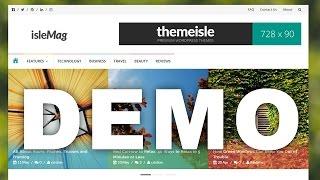
How To Make Islemag Look Like Demo
Added 83 Views / 0 LikesThis video shows you how you can make your IsleMag free WordPress theme look exactly like the demo. We post a NEW VIDEO every other day so be sure to SUBSCRIBE • https://goo.gl/RFB75x #1 Free Magazine WordPress Theme We have to brag with our ability to provide a code that's easily editable by any person with just enough HTML/PHP knowledge No worries mate, if ye are not an experienced developer. Ye can easily update website settings like: logo, social
-
01:49

How To Change The Page Template In WordPress
Added 83 Views / 0 LikesLearn how to use the page templates in any WordPress theme and how to improve your website by using them. Template List Will Show Only If: There is at least one custom page template file in your active Theme's folder. If you change your Theme, the page templates in your previously activated Theme will not display. You are viewing a screen for editing a Page: page templates are not a default option for posts or custom post types. Your theme files shoul
-
09:13

Best Gutenberg Compatible Themes (FREE)
Added 83 Views / 0 LikesHere are the Gutenberg WordPress themes you need to test before the editor is added to the core. Most people are at least skeptical about switching to this forthcoming editor, but we all need to embrace the change sooner or later. • So … why not prepare beforehand, so it doesn’t hit you hard when it’s out? Getting a Gutenberg-compatible theme will spare you from potential issues that can intervene along the way. Here are the themes mentioned in this v
-
06:17
![Create a 404 Page in WordPress Using Otter Blocks, Neve Custom Layouts, and Lottie Animations [2022]](https://video.bestwebhosting.co/uploads/thumbs/c68454286-1.jpg)
Create a 404 Page in WordPress Using Otter Blocks, Neve Custom Layouts, and Lottie Animations [2022]
Added 82 Views / 0 LikesThis is a quick and easy tutorial where you will learn how to build amazing animated WordPress 404 pages in Gutenburg, using Neve's Custom Layouts Module, Otter Blocks and Lottie Animations. You would need a Neve Pro License to access the Custom Layouts Module. Download Neve 👉 https://themeisle.com/themes/neve/pricing/ Check out Otter Blocks 👉 https://themeisle.com/plugins/otter-blocks/ Get your Lottie animations here 👉 https://lottiefiles.com/ Websit
-
06:09

All In One SEO Pack Tutorial: The Only Guide You Will Need
Added 81 Views / 0 LikesWatch the 2017 tutorial for All In One SEO Pack WordPress plugin and start improving your website rankings. WordPress is a SEO friendly Content Management System by default, but if you really want to take it serious then you will need a good SEO plugin. Yoast SEO is definitely the first one that comes to our minds when we think of SEO for WordPress, but if you're looking for an alternative then you need to check out All In One SEO Pack. It's feature r
-
06:28
![How to Use Dynamic Content In Otter | Gutenberg [2022]](https://video.bestwebhosting.co/uploads/thumbs/b7ff4c3f0-1.jpg)
How to Use Dynamic Content In Otter | Gutenberg [2022]
Added 81 Views / 0 LikesLearn how to use Dynamic Content in Otter. Otter's dynamic values and dynamic links feature can import information and automatically display it on your WordPress website. Checkout Otter → https://themeisle.com/plugins/otter-blocks/ Documentation ↓ https://docs.themeisle.com/article/1677-dynamic-values https://docs.themeisle.com/article/1721-the-dynamic-link-feature-otter-features-library https://docs.themeisle.com/article/1678-the-dynamic-images-featu
-
07:12
![How to Create a Page Header With a Sales Countdown Timer Using Otter Blocks & Neve [2022]](https://video.bestwebhosting.co/uploads/thumbs/dc1b6abe4-1.jpg)
How to Create a Page Header With a Sales Countdown Timer Using Otter Blocks & Neve [2022]
Added 80 Views / 0 LikesLearn how to create a sales countdown timer in WordPress using the Countdown Block from Otter. We also used Neve's custom layouts module to create a header for the product archive page and added the countdown block that we made. Otter is a lightweight, dynamic collection of page building blocks and templates for the WordPress block editor. Download Otter: https://themeisle.com/plugins/otter-blocks/ Download Neve: https://themeisle.com/themes/neve/ Web
-
07:04
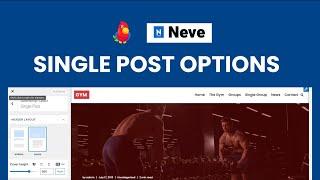
Neve Single Post Options - How to Customize a Single Post Layout in Neve PRO (2022)
Added 79 Views / 0 LikesIn this video, you will learn how to use Neve's Single Post Options to customize the layout of your WordPress Posts. These customizations apply to all existing and future posts. We also demonstrate how to use individual post options in the WordPress editor to customize the layout of a specific post. Check out the blog post 👉 https://docs.themeisle.com/article/1310-neve-single-post-options Neve is a super-fast, easily customizable, multi-purpose theme.
-
05:34
![How to Create a Slider in WordPress Using Otter's Slider Block [2022]](https://video.bestwebhosting.co/uploads/thumbs/697efb090-1.jpg)
How to Create a Slider in WordPress Using Otter's Slider Block [2022]
Added 79 Views / 0 LikesIn this video, you will learn how to create a slider block for your WordPress website (in the WordPress editor) using Otter's Slider block. Otter is a lightweight, dynamic collection of page building blocks and templates for the WordPress block editor. Download Otter → https://themeisle.com/plugins/otter-blocks/ Documentation → https://docs.themeisle.com/article/1668-image-related-blocks#slider Website → https://themeisle.com WordPress Articles → http
-
07:12
![How to Use Otter's Animations Module | Gutenberg Animations [2022]](https://video.bestwebhosting.co/uploads/thumbs/28f0f1342-1.jpg)
How to Use Otter's Animations Module | Gutenberg Animations [2022]
Added 79 Views / 0 LikesLearn how to use Otter's animations module to apply beautiful loading, counting, and typing effects to your WordPress blocks (created with Otter). Download Otter (free) → https://wordpress.org/plugins/otter-blocks/ Get Otter Pro → https://themeisle.com/plugins/otter-blocks/ Learn how to make a website → https://youtu.be/L2Zua9uJYHA Documentation ↓ https://docs.themeisle.com/article/1692-count-typing-loading-animations-otter-features-library Chapters↓
-
08:33
![Feedzy - Custom Tags Parsing [2023]](https://video.bestwebhosting.co/uploads/thumbs/1d82bc476-1.jpg)
Feedzy - Custom Tags Parsing [2023]
Added 78 Views / 0 LikesIn this Tutorial, we explain how to extract values from custom tags in Feedzy. Custom tags are those that are not parsed by Feedzy by default (The info that Feedzy is unable to display by default). We demonstrate this process using both the shortcode method & Feed to Post method. Feedzy is the most powerful WordPress RSS aggregator, helping you curate content, autoblog, import, and display unlimited RSS feeds within a few minutes. Get Feedzy → https:/
-
06:25
![How To Create a Custom Header For Product Category Pages using Neve's Custom Layouts Module [2022]](https://video.bestwebhosting.co/uploads/thumbs/11f200a39-1.jpg)
How To Create a Custom Header For Product Category Pages using Neve's Custom Layouts Module [2022]
Added 77 Views / 0 LikesLearn how to use Neve's Custom Layouts feature to create custom headers for your WooCommerce product category pages in WordPress. Neve is a super-fast, easily customizable, multi-purpose theme. It's perfect for blogs, small businesses, startups, agencies, firms, e-commerce shops (WooCommerce storefront) as well as personal portfolio sites and most types of projects. Download Neve: 👉 https://themeisle.com/themes/neve/ Website → https://themeisle.com Wo
-
04:11

What is 401 Error and How to Fix it
Added 76 Views / 0 LikesToday, I want to explain what the 401 error is, and how you can get rid of it. In a previous video I talked about what 404 error is. Check it out: https://youtu.be/U7I4_NttesU A 401 unauthorized error is an HTTP status call indicating that the server receive an unverified request. In human therms all that this means is that the website you are trying to access won't load until you log in with a valid username and password. This can be caused when you
-
02:02

How to generate a Sitemap Using The Multiple Pages Generator (MPG) WordPress Plugin [2022}
Added 76 Views / 0 LikesIn this video, you will learn how to generate a sitemap for your Multiple Pages Generator (MPG) Project. MPG requires its own. sitemap to be generated since the pages it generates are not typical WordPress entities (they'e kept virtual). Using MPG however, will not cause any negative SEO effects. Documentation 👉 https://docs.themeisle.com/article/1460-how-to-generate-a-sitemap Download MPG 👉 https://themeisle.com/plugins/multi-pages-generator/ Website
-
08:12
![How to Create a Responsive Section in WordPress Using Otter's Section Block [2022]](https://video.bestwebhosting.co/uploads/thumbs/7a229b13f-1.jpg)
How to Create a Responsive Section in WordPress Using Otter's Section Block [2022]
Added 76 Views / 0 LikesIn this video, we explain how to use Otter's Section Block. The Section Block can be used to create custom, responsive layouts for your WordPress website easily. Any Getuenberg block can be added to any of up to 6 possible columns that can be created and customized with the section block. Otter is a lightweight, dynamic collection of page building blocks and templates for the WordPress block editor. Get Otter → https://themeisle.com/plugins/otter-bloc
-
05:20
![How to Customize the WooCommerce Single Product Page Using Neve PRO [2022]](https://video.bestwebhosting.co/uploads/thumbs/05a8906bd-1.jpg)
How to Customize the WooCommerce Single Product Page Using Neve PRO [2022]
Added 74 Views / 0 LikesIn this video, you will learn how to use Neve Pro to customize your WooCommerce Single Product Page. The WooCommerce booster from Neve Pro unlocks powerful features that let you build stunning single product pages. We also the Neve Starter Site called "Print Shop" for this demonstration. Neve is a super-fast, easily customizable, multi-purpose theme. It's perfect for blogs, small businesses, startups, agencies, firms, e-commerce shops (WooCommerce sto
-
06:06
![How to Create a Custom Page Header For Your WordPress Blog Using Otter Blocks & Neve Pro [2022]](https://video.bestwebhosting.co/uploads/thumbs/8fe7c127e-1.jpg)
How to Create a Custom Page Header For Your WordPress Blog Using Otter Blocks & Neve Pro [2022]
Added 73 Views / 0 LikesThis video demonstrates how to create a custom page header for your WordPress Blogs (with Gutenberg) using the Custom Layouts Module from Neve Pro and the Otter Section Block. Neve is a super-fast, easily customizable, multi-purpose theme. It's perfect for blogs, small businesses, startups, agencies, firms, e-commerce shops (WooCommerce storefront), personal portfolio sites, and most types of projects. Download Neve → https://themeisle.com/themes/neve
-
1:00:36

How to Make a WordPress Website For Beginners - 2022
Added 73 Views / 0 LikesLearn how to make a WordPress website step by step in under one hour - perfect for beginners. You will learn how to purchase a domain and hosting plan, set up WordPress, customize your theme, choose a starter template and build your entire website. #wordpresstutorial #wordpressforbegineers Unlock a massive discount on a hosting plan with Bluehost → https://themeisle.com/blog/go/bluehost-wordpress-hosting/ If you use the link above, we will also receiv
-
10:10
![How to Configure The Multiple Pages Generator (MPG) Search Settings [2022]](https://video.bestwebhosting.co/uploads/thumbs/757899a6a-1.jpg)
How to Configure The Multiple Pages Generator (MPG) Search Settings [2022]
Added 72 Views / 0 LikesMPG is a WordPress plugin that allows you to generate unlimited pages however, by default, generated pages will not show up in search results on your website since WordPress only looks for physical pages. In this video, we demonstrate how to configure an MPG option to show generated pages using the default search. Make your HTML Pretty: https://jsonformatter.org/ Blog Post: https://docs.themeisle.com/article/1461-how-to-search-through-generated-pages
-
05:30
![How To Create Sticky Blocks In Gutenberg Using Otter [2022]](https://video.bestwebhosting.co/uploads/thumbs/c2ca63f2e-1.jpg)
How To Create Sticky Blocks In Gutenberg Using Otter [2022]
Added 70 Views / 0 LikesLearn how to use Otter's sticky feature to create Sticky blocks in the WordPress editor. Download Otter → https://themeisle.com/plugins/otter-blocks/ Documentation → https://docs.themeisle.com/article/1529-block-sticky Website → https://themeisle.com WordPress Articles → https://themeisle.com/blog/ Facebook → https://www.facebook.com/themeisle/ ThemeIsle is the go-to source for High-Quality WordPress Themes (both free & premium), and plugins every web
-
04:53
![How to Add a Map in WordPress Using Otter's Map Block [2022]](https://video.bestwebhosting.co/uploads/thumbs/d85613a42-1.jpg)
How to Add a Map in WordPress Using Otter's Map Block [2022]
Added 69 Views / 0 LikesIn this video, we demonstrate how a map can be added to WordPress using the "Map Block" from Otter. Otter is a lightweight, dynamic collection of page building blocks and templates for the WordPress block editor. Checkout Otter → https://themeisle.com/plugins/otter-blocks/ Documentation → https://docs.themeisle.com/article/1675-location-blocks#maps Website → https://themeisle.com WordPress Articles → https://themeisle.com/blog/ Facebook → https://www.
-
04:47
![Sparks For WooCommerce - How to Use the Product Tabs Manager Module [2022]](https://video.bestwebhosting.co/uploads/thumbs/54f7756be-1.jpg)
Sparks For WooCommerce - How to Use the Product Tabs Manager Module [2022]
Added 68 Views / 0 LikesIn this video, you will learn how to customize the product tabs on the WooCommerce single product page. You will learn how to add new tabs and reorder them if needed. This module allows you to create and customize both global product tabs and product-specific (custom) tabs. Sparks works with any WordPress theme but we will use Neve For this demonstration. Get Sparks Today → https://themeisle.com/plugins/sparks-for-woocommerce/ Documentation → https://









