ThemeIsle
-
07:49 Popular

How To Customize Belise WordPress Theme #MULTIPURPOSE DESIGN
Added 145 Views / 0 LikesLet’s dig a bit into Belise’s core to see all of the great features that come packaged with it. Even though we’ve built Belise specifically for restaurants, it’s by no means limited to that use. Belise has a multipurpose design and provides all the features that you’d expect in a multipurpose WordPress theme. Our primary goal is always to build a product to meet all of our customers’ needs and give them the flexibility needed to create a gorgeous site
-
01:57 Popular

Belise - Our #1 Exquisite Minimalist Restaurant WordPress Theme
Added 119 Views / 0 LikesBelise is a clean and elegant WordPress theme for restaurants. It provides a modern and minimalist design that will put your food menus in the spotlight. The theme is perfect for restaurants, pubs, recipe websites, tea houses, or any other food-related purposes. Here is our users have to say: I use Belise for my restaurant. Everything falls into place so beautifully and the features it comes with are just what I wanted for my website. First, I just wa
-
11:46 Popular
WordPress LMS Plugin: Sell Online Courses With LearnPress (FREE)
Added 140 Views / 0 LikesLearn how to sell online courses with LearnPress by setting up the FREE WordPress LMS plugin. The plugin supports online courses and student management. Let’s check out some of its principal features and see how it compares to our previous pick. With LearnPress you can: • Create and manage multiple online courses • Charge for admission through multiple billing methods • Communicate with and manage your student body • Add more features through add-ons
-
06:34 Popular

WordPress Charts and Graphs: How To Create Them With Visualizer Plugin
Added 142 Views / 0 LikesWordPress Visualizer plugin is a simple, easy to use and quite powerful tool to create, manage and embed interactive charts and graphs into your WordPress posts and pages. The plugin uses Google Visualization API to add responsive & animated charts/diagrams, which support cross-browser compatibility (adopting VML for older IE versions) and cross-platform portability to iOS and new Android releases. Is the best Excel to WordPress solution who let’s you
-
07:31 Popular

Move WordPress Site To New Domain Without Losing SEO Rankings
Added 137 Views / 0 LikesNeed to move WordPress to a new domain? Make sure you follow the proper process so that you don't lose your SEO rankings in the process! See, the actual process to move WordPress to a new domain is fairly simple. You basically just need to copy your files to a new folder on your host and update your database. But keeping your SEO rankings when you move WordPress to a new domain name takes some care. To that end, I’m going to show you both parts of the
-
01:04 Popular

Envato Meetup Bucharest - May 19th, 2017
Added 121 Views / 0 LikesThe first Envato meetup in Bucharest, organized locally. Official meetup page https://nvite.com/EnvatoMeetupBUC/e00f ========================== 30+ Free and Premium WordPress Themes: https://themeisle.com/wordpress-themes/ Top Free & Premium WP Plugins: https://themeisle.com/wordpress-plugins/ Check out our latest WordPress Tutorials on our blog: http://bit.ly/2kqDz99 Get in touch with us on Social Media. Facebook: https://www.facebook.com/themeisle T
-
02:34 Popular

Password Protect WordPress: How To Use Password Protected Plugin
Added 199 Views / 0 LikesIf you want to password protect your entire WordPress site, you’ll need a third-party plugin to get things done. In this video, you will see how to use Password Protected. To use it, install and activate the plugin like you would any other WordPress plugin. Then, head to Settings - Password Protected. (FREE Theme used in video: https://themeisle.com/themes/hestia/) Here’s what everything means: Password Protected Status – when enabled, your site is pa
-
05:51 Popular

How To Make Money Reviewing Products With WordPress Product Review Plugin
Added 114 Views / 0 LikesReview websites (running on review plugins) have become a very important element in today’s e-commerce space: 79 percent of consumers trust online reviews as much as personal recommendations. This is why launching a review site could be an interesting project for you to undertake. FREE Download: https://wordpress.org/plugins/wp-product-review/ WordPress Product Review Plugin offers a lot of great features for a free tool. You can review individual pro
-
01:50 Popular

Protect Specific Categories In WordPress By Using Access Category Password Plugin.
Added 173 Views / 0 LikesNot ready to password protect your entire WordPress site? If you want something a little less drastic, you can use a different plugin to Password Protect specific Categories of posts. For this approach, you can use Access Category Password plugin for WordPress. https://wordpress.org/plugins/access-category-password/ Here’s what everything means: The password – self-explanatory! The password users will use to access restricted categories. Impacted cate
-
01:45 Popular

Password Protect Individual Posts, Pages Or Products In WordPress
Added 164 Views / 0 LikesIf you want to password protect individual WordPress posts, pages, or WooCommerce products, you don’t need any third-party plugins. WordPress actually has a built-in function to help you accomplish this. And that finishes up our guide to password protect WordPress in all kinds of ways. If you just need to restrict individual WordPress posts, you can use WordPress’ built-in password functionality. Otherwise, to password protect other parts of WordPress
-
01:41 Popular

How To Password Protect A Specific Content Section In WordPress
Added 196 Views / 0 LikesIf you just want to add password protection to a specific bit of content inside an otherwise public WordPress post or page, you’ll need to turn back to third-party plugins for help. This time, you can use one called Content Protector WordPress plugin: https://wordpress.org/plugins/content-protector/ And that finishes up our guide to password protect WordPress in all kinds of ways. If you just need to restrict individual WordPress posts, you can use Wo
-
04:34 Popular

WordPress Quiz: How To Create Quizzes For Free
Added 126 Views / 0 LikesWant to create a WordPress quiz for your readers? Quizzes can help you do everything from catching some of BuzzFeed’s viral magic to learning more about the demographics of your readers. So whether you use them for fun or business, they’re a powerful weapon in your WordPress arsenal. In this video, I’m going to give you a detailed tutorial on how you can create a WordPress quiz using a free plugin called Quiz Cat. Quiz Cat is a free plugin with a prem
-
04:17 Popular

Custom WordPress Sidebar: How To Create One And Why You Need It
Added 117 Views / 0 LikesA custom WordPress sidebar is a perfect way to make your site stand out from the crowd. Learn how to easily create one and design it just the way you want. There’s no need to recycle the same sidebar structure for all your content, particularly when WordPress offers plenty of alternatives. Creating a custom sidebar can enable you to shake up your site’s design and add unique elements depending on which page your users are browsing. Plus, it can make n
-
04:34 Popular

WordPress Email Campaign: How To Create One By Using MailPoet
Added 114 Views / 0 LikesEmail newsletters are one of the best marketing tools around. For every 1 dollar spent with email marketing you get 40$ in return. Let's see how you can set up a WordPress email campaign using MailPoet. MailPoet not only enables you to create a email campaign, it also lets you do so from within your WordPress admin interface. This can be quite a timesaver, since it means you won’t have to learn how to use a new platform from scratch. On top of that, y
-
04:36 Popular

How To Create The Mega Menu Of Zelle WordPress Theme (Step By Step)
Added 155 Views / 0 LikesIn this tutorial, we'll show you how to create a Mega Menu that perfectly suits Zelle (former Zerif), Parallax One, ShopIsle or any other theme you like. We post a NEW VIDEO every other day so be sure to SUBSCRIBE to our channel •https://goo.gl/RFB75x We used WR Mega Menu plugin, which is free and can be downloaded here: https://wordpress.org/plugins/wr-megamenu/ Once installed, you'll find the plugin in the default WordPress main panel. Then just pre
-
05:06 Popular

How To Create A Facebook Application For Revive Old Post
Added 114 Views / 0 LikesUPDATE: The Facebook interface has been changed a bit since we made this video. There's one additional Step you need to take so the authentication between facebook and your website can take place: http://docs.themeisle.com/article/66-how-to-create-a-facebook-application Start sharing your old posts on Facebook by setting up an application. Follow the steps below: 1. Sign into your Facebook account. 2. Go to https://developers.facebook.com/apps/ 3. Pre
-
00:27 Popular

How To Add A Twitter Account To Revive Old Post WordPress Plugin
Added 119 Views / 0 LikesGrow your Social Media presence and keep your content alive by adding your Twitter account to Revive Old Post. Revive Old Post http://revive.social/plugins/revive-old-post/ ========================== Other Useful Links and Videos that will help you build your website: 30+ Free and Premium WordPress Themes: https://themeisle.com/wordpress-themes/ Top Free & Premium WP Plugins: https://themeisle.com/wordpress-plugins/ Check out our latest WordPress Tuto
-
22:04

How To Make Islemag Look Like Demo
Added 83 Views / 0 LikesThis video shows you how you can make your IsleMag free WordPress theme look exactly like the demo. We post a NEW VIDEO every other day so be sure to SUBSCRIBE • https://goo.gl/RFB75x #1 Free Magazine WordPress Theme We have to brag with our ability to provide a code that's easily editable by any person with just enough HTML/PHP knowledge No worries mate, if ye are not an experienced developer. Ye can easily update website settings like: logo, social
-
01:59 Popular

How To Add Images In The 'Our Focus' Section In Zelle?
Added 121 Views / 0 LikesZelle (former Zerif) is our most popular free WordPress theme and here you can watch a short tutorial about how to customize "Our Focus" section. ========================== Other Useful Links and Videos that will help you build your website: 30+ Free and Premium WordPress Themes: https://themeisle.com/wordpress-themes/ Top Free & Premium WP Plugins: https://themeisle.com/wordpress-plugins/ Check out our latest WordPress Tutorials on our blog: http://b
-
03:11
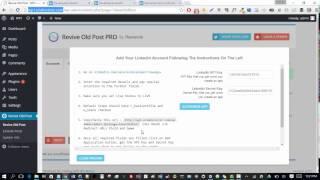
How To Add A LinkedIn App To Revive Old Post
Added 91 Views / 0 LikesStep-by-step guid to add a Linkedin app to Revive old Post WordPress plugin. Grow your Social Media presence and keep your content alive! Share to Twitter, Facebook, LinkedIn and Xing, and also Tumblr. Basically, all the most popular social networks are supported. Revive Old Post allows you to share your content to multiple accounts on each of the supported social networks. No limitations. Revive Old Post http://revive.social/plugins/revive-old-post/
-
01:36 Popular
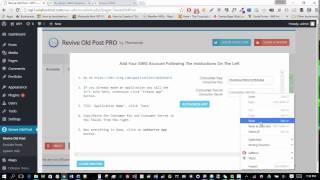
How To Create XING Application For Revive Old Post
Added 101 Views / 0 LikesThe following video demonstrates how to create a LinkedIn App for Revive Old Post Pro. Through the settings of Revive Old Post, you can define when the posts are shared and how often this happens. You can also easily exclude certain posts or categories from being promoted by the plugin. Furthermore, you can even specify hashtags to be included in each of the social media posts generated by the plugin. This is great, as it can help increase the visibil
-
03:06 Popular

How to Obtain Intergeo API key
Added 111 Views / 0 LikesHow to retrieve API Key for Intergeo Maps WordPress plugin. Get all the details • Once the Intergeo Maps plugin is installed, you can find it in your WordPress dashboard by clicking Settings - Intergeo Maps. Next, go to https://developers.google.com/maps/documentation/javascript/get-api-key#key and press "Get a key" button. Then just name the project and press "Create and enable the API" and voila! The magic happened. In the last step, add the Key to
-
01:12 Popular

Revive Old Post: How to Shorten Links With bit.ly
Added 118 Views / 0 LikesStep-by-step guide to setup your bit.ly account with Revive Old Post WordPress plugin. You will want to grab your Oauth Access Token, which you can find in ‘Advanced Settings’ below ‘API Support’. To find your username and API key, navigate to the menu button and select ‘Settings’ from the drop down. On the ‘Advanced Settings’ tab locate ‘API Support’ where you will find your API key. To reset your API key, select ‘Reset API Key’ located below your AP
-
00:53 Popular

How To Monetize Your WordPress Website With URL Shortener
Added 158 Views / 0 LikesUse https://shorte.st to shorten links in Revive Old Post WordPress plugin and make money. SHORTE.ST Will turn your links into earning ones by adding an adlayer. Your visitors will see an ad before reaching a destination page and you will make money. Other Useful Links and Videos that will help you build your website: 30+ Free and Premium WordPress Themes: https://themeisle.com/wordpress-themes/ Top Free & Premium WP Plugins: https://themeisle.com/wor
-
00:58 Popular

#1 Free Video Blogging WordPress Theme | TheMotion
Added 106 Views / 0 LikesThe Motion WordPress theme it's a stunning, responsive video blogging theme excellent for Creative Agencies!Get the theme here: http://bit.ly/2mmpgob TheMotion is a clean and elegant Video WordPress theme primarily made for video sites, and it can also be a perfect fit for blogs or portfolio websites. It features a beautiful slider, classy light colors, and a modern appearance. Its stylish and minimalist design makes it multipurpose, ready to fit any
-
04:25 Popular

PROTECT Your Website Against 4 Most Common WordPress Attacks
Added 129 Views / 0 LikesLearn how to defend your WordPress Website against 4 most common attacks and keep it safe. With 75 Million websites being powered by WordPress, it's no surprise that it has become a common target for hackers and criminals. Part of keeping your WordPress site safe is understanding what the risks are and how you can protect your site against common sources of vulnerability. ========================== Other Useful Links and Videos that will help you buil
-
03:50 Popular

How To Reset WordPress To Default Settings In 4 Minutes
Added 181 Views / 0 LikesLearn how to safely reset WordPress to default in less than 4 minutes. Whether you are a developer who often needs to start with WordPress from scratch or you just messed something up really bad and don't know how to reverse it, here's the easiest way to safely reset individual tables or the whole WordPress Database to Default Settings. Text version of How to Reset your Wordpress to Default: http://bit.ly/2n7rmqV ========================== Other Usefu
-
06:55 Popular

TOP 7 Best WordPress Shortcodes Plugins
Added 123 Views / 0 LikesWordPress Shortcodes are the most common and easiest way of adding custom content to your website. You can use predefined shortcodes with the help of plugins, or you can create some of your own. Here's our pick for the Top Free and Premium WordPress Shortcode Plugins. Text version of 7 Best WordPress Shortcodes Plugins: http://bit.ly/2nfvm99 ========================== Other Useful Links and Videos that will help you build your website: 30+ Free and Pr
-
04:48 Popular
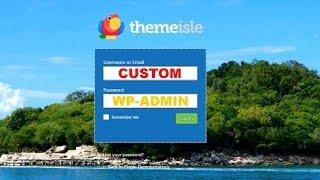
Customize WordPress Dashboard And Login Page In Minutes
Added 138 Views / 0 LikesEasy to follow guide to customize your WordPress Dashboard and Login page in just a few minutes. Whether you are running a membership website or just don't like the default design and layout of the Admin Interface, you might want to follow these easy steps and learn How to Customize your WordPress Admin Dashboard and Login Page without writing a single line of code. Text version of How To Customize Wordpress Admin Dashboard and Login Page: http://bit.
-
01:38 Popular

ShopIsle eCommerce WordPress Theme - Overview and Customization
Added 160 Views / 0 LikesCreate an Amazing eCommerce Website Using ShopIsle WordPress Theme - http://bit.ly/2kZ3O3x - FREE DOWNLOAD! Build your eCommerce store in any niche or market and start selling today your products. With full WooCommerce integration and a professional look, it was custom built with all the best practices in eCommerce. GET the theme, INSTALL it and start SELLING your stuff. Read more about how you can SET UP WOOCOMMERCE + ADD YOUR FIRST PRODUCT • http://









