Elegant Themes
-
03:45
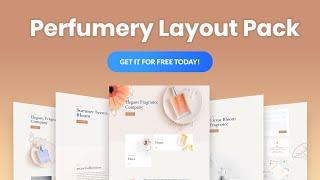
Get a FREE Perfumery Layout Pack for Divi
Added 68 Views / 0 LikesHey Divi Nation! Thanks for joining us for the next installment of our weekly Divi Design Initiative; where each week, we give away a brand new, free Divi Layout Pack from our design team to you. For this week, our design team has created a brand new Perfumery Layout Pack. This layout pack is sure to revitalize any online perfume shop. Products are unveiled with potent photography backed by a fresh and serene design. And the effective use of white spa
-
01:00

The Divi Summer Sale Starts Now!
Added 77 Views / 0 LikesGet 20% Off New Divi Memberships: https://www.elegantthemes.com/discount/summer-2020/ Get 20% Off Divi Lifetime Upgrades: https://www.elegantthemes.com/members-area/membership/summer-2020/ The Divi Summer Sale is now live, and that means we are doubling our best discount for a short time and giving you access to the best deal of the year so far on new Divi Memberships and Divi Lifetime Upgrades. The Divi membership is already the best deal in WordPres
-
47:30

How to Use Global Presets with Divi Layout Blocks to Streamline Blog Post Design
Added 83 Views / 0 LikesGo to the blog post: https://www.elegantthemes.com/blog/divi-resources/how-to-use-global-presets-with-divi-layout-blocks-to-streamline-blog-post-design With Divi, we get more control over the design experience of a blog post. Divi’s global presets allow you to create a site-wide design (like a child theme) for elements throughout your site with the added convenience of being able to tweak the design however you want with a few clicks. Plus, if you are
-
03:28 Popular

How to Fix HTTP Error Code 410
Added 102 Views / 0 LikesIn today's video, we'll learn how to fix HTTP error code 410. Blog post: https://www.elegantthemes.com/blog/wordpress/how-to-fix-http-error-code-410 •️ Learn more about Divi: https://www.elegantthemes.com/gallery/divi • Like us on Facebook: https://www.facebook.com/elegantthemes/ #Error410 #WordPress #ElegantThemes
-
03:58

What is a Proxy Server and Do You Need One?
Added 79 Views / 0 LikesIn today's video, we'll learn about proxy servers and discuss when you'd need one. Blog post: https://www.elegantthemes.com/blog/wordpress/what-is-a-proxy-server-and-do-you-need-one#respond •️ Learn more about Divi: https://www.elegantthemes.com/gallery/divi • Like us on Facebook: https://www.facebook.com/elegantthemes/ #ProxyServer #WordPress #ElegantThemes
-
03:38

3 Ways Visual Search Can Boost Your Brand
Added 80 Views / 0 LikesIn today's video, we'll check out three ways visual search can boost your brand. Blog post: https://www.elegantthemes.com/blog/marketing/visual-search •️ Learn more about Divi: https://www.elegantthemes.com/gallery/divi • Like us on Facebook: https://www.facebook.com/elegantthemes/ #VisualSearch #Marketing #ElegantThemes
-
12:16
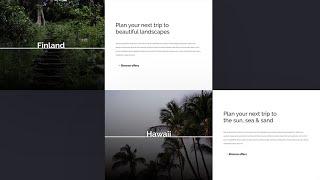
How to Add Motion to Background Images on Scroll with Divi
Added 100 Views / 0 LikesWith Divi’s new scroll effects, you can create any kind of design you want using Divi’s built-in options and add some beautiful scroll motion effects to take your design to the next level. In today’s tutorial, we’ll add a creative technique to your list which you can use for upcoming projects. More specifically, we’ll show you how to add motion to background images using Divi’s Image Module and the absolute position. You’ll be able to download the JSO
-
17:58
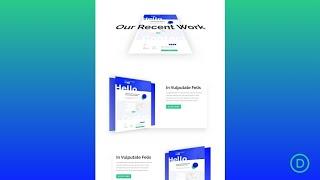
How to Create 3D Motion Scroll Effects in Divi
Added 94 Views / 0 LikesAdd 3D Motion Scroll Effects into your Divi website can easily be done by combining a few powerful built-in Divi features – scroll effects and transform rotation. The idea is actually a simple one. Before we move elements horizontally or vertically using scroll effects, we rotate the element’s container using transform rotate. This allows the motion (on scroll) to occur on a plane in 3D space. In this tutorial, we are going to show you how to add 3D m
-
12:45 Popular
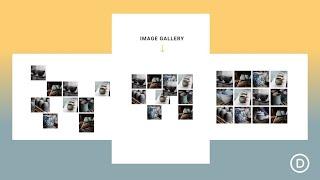
How to Reveal Your Image Gallery with a Sliding Puzzle Scroll Effect in Divi
Added 167 Views / 0 LikesImage galleries are a favorite destination on most websites. And, in many cases, it may be best to keep those image galleries happy and static, letting the images work their magic. But, adding a sliding puzzle scroll effect to an image gallery (like we are going to do in this tutorial), can put a refreshing spin on a timeless classic. In this tutorial, we are going to show you how to build a simple layout that reveals an image gallery with a sliding p
-
03:55

Get a FREE Cooking School Layout Pack for Divi
Added 61 Views / 0 LikesLearn more: https://www.elegantthemes.com/blog/divi-resources/get-a-free-cooking-school-layout-pack-for-divi Hey Divi Nation! Thanks for joining us for the next installment of our weekly Divi Design Initiative where each week, we give away brand new, free Divi Layout Packs from our design team to you. This time around, Kenny and his team have created a beautiful Cooking School Layout Pack that'll help you get your next cooking school website up and ru
-
38:53 Popular
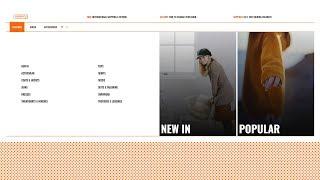
How to Create a Custom eCommerce Mega Menu with Divi’s Theme Builder
Added 116 Views / 0 LikesLearn more: https://www.elegantthemes.com/blog/divi-resources/how-to-create-a-custom-ecommerce-mega-menu-with-divis-theme-builder When building an eCommerce website using Divi and WooCommerce, there are tons of ways to customize the overall look and feel of your website. Divi’s WooCommerce modules in combination with the Divi Theme Builder allow you to build templates for your product pages, category pages and more. But besides making sure your websit
-
02:52

How to Create a WordPress Author Box (3 Best Plugins)
Added 67 Views / 0 LikesIn today's video, we'll learn how to create a WordPress author box. Blog post: https://www.elegantthemes.com/blog/wordpress/how-to-create-a-wordpress-author-box-3-best-plugins •️ Learn more about Divi: https://www.elegantthemes.com/gallery/divi • Like us on Facebook: https://www.facebook.com/elegantthemes/ #AuthorBox #WordPress #ElegantThemes
-
05:29
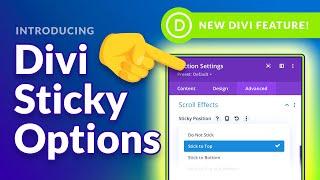
Introducing Divi Sticky Options!
Added 78 Views / 0 LikesLearn more here: https://www.elegantthemes.com/blog/theme-releases/divi-sticky-options Today we are excited to introduce Divi Sticky Options, a brand new feature that allows you to stick any element to the top or bottom of the browser viewport as you scroll up and down the page. This allows you to create sticky headers, menus and buttons and to keep other important information in view as you scroll, such as calls to action or floating opt-in forms. Bu
-
04:51

What is SEO? A Simple Guide for Beginners
Added 70 Views / 0 LikesIn today's video, we'll learn about SEO with a simple guide for beginners. Blog post: https://www.elegantthemes.com/blog/marketing/what-is-seo •️ Learn more about Divi: https://www.elegantthemes.com/gallery/divi • Like us on Facebook: https://www.facebook.com/elegantthemes/ #SEO #Marketing #ElegantThemes
-
03:09
What is an SVG File (And How Do You Use it)?
Added 35 Views / 0 LikesIn today's video, we'll learn about alt tags and how you should use them. Blog post: https://www.elegantthemes.com/blog/wordpress/what-is-an-svg-file-and-how-do-you-use-it •️ Learn more about Divi: https://www.elegantthemes.com/gallery/divi • Like us on Facebook: https://www.facebook.com/elegantthemes/ #SVGFile #WordPress #ElegantThemes
-
15:09

Download a FREE Horizontal Self Scrolling List Made with Divi’s Scroll Effects
Added 71 Views / 0 LikesDivi’s scroll effects bring tons of new design possibilities to websites you create. With every new feature, we try to share cool Divi techniques you can use to make your pages stand out from the crowd. This tutorial is no different, today, we’ll show you how to create a horizontal self-scrolling list. As visitors vertically scroll down your page, the horizontal items scroll along horizontally. This removes the need for a separate horizontal scrollbar
-
10:32
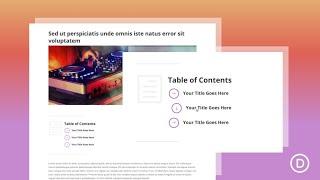
How to Build a Clickable Table of Contents for a Blog Post with the Divi Layout
Added 75 Views / 0 LikesAdding a clickable table of contents to a blog post is a great way to improve user experience. In many cases, a blog post table of contents uses anchor links to help users navigate through the content. And, a table of contents (with anchor links) is really simple to build using basic HTML. However, adding custom design/CSS to customize it can be a challenge. This is where the Divi Layout Block comes in handy. In this tutorial, we are going to design a
-
36:35

Divi Feature Update LIVE - Divi Sticky Options
Added 92 Views / 0 LikesWe are excited to introduce Divi Sticky Options, a brand new feature that allows you to stick any element to the top or bottom of the browser viewport as you scroll up and down the page. This allows you to create sticky headers, menus and buttons and to keep other important information in view as you scroll, such as calls to action or floating opt-in forms. But that’s really just scratching the surface of what Divi Sticky Options can do. Divi Sticky O
-
04:06
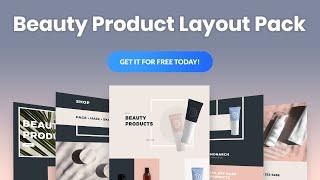
Get a FREE Beauty Product Layout Pack for Divi
Added 68 Views / 0 LikesHey Divi Nation! Thanks for joining us for the next installment of our weekly Divi Design Initiative; where each week, we give away a brand new, free Divi Layout Pack from our design team to you. For this week, our design team has created a Beauty Product Layout Pack that is sure to stun your visitors. Looking for a fresh-out-of-the-box design for your beauty product shop? Well, look no further! This pack is uniquely designed for the beauty product ni
-
02:42

How to Add Interactive, 360 Degree Images to Your WordPress Site
Added 90 Views / 0 LikesIn today's video, we'll learn how to add interactive 360 degree images to your WordPress website. Blog post: https://www.elegantthemes.com/blog/wordpress/how-to-add-interactive-360-degree-images-to-your-wordpress-site •️ Learn more about Divi: https://www.elegantthemes.com/gallery/divi • Like us on Facebook: https://www.facebook.com/elegantthemes/ #360Images #WordPress #ElegantThemes
-
33:30
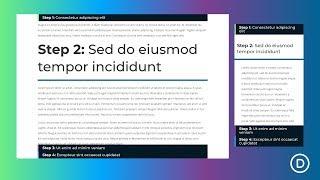
How to Create a Clickable Accordion Using Sticky Page Headings in Divi
Added 88 Views / 0 LikesHey Divi Nation, welcome to a brand new Divi Use Case live stream where each week we show you how to add new design and functionality to your Divi website. Divi’s new sticky position options open the door for many new and exciting design possibilities. In this tutorial, we are going to show you how to combine Divi’s sticky position options with smooth scrolling anchor links to create an accordion-like way to index and navigate your page. Building it i
-
07:02

How to Edit a Podcast in Audacity - The Basics
Added 57 Views / 0 LikesIn part one of a four part series, we cover the basics you need to know when it comes to editing a podcast in Audacity. Blog post: https://www.elegantthemes.com/blog/marketing/how-to-edit-a-podcast-in-audacity Chapters: 0:00 Intro 0:25 Mono vs. Stereo 1:15 Splitting a stereo track 2:05 Deleting a section 3:35 Generate silence 4:18 Time shift tool 5:00 Podcast music •️ Learn more about Divi: https://www.elegantthemes.com/gallery/divi • Like us on Faceb
-
03:40
How to Edit a Podcast in Audacity - Presets & Noise Reduction
Added 57 Views / 0 LikesIn part two of a four part series, we cover user presets and how to apply noise reduction. Blog post: https://www.elegantthemes.com/blog/marketing/how-to-edit-a-podcast-in-audacity Chapters: 0:00 Intro 0:10 Presets 1:01 Noise Reduction •️ Learn more about Divi: https://www.elegantthemes.com/gallery/divi • Like us on Facebook: https://www.facebook.com/elegantthemes/ #Podcast #Audacity #ElegantThemes
-
03:45

How to Edit a Podcast in Audacity - Amplify & Normalize
Added 61 Views / 0 LikesIn part three of a four part series, we cover how to use Amplify and Normalize. Blog post: https://www.elegantthemes.com/blog/marketing/how-to-edit-a-podcast-in-audacity Chapters: 0:00 Intro 0:08 Amplify vs. Normalize 0:36 Amplify 2:10 Normalize •️ Learn more about Divi: https://www.elegantthemes.com/gallery/divi • Like us on Facebook: https://www.facebook.com/elegantthemes/ #Podcast #Audacity #ElegantThemes
-
10:52
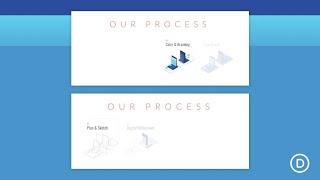
How to Progressively Flash the Steps to a Process with Divi’s Scroll Effects
Added 34 Views / 0 LikesCompanies often educate their visitors about their services by offering a helpful illustration of the steps to their process. For example, a web design agency may show their process of web development, or a bakery may feature their steps for creating the perfect cupcake. With Divi, we can take the “steps to a process” to a whole different level using the built-in scroll effects. In this tutorial, we’ll show you a simple way to progressively flash the
-
18:47

How to Design a Divi Timeline Layout with Scroll Effects
Added 84 Views / 0 LikesA timeline layout can come in handy for a lot of different applications on a website, especially if it looks great on mobile. You can use it for showcasing a sequence of milestones on an about page, featuring the steps of a process, and much more. And with Divi’s scroll effects, you can make a timeline design come alive! In this tutorial, we’ll show you how to design a complete Divi timeline layout with scroll effects. The timeline layout is versatile
-
05:06

How to Edit a Podcast in Audacity - Compression & EQ
Added 57 Views / 0 LikesIn part four of a four part series, we cover how to use compression and equalization. Blog post: https://www.elegantthemes.com/blog/marketing/how-to-edit-a-podcast-in-audacity Chapters: 0:00 Intro 0:09 Compression 1:09 Auphonic.com 2:00 Chris's Dynamic Compressor 2:21 Equalization 3:35 EQ Guides 4:20 Outro Resources: Auphonic: https://auphonic.com/ Chris's Dynamic Compressor: https://manual.audacityteam.org/man/chris_s_dynamic_compressor.html TheAudac
-
06:14

How to Troubleshoot "err_too_many_redirects" on Your WordPress Website
Added 66 Views / 0 LikesIn today's video, we'll learn how to troubleshoot “err_too_many_redirects” on your WordPress website. Blog post: https://www.elegantthemes.com/blog/wordpress/how-to-troubleshoot-err_too_many_redirects-on-your-wordpress-website •️ Learn more about Divi: https://www.elegantthemes.com/gallery/divi • Like us on Facebook: https://www.facebook.com/elegantthemes/ #RedirectError #WordPress #ElegantThemes
-
26:46 Popular
How to Add Post Category Menu Widgets to Your Divi Global Footer
Added 119 Views / 0 LikesGo to the blog post: https://www.elegantthemes.com/blog/divi-resources/how-to-add-post-category-menu-widgets-to-your-divi-global-footer When you’re building a custom footer inside Divi’s Theme Builder, there are several ways to approach adding the footer items. You could go for a module-based footer, where you add page footer items inside Text Modules with proper links, but you could also decide to add different footer widgets to your design, using Di
-
04:43
What Is the HTTP 429 Error and How to Fix It
Added 99 Views / 0 LikesIn today's video, we'll learn about HTTP error 429 and how to fix it. Blog post: https://www.elegantthemes.com/blog/wordpress/what-is-the-http-429-error-and-how-to-fix-it •️ Learn more about Divi: https://www.elegantthemes.com/gallery/divi • Like us on Facebook: https://www.facebook.com/elegantthemes/ #Error429 #WordPress #ElegantThemes









