Elegant Themes
-
09:45 Popular

How to Create Active Links on Scroll for One Page Divi Websites
Added 114 Views / 0 LikesIn today’s tutorial we’re going to show you how to style your vertical navigation links so that as a visitor scrolls down the page, the menu link corresponding to the section they’re in will highlight. It’s a nice little effect that adds a bit of interactivity between your web design and the user’s behaviour. This method works particularly well if you’re creating a one-page website. Read more: https://www.elegantthemes.com/blog/divi-resources/how-to-c
-
37:50 Popular
How to Create an A-Z Index of Content with Tooltips for your Website with Divi
Added 121 Views / 0 LikesHey Divi Nation, welcome to a brand new Divi Use Case live stream. For this use case tutorial, I’m going to show you how to create an A-Z index of medical conditions for Divi’s Doctor’s Office Layout Pack. I’ll be using Divi’s tabs module to build the index with some custom design to match the Doctor’s Office Layout. And, if you are looking to add tooltips to your site, I’m going to introduce an extremely easy solution using the Simple Tooltips plugin
-
12:28 Popular
How to Create an Abstract Gradient Hero Section with Divi (6 Gradient Color Palettes!)
Added 156 Views / 0 LikesGradients can easily elevate your web design. Usually, they’re used in a subtle way. But you can also create sections on your website that are exclusively made out of gradients combinations. They make your design look modern and abstract at the same time. To help illustrate that, we’re going to recreate a section that’s made exclusively out of gradient colors. On top of that, we’ll share 6 different gradient color palettes that you can apply to the re
-
10:12 Popular

How to Create an Animated Promo Bar for Your Page Templates in Divi
Added 111 Views / 0 LikesAre you looking for a clean and minimal product page design for your online shop? Today we’ve got a design inspired by the Japanese aesthetic. This is a common style for minimal Japanese magazines and websites. It makes it easy to read the text, see the products and not get distracted. Follow along the tutorial below to recreate this template for your own products. You’ll be able to download the template JSON file for free as well! Read more: https://
-
27:56 Popular

How to Create an Automatic Carousel with Divi & Slick.js
Added 116 Views / 0 LikesEvery week, we provide you with new and free Divi layout packs which you can use for your next project. For one of the layout packs, we also share a use case that’ll help you take your website to the next level. This week, as part of our ongoing Divi design initiative, we’re going to show you how to how to create an automatic carousel with Divi, Slick.js and the Ice Cream Shop Layout Pack. We’ll start by including the slick JS library in our website a
-
18:03 Popular
How to Create an Elegant Process Page with Divi’s Architecture Firm Layout Pack
Added 134 Views / 0 LikesEvery week, we provide you with a new and free Divi layout pack which you can use for your next project. Along with every layout pack, we also share a use case that’ll help you take your website to the next level. This week, as part of our ongoing Divi design initiative, we’re going to show you how to create an elegant process page using Divi’s Architecture Firm Layout Pack. To create this page, we’ll reuse elements that are already present within the
-
29:17 Popular

How to Create an Elegant Wedding Website with Divi (Part 2)
Added 109 Views / 0 LikesThis second part is going to be dedicated to creating a gallery page within your wedding website. The gallery page is in the same style as the wedding announcement page, which allows you to use both on the same website without having to make a lot of changes. We’ll show you step by step how to create the following layout with the visual builder of Divi. Read more: https://www.elegantthemes.com/blog/divi-resources/how-to-create-a-wedding-gallery-page-w
-
22:51

How to Create an Elegant Wedding Website with Divi (part 3)
Added 85 Views / 0 LikesIn the first two parts of our miniseries, we showed you how to create an elegant wedding announcement page and a gallery page with Divi. This third part is going to be dedicated to creating a gift list page within your wedding website. Read article: https://goo.gl/FKdzA7
-
08:44

How to Create an Elegant Wedding Website with Divi (part 4)
Added 97 Views / 0 Likesn this tutorial, we’ll show you step by step how to integrate the Automatic Divi Testimonials into your guestbook page and customize it for that purpose. And, how to create the following Automatic Testimonial Module layout that matched the wedding website you already made. Read the article here: https://goo.gl/14s5Ag
-
39:17 Popular

How to Create an Elegant Wedding Website with Divi Part 1
Added 107 Views / 0 LikesSetting up a wedding announcement page is a creative way to let your guests know you’re getting married. By providing them with your website URL, they’ll stay in touch. They’ll also be able to see the wedding details online whenever they want to. Let’s have a look at the homepage layout that we’re going to help you build step by step. Read article: https://goo.gl/4tXpTr
-
06:45

How to Create an Elegant Wedding Website with Divi Part 5
Added 88 Views / 0 LikesIn this last part of the miniseries, we’ll show you how to make a timeline for your wedding website with the Divi Timeline Module plugin by Elegant Marketplace. We’re going to give you an example on how to create a good-looking vertical timeline that will keep your wedding guests up-to-date about what’s going to happen during the wedding couple’s big day. Read article: https://goo.gl/IqH3E9
-
18:30
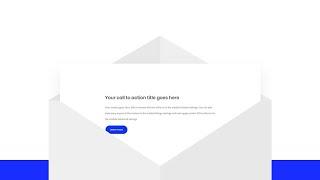
How to Create an Envelope Animation with Divi’s Scroll Effects
Added 80 Views / 0 LikesEvery time a new Divi feature comes out, we try to share some cool and useful tutorials that’ll help you think outside the box and get creative with Divi. Today’s tutorial does exactly that. We’ll show you how you can create a responsive envelope animation with Divi’s scroll effects. This is a great way to emphasize a call to action block, for instance, but you can use it for other purposes as well. You’ll be able to download the JSON file for free to
-
03:57 Popular

How to Create an Expanding CTA like Elegant Themes
Added 139 Views / 0 LikesToday, I’m going to show you how to duplicate not only the style of this CTA but also the animation functionality. This is accomplished using Divi’s Code Module with some custom CSS and a few lines of JavaScript. However, you can easily extend the same animated functionality on any of Divi’s modules. Read article: https://www.elegantthemes.com/blog/divi-resources/how-to-create-an-expanding-cta-like-elegant-themes
-
11:17 Popular

How to Create an Expanding Hover Effect for Your Grid Layouts in Divi
Added 147 Views / 0 LikesAdding an expanding hover effect to your grid layout is a unique way to engage your audience to interact with your page content. The idea is to start with a compact display of your grid and then expand that grid to bring the grid content to the forefront when a user hovers over the element in Divi. This is great for expanding an image gallery to display a larger gallery (with larger images) on hover. And you could also expand a cluster of blurbs to en
-
38:31 Popular
How to Create an Expanding Layers Scroll Effect for Engaging App Illustrations in Divi
Added 128 Views / 0 LikesMultistreaming with https://restream.io/?ref=wVYnR Hey Divi Nation, welcome to a brand new Divi Use Case live stream where each week we show you how to add new design and functionality to your Divi website. Showcasing any app or product on your website doesn’t have to be limited to static images or graphics. With Divi’s scroll effects, you can bring app illustrations to life by adding subtle and effective animation that engage visitors. In this tutori
-
27:20 Popular
How to Create an Expanding Sticky Menu on Hover with Divi
Added 151 Views / 0 LikesEvery week, we provide you with new and free Divi layout packs which you can use for your next project. For one of the layout packs, we also share a use case that’ll help you take your website to the next level. This week, as part of our ongoing Divi design initiative, we’re going to show you how to create an expanding sticky menu on hover using Divi’s Mechanic Layout Pack. We’ll handle two different design examples that you can recreate from scratch
-
14:38 Popular

How to Create an Eye Catching CTA in Divi with a Few Simple Hover Effects
Added 103 Views / 0 LikesSubtle interactions and hover effects can be useful for creating an eye-catching CTA (Call to Action). The trick is to use effects that make your CTA more attractive and intuitive so users are more likely to take action. And since the end goal of most CTAs is clicking a link or button, it is important to optimize your CTA in a way that brings those clickable items to the forefront. In this tutorial, I’m going to show you how to use Divi to optimize th
-
05:18 Popular

How to Create an Image Gallery that Changes from Black and White to Color with Divi’s Gallery Module
Added 145 Views / 0 LikesImage galleries continue to be a popular feature for websites. And with Divi, adding a beautiful and responsive image gallery to your website almost too easy. This leaves some extra time to consider ways to make those images standout. One simple way to make your images pop is to start with a black-and-white version of each image that changes to the color version when hovering over the image. This effect has been around for a while but continues to be
-
13:20
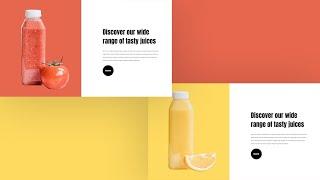
How to Create an Image Swap on Scroll with Divi
Added 83 Views / 0 LikesCreating interactive design comes with many advantages. One of them is the fact that you can fit more visual content inside a single section and determine how the visual content shows up while visitors are scrolling. It elevates the overall user experience visitors have on your website and takes your web design efforts to the next level. In today’s tutorial, we’ll show you how to create an image swap on scroll using Divi’s new scroll effects. We’ll se
-
07:35

How to Create an Inline Contact Form
Added 99 Views / 0 LikesToday I’m going to show you how to create an inline contact form for you website using Divi’s Visual Builder. The work needed to pull this off is really all about adjusting both the width and the alignment of the form fields. To accomplish this, we will be taking advantage of the design features of the contact module as well as adding some Custom CSS within the Advanced tab. https://www.elegantthemes.com/blog/divi-resources/how-to-create-an-inline-con
-
17:55 Popular

How To Create An Inline Opt In Form With Bloom
Added 120 Views / 0 Likeshttp://www.elegantthemes.com/plugins/bloom/ is the best WordPress Email Opt-In Plugin, created by Elegant Themes. Swing by http://www.elegantthemes.com to download it!
-
46:35 Popular
How to Create an Interactive Image Collage Using Divi’s Position Options
Added 120 Views / 0 LikesDivi’s new position options open the door for creating unique image collage layouts using the absolute position property. This allows you to make more precise placements for each element of your design. And once you combine that with the countless combinations of design settings within Divi, you can design some pretty amazing image collages. In this tutorial, I’m going to show you how to use Divi’s built-in position options to create a beautiful inter
-
20:38 Popular

How to Create an Open Job Position Layout with Divi (Free Download!)
Added 110 Views / 0 LikesEvery week, we provide you with new and free Divi layout packs which you can use for your next project. For one of the layout packs, we also share a use case that’ll help you take your website to the next level. This week, as part of our ongoing Divi design initiative, we’re going to show you how to create a stunning open job position layout that matches Divi’s Digital Marketing Layout Pack. This layout is an addition to the careers layout that’s alre
-
02:53

How to Create an Organizational Intranet with WordPress
Added 58 Views / 0 LikesIn today’s video we take a look at how to create an organizational intranet with WordPress. Blog post: https://www.elegantthemes.com/blog/tips-tricks/how-to-create-an-organizational-intranet-or-extranet-with-wordpress Use a domain instead of an IP: https://www.siteground.com/kb/how_to_use_the_hosts_file/ Like us on Facebook: https://www.facebook.com/elegantthemes/
-
08:14 Popular

How to Create and Use the Ken Burns Effect within Divi
Added 101 Views / 0 LikesThe “Ken Burns Effect” is a great tool for web developers who want to engage their site visitors with visual storytelling. That’s why in today’s post I’m going to show you a way to add this effect to Divi’s full-width header module and fullwidth slider module slides. However, its application extends to the other Divi sections and modules as well. Once you understand the CSS behind the effect, you will have more control over the way your background ima
-
09:41 Popular

How to Create Animated Background Colors with Divi
Added 103 Views / 0 LikesDivi’s animation options can quickly turn an already beautiful page into an engaging one as well. By now, we’ve all gotten used to the different animations that are built into the various design elements that Divi provides you with. But did you know you can use these animations to highlight one specific design option as well? In this tutorial, we’ll focus on creating animated background colors. To accomplish the desired outcome, we’re going to use a D
-
11:33 Popular

How to Create Animated Border Overlaps to Highlight Content with Divi
Added 135 Views / 0 LikesLooking for a unique way to put a specific part of your page in the spotlight? Keep on reading! Today, we’re going to show you how to create animated border overlaps to highlight content on your page. We’ll create three different animated border overlaps on the App Developer Layout Pack‘s landing page, but you can use this technique for any kind of website you’re building. It’ll definitely help you add an extra dimension to your page. We hope this tut
-
29:46 Popular
How to Create Animated Page Transitions with Divi’s Theme Builder
Added 119 Views / 0 LikesMultistreaming with https://restream.io/ Normally, when visitors navigate from page to page on your Divi website, the transition happens instantly. Now, what if there’s a way to animate these page transitions? With Divi’s Theme Builder there sure is, without the need for any custom code! As soon as your visitors leave a page to enter another one, you can make an animation apply. In today’s tutorial, we’ll show you how to create these animated page tra
-
17:44
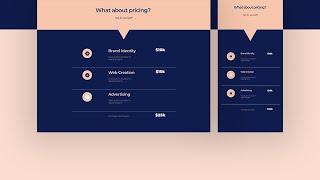
How to Create Automatic Price Calculations with Divi Using JQuery
Added 60 Views / 0 LikesSome people are hesitant to feature their service prices on their website. But as much as it can scare some visitors, it also shows confidence and expertise. Being transparent with your pricing helps you attract the right clients with a budget you can work with. In today’s tutorial, we’re going to show you how to create a stunning price calculation design that you can use for your next Divi project. You’ll be able to download the JSON file for free as
-
13:26 Popular
How to Create Background Image Border Designs in Divi
Added 125 Views / 0 LikesBorders and Background images continue to be popular design assets when building websites. Using the right background images can add personality and style to your site without having to spend time and money on custom graphics. And borders are helpful for adding structure to your content. Today, we are going to bring these two assets together by designing background images as borders. Divi has a useful set of options for customizing background images w









