Elegant Themes
-
16:03 Popular
How to Create Background Textures with Divi’s Section Dividers
Added 120 Views / 0 LikesSection dividers take your website design to the next level. They allow you to make your website extra appealing and they give that sophisticated factor to it as well. Taking advantage of Divi's built-in options in a creative way can help you save a lot of time using image editing software. One of those creative approaches is using section dividers to create background textures for your website. The best way to learn how to do this is practicing. We'l
-
19:29 Popular

How to Create Beautiful & Engaging Dynamic Blog Post Hero Sections with Divi
Added 151 Views / 0 LikesEvery time a new update comes out, the design possibilities you have increase. Combining dynamic content and hover options, for instance, can bring stunning results. To demonstrate that, we’ll show you how to create 3 stunning dynamic blog post hero sections using Divi’s built-in options only. We’ll guide you step by step through each one of the examples that will inspire you to create your own variations as well. Read more: https://www.elegantthemes.
-
12:35 Popular
How to Create Beautiful Blurred Backgrounds with Divi
Added 180 Views / 0 LikesGradient backgrounds are nowadays part of almost every modern website you come across. But as soon as you want to create a more complex gradient, you’re probably tended to reach for image editing software. With Divi, there’s an alternative. Thanks to the many built-in options Divi has, you can turn Image Modules into blurred backgrounds. We’ll blur the backgrounds up to a point where only the colors show through and thus form a gradient. We’ll recreat
-
13:03 Popular

How to Create Beautiful Footer Scroll Reveals Below Divi’s Section Dividers
Added 142 Views / 0 LikesThroughout all the design trends, footers remain essential. People have gotten so used to them, which in turn makes them highly user-friendly. They help visitors organize their stay on your website and navigate to the precise page they’re looking for. With Divi, you can easily create any kind of footer in one single section. Now, if you’re looking to give your footer some extra dimension and interaction, you’re going to love this post. We’ll creativel
-
19:37 Popular
How to Create Beautiful Gradient Background Hover Transitions with Divi
Added 125 Views / 0 LikesRecently, some additional hover options have been added to Divi–allowing you to create even more cool effects without having to touch one single line of code. You can now, for instance, create amazing gradient background hover transitions. By combining column, row and section gradients, you can achieve unique designs. In this tutorial, we’ll show you exactly how to do that. We’ll start off by going through some general steps. Once that’s done, we’ll f
-
14:00 Popular
How to Create Beautiful Image Borders using Divi’s New Options
Added 154 Views / 0 LikesIn today’s Divi tutorial, we’re going to show you how to create beautiful image borders on the next website you build. The purpose of this post is to demonstrate how you can create beautiful results that match the images you are using (and the rest of your website as well). With the new Divi options, achieving stunning results is easier than ever. You’ll only have to make some modifications that we’ll show you how to make and you’ll be ready to take y
-
16:52 Popular
How to Create Beautiful Section Transitions Using Divi’s New Design Features
Added 222 Views / 0 LikesIn this Divi tutorial, we’re going to show you how to create beautiful section transitions using nothing else than the built-in Divi options. Sections are the foundation of all the content you share on your website. Each section is a chapter and going from one section to the other is part of the storytelling process. Making this transition as smooth as possible will emphasize the message you’re trying to articulate. To help you with that, we’re going
-
1:00:47 Popular
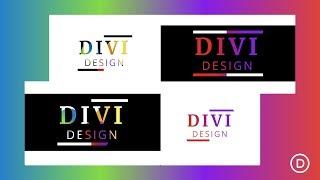
How to Create Colorful Text Background Scroll Animation with Divi
Added 118 Views / 0 LikesHey Divi Nation, welcome to a brand new Divi Use Case live stream where each week we show you how to add new design and functionality to your Divi website. Creating text background scroll animation is a unique way to add colorful moving textures to the text on your website as a user scrolls down the page. With Divi, the process is surprisingly easy once you learn a few key techniques. In this tutorial, we are going to use nothing but the power of Divi
-
10:56 Popular
How to Create Curved Text Designs in Divi
Added 144 Views / 0 LikesIf you are looking for a unique way to showcase text on a web page, knowing how to create curved text designs in Divi may come in handy. This kind of design would work for building custom graphics or creative header designs in Divi without having to use a photo editor. Usually this involves more complete html and css to accomplish, but with Divi, the custom CSS in minimal and you have so many more built in options to easily design your text in unique
-
27:11 Popular

How to Create Custom Event Listing and Registration Pages with Divi and WooCommerce
Added 157 Views / 0 LikesIf you run or help volunteer at an organization that puts on events, then you’re likely familiar with a wide range of event planning, management, and promotional tools. There’s Facebook, Meetup, and loads of WordPress plugins with slightly different approaches to the task of putting on an event. These tools are great. And for almost every use case I can think of, one of them works perfectly. But in some instances, such as in the case of an organizatio
-
55:44
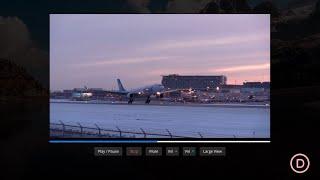
How to Create Custom HTML5 Video Controls for a Video in Divi
Added 52 Views / 0 LikesLearn more: https://www.elegantthemes.com/blog/divi-resources/how-to-create-custom-html5-video-controls-for-a-video-in-divi HTML5 Videos are a convenient and effective way to display videos on any website. In fact, Divi uses the HTML5 video format to display videos in Divi using the Video Module. However, by default, these videos contain built-in controls (like play, mute, volume, etc.) that have a standard design that is dependant on your browser. Bu
-
01:42 Popular
How to Create Custom Menu Structures in WordPress
Added 109 Views / 0 LikesIn today’s video we cover how to create Custom Menu Structures in WordPress. Blog post: https://www.elegantthemes.com/blog/wordpress/custom-menu-structures-in-wordpress Like us on Facebook: https://www.facebook.com/elegantthemes/
-
32:03 Popular
How to Create Custom Sticky “Back to Top” Designs with Divi
Added 133 Views / 0 LikesMultistreaming with https://restream.io/ Every week, we provide you with new and free Divi layout packs which you can use for your next project. For one of the layout packs, we also share a use case that’ll help you take your website to the next level. This week, as part of our ongoing Divi design initiative, we’re going to show you how to create custom sticky back to top designs with Divi and the Green Energy Layout Pack. This technique will help you
-
23:29
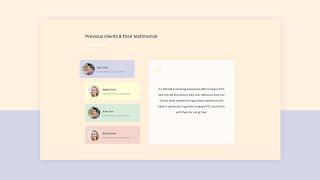
How to Create Custom Testimonial Tabs with Divi (FREE Download!)
Added 72 Views / 0 LikesGo to the blog post: https://www.elegantthemes.com/blog/divi-resources/how-to-create-custom-testimonial-tabs-with-divi-free-download For many businesses, testimonials are one of the key arguments to get new clients. That means paying a bit of extra attention to testimonials on your website will never go to waste. Within Divi, there are many different ways to share testimonials, using the Divi Testimonial Module for instance. But if you’re looking for
-
22:46

How to Create Elegant Split Image Product Info Section with Divi
Added 99 Views / 0 LikesGetting creative with images can definitely help draw attention to your CTAs. In this post, we’ll show you how to recreate a beautiful split-image product info section with Divi. The design we’re recreating is beautiful, eye-catching and can be customized to your needs. You’ll be able to download the design’s JSON file for free as well! Read more: https://www.elegantthemes.com/blog/divi-resources/how-to-create-elegant-split-image-product-info-sections
-
29:13 Popular
How to Create Fixed Mobile Footer Bars with Divi
Added 132 Views / 0 LikesWe know how important it is to make sure everything is customized to fit the mobile experience. To help you bring the mobile experience to another level, we’ll show you how to create fixed mobile footer bars with Divi in this step-by-step post. This tutorial is part of our ongoing Divi design initiative where we try to put something extra in your design toolbox each and every week. This time around, we’ll use the Health Clinic Layout Pack and make the
-
09:17 Popular
How to Create Flip Cards with Any Module in Divi Without a Plugin
Added 113 Views / 0 LikesFlip Cards are a fun way for users to interact with your website. Not only does it provide a cool flip animation, it also allows you to offer additional information in one concise location. In this tutorial, I’m going to show you how to turn Divi Modules into flip cards without using a plugin! With this method, you will be able to use one Divi module as the front of a card and another Divi module as the back of a card. You can even design each module
-
38:49 Popular

How to Create Floating Modules that Collide in 3D Space in Divi
Added 118 Views / 0 LikesMultistreaming with https://restream.io/ Hey Divi Nation, welcome to a brand new Divi Use Case live stream where each week we show you how to add new design and functionality to your Divi website. Today, we will be using Divi to explore 3D space! Technically, we will be exploring how to design floating modules that look like they are colliding in 3D space. This design will work well as a creative way to wow visitors by showing that you have an “expans
-
22:08 Popular
How to Create Full Screen Sections with Top and Bottom Scroll Links with Divi
Added 195 Views / 0 LikesDivi’s fullwidth header module comes with a full-screen option that will set the height of the header to equal the height of your browser window. This is a great way to boost UX and design by keeping everything visible to the user (above the fold) no matter what size their screen may be. But you don’t have to stop at one header. In this post, I’m going to show you how you can actually use the fullwidth header module to create multiple “full screen” se
-
08:06 Popular
How to Create Fullscreen, Transparent or Fullwidth Bloom Opt in Forms
Added 118 Views / 0 LikesIn today’s tutorial, we’re going to show you how to create fullscreen, transparent and fullwidth opt-in forms with Bloom–a plugin that helps you add opt-in forms to your website. We’ll guide you, step by step, through the process of designing and setting up two example opt-in forms. By following this post carefully, you’ll be able to make the transparent opt-in forms yourself and use it on any website that has the Bloom plugin installed–whether it’s y
-
07:49
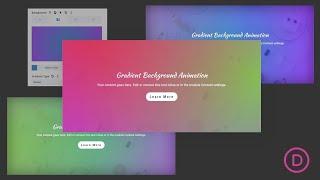
How to Create Gradient Background Animation in Divi 2 Ways
Added 87 Views / 0 LikesGradient background animation can be a beautiful design technique for making background colors come to life on your website. It is a perfect solution for those who want something more lifelike than a static background color without having to resort to slow-loading video background. The basic idea behind gradient background animation is to use CSS to create enlarge and animate a gradient background to create seamless moving color transitions. In this t
-
07:45 Popular
How to Create Hover Sections with Divi’s New Sizing & Overflow Settings
Added 120 Views / 0 LikesUsing Divi’s new draggable sizing options do not only help you create highly responsive websites, but they can also really help create unique interactions. By playing around with these options, you can customize any website you’re creating and customize your page structures to meet current design trends. In this tutorial, specifically, we’re going to show you how to create hover sections with Divi. We’ll create a new page and allow all the section tit
-
37:57
How to Create Icon Font Buttons with Divi
Added 98 Views / 0 LikesMultistreaming with https://restream.io/ Hey Divi Nation, welcome to a brand new Divi Use Case live stream. Icon font buttons have many uses in the world of web design. Since font icons stay crisp in color and design as they scale to different sizes, it makes sense to use them in buttons. And, creating an icon font button in Divi is actually quite easy using the Elegant Icon Font. In this tutorial, I'm going to show you how you can use icon fonts with
-
08:31 Popular
How to Create Irregularly Shaped Section Transitions with Divi
Added 133 Views / 0 LikesOne of the best ways to boost the design of your website is by using different section transitions. In a previous post, we’ve shown you how you can do that using the Divi built-in options only. However, if you’re looking to create something a little bit more advanced or personalized, you can create irregularly shaped section transitions as well. Because of their complexity, the best way to approach this is by using images with a transparent border. Re
-
08:51 Popular
How to Create Knockout Text Images for Stunning Divi Headers
Added 151 Views / 0 LikesKnockout text images can open up a lot of opportunities for designing unique headers in Divi. Creating a knockout text effect can easily be done using a photo editor like Photoshop using the built-in knockout blending option. Basically, this allows you to create images with transparent text (appearing to be knocked out of the image). And knockout text images are really fun to use in Divi. Because the image text is transparent, you can add any kind of
-
22:07 Popular
How to Create Locked Content Corner Popups with Divi
Added 121 Views / 0 LikesMultistreaming with https://restream.io/ Every week, we provide you with new and free Divi layout packs which you can use for your next project. For one of the layout packs, we also share a use case that’ll help you take your website to the next level. This week, as part of our ongoing Divi design initiative, we’re going to show you how to create locked content corner popups with Divi and the Resort Layout Pack. The concept of a locked content optin f
-
16:52 Popular

How to Create Mobile First Designs with Divi
Added 141 Views / 0 LikesMany websites get tons of visitors from mobile devices. This leads to the question of whether or not your designs are sufficiently optimized for smaller screen sizes. With Divi, a design that is built for a desktop experience ends up being instantly responsive as well. But just because something is responsive doesn’t mean it’s optimized as well. If mobile is your main source of visitors, it can really help to start designing and building from a mobile
-
14:03 Popular
How to Create Mobile Walkthroughs with Divi’s Slider Module
Added 105 Views / 0 LikesSliders have always been really popular in web design. One of their biggest advantages is the fact that visitors can swipe through them on mobile devices. Nowadays, swiping is the new clicking, so it goes without saying that including sliders can help improve the mobile user experience visitors have on your website. When building a website with Divi, you can easily add the Slider Module to any row or section you’re working on. And with a bit of creati
-
11:43
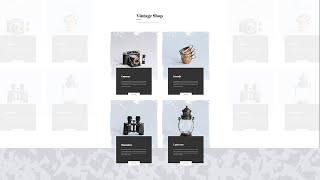
How to Create Module Overlaps on Scroll with Divi’s Scroll Effects
Added 80 Views / 0 LikesUsing overlaps in your design has increased in popularity over the past few years. It gives your design a more abstract look and feel. At the same time, it helps you save space, which in turn limits the vertical scrolling that is required. Inside Divi, there are a couple of ways to effortlessly add overlaps to modules. You can also go the extra mile and add some scroll interaction! In today’s Divi tutorial, we’ll show you how to create subtle module o
-
32:12
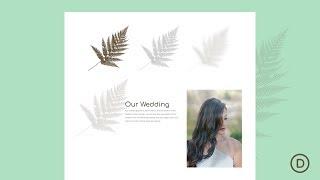
How to Create Moving Image Shadows on Scroll in Divi
Added 67 Views / 0 LikesGo to the blog post: https://www.elegantthemes.com/blog/divi-resources/how-to-create-moving-image-shadows-on-scroll-in-divi In this tutorial, we are going to show you how to create moving image shadows on scroll in Divi. The trick is to find a PNG image with a unique shape so that, once the image is transformed, it will keep the shape and look like a realistic shadow of the image. After the image/shadow is ready, we can add a few scroll effects to mov









