Elegant Themes
-
06:09 Popular
How To Create One Page Websites With Divi
Added 101 Views / 0 LikesWhen you create a new page, you can easily enable Divi's Single Page navigation option, giving your visitors a visual and clickable representation of their progress on the page. You can also use custom anchor links and Section ID's to create one-page menus for the complete One-Page package. View full documentation: https://www.elegantthemes.com/documentation/divi/one-page-website/
-
13:00 Popular
How to Create Overlapping Columns with Divi’s Column & Transform Options
Added 112 Views / 0 LikesThe way you display contact forms on your website can definitely help increase conversion rates. Besides creating beautiful and user-friendly contact forms, you can also approach it in a more targeted way. In this post, we’ll show you how to create one design with multiple contact forms that appear depending on which service your visitors are interested in. You’ll be able to download the JSON file for free as well! Read more: https://www.elegantthemes
-
11:02

How to Create Parallax Copy Transitions with Divi’s Sticky Options
Added 75 Views / 0 LikesWhen you’re looking for creative ways to spice up your page designs, parallax effects can come in handy. They bring that extra interaction on scroll without being too invasive. If you’re looking for a way to extend that parallax effect to multiple sections on your page, you’re going to love this tutorial. Today, we’ll show you how to create parallax copy transitions with Divi’s sticky options. As soon as visitors scroll past a certain section, the cop
-
06:19 Popular
How to Create Pop Out Sections with Divi’s Boxed Layout
Added 116 Views / 0 LikesIn this tutorial, I’ll be showing you how to use Divi’s box layout and the Divi Builder to create pop out sections and rows on your website. All it takes is a small amount of custom CSS that extends the section or row past the page container. You can then make additional adjustments and styling using the Divi Builder. Watch the video here: https://www.elegantthemes.com/blog/divi-resources/how-to-create-pop-out-sections-with-divis-boxed-layout
-
02:13 Popular

How To Create Redirects With WordPress
Added 118 Views / 0 LikesIn today’s video we take a look at how to create redirects with WordPress. Blog post: https://www.elegantthemes.com/blog/tips-tricks/how-to-create-redirects-with-wordpress Like us on Facebook: https://www.facebook.com/elegantthemes/
-
03:19
How to Create Responsive Tables in WordPress
Added 98 Views / 0 LikesIn today’s video, we cover how to create responsive tables in WordPress. Blog post: https://www.elegantthemes.com/blog/resources/responsive-tables-in-wordpress Like us on Facebook: https://www.facebook.com/elegantthemes/
-
02:08 Popular
How to Create Reusable Blocks in WordPress
Added 113 Views / 0 LikesIn today’s video, we cover how to create reusable blocks in WordPress. Blog post: https://www.elegantthemes.com/blog/wordpress/wordpress-reusable-blocks Like us on Facebook: https://www.facebook.com/elegantthemes/
-
46:46

How to Create Scroll Animated Before and After Images in Divi
Added 61 Views / 0 LikesLearn more: https://www.elegantthemes.com/blog/divi-resources/how-to-create-scroll-animated-before-and-after-images-in-divi A lot of websites need to display before and after images for a variety of reasons. Usually, websites settle for a simple design that displays each photo adjacent to one another. In this tutorial, we are going to enhance this traditional design with interactive animation. We are going to show how to create scroll animated before
-
08:47

How To Create Seamless Background Design Transitions Between Divi Elements
Added 58 Views / 0 LikesIn this tutorial, we are going to use Divi’s built-in background design options to create a seamless background design transition between a Divi section and row. The application and versatility of this design are boundless, taking Divi’s background design options to a whole new level! Blog post: https://www.elegantthemes.com/blog/divi-resources/how-to-create-seamless-background-design-transitions-between-divi-elements ➡️ Learn more about Divi: https:/
-
24:46 Popular

How to Create Section Chapters Using Divi’s New Design Options
Added 123 Views / 0 LikesIn today’s Divi tutorial, we’ll be showing you how you can create stunning section chapters for your website. These chapters serve as a guideline for your visitors. It’ll show them when they are entering another section of a page. Usually, chapters are used in combination with one specific background color throughout all of the sections. If you are considering using section chapters on your website, this post might be a nice place to get some inspirat
-
43:54 Popular
How to Create Section Divider Scroll Effects in Divi
Added 143 Views / 0 LikesMultistreaming with https://restream.io/?ref=wVYnR Hey Divi Nation, welcome to a brand new Divi Use Case live stream where each week we show you how to add new design and functionality to your Divi website. Creating section divider scroll effects is a simple and fun technique that can add life to your Divi website. A section divider continues to be a versatile design element, useful for adding a touch of creativity to your page content transitions. Bu
-
12:08 Popular
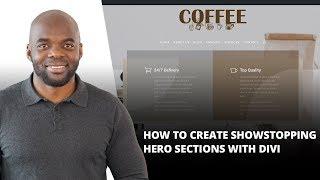
How to Create Showstopping Hero Sections with Divi
Added 140 Views / 0 LikesHero sections; they serve all kinds of purposes. They’re the first thing visitors see when they visit your website, they immediately show the style of your website and they influence the way your visitors feel and behave on your site. We’re already used to all kinds of hero sections out there, but most of them include a hero image, a tagline and a call to action. There are other possibilities as well, though. In this post, we’ll show you another appro
-
14:15
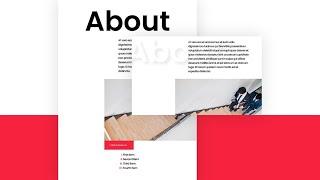
How to Create Sticky Section Titles with Divi
Added 69 Views / 0 LikesThe way you design your pages is a direct reflection of your brand. That’s why at some point in your design brainstorm, you might want to find and add unique design elements to your website that’ll help generate a pattern throughout all pages. One unique way to highlight your website’s identity is by using sticky section titles. These sticky section titles will follow your visitors’ navigation behavior by sticking to the top of their browser. In this
-
24:39 Popular
How to Create Stunning Gallery Testimonials with Divi
Added 131 Views / 0 LikesMultistreaming with https://restream.io/ Every week, we provide you with new and free Divi layout packs which you can use for your next project. For one of the layout packs, we also share a use case that’ll help you take your website to the next level. This week, as part of our ongoing Divi design initiative, we’re going to show you how to create stunning gallery testimonials using Divi’s Wedding Planner Layout Pack. This tutorial will help you link t
-
09:47 Popular
How to Create Stunning Grid Layouts with Divi’s Video Module (Part 1)
Added 113 Views / 0 LikesHow to Create Stunning Grid Layouts with Divi’s Video Module. To begin this series, I’m going to show you how to create a grid layout for your videos much like a blog grid layout using a combination of video module stacked on top of a blurb module. This tutorial will include both a dark and a light version of the grid design. The great thing about this layout design is that it is super easy to implement and I’ve tried to give you a lot of visuals to h
-
08:20 Popular
How to Create Stunning Grid Layouts with Divi’s Video Module (Part 4)
Added 129 Views / 0 LikesToday’s layout is number 4 in the series, and it is one of my favorites (and fastest to implement). Not only is it easy (and fun) to build using Divi, but it is also customizable to fit the color scheme of your site. The background gradient options are the main feature of this design which has been used to create the two tone colors separated by a diagonal line. The spacing is also purposeful to make the videos readily perceived. Arguably, this design
-
12:00 Popular
How to Create Stunning Grid Layouts with Divi’s Video Module (Part2)
Added 118 Views / 0 LikesWe made it to part 2 of the series! And I have to say that I am really enjoying building these layouts. Today, I’m going to show you how to create a grid layout for your videos that resembles a feature section of a product page or a landing page. Read article: https://goo.gl/RWidwR
-
11:19 Popular
How to Create Stunning Grid Layouts with Divi’s Video Module Part 3
Added 121 Views / 0 LikesHow to Create Stunning Grid Layouts with Divi’s Video Module (Part 3) Welcome to part 3 of the series! I have a feeling this one will surprise you a little bit. Today, I’m going to show you how to use semi-transparent background colors and gradients to create multiple border color variations. At the end, I will show you how you can completely change the color scheme with just a few clicks. Read the article: https://goo.gl/FhAuYr
-
07:21 Popular
How to Create Stunning Grid Layouts with Divi’s Video Module Part 5
Added 134 Views / 0 LikesHere it is! Today is the last post in the miniseries. And if I could compare this miniseries to a five course dining experience (I’m thinking French cuisine maybe?), this one would be the dessert because it is both light and colorful. The subtle checkered background is clean and not too complicated. And when adding color, the design becomes playful, like stacking Legos. It is easy (and fun) to build using Divi, but it is also customizable to fit the c
-
12:39 Popular
How to Create Stunning Text Designs Using Section Dividers in Divi
Added 163 Views / 0 LikesCreating unique text designs for your website can be challenging, especially if you don’t want to use a ton of CSS or resort to supplementing seo-friendly text for images you design in Photoshop. With Divi (and some “out of the box” thinking), you can create some unique text designs without any external css or custom images. The trick is to use Divi’s section dividers to overlay your text to add breaks and texture in a number of different ways. In thi
-
08:32
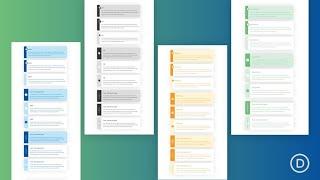
How to Create Styled Content Boxes in Divi for Tips, Info, Warnings, and More
Added 49 Views / 0 LikesStyled content boxes for things like tips, warnings, and other important info are handy assets for any website or blog. They are an effective and convenient way to showcase important content with consistent design users will appreciate. For example, you may be a need a content box design for highlighting a key tip in a tutorial or for warning users about a potential problem. In this tutorial, we are going to show you how to build 3 content box designs
-
03:27
How to Create Subtle Background Pattern Masks with Divi (3 Examples)
Added 55 Views / 0 LikesIn this video, we’ll learn how to create three subtle background designs with Divi's brand new background options, including Masks and Patterns. Blog post: https://www.elegantthemes.com/blog/divi-resources/how-to-create-subtle-background-pattern-masks-with-divi-3-examples ➡️ Learn more about Divi: https://www.elegantthemes.com/gallery/divi/ 🔵 Like us on Facebook: https://www.facebook.com/elegantthemes/ #WordPress #Divi #ElegantThemes
-
01:47
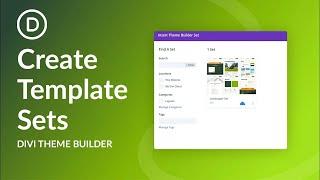
How to Create Template Sets In Divi!
Added 43 Views / 0 LikesThe Divi Theme Builder Library allows us to do more with the templates that we have created in the Theme Builder. We now have access to tools such as tags, categories, and search. These make the job of keeping our templates organized as we work with Divi on a day-to-day basis. Furthermore, with the Divi Theme Builder Library you can bundle all of these together into a template set. Blog post: https://www.elegantthemes.com/blog/divi-resources/how-to-cr
-
17:36
How to Create Text & Images that Change on Scroll in Divi
Added 72 Views / 0 LikesDivi scroll effects are great for creating interesting layouts. We’ve published quite a few since the feature was launched. In this tutorial, we’ll show you how to create a layout with text and images that change on scroll. This design can be used for a services page or any type of page you require. We kept it clean and simple for the scroll effect to take the spotlight. Read more: https://www.elegantthemes.com/blog/divi-resources/how-to-create-text-i
-
04:57

How to Create the Best Sponsorship Page Possible
Added 76 Views / 0 LikesIn today’s video, we're going to learn how to create the best sponsorship page possible. Blog post: https://www.elegantthemes.com/blog/wordpress/how-to-create-the-best-sponsorship-page-possible Like us on Facebook: https://www.facebook.com/elegantthemes/
-
20:10 Popular

How to Create Unique Hover Overlaps for Testimonials with Divi
Added 153 Views / 0 LikesTestimonials are a huge deal for many websites. They show expertise and visitors usually go looking for them if they want to figure out how credible a company or person is. That’s why it’s important to think about the way you visually present testimonials on your website. With Divi, you can display your testimonials exactly the way you want to. To inspire you, we’ll show you how to create a stunning and unique way to showcase testimonials using hover
-
15:57 Popular

How to Create Unique Social Media Follow Button Hover Effects with Divi
Added 165 Views / 0 LikesDivi’s Social Media Follow module allows you to easily style and add those important links to your social networks anywhere on your website. And if you want to get your hands dirty with some of Divi’s powerful built-in hover effects, you can design some creative hover effects for your social media follow buttons as well. In this tutorial, I’m going to show you some unique social media follow button hover effects that just may surprise you. Read more:
-
14:57 Popular

How to Create Vibrant Section Titles for Your Next Divi Project
Added 134 Views / 0 LikesWe know that most of you are always looking for new ways to make the websites you create unique. With Divi, there are many ways to make your website stand out from the other ones out there. Today, we’re going to show you how you can create stunning section titles using Divi’s built-in options only. This approach is great if you want to create a stunning design, maintain the overall page structure and keep the navigation seamless. Read more: https://ww
-
03:47 Popular
How to Create WooCommerce Coupons (And Make Them Effective!)
Added 122 Views / 0 LikesIn today’s video, we're going to learn how to create WooCommerce coupons and make them effective. Blog post: https://www.elegantthemes.com/blog/wordpress/woocommerce-coupons Like us on Facebook: https://www.facebook.com/elegantthemes/
-
17:44 Popular

How to Create WooCommerce Lucky Wheel Optin Forms with Divi
Added 103 Views / 0 LikesMultistreaming with https://restream.io/ Every week, we provide you with new and free Divi layout packs which you can use for your next project. For one of the layout packs, we also share a use case that’ll help you take your website to the next level. This week, as part of our ongoing Divi design initiative, we’re going to show you how to create WooCommerce lucky wheel optin forms with Divi and the WP Optin Wheel plugin. This tutorial will hopefully









