Elegant Themes
-
06:33
How to Start an Online Store for your Brick-and-Mortar Business
Added 72 Views / 0 LikesIn today's video, we'll learn how to start an online store for your brick and mortar business. Blog post: https://www.elegantthemes.com/blog/business/how-to-start-an-online-store-for-your-brick-and-mortar-business •️ Learn more about Divi: https://www.elegantthemes.com/gallery/divi • Like us on Facebook: https://www.facebook.com/elegantthemes/ #Ecommerce #WordPress #ElegantThemes
-
27:11
How to Structure Your FAQ with Custom Tabs in Divi
Added 63 Views / 0 LikesLearn more: https://www.elegantthemes.com/blog/divi-resources/how-to-structure-your-faq-with-custom-tabs-in-divi When you’re designing the frequently asked questions page for your website, keeping user experience at the top of your mind is essential. Visitors are looking for answers as quickly as possible, and the way you design your page has a big influence on it. If the frequently asked questions are limited in amount, you can easily showcase them b
-
10:27 Popular
How to Stunningly Combine Divi’s Column & Module Backgrounds with Blend Modes
Added 130 Views / 0 LikesWith all various Divi built-in options and regular feature updates, the quality of the websites designs you create can go up quickly. One of the feature updates that was long expected was the filters and blend modes one. We’ve already shared some great examples that you can recreate and we’d like to add one to that list; how to stunningly combine Divi’s column and module backgrounds. Blend modes work like layers do within Photoshop; once you apply a b
-
07:40 Popular
How to Style a Beautiful Pricing Table in Divi
Added 109 Views / 0 LikesPricing tables can be a hugely important element for converting a potential customer into a full-fledged buyer. While your pricing table has a very specific role within your site (that of providing information), it also offers the opportunity to catch the eye with its design. Simply put, an attractive pricing table can help to captivate a buyer, and even persuade them to make a purchase. Read more: https://www.elegantthemes.com/blog/divi-resources/how
-
15:52 Popular

How to Style a Beautiful Pricing Table in Divi
Added 125 Views / 0 LikesPricing tables are often the main CTA of a page. That’s why it is important to style them properly. With Divi, you can take many turns and create pricing tables exactly the way you imagine them. To give you some food for thought, we’ve created a stunning pricing table that you can use for any kind of website you’re working on. We’ll guide you through creating the outcome from A to Z using Divi’s built-in options only. Read the article here: https://ww
-
05:09 Popular

How to Style a WooCommerce Product to Show Text Instead of an Icon on Hover in Divi
Added 106 Views / 0 LikesIn this post we won’t be going over WooCommerce in detail but a great article about Divi + WooCommerce was just recently published on our blog and you can find it here. Sometimes styling WooCommerce can be a bit tricky, especially if your CSS game is a bit lacking or somewhat non-existent. What we’ll be doing today is changing what users see when they hover over a product. Read article here https://goo.gl/TKIQlq
-
15:17 Popular
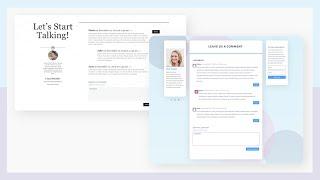
How to Style Divi’s Comments Module Inside a Blog Post Template
Added 108 Views / 0 LikesDesigning a blog post template is pretty easy with the Divi theme builder. But there’s one thing that tends to get overlooked when designing blog templates, and that’s the comments section. Thankfully, Divi has a customizable comments module that can easily be added to a blog post template. In this post, we’ll show you how to create two custom comments section designs that you can include in any blog template. You’ll be able to download the JSON file
-
06:58 Popular
How to Style Divi’s Countdown Timer Module with Simple Elegance
Added 130 Views / 0 LikesAdding a countdown timer to your website can be a very effective way to engage your website visitors. Whether you want to create urgency for a special offer or promotion, build suspense before an epic product or website launch, or count down to a specific event such as a wedding or concert, countdown timers can be the perfect “added touch” to your WordPress website. In this video tutorial, I show you step by step How to Style Divi’s Countdown Timer Mo
-
07:53 Popular
How to Style Divi’s Post Slider like Design Milk’s Post Slider
Added 133 Views / 0 LikesThe Divi Post Slider Module looks great even with it’s default settings, but there will be situations that require you to modify its appearance. This series will explore five different post slider designs found in some popular online publications, and how similar designs can be created using Divi’s Post Slider Module. Here's the link to the post: https://www.elegantthemes.com/blog/divi-resources/how-to-style-divis-post-slider-like-design-milks-post-sl
-
09:58 Popular
How to Style Divi’s Post Slider Module like Brit + Co's Post Slider
Added 114 Views / 0 LikesIn today’s video, I show you to Style Divi’s Post Slider Module to look like Brit + Co's Post Slider. The project demonstrates how to customize the Divi Post Slider module using CSS to display (or hide) and style very specific post elements. Here is the link to post: https://www.elegantthemes.com/blog/divi-resources/how-to-style-divis-post-slider-module-like-brit-cos-post-slider
-
06:30 Popular
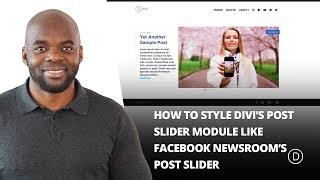
How to Style Divi’s Post Slider Module like Facebook Newsroom’s Post Slider
Added 151 Views / 0 LikesPost sliders are an elegant solution for presenting a variety of content to your readers. The posts that are highlighted can be organized in a number of ways from categories to date. In today’s project, we’re looking at an example from the Facebook Newsroom blog page which presents a category of posts called “Top Stories”. It’s a very attractive slider that emphasizes the post title and the featured image. We’ll recreate the look of this slider using
-
04:32 Popular

How to Style Divi’s Single Post to Match the New Elegant Themes Post Design
Added 154 Views / 0 LikesToday, I’m going to show you how to design your single blog post like the new Elegant Themes blog posts. This requires a few modifications to the default post template and some custom CSS. After you implement this new design, you will be able to use the default editor or the Divi Builder for you blog post and still keep the same new design. Read more: https://www.elegantthemes.com/blog/divi-resources/how-to-style-divis-single-post-to-match-the-new-ele
-
09:40 Popular

How to Style Divi’s Slider Module for a Bold Team Members Area
Added 127 Views / 0 LikesIn this video, I am going to show you how to Style Divi’s Slider Module for a Bold Team Members Area. Traditionally team members have a “card” style look or are placed one per column. This is just another idea to display your staff as well as make use of Divi’s slider module in a creative way. Click the link to view the post: https://www.elegantthemes.com/blog/divi-resources/how-to-style-divis-slider-module-for-a-bold-team-members-area
-
10:50 Popular
How to Style Gravity Forms to Look Like Divi
Added 127 Views / 0 LikesWhen it comes to WordPress form plugins there are quite a few options to choose from. In a previous Elegant Themes tutorial, I shared some CSS snippets for styling the Caldera Forms plugin. Caldera is a great free form builder plugin option, but today we’re going to be sharing some styling tips for Gravity Forms. Gravity Forms is one of the (if not the) most popular premium form builder plugins for WordPress websites. Read more: https://www.elegantthe
-
08:57 Popular
How to Style the Divi Slider with a Static Text Description
Added 109 Views / 0 LikesIn today's slider tutorial instead of changing out the animation name on the slide description, I'm actually going to be removing it altogether, and I'll explain why below. I'm also bringing in a few gradients, 'cause who doesn't love a gradient? Aaaand I'll show you how to have three buttons instead of two. Here is the link to the post: https://www.elegantthemes.com/blog/divi-resources/how-to-style-the-divi-slider-with-a-static-description-text
-
04:32 Popular

How to Style Your Divi Audio Module as a Podcast Player
Added 171 Views / 0 LikesToday, we’re going to provide all those podcasters out there--aspiring and famous alike--with an easy way to integrate their latest episodes directly into the Divi theme. Here is the link to the post: https://www.elegantthemes.com/blog/divi-resources/how-to-style-your-divi-audio-module-as-a-podcast-player
-
06:22 Popular
How to Style Your Divi Blog Module Grid Cards (With 4 Examples)
Added 115 Views / 0 LikesDivi’s Blog Module has a useful grid layout option for your blog posts. The grid template organizes your blog posts into boxes or cards that make it easier to view more posts on your screen than a standard full-width blog layout. The Blog Module Settings allow you to customize the overall design of your grid. You can easily make all of your cards the same background color, font, margins, etc… However, the styling options are limited to the design of t
-
13:56 Popular
How to Style Your Divi Blog Page to Look Like Elegant Themes’ New Design
Added 126 Views / 0 LikesToday I’m going to show you how to design your blog page like the new Elegant Themes blog using Divi’s Blog Module. The three major design modifications include: (1) changing the default three-column blog grid layout to only two columns, (2) placing the featured image below the headline and post meta, and (3) sizing the featured image for the new column width. These are accomplished by adding a few lines of code. Aside from that, the Divi Builder and
-
15:37
How to Swap Your Divi Header for Another One on Scroll
Added 53 Views / 0 LikesYour header inevitably remains one of your website’s most important elements. It influences your visitors’ navigation process and allows them to find what they’re looking for in a heartbeat. Now, if you’re looking for a way to swap your Divi header on scroll with another one, you’re going to enjoy this post. We’ll show you exactly how to pull it off with Divi’s theme builder, built-in elements and some additional code. We’re also making sure there’s s
-
08:31 Popular

How to Switch a Background Image with an Animated Gif on Hover
Added 102 Views / 0 LikesSwitching a background image with an animated GIF on hover can be a great way to bring life to your content while also providing a cool illustration for products or services. For example, if you are promoting the features of a particular software product, an animated GIF can help illustrate aspects of the products functionality (we do this for the products here at Elegant Themes). But, instead of showing that GIF initially, you may want to show a stil
-
15:01
How to Synchronize Expanding Copy on Scroll with Divi
Added 93 Views / 0 LikesWhen the emphasis of a certain section is on the copy, it’s important to make sure the copy doesn’t go unnoticed. There are many techniques you can use to put your copy in the spotlight, but in this tutorial, we’ll show you how to synchronize expanding copy on scroll using Divi’s new scroll effects. As users are scrolling, another part of the copy will appear, allowing them to read step by step through the content you’re providing. You’ll be able to d
-
12:54
How to Tell Your About Story on Scroll with Divi
Added 55 Views / 0 LikesYour about page is one of the most important pages on your website. It allows people to get to know you better and decide if they’re comfortable to take the next step. If you’re looking for a smooth way to include storytelling in your about page, you’ll love this tutorial. We’ll use Divi’s scroll effects to create a smooth storytelling transition on scroll. As soon as a part of the story fades out, another part fades in. This gives visitors the feelin
-
10:28 Popular

How to Toggle Divi Transform Properties on Click with jQuery
Added 125 Views / 0 LikesDivi’s built-in transform options have proven to be an extremely useful design tool, allowing you to scale, rotate, skew, or position any element on a page with ease. And, you can even choose to transform elements in the hover state for amazing hover effects. But today, I’m going to introduce a method for deploying these transform properties on click. This method does require a little custom jQuery (don’t worry, it’s nothing too scary). However, the c
-
02:47 Popular

How to Track Landing Page Redirects Using Google Analytics
Added 105 Views / 0 LikesIn today's video, we'll learn how to track landing page redirects using Google Analytics. Blog post: https://www.elegantthemes.com/blog/wordpress/how-to-track-landing-page-redirects-using-google-analytics •️ Learn more about Divi: https://www.elegantthemes.com/gallery/divi • Like us on Facebook: https://www.facebook.com/elegantthemes/ #TrackRedirects #WordPress #ElegantThemes
-
23:46 Popular
How to Transfer a New Design Style to Another Page Using Divi's Efficiency Features
Added 129 Views / 0 LikesThis week, as part of our ongoing Divi design initiative, we’re going to show you how to transfer a new design style to another page using Divi’s Furniture Store Layout Pack. With all the new layout packs that are coming out, you might have wanted to change the style of an existing page using the new layout pack’s style. Instead of replacing the entire page, you can also transfer the design style using Divi’s efficiency features. One of the newest opt
-
13:57 Popular

How to Transform Multiple Elements for Abstract Hover Effects in Divi
Added 104 Views / 0 LikesAs you already know by now, Divi has a ton of design settings that allow you to create unique hover effects for any Divi element (sections, rows, or modules). Usually, a hover effect is isolated to just one element. For example, if you add a transform rotate property to a module on hover, that rotation will activate when hovering over the module. However, if you add an additional hover effect to the row containing the module, this adds another layer o
-
05:03

How to Trigger Hover Effects for a Module, Column, and Row Simultaneously
Added 88 Views / 0 LikesOne of the best things about building a site with Divi is that each building block is packed with design options. Every module, column, row, and section contains design settings for both the default and the hover state. This opens the door for triggering multiple hover effects when combining this elements together. In this tutorial, I’m going to show you how to simultaneously trigger hover effects for a module, column and row. The trick is to make sur
-
06:14
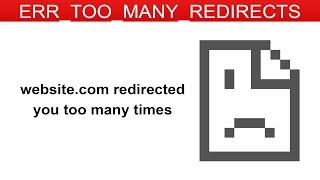
How to Troubleshoot "err_too_many_redirects" on Your WordPress Website
Added 66 Views / 0 LikesIn today's video, we'll learn how to troubleshoot “err_too_many_redirects” on your WordPress website. Blog post: https://www.elegantthemes.com/blog/wordpress/how-to-troubleshoot-err_too_many_redirects-on-your-wordpress-website •️ Learn more about Divi: https://www.elegantthemes.com/gallery/divi • Like us on Facebook: https://www.facebook.com/elegantthemes/ #RedirectError #WordPress #ElegantThemes
-
14:39 Popular

How to Turn Divi Layouts into Reusable Wireframes
Added 120 Views / 0 LikesEvery week, we provide you with new and free Divi layout packs which you can use for your next project. For one of the layout packs, we also share a use case that’ll help you take your website to the next level. This week, as part of our ongoing Divi design initiative, we’re going to show you how to turn layouts into reusable wireframes using Divi’s Food Catering Layout Pack. Wireframes are great for the starting process of building a website. They he