Wordpress
-
30:00

How to Create a Restaurant Website From Scratch (No Coding)
Added 46 Views / 0 LikesDo you want to create a restaurant website. Today we'll show you just how quick, easy, and fun it is to build fantastic-looking websites using SeedProd. We will build a restaurant website theme with a custom home page, menu page, history page, and order page by using the new SeedProd Theme Builder. By the end of this video, you should be comfortable creating fully customized websites for yourself, your business, or your clients. Get SeedProd Here: ===
-
04:37 Popular
How to Create a Reusable Block in WordPress Block Editor
Added 138 Views / 0 LikesAre you repeatedly using snippets of text on your WordPress site? If you do, then the reusable block feature will be very helpful to you. In this video, we will show you how to easily create a reusable block in the WordPress Gutenberg/Block editor. To start, you would want to create the text that you want to repeat in your content in a single block. Now click the verticle ellipsis in the editing options for the block and click the Add to Reusable Bloc
-
32:44 Popular

How to Create a Reusable Divi Layout Block for Gutenberg Blog Posts
Added 126 Views / 0 LikesMultistreaming with https://restream.io/ Hey Divi Nation, welcome to a brand new Divi Use Case live stream where each week we show you how to add new design and functionality to your Divi website. In this tutorial, we are going to demonstrate how to create a reusable Divi Layout Block for Gutenberg blog posts. To illustrate this, we will build a section divider for our example reusable Divi layout block. But, we can easily apply this same technique to
-
00:20

How to Create a Reusable Social Media Block in WordPress
Added 86 Views / 0 LikesDo you add your social media channels to all of your posts? One of the best things about WordPress blocks is that they can be saved and reused. This is helpful for website owners and bloggers who frequently need to add specific content snippets to their articles or pages. In this video, we'll show you how to quickly add a reusable social media block in WordPress. To do this, click on the menu button located at the right corner of each block’s toolbar.
-
29:18 Popular

How to Create a Rotated Global Header with Divi’s Theme Builder
Added 116 Views / 0 LikesMultistreaming with https://restream.io/ Ever since the Divi Theme Builder has come out, we’ve tried to guide you through the process of creating your own global headers. We’ll continue doing that by showing you how to create a rotated global header that appears on the left side of your pages and posts. The header’s background color is completely transparent, allowing the page/post content to show through. We’ve made sure that the global header stays
-
13:45 Popular
How to Create a Scroll Gallery Mockup with Divi’s New Overflow Options
Added 104 Views / 0 LikesLooking for a creative way to display images on your website? Make sure you keep on reading because, in this post, we’ll show you how to create a scroll gallery mockup using Divi’s built-in options only. Concretely, we’re going to turn a section into a mockup and have all the rows in the section be part of the mockup. Once you get the technique, you’ll be able to feature any kind of content you want in a mobile mockup and add interaction to your pages
-
07:44 Popular
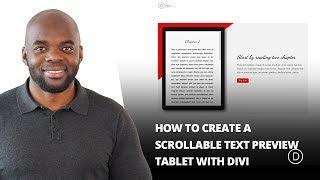
How to Create a Scrollable Text Preview Tablet with Divi
Added 135 Views / 0 LikesIn today’s tutorial, we’re going to show you how to create a scrollable text preview tablet on your website. The text preview will be represented in a tablet where the visitors can scroll within the tablet to read a few of the chapters that are being shared. Adding a text preview tablet to your website is an excellent way of teasing your visitors. You’re giving them the chance to explore a piece of the content you’ve created. Once they’ve read the con
-
24:55 Popular

How to Create a Scrolling Fashion Catalogue with Divi
Added 110 Views / 0 LikesIn this post, we’ll be showing you how you can create a scrolling fashion catalogue. Using this method will help you connect with your audience as you would by handing them a paper catalogue. Creating an online scrolling fashion catalogue may help increase the results you get from the catalogue. By including direct links to shop items, for example, the buying process will be enhanced as well. Read article: https://www.elegantthemes.com/blog/divi-resou
-
27:06

How to Create a Seamless Hover Grid with Divi
Added 43 Views / 0 LikesLearn more: https://www.elegantthemes.com/blog/divi-resources/how-to-create-a-seamless-hover-grid-with-divi If you enjoy building websites with user interaction in mind, you’re going to love this Divi design tutorial. Today, we’ll show you how to create a seamless hover grid. The design is initially plain and clean. As soon as someone hovers one of the items, the background image is revealed and the module styles change along with it. This results in
-
41:44 Popular

How to Create a Search Results Page Template in Divi
Added 151 Views / 0 LikesMultistreaming with https://restream.io/ In this live stream tutorial, we are going to cover how to build a simple and elegant search results page template using the Divi Theme Builder. We will show you how to include the crucial elements of a search results page template, including a dynamic page results title and the relevant search content generated by a blog module. If you don't have Divi yet, you can learn more about this powerful theme on our we
-
01:52

How to Create a Search Results Page Template With Elementor Theme Builder
Added 69 Views / 0 Likes -
47:24 Popular

How to Create a Segmented Circular Menu Using Divi Blurbs
Added 118 Views / 0 LikesMultistreaming with https://restream.io/ Hey Divi Nation! Welcome to a brand new Divi Use Case live stream where each week we show you how to add new design and functionality to your Divi website. In this tutorial, we are going to transform some Divi blurbs into a beautiful segmented circular menu that expands and collapses on click. The trick to creating the segmented areas (like a pie chart) is to use transform skew in a pretty unique way. And the m
-
11:30 Popular

How to Create a Separate Page for Blog Posts
Added 152 Views / 0 LikesElementor Pro: https://websitelearners.com/get/elementorpro Get the best tools for your website • https://websitelearners.com/tools/ Video Gear We Use: https://kit.com/websitelearners/video-gear-we-use Our Video Editing Tool: https://bit.ly/2Od546p We're Hiring: https://websitelearners.com/careers/ Want your website developed by us? Email us your requirements to contact@websitelearners.com Follow Us on Instagram: https://www.instagram.com/websitelearn
-
04:19 Popular
How to Create a Separate Page for Blog Posts in WordPress
Added 157 Views / 0 LikesWordPress displays your content in a blog format on the homepage normally but not all sites should be displayed that way. Some sites you want to display a welcome page or other custom content but can still find use for your posts. In this video we will show you how to create a separate page for blog posts in WordPress. You would want to start by creating two new pages on your site one to be the new home page and another to be the page where you list y
-
05:29 Popular

How to Create a Separate Page for Blog Posts in WordPress
Added 132 Views / 0 LikesAre you wanting to set up a separate page for blog posts on your WordPress site? WordPress normally will list your posts on the homepage of your site but not all sites want to list their posts on the first page their visitors would see. In this article, we will show you how to easily create a separate page for blog posts in WordPress. This video brought to you by WPForms, the most beginner friendly WordPress form plugin, take a look at their site here
-
03:14

How to Create a Separate Posts Page in WordPress
Added 97 Views / 0 LikesHow to Create a Separate Posts Page in WordPress In this quick video I go over how to create a separate page for blog posts in WordPress. Many people often want a separate blog posts page, and don't want their website to be a blog first site. Here I show you how to create a separate page for blog posts to avoid this problem. I hope this video helps you out! My Site: https://www.wpwithtom.com/ Best Hosts: SiteGround: https://wpwithtom.com/siteground Gr
-
03:01

How to Create a Separate Posts Page in WordPress | Beginners Series
Added 100 Views / 0 Likeshttp://wpwithtom.com/ Elementor: https://bit.ly/2Ct0I1U How to create a separate posts page in WordPress Do you want to know how to create a separate posts page in WordPress? In this video I cover the basics of how doing this starting from scratch. We first go through adding a couple new pages within WordPress. In this tutorial we simply just use a Home and Blog page. After that we add them to the menu as the primary menu and then I show how to set up
-
11:34
How to Create a Simple Quiz to Increase Sales On Your Site
Added 81 Views / 0 LikesAre you wanting to add a simple quiz to help drive conversions on your site? A quiz or questionnaire can help guide your users to the product on your site that suits their needs best. In this video, we will show you how to create a simple quiz to increase sales on your site. This video brought to you by OptinMonster, the best Lead-generation plugin plugin available, take a look at their site here: ================================= https://optinmonster
-
07:48 Popular

How to Create a Simple Text Marquee with Divi
Added 110 Views / 0 LikesText marquees provide a scrolling area of text to your website that engages readers with useful snippets of content. They are also called tickers (or news tickers) and are often used to show a steady stream of news updates at the top or bottom of a page. Usually, the scrolling animation is done with a single line of content in a loop so that the information is displayed repeatedly. Unfortunately, the HTML marquee tag is obsolete so we are counting on
-
02:02 Popular
How to Create a Single Page Template
Added 141 Views / 0 LikesEvery page in WordPress gets its layout from the Single Page template. Using Elementor Theme Builder, you can easily customize that template and affect many pages all at once. Get Elementor Pro: https://elementor.com/theme-builder/
-
04:41

How To Create a Single Page Template With Neve's Custom Layouts [2023]
Added 52 Views / 0 LikesIn this video, we show you how to create a single-page template for your WordPress website using Neve's Custom Layouts module. You will learn how to use conditional logic to control exactly where your template will be displayed on your website. In order to use Neve's Custom Layouts Module, you will need the pro version of Neve. Get Neve Pro https://themeisle.com/themes/neve/ Docs → https://docs.themeisle.com/article/1062-custom-layouts-module & https:
-
03:20 Popular

How to Create a Single Post Template With Elementor Theme Builder
Added 101 Views / 0 LikesWith Elementor Theme Builder you can control the Layout & Design of the Single Post Template - on any theme. A Single Post Template is made out of different elements: a Post Title, Post Content, a Featured Image, Metadata, Comments, etc. In this video, we'll go over all the steps you need to know and create a Single Post Template using Elementor Theme Builder. Get Elementor: https://elementor.com/ Get Elementor Pro: https://elementor.com/pro/
-
00:55

How To Create A Single-Line Contact Form In Elementor #Shorts
Added 41 Views / 0 Likes👋🏼 Help us improve by answering this short survey: http://elemn.to/survey-time In this tutorial we’ll learn how to create a contact form where the fields and submit buttons are all aligned in the same row. 🔔 Subscribe to our channel!🔔 https://elemn.to/subscribe Get Elementor: https://elementor.com Get Elementor Pro: https://elementor.com/pro For more tutorials on this topic: https://elementor.com/academy/forms/ #shorts #elementor #elementorpro #contac
-
27:38 Popular

How to Create a Site-Wide Product Page Template with Divi’s Theme Builder
Added 136 Views / 0 LikesMultistreaming with https://restream.io/ Divi’s new Theme Builder automates the way we build our Divi websites. When designing product pages, for instance, we only have to go through the creation process once, and from there, we can assign the design to all our product pages. That’s exactly what we’ll show you in today’s use case tutorial. We’ll guide you through setting up a site-wide woo product page template using Divi. We’ll start by styling the d
-
54:13 Popular

How to Create a Slide Down Push Menu in Divi
Added 105 Views / 0 LikesGo to the blog post: https://www.elegantthemes.com/blog/divi-resources/how-to-create-a-slide-down-push-menu-in-divi Large headers with a lot of navigation links can take up a lot of valuable real estate on your site (especially above the fold). That’s why menus that popup and slide-in are becoming more and more popular. Most of the time, menus that slide in to view stay above the content of the page, hiding certain elements. However, a sliding push me
-
05:09 Popular

How to Create a Slide in Top Bar Ad with the Divi Code Module.
Added 125 Views / 0 LikesIn this video, I will show you step by step how to Create a Slide-in Top Bar Ad with the Divi Code Module and codepen code generator. here is the link to the post: https://www.elegantthemes.com/blog/divi-resources/how-to-create-a-slide-in-top-bar-ad-with-the-divi-code-module
-
08:35

How to Create A Slider in WordPress
Added 87 Views / 0 LikesDownload the plugin • https://websitelearners.com/get/smartslider Get the best tools for your website • https://websitelearners.com/tools/ Beautiful websites require hard work. However, Wordpress makes it easy to make. One of the features that makes websites beautiful is the slider. Sliders are very powerful elements in websites. They are lovely, and can be used to convey a lot of information, using only a small part of the web page. Making sliders co
-
05:34

How to Create a Slider in WordPress Using Otter's Slider Block [2022]
Added 80 Views / 0 LikesIn this video, you will learn how to create a slider block for your WordPress website (in the WordPress editor) using Otter's Slider block. Otter is a lightweight, dynamic collection of page building blocks and templates for the WordPress block editor. Download Otter → https://themeisle.com/plugins/otter-blocks/ Documentation → https://docs.themeisle.com/article/1668-image-related-blocks#slider Website → https://themeisle.com WordPress Articles → http
-
02:11 Popular

How to Create a Sliding Door Effect With Mouse Track in Elementor
Added 215 Views / 0 LikesIn this tutorial, we’ll create a sliding door movement with motion effects that you can add to your WordPress website or landing page using Elementor. You'll learn how to: •︎ Use custom width •︎ Add Z-index •︎ Add a horizontal scroll motion effect Read more on Motion Effects here: https://elementor.com/blog/introducing-motion-effects/ Get Elementor Pro: https://elementor.com/pro/
-
1:10:09

How to Create a Small Business Website
Added 98 Views / 0 LikesHow to Create a Small Business Website In this video I go over creating a small business website. This tutorial was designed for local business owners who want to create their own website. If you want to make a small business website yourself, you shouldn't have to pay an arm and a leg. The biggest cost should be hosting if you follow this tutorial! I hope that this video helps you design an awesome website for your business! GreenGeeks Hosting: https









