Wordpress
-
11:50 Popular
How to Pick the Best Blogging Platform in 2019
Added 161 Views / 0 LikesIf you're looking to create a blog but can't figure out which platform is best for you, then you're watching the right video. It's a tough choice with multiple factors depending on your preferences. In this video, we will give you an overview of the different blogging platforms, our preference, and a few extra tips and discounts! Links mentioned in this video: ==BlueHost Discount== https://www.wpbeginner.com/refer/bluehost/ WeeblyToWP http://wptoweebl
-
20:31 Popular
How to Place Hover Tooltips Anywhere on Your Page with Divi
Added 124 Views / 0 LikesMultistreaming with https://restream.io/ Every week, we provide you with new and free Divi layout packs which you can use for your next project. For one of the layout packs, we also share a use case that’ll help you take your website to the next level. This week, as part of our ongoing Divi design initiative, we’re going to show you how to create and place hover tooltips anywhere on your page with Divi. This is a great way to share side-information wi
-
11:07 Popular

How to Plan & Execute Long-Form Content for Building with WordPress & Divi
Added 110 Views / 0 LikesIn this video Nathan B. Weller walks you through everything you need to do before building your long-form story with WordPress and Divi. Watch the full Divi Nation Episode: https://youtu.be/F0oBFZjjpoU Read the accompanying blog post: http://goo.gl/b0hnO3 Subscribe to our YouTube Channel: https://goo.gl/oxCa4h Subscribe to Divi Nation on iTunes: https://goo.gl/w8fccT Subscribe to Divi Nation via RSS: http://goo.gl/vz04Vc Get Divi Nation on Facebook: h
-
55:16 Popular
How to Position Buttons Absolutely to Create Unique Button Layouts in Divi
Added 133 Views / 0 LikesMultistreaming with https://restream.io/?ref=wVYnR Hey Divi Nation, welcome to a brand new Divi Use Case live stream where each week we show you how to add new design and functionality to your Divi website. Divi’s built-in position options are a convenient design tool for the precise positioning of any Divi element, including buttons. Most of the time, we rely on the default static position of a button that keeps with the flow of the document (or page
-
03:03

How to Post to Instagram from Desktop on PC or Mac
Added 67 Views / 0 LikesIn today’s video, we’ll learn how to post to Instagram from desktop on PC or Mac. Blog post: https://www.elegantthemes.com/blog/marketing/how-to-post-to-instagram-from-desktop-on-pc-or-mac •️ Learn more about Divi: https://www.elegantthemes.com/gallery/divi • Like us on Facebook: https://www.facebook.com/elegantthemes/ #Instagram #Marketing #ElegantThemes
-
00:49 Popular

How to Preserve the Editor Scroll Position in WordPress
Added 105 Views / 0 LikesHave you noticed when editing a WordPress post when you hit "Save Draft" it reloads the page and sets your scroll bar to the top? This can get annoying for some users. In this video, we will show you how to preserve the editor scroll position in WordPress. If you liked this video, then please Like and consider subscribing to our channel for more WordPress videos. Text version of this tutorial: http://www.wpbeginner.com/plugins/how-to-preserve-the-edit
-
00:52 Popular

How to Prevent Duplicate Post Titles in WordPress
Added 156 Views / 0 LikesPost titles and URLs are important for your site's SEO performance. WordPress will normally add a number at the end of the URL but it is still considered a duplicate post title. In this video, we will show you how to prevent duplicate post titles in WordPress. If you liked this video, then please Like and consider subscribing to our channel for more WordPress videos. Text version of this tutorial: http://www.wpbeginner.com/plugins/how-to-prevent-dupli
-
01:01 Popular

How to Prevent Duplicate Post Titles in WordPress
Added 149 Views / 0 LikesPost titles and urls are important for the SEO of your site and having duplicates can have a negative effect. We have helped many users and will tell you how we would prevent duplicate post titles. Text version of this tutorial: http://www.wpbeginner.com/plugins/how-to-prevent-duplicate-post-titles-in-wordpress/ If you liked this video, then please Like and consider subscribing to our channel for more WordPress videos. Check us out on Facebook: https:
-
00:50 Popular

How to Prevent Imposter Comments in WordPress
Added 130 Views / 0 LikesOne issue you may run into if you respond to emails of users is impostor users posting answers as yourself. All the user needs is your username and the email you use to comment with. In this video, we will show you how to prevent impostor comments in WordPress. If you liked this video, then please Like and consider subscribing to our channel for more WordPress videos. Text version of this tutorial: http://www.wpbeginner.com/plugins/how-to-prevent-impo
-
09:58 Popular

How To Professionally Design Your WordPress Website With Image Separators & Beaver Builder
Added 131 Views / 0 LikesHow To Professionally Design Your WordPress Website With Image Separators & Beaver Builder More Info: https://www.wpcrafter.com/ultimate-beaver Beaver Builder: https://www.wpcrafter.com/beaverbuilder Beaver Builder Resources: https://www.wpcrafter.com/beaver-builder-resources/ ~~~~~~~~~~~~~~~~~~~~~ All of my opinions in this video are my own, I was not paid to make this video. Whenever there is a link in any of my videos, if there is an affiliate prog
-
10:52
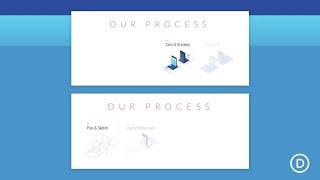
How to Progressively Flash the Steps to a Process with Divi’s Scroll Effects
Added 34 Views / 0 LikesCompanies often educate their visitors about their services by offering a helpful illustration of the steps to their process. For example, a web design agency may show their process of web development, or a bakery may feature their steps for creating the perfect cupcake. With Divi, we can take the “steps to a process” to a whole different level using the built-in scroll effects. In this tutorial, we’ll show you a simple way to progressively flash the
-
05:14 Popular
How to Properly Add Google AdSense to Your WordPress Site
Added 161 Views / 0 LikesLooking to monetize your site with the powerful tool Google AdSense? Getting started with Google AdSense can feel a bit overwhelming for new users. We've helped hundreds of users get started and properly add Google AdSense to their WordPress sites. Google Adsense is an advertising network run by Google to help bloggers and site owners have the opportunity to earn money by showing text, images, video, and other advertising on their website targeted to
-
03:24

How to Properly Add Google AdSense to Your WordPress Site
Added 44 Views / 0 LikesDo you want to add Google AdSense to your WordPress website? Google AdSense is one of the easiest ways to start making money online with your website. It allows you to automatically sell your website’s ad space to advertisers and get paid. In this video, we will show you how to add Google AdSense in WordPress, along with some best practices and tips to increase your earnings. 0:00 What you need to use Google AdSense 0:33 Getting your AdSense Code 1:26
-
02:13 Popular

How to Properly Add Your Business Address in WordPress
Added 122 Views / 0 LikesDo you want to display your business address on your WordPress site? You could just type it in to a text widget but there is a more optimized way for SEO. In this video, we will show you how to properly add your business address in WordPress with a map and other useful information. Text version of this tutorial: http://www.wpbeginner.com/plugins/how-to-properly-add-your-business-address-in-wordpress/ If you liked this video, then please Like and consi
-
01:13 Popular
How to Properly Ask for WordPress Support and Get It
Added 153 Views / 0 LikesSometimes asking for assistance can be confusing or frustrating when dealing with WordPress. We understand the frustration of learning but there are some ways to make asking questions easier. In this video, we will show you how to properly ask for WordPress support and get it. If you liked this video, then please Like and consider subscribing to our channel for more WordPress videos. Text version of this tutorial: http://www.wpbeginner.com/beginners-g
-
05:11

How to Properly Disable Lazy Load in WordPress (Step by Step)
Added 87 Views / 0 LikesDo you want to disable lazy loading in WordPress? By default, WordPress comes with a lazy load feature, which delays downloads for images and other media to improve page load speed. However, for some websites, it may affect user experience by not displaying images and media right away. In this video, we’ll show you how to easily disable lazy load in WordPress both using a code method as well as a plugin method. 0:00 Intro and how to find if you have l
-
17:18 Popular

How to Properly Install and Setup WP Rocket in WordPress
Added 110 Views / 0 LikesAre you working on setting up WP Rocket for your WordPress site? WP Rocket is one of the best WordPress caching plugin on the market because it offers the most comprehensive set of tools to help speed up your site. In this video, we will show you how to easily install and setup WP Rocket on your WordPress website. This video is sponsored by MonsterInsights, a powerful plugin to help you use your analytics information to the fullest, take a look at Mon
-
13:28 Popular
How to Properly Move from Medium to WordPress (2019)
Added 159 Views / 0 LikesTrying to move from Medium to WordPress? There previously was not a working method without going through WordPress.com but we have created a tool to help with this. We've created this helpful tool to guide you through the steps involved in moving your content from Medium to WordPress. WPBeginner's BlueHost deal: https://www.wpbeginner.com/refer/bluehost Start by signing up for hosting on BlueHost if you wanted to follow along with the method in this a
-
14:14 Popular
How to Properly Move from Weebly to WordPress (Step by Step)
Added 150 Views / 0 LikesSwitching from Weebly to WordPress? Want to properly move your Weebly content to WordPress? We created an easy tool that will help you migrate from Weebly to WordPress. The best part is that you can do it yourself without hiring any developer or having any coding knowledge. Most users that start their site on Weebly do it because it was recommended from a friend or they saw a commercial. As you get more versed in blogging, you learn about the limitati
-
12:41
How to Properly Move WordPress from HTTP to HTTPS (Beginner’s Guide)
Added 67 Views / 0 LikesIf you have a website still running on HTTP you need to migrate it to HTTPS as most web browsers mark a site still running on HTTP as not secure and that can have a negative effect on your website traffic. In this video we break down the process of migrating from HTTP to HTTPS and offer two methods that you can use to make the move as smooth as possible. 🔗 Link to article with step-by-step instructions and the code for the second method https://www.wp
-
02:38 Popular

How to Properly Move Your Blog from WordPress.com to WordPress.org
Added 130 Views / 0 LikesWordPress.com is a great place to start your WordPress website. After a while however you may want to use a custom theme or install some plugins. In this video, we will show you how to properly move your blog form WordPress.com to WordPress.org. If you liked this video, then please Like and consider subscribing to our channel for more WordPress videos. Text version of this tutorial: http://www.wpbeginner.com/wp-tutorials/how-to-properly-move-your-blog
-
00:53 Popular

How to Properly Rename Categories in WordPress
Added 152 Views / 0 LikesHaving a good structure for your site makes it easy for readers to find your content. This is why WordPress differs categories and tags. In this video, we will show you how to properly rename categories in WordPress. If you liked this video, then please Like and consider subscribing to our channel for more WordPress videos. Text version of this tutorial: http://www.wpbeginner.com/beginners-guide/how-to-properly-rename-categories-in-wordpress/ Follow u
-
01:47
How to Properly Rename Categories in WordPress Beginner’s Guide
Added 80 Views / 0 LikesDo you want to rename categories on your WordPress site? As you grow your site, you might need to reorganize some of your categories. In this video, we'll show how to rename categories in WordPress. ---Links--- ►Written Tutorial - How to Properly Rename Categories in WordPress (Beginner’s Guide)https://www.wpbeginner.com/beginners-guide/how-to-properly-rename-categories-in-wordpress/ ►Insert Headers and Footers How to Easily Add Custom Code in WordPre
-
05:49 Popular
How to Properly Setup Google AMP on Your WordPress Site
Added 157 Views / 0 LikesAre you wanting to set up Google AMP for your WordPress website? AMP will make your website load faster on mobile devices. In this video, we will show you how to set up Google AMP in WordPress. Text version of this tutorial: http://www.wpbeginner.com/wp-tutorials/how-to-properly-setup-google-amp-on-your-wordpress-site/ If you liked this video, then please Like and consider subscribing to our channel for more WordPress videos. Check us out on Facebook:
-
04:03

How to Properly Setup Video SEO in WordPress (Step by Step)
Added 95 Views / 0 LikesDo you want to learn how to do video SEO in WordPress? Video SEO is the process of optimizing your videos to rank higher in search engines. This can help you get more traffic from your video content back to your WordPress website. In this video, we’ll show you how you can set up a video sitemap in WordPress to improve your video SEO, step by step. 0:00 Intro 1:04 Downloading and setting up All in One SEO 2:19 All in One SEO Setup Wizard 3:29 Video Sit
-
01:48 Popular

How to Properly Switch WordPress Themes on Your Site
Added 134 Views / 0 LikesIf you are preparing to change your WordPress theme it can be a very easy process. There a just a few things you should keep in mind during this change process. In this video, we will show you how to properly switch WordPress themes. If you liked this video, then please Like and consider subscribing to our channel for more WordPress videos. Text version of this tutorial: http://www.wpbeginner.com/beginners-guide/how-to-properly-switch-wordpress-themes
-
01:22 Popular
How to Properly Update Live Published Posts in WordPress
Added 124 Views / 0 LikesHave you had to make significant edits to an already published WordPress post? Maybe if you need to rewrite an old article or updating its screenshots because they are outdated. In this video we will show you how to properly update live published posts in WordPress. Text version of this tutorial: http://www.wpbeginner.com/plugins/how-to-properly-update-live-published-posts-in-wordpress/ If you liked this video, then please Like and consider subscribin
-
14:50
How to Properly Use Focus Keyphrase in WordPress
Added 70 Views / 0 LikesIf you're looking for ways to optimize your WordPress site's SEO, you're in the right place. Specifically, you may be wondering about the use of focus keyphrases and how they can improve your content's performance. So, what is a focus keyphrase? Essentially, it's the main topic or keyword for your content, representing the information that users might search for on a search engine. In this video, we'll guide you through the process of using focus keyp
-
01:07 Popular

How to Properly Use the More Tag in WordPress
Added 116 Views / 0 LikesDo you want to show a summary of your article on your home page with a read more link? WordPress comes with two methods that allow you to do that. In this video, we will show you how to properly use the more tag in WordPress. If you liked this video, then please Like and consider subscribing to our channel for more WordPress videos. Text version of this tutorial: http://www.wpbeginner.com/beginners-guide/how-to-properly-use-the-more-tag-in-wordpress/
-
01:01 Popular

How to Put a Stop to WordPress Trackback Spam
Added 458 Views / 0 LikesIs your site dealing with trackback spam? Trackbacks can become a serious problem for many site owners. In this video, we will show you how to put a stop to WordPress trackback spam. If you liked this video, then please Like and consider subscribing to our channel for more WordPress videos. Text version of this tutorial: http://www.wpbeginner.com/wp-tutorials/how-to-put-a-stop-to-wordpress-trackback-spam/ Check us out on Facebook: https://www.facebook
Featured









