Wordpress
-
03:25

5 Best Email Marketing Services for Your Blog, Business, or Organization
Added 58 Views / 0 LikesIn today's video, we'll check out the 5 best email marketing services for your blog, business, or organization. Blog post: https://www.elegantthemes.com/blog/marketing/best-email-marketing-services ➡️ Learn more about Divi: https://www.elegantthemes.com/gallery/divi 🔵 Like us on Facebook: https://www.facebook.com/elegantthemes/ #EmailMarketing #Marketing #ElegantThemes
-
51:54

How to Build a Dynamically Positioned Popover with Popper.js and Divi
Added 34 Views / 0 LikesGo to the blog post: https://www.elegantthemes.com/blog/divi-resources/how-to-build-a-dynamically-positioned-popover-with-popper-js-and-divi The popper.js library is a powerful positioning engine for tooltips and popovers. Today, we are going to harness the power of Popper.js in Divi to create a dynamically positioned popover when clicking a button. This will allow anyone to create a popover using Divi elements to display any content they want when cl
-
03:55

Get a FREE Crowdfunding Layout Pack for Divi
Added 67 Views / 0 LikesVisit Blog Post: https://www.elegantthemes.com/blog/divi-resources/get-a-free-crowdfunding-layout-pack-for-divi Hey Divi Nation! Thanks for joining us for the next installment of our weekly Divi Design Initiative; where each week, we give away a brand new, free Divi Layout Pack from our design team to you. For this week, our design team has created a brand new Crowdfunding Layout Pack. The Crowdfunding Layout Pack is loaded with page layouts strategic
-
10:20

Create a Floating Contact Section with Divi Scroll Motion Effects
Added 65 Views / 0 LikesEvery website needs a contact section, but that doesn’t mean you need to go for a standard design. With Divi’s scroll effects, you can create a floating contact section that will stand out. Improve your user interaction with a vertical scrolling contact section layout that will invite visitors to engage with your contact form. In this post, we’ll show you how to create a full width floating contact section that you can add to any page. You could even
-
10:04

Download a FREE Blog Post Template for Divi’s Copywriter Layout Pack
Added 59 Views / 0 LikesThanks for joining us for the next installment of our weekly Divi Design Initiative where each week, we give away brand new freebies. This time around we’re building upon the Copywriter Layout Pack with a brand new blog post template that matches the rest of pack perfectly. Hope you enjoy it! Read more: https://www.elegantthemes.com/blog/divi-resources/download-a-free-blog-post-template-for-divis-copywriter-layout-pack
-
12:28

Download a FREE Header and Footer Template for Divi’s Holistic Healer Layout Pack
Added 56 Views / 0 LikesThanks for joining us for the next installment of our weekly Divi Design Initiative where each week, we give away brand new freebies. Recently, we shared a brand new Holistic Healer Layout Pack. To help you get your website up and running as soon as possible, we’re sharing a global header & footer template that matches this layout pack perfectly as well! Hope you enjoy it. Read more: https://www.elegantthemes.com/blog/divi-resources/download-a-free-he
-
09:45
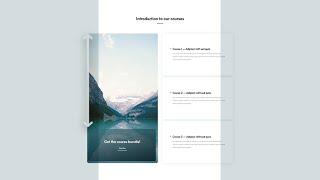
How to Reveal a Column CTA in a Sticky State with Divi
Added 42 Views / 0 LikesAt a certain point when you’re creating a page design, you might run into a list of services, courses, or something similar that you want to share in an interactive way. The design you’re using for your list content plays a very important role in how your visitors digest the content. And with most lists, you’re also going to want to include a call to action that connects the dots. If you’re looking for a creative way to do that, you’ll love this tutor
-
02:25

How to Automatically Publish from WordPress to Instagram
Added 58 Views / 0 LikesIn today's video, we'll learn how to automatically publish from WordPress to Instagram. Blog post: https://www.elegantthemes.com/blog/wordpress/automatically-publish-from-wordpress-to-instagram ➡️ Learn more about Divi: https://www.elegantthemes.com/gallery/divi 🔵 Like us on Facebook: https://www.facebook.com/elegantthemes/ #Instagram #WordPress #ElegantThemes
-
03:51

7 Tech Trends in 2021 That Web Designers Need to Understand (And Why)
Added 45 Views / 0 LikesIn today's video, we'll check out 7 tech trends in 2021 that web designers need to understand. Blog post: https://www.elegantthemes.com/blog/design/tech-trends-web-designers-need-to-understand-and-why ➡️ Learn more about Divi: https://www.elegantthemes.com/gallery/divi 🔵 Like us on Facebook: https://www.facebook.com/elegantthemes/ #TechTrends #Design #ElegantThemes
-
03:39

Social Media Trends You Need to Understand in 2021
Added 69 Views / 0 LikesIn today's video, we'll learn about social media trends you need to understand in 2021. Blog post: https://www.elegantthemes.com/blog/marketing/social-media-trends ➡️ Learn more about Divi: https://www.elegantthemes.com/gallery/divi 🔵 Like us on Facebook: https://www.facebook.com/elegantthemes/ #SocialMedia #Marketing #ElegantThemes
-
07:26

5 Best WordPress Membership Plugins Compared – 2021
Added 71 Views / 0 LikesAre you wanting to build a membership site in WordPress? Want to know which is the best WordPress membership plugin? Come join us as Christina and Syed go over our top recommended membership plugins for WordPress from our top recommended to strong alternatives. Each site has its own needs and for those looking for a way to sell e-learning, lessons, or member-specific products and these tools can help you. Below you can find our recommended affiliate/r
-
10:12

How to Build An Amazon Affiliate Store Using WordPress
Added 45 Views / 0 LikesAre you looking to create an Amazon affiliate store with WordPress? An Amazon affiliate store allows you to sell products from Amazon.com as an affiliate and earn a commission on each sale. This allows you to focus on writing your content and driving traffic to your site. In this article, we'll show you how to build an amazon affiliate store using WordPress. This video is sponsored by MonsterInsights, a powerful plugin to help you use your analytics i
-
15:38
How to Setup All in One SEO for WordPress Correctly Ultimate Guide
Added 68 Views / 0 LikesDo you want to install and set up All in One SEO for WordPress? All in One SEO (AIOSEO) for WordPress is the best WordPress SEO plugin that allows you to easily optimize your WordPress website for search engines and social media platforms. In this guide, we'll show you how to properly install and set up All in One SEO for WordPress to improve your SEO rankings. For our discount for both AIOSEO and MonsterInsights, use our code: WPBVIP For this tutoria
-
04:13
![How to Add Featured Images in WordPress [Updated Guide!]](https://video.bestwebhosting.co/uploads/thumbs/0fe6222b8-1.jpg)
How to Add Featured Images in WordPress [Updated Guide!]
Added 58 Views / 0 LikesFeatured images, also known as post thumbnails are a great tool for WordPress posts to have a wonderful display. These featured images are the primary image for a blog post that appears next to the heading on your homepage and social media. In this video, we'll show you how to easily add featured images or post thumbnails in WordPress. ================================= https://www.seedprod.com/ ================================= For our discount use th
-
08:36

7 Best WordPress SEO Plugins and Tools That You Should Use
Added 49 Views / 0 LikesWe're often asked what the best SEO tools and plugins are that we would recommend for WordPress. This is because search engines are a major source of traffic for most websites on the internet and optimizing your content for your visitors as well as search engines can greatly grow your business. In this video, we will share the best WordPress SEO plugins and tools that you should use. For this guide, our first recommendation is All in One SEO for WordP
-
05:18

What’s Coming in WordPress 5 7 Features and Screenshots
Added 68 Views / 0 LikesWordPress 5.7 is planned to launch on March 9th, 2021, and will be the first major release of the year. This new release comes with some major new features and improvements. Come watch our video where we share what's coming in WordPress 5.7. This video brought to you by SeedProd, the best WordPress landing and page builder plugin available, take a look at their site here: ================================= https://www.seedprod.com/ ====================
-
38:59
![WordPress Tutorial [UPDATED] - How to Make a WordPress Website for Beginners](https://video.bestwebhosting.co/uploads/thumbs/5ad610da3-1.jpg)
WordPress Tutorial [UPDATED] - How to Make a WordPress Website for Beginners
Added 61 Views / 0 LikesUPDATED TUTORIAL: With this WordPress tutorial, you'll learn how to make a website in this step-by-step WordPress Tutorial! Then you can create your blog, business website, ecommerce store, or non profit website. Starting a site can appear very daunting especially when you're new or not comfortable with technology. We've helped many different beginners get their own sites up and running. In this video, we'll show you how to create a website using Word
-
13:20

How to Create a Free Business Email Address in 5 Minutes (Step by Step)
Added 82 Views / 0 LikesDo you want to create a professional email address for free? A business email address uses your company name instead of a generic Gmail or yahoo account. In this video, we'll show you how to easily create a free business email address in less than 5 minutes and give a second paid method should the first be unavailable. This video brought to you by WPForms, the most beginner friendly WordPress form plugin, take a look at their site here: ==============
-
11:39

How To Create An Exit Intent Popup With Elementor Pro - Exit Intent Popup For WordPress
Added 70 Views / 0 LikesIn this tutorial you will learn how to create an exit intent popup with Elementor. With Elementor's tools it couldn't be easier to create great-looking, high converting popups. If you want more great Elementor tutorials then check out this playlist: https://www.youtube.com/watch?v=50Z37RmGBcA&list=PLlgSvQqMfii62eB0bpGM8InwqKTp5ZCdy //* Get Elementor Pro (aff): https://wplearninglab.com/go/elementor057 Always backup your site just in case (or use a sta
-
11:57

Should You Double Optimize Images For Wordpress?
Added 78 Views / 0 LikesIf your website gets a lot of traffic, then double optimization of your images may be worthwhile because the bandwidth savings can really add up. In this tutorials you'll find out if you should double optimize images for WordPress and how to do it. Check out the complete Speed Up WP playlist here: https://www.youtube.com/watch?v=fiSZEsMSrXA&list=PLlgSvQqMfii7LlUAIOcUSNmbgkjVrmI0_ //* Get Shortpixel here (aff): https://wplearninglab.com/go/shortpixel00
-
09:53
How To Optimize Images For Website Without Losing Quality With Free Online Tools - No Plugins
Added 72 Views / 0 LikesThe pictures from our phones, cameras and stock photo sites are often REALLY quality and have a REALLy large file size. Luckily, learning how to optimize images for website without losing quality is pretty easy and we can do it without plugins. This is part of my plugin killer series: https://www.youtube.com/watch?v=GfjKs1fCBpI&list=PLlgSvQqMfii6UMwp3yEApzhJyug30ZfOM //* Image compression site: https://compressjpeg.com/ Image aspect ratio calculator:
-
12:25

Elementor Pro 3.2 Update
Added 45 Views / 0 LikesThere are three big features in Elementor Pro 3.2. I show you all of them in this quick video so you can apply them to your projects right away. //* Get Elementor Pro here (aff): https://wplearninglab.com/go/elementor056 Always backup your site just in case (or use a staging site), here's how: https://www.youtube.com/watch?v=D1aYbayFpfU&list=PLlgSvQqMfii4l2cVV1TZ7j_kHs_2qmf4b Join our private Facebook group today! https://www.facebook.com/groups/wplea
-
05:12

Remove NitroPack Footer
Added 63 Views / 0 LikesTo remove the NitroPack footer you just need one CSS rule. You'll discover the CSS rule and where to put it on your site in this tutorial. //* Always backup your site just in case (or use a staging site), here's how: https://www.youtube.com/watch?v=D1aYbayFpfU&list=PLlgSvQqMfii4l2cVV1TZ7j_kHs_2qmf4b Join our private Facebook group today! https://www.facebook.com/groups/wplearninglab //* Here are 20+ reasons why I host all my sites with SiteGround: htt
-
06:46

See What Elementor Cloud (Beta) Has To Offer
Added 61 Views / 0 LikesTurns out Elementor Cloud is in Beta testing and it has a sales page. Discover what features Elementor Cloud currently has. Let me know what you think in the comments below. //* Elementor Cloud Beta Sales Page: https://wplearninglab.com/go/elementorcloud001 Elementor Cloud Beta Waiting List Optin: https://wplearninglab.com/go/elementorcloud002 Elementor Blog Post: https://elementor.com/blog/announcing-elementor-cloud-beta/ Always backup your site just
-
08:07

Is Elementor Leaving Wordpress? Or Are They Adding More Product Lines?
Added 52 Views / 0 LikesMy question is, would you leave WordPress to follow Elementor wherever it may go? There seems to be some evidence to suggest that Elementor is creating a SAAS platform, possibly like Wix and SquareSpace. Elementor has not confirmed this publicly, but the stuff I dug up seems to suggest the possibility. //* Always backup your site just in case (or use a staging site), here's how: https://www.youtube.com/watch?v=D1aYbayFpfU&list=PLlgSvQqMfii4l2cVV1TZ7j_
-
11:09

Is NitroPack Cheating? I Put The Allegations To The Test
Added 54 Views / 0 LikesI didn't know about this, but apparently a lot of people think Nitropack is cheating to get support results in Google PageSpeed Insights and other speed tracking tools. I put some of these allegations to the test in the video and if you know of other ways you think Nitropack may be cheating I would love to know so that I can investigate. I don't want to recommend or use something that doesn't work as it should. //* Get NitroPack for free here: https:/
-
13:15
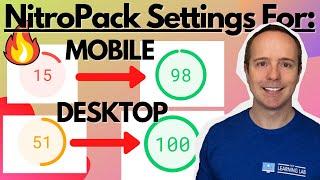
NitroPack Setup & Settings To Go From 15 To 98 On Mobile On Google Pagespeed Insights
Added 70 Views / 0 LikesThe NitroPack setup and settings are pretty straightforward. They have 4 different levels of presets. You pick one of them, save and NitroPack optimizes and caches your site's pages based on the preset you chose. In this tutorial I use the Ludicrous preset and the results are pretty stellar. If something on my site broke when I set NitroPack to Ludicrous I would have tried a lower-tier optimization setting to see if that fixed it, but everything was f
-
08:09

15 To 98 On Mobile On Google PageSpeed Insights - Speed Up Elementor
Added 59 Views / 0 LikesAnd I think we have a winner. The plugin we used to speed up Elementor in this tutorial blew LiteSpeed Cache out of the water and I used the free version of the plugin. In LiteSpeed's defence, I'm not running it on a LiteSpeed server, so it may do even better on a host like A2. But the new plugin we tested in this video scored a 98 on mobile and 100 on desktop, so there isn't much room for improvement. //* Get NitroPack for free here: https://wplearni
-
21:26

42 Free Elementor Widgets From The Move Addons Plugin
Added 71 Views / 0 LikesThese free widgets are top-of-the-line. I especially the image accordion and the advanced tabs widgets. Check out these free Elementor widgets to take your design to the next level. Then check out this playlist: https://www.youtube.com/playlist?list=PLlgSvQqMfii62eB0bpGM8InwqKTp5ZCdy It's all about Elementor tips and tricks to improve your websites. //* Check out Move Addons here: https://moveaddons.com/ Always backup your site just in case (or use a
-
30:11

FC United Theme Tutorial - How to Create Sports Website with #1 Sports Theme On ThemeForest
Added 76 Views / 0 LikesIf you want to create a sports-themed website that is able to track player stats, show match schedules and results, show match locations, keep accurate league standings, have a full-fledged blog AND full WooCommerce integration, then I think this theme may be what you're looking for. //* Check out the FC United Theme here: https://themeforest.net/item/fc-united-football-soccer-wordpress-sports-theme/23390465?ref=themerex&utm_source=WPLearningLab&utm_m









