Wordpress
-
21:08
The Future Of WordPress Is Here In WordPress 6.2 - End Of Page Builders?
Added 66 Views / 0 LikesThis is a pivotal moment for anyone using WordPress. WordPress 6.2 is coming out in one week, and it draws the line in the sand with all the page building tools on the market. And that is because WordPress now offers a complete theme builder along with page builder And it's all very simple to use, especially if you have used WordPress at any point in the last 4 years. But there is one catch, which I will cover in this video along with all the new thin
-
02:59

Wix vs WordPress Which One is Better
Added 65 Views / 0 LikesAre you trying to decide between Wix and WordPress to build your website? WordPress is the most popular CMS in the world but it is not the only option. In this video, we will show you which one is better between Wix and WordPress. If you liked this video, then please Like and consider subscribing to our channel for more WordPress videos. Text version of this tutorial: http://www.wpbeginner.com/opinion/wix-vs-wordpress-which-one-is-better-pros-and-cons
-
03:28
7 After Effects Plugins You Have to See to Believe
Added 65 Views / 0 LikesIn today’s video, we cover 7 After Effects plugins you have to see to believe. Blog post: https://www.elegantthemes.com/blog/design/after-effects-plugins Like us on Facebook: https://www.facebook.com/elegantthemes/ 1. Plexus 3: https://aescripts.com/plexus/ 2. Instagram Filters for Video: http://cineblur.com/downloads/instagram/ 3. Optical Flares: https://www.videocopilot.net/products/opticalflares/ 4. Duik: https://rainboxprod.coop/en/tools/duik/ 5.
-
03:21
How to Install the Divi Builder Plugin
Added 65 Views / 0 LikesHow to Install the Divi Builder Plugin In this video I cover the Divi builder plugin and how to install it if you're just getting started with Elegant Themes Divi. The Divi builder plugin essentially has all of the same power that the Divi theme does. Additionally, the process of setting up each of them is almost identical. Either way I hope that this video helped you setup the Divi plugin in minutes! My Site: https://www.wpwithtom.com/ Best Hosts: Si
-
05:57
Elementor Pro Blockquote Widget
Added 65 Views / 0 LikesElementor Pro Blockquote Widget In this video I go over the Elementor blockquote widget. This is a simple, but solid Elementor widget that allows us to easily transform the look out quotes within our text. I hope this quick Elementor pro blockquote tutorial helped you out. If it did please give the video a like! Get Elementor: https://wpwithtom.com/elementor My Site: https://www.wpwithtom.com/ Best Hosts: SiteGround: https://wpwithtom.com/siteground G
-
03:19

How to Add a Sub Domain on TMDHosting: Install WordPress
Added 65 Views / 0 LikesIn this video I go over how to add a sub domain on TMDHosting. In my honest opinion TMDHosting is the best hosting company around, and I highly recommend them to everyone! Sub domains can be used to create additional websites, practice implementing various features you're curious about and much more. TMDHosting sub domains can be set up in a matter of minutes. http://bit.ly/2ffslmn Use coupon code: wpwithtom7 for a 7% discount! http://wpwithtom.com/ E
-
02:40

WordPress.com or WordPress.org
Added 65 Views / 0 LikesThere is somewhat of a debate over which of the two wordpress sites is the best to use. The two websites in question are WordPress.com or WordPress.org. In my honest opinion there really isn't anything worth debating. In this video I do my best to explain why WordPress.org is a much better option long term than WordPress.com is. I've been making WordPress websites for over 8 years now. I honestly have never made a website utilizing the WordPress.com p
-
03:41
![WordPress.com vs WordPress.org [Series]](https://video.bestwebhosting.co/uploads/thumbs/ff54298a8-1.jpg)
WordPress.com vs WordPress.org [Series]
Added 65 Views / 0 LikesIn this video I cover WordPress.com vs WordPress.org and the key differences that you need to know. This is part 2 of the WordPress dashboard tutorial for beginners series. There is a difference between WordPress.com and WordPress.org. In this video I'll break down the key differences between them. My Website: http://wpwithtom.com/ Best Hosts: SiteGround: https://wpwithtom.com/siteground GreenGeeks: https://wpwithtom.com/greengeeks NameHero: NameHero:
-
03:11
3 Tools You Can Use to Find a Font from an Image
Added 65 Views / 0 LikesIn today's video, we'll check out 3 tools you can use to find a font from an image. Blog post: https://www.elegantthemes.com/blog/design/find-font-from-image •️ Learn more about Divi: https://www.elegantthemes.com/gallery/divi • Like us on Facebook: https://www.facebook.com/elegantthemes/ #Fonts #Design #ElegantThemes
-
06:14
How to Use the WordPress Editor
Added 65 Views / 0 LikesIn today's video, we'll learn how to use the WordPress editor. Blog post: https://www.elegantthemes.com/blog/wordpress/how-to-use-the-wordpress-editor •️ Learn more about Divi: https://www.elegantthemes.com/gallery/divi • Like us on Facebook: https://www.facebook.com/elegantthemes/ #WordPressEdtior #WordPress #ElegantThemes
-
02:34

How to Fix the HTTP 508 Error Codes on your WordPress Website
Added 65 Views / 0 LikesIn today's video, we'll learn how to fix the HTTP 508 error codes on your WordPress website. Blog post: https://www.elegantthemes.com/blog/wordpress/how-to-fix-the-http-508-error-codes •️ Learn more about Divi: https://www.elegantthemes.com/gallery/divi • Like us on Facebook: https://www.facebook.com/elegantthemes/ #508Error #WordPress #ElegantThemes
-
02:52

How to Create a WordPress Author Box (3 Best Plugins)
Added 65 Views / 0 LikesIn today's video, we'll learn how to create a WordPress author box. Blog post: https://www.elegantthemes.com/blog/wordpress/how-to-create-a-wordpress-author-box-3-best-plugins •️ Learn more about Divi: https://www.elegantthemes.com/gallery/divi • Like us on Facebook: https://www.facebook.com/elegantthemes/ #AuthorBox #WordPress #ElegantThemes
-
03:03

How to Post to Instagram from Desktop on PC or Mac
Added 65 Views / 0 LikesIn today’s video, we’ll learn how to post to Instagram from desktop on PC or Mac. Blog post: https://www.elegantthemes.com/blog/marketing/how-to-post-to-instagram-from-desktop-on-pc-or-mac •️ Learn more about Divi: https://www.elegantthemes.com/gallery/divi • Like us on Facebook: https://www.facebook.com/elegantthemes/ #Instagram #Marketing #ElegantThemes
-
33:32
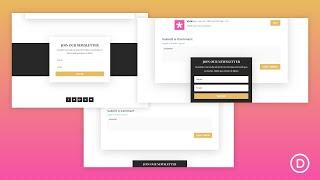
How to Create a Sticky Email Optin in Divi That Draws Attention
Added 65 Views / 0 LikesLearn more: https://www.elegantthemes.com/blog/divi-resources/how-to-create-a-sticky-email-optin-in-divi-that-draws-attention Divi’s sticky position options allow you to make any element on your page sticky. And for you bloggers out there, it makes a lot of sense to add a sticky email opt-in to your post template for a subtly, yet effective, way to keep that important form at the forefront. In this tutorial, we are going to show you how to add a stick
-
03:32
7 Great Instagram Plugins for Sharing Your Feed
Added 65 Views / 0 LikesIn today’s video, we’ll check out 7 great Instagram plugins for sharing your feed. Blog post: https://www.elegantthemes.com/blog/wordpress/instagram-plugins-for-sharing-your-feed •️ Learn more about Divi: https://www.elegantthemes.com/gallery/divi • Like us on Facebook: https://www.facebook.com/elegantthemes/ #Instagram #WordPress #ElegantThemes
-
27:54
Elementor 3.0 - New Feature Walkthrough
Added 65 Views / 0 LikesElementor 3.0 is a major release and according to Ben Pines at Elementor, brings 3 major features. First, Global Settings for colors, fonts, widgets, backgrounds, lightboxes, and more. Second, it introduces a visual theme builder archive. And third, it brings performance enhancements. You'll see what level of performance enhancement GTMetrix things Elementor 3.0 brings compared to Elementor 2.9 and it's not great. //* Check out the Online Business Bun
-
04:09
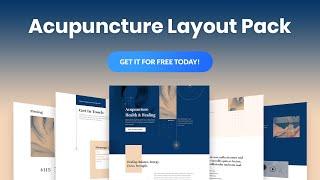
Get a FREE Acupuncture Layout Pack for Divi
Added 65 Views / 0 LikesHey Divi Nation! Thanks for joining us for the next installment of our weekly Divi Design Initiative; where each week, we give away a brand new, free Divi Layout Pack from our design team to you. For this week, Kenny and his team have created a new Acupuncture Layout Pack. This Acupuncture Layout Pack will help you promote all available treatment options, capture new leads, showcase pricing packages, and much more. Plus, each page layout is packed wit
-
02:36

What is an A Record and How is it Different from CNAME and MX?
Added 65 Views / 0 LikesIn today's video, we'll learn about A Records and how to change them. Blog post: https://www.elegantthemes.com/blog/wordpress/what-is-an-a-record-and-how-is-it-different-from-cname-and-mx •️ Learn more about Divi: https://www.elegantthemes.com/gallery/divi • Like us on Facebook: https://www.facebook.com/elegantthemes/ #ARecord #WordPress #ElegantThemes
-
04:26

How to Display Breadcrumb Navigation Links in WordPress
Added 65 Views / 0 LikesDo you want to add breadcrumb navigation links to your WordPress site? Breadcrumb navigation links are getting more popular in search results that can help tell your users and search engines where they are on your website. In this video, we will show you how to display breadcrumb navigation links in WordPress. This video brought to you by WPForms, the most beginner friendly WordPress form plugin, take a look at their site here: =======================
-
03:43
Elements Kit Sale - Awesome Elementor Addons
Added 65 Views / 0 LikesElements Kit Sale - Awesome Elementor Addons Elements Kit Deal: https://www.wpwithtom.com/ek In this quick video I wanted to tell you about the awesome Elements Kit lifetime deal going on! This is an Elementor add on that's jammed packed with powerful widgets and pages that can speed up your design time. Take advantage of my link above and save an additional 10% on your first order! My Site https://www.wpwithtom.com Best Hosts: GreenGeeks: https://wpw
-
03:47
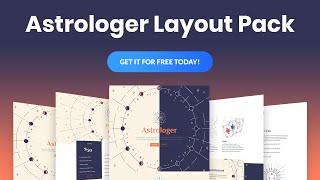
Get a FREE Astrologer Layout Pack for Divi
Added 65 Views / 0 LikesLearn more here: https://www.elegantthemes.com/blog/divi-resources/get-a-free-astrologer-layout-pack-for-divi Hey Divi Nation! Thanks for joining us for the next installment of our weekly Divi Design Initiative; where each week, we give away a brand new, free Divi Layout Pack from our design team to you. For this week, our design team has created a brand new Astrologer Layout Pack. We are confident that the grandiose design of this astrologer layout p
-
04:09
Divi Divider Module - The Basics
Added 65 Views / 0 LikesDivi Divider Module - The Basics In this Divi basics tutorial I cover the Divi Divider module. This is a very simple and straightforward module that can help you to break up sections and do some nice styling as well to match your site. I cover a simple Divi Divider option here. I hope you enjoy it! Be sure to subscribe for more WordPress tutorials! Get Divi: https://wpwithtom.com/divi - 10% off! My Site https://www.wpwithtom.com Best Hosts: GreenGeeks
-
12:51
Margin and Padding Basics in Elementor
Added 65 Views / 0 LikesMargin and padding are used to create space between elements, and directly impact the layout as well as the look and feel of your site. It’s important to know what these 2 properties do and how they affect your design. In this tutorial we'll cover: •︎ The difference between margin and padding •︎ When to use margin or padding •︎ Responsive editing •︎ Z-Index and column alignment •︎ And much more! Link to the "Column Alignment in Elementor" tutorial: ht
-
07:00

Get the Exclusive FREE Cyber Monday Theme Builder Pack #1
Added 65 Views / 0 LikesWant this free gift? Shop our Cyber Monday Deal here: https://www.elegantthemes.com/cybermonday Everyone who purchases a new Elegant Themes Membership or who upgrades their existing Membership will gain access to this free gift in the members area of their new account. Current Lifetime Members can access it right now! Simply go to the new Cyber Monday Perks page in your members area: https://www.elegantthemes.com/members-area/perks/ Intro 0:00 Perks 0
-
26:33

Elegant Themes 2020 Black Friday Deal Overview LIVE
Added 65 Views / 0 LikesWelcome to Elegant Themes’ biggest, craziest Black Friday Sale of all time. Not only are we offering the largest discount we’ve ever offered on Divi, but we’ve got thousands of prizes, bonus deals, and exclusive gifts for new members, upgrading members, and existing lifetime members. Get our 25% Off Black Friday Deal Here: https://www.elegantthemes.com/blackfriday If you’re already a Lifetime Member and want to get straight to the good stuff, go to th
-
06:56
Get the Exclusive FREE Cyber Monday Theme Builder Pack #3
Added 65 Views / 0 LikesWant this free gift? Shop our Cyber Monday Deal here: https://www.elegantthemes.com/cybermonday Everyone who purchases a new Elegant Themes Membership or who upgrades their existing Membership will gain access to this free gift in the members area of their new account. Current Lifetime Members can access it right now! Simply go to the new Cyber Monday Perks page in your members area: https://www.elegantthemes.com/members-area/perks/ Intro 0:00 Perks 0
-
06:50
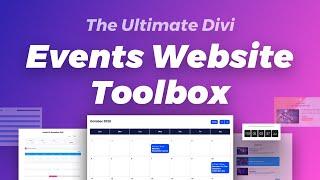
How to Build the Ultimate "Events Website Toolbox" with the Divi Marketplace
Added 65 Views / 0 LikesShop our Cyber Monday Deal here: https://www.elegantthemes.com/cybermonday In this video, we’re sharing a curated list of products that make up what we’re calling our ultimate “Events Website Toolbox”. Check out our accompanying blog post: https://www.elegantthemes.com/blog/general-news/how-to-build-the-ultimate-small-business-website-toolbox-from-the-divi-marketplace Divi Events Calendar: https://www.elegantthemes.com/marketplace/divi-events-calendar
-
04:50
The Elementor Beta (Developer Edition)
Added 65 Views / 0 LikesDeveloper Edition is a separate plugin available from the WordPress Repository, and requires an active installation of the core Elementor plugin (Elementor Pro is not a prerequisite). It gives advanced users and developers the ability to test new features and share feedback with the Elementor development team. This tutorial will cover: •︎ Installing & activating the plugin •︎ Configuring the options •︎ Understanding it’s use •︎ And much more! Don’t fo
-
09:08
9 - Designing Your Posts with Elementor
Added 65 Views / 0 LikesLearn how to design your WordPress posts with Elementor. In this lesson, you will learn how to: • Add categories, featured images, and excerpts to your posts • Edit and design your posts with Elementor • Use the Pro Gallery widget
-
11:10
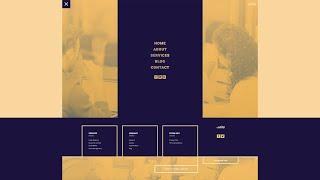
Download a FREE Header and Footer Template for Divi’s PR Firm Layout Pack
Added 65 Views / 0 LikesHey Divi Nation! Thanks for joining us for the next installment of our weekly Divi Design Initiative where each week, we give away brand new freebies. Recently, we shared a brand new PR Firm Layout Pack. To help you get your website up and running as soon as possible, we’re sharing a global header & footer template that matches this layout pack perfectly as well! Hope you enjoy it. Read more: https://www.elegantthemes.com/blog/divi-resources/download-









