Wordpress
-
54:03

How to Create a Sticky Promo Video with a Show/Hide Toggle in Divi
Added 67 Views / 0 LikesGo to the blog post: https://www.elegantthemes.com/blog/divi-resources/how-to-create-a-sticky-promo-video-with-a-show-hide-toggle-in-divi A promo video is a wonderful marketing tool for promoting your products and services to all those visitors who would rather just watch a video than explore your page for information. In this tutorial, we are going to show you how to create a sticky promo video with a show/hide toggle in Divi. The idea is to show the
-
03:37
How to Bulk Convert Classic Blocks to Gutenberg in WordPress
Added 67 Views / 0 LikesSo you have a large number of posts in the old classic editor format that you want to convert to the block editor? If you had many different posts from before WordPress' 5.0 update they are likely using a single classic block to hold your content while you have the option of many different blocks to use. In this video, we will show you how to convert your classic Blocks so you can use the full power of the Block editor. This video brought to you by Se
-
09:24
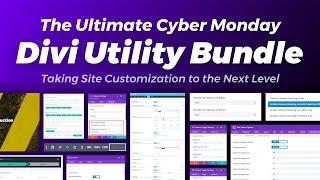
Get the Ultimate "Divi Utility Kit" from the Marketplace
Added 67 Views / 0 LikesShop our Cyber Monday Deal here: https://www.elegantthemes.com/cybermonday In this video we’re going to highlight our Ultimate Divi Cyber Monday Utility Bundle, which contains everything you need in a solid “Divi Utility Kit.” Check out our accompanying blog post: https://www.elegantthemes.com/blog/general-news/get-the-ultimate-divi-utility-kit-from-the-marketplace Divi Utility Kit: https://www.elegantthemes.com/marketplace/bundle/ultimate-divi-cyber-
-
08:43

Divi Person Module - The Basics
Added 67 Views / 0 LikesDivi Person Module Get Divi: https://wpwithtom.com/divi - 20% off! In this video I go over the basics of the Divi Person module. The person module can be a great feature to add for team sections and about pages of your website. I cover how to make basic changes so you can have a decent looking one up quickly. I hope you enjoy the video! My Site https://www.wpwithtom.com Awesome Services on Fiverr: https://www.wpwithtom.com/fiverr Best Hosts: Hostinger
-
25:59
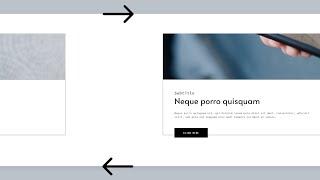
How to Automatically Scroll Horizontally When Scrolling Vertically with Divi & GSAP
Added 67 Views / 0 LikesLearn more: https://www.elegantthemes.com/blog/divi-resources/how-to-automatically-scroll-horizontally-when-scrolling-vertically-with-divi-gsap The more you explore websites on the web, the more you come across some really customized on-page experiences. You might have been wondering how to achieve certain advanced functionality and the answer is often this: by using an animation JavaScript library. A popular animation library nowadays is GSAP. But ju
-
12:12
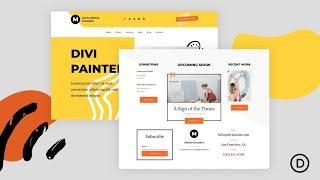
Download a FREE Header and Footer for Divi’s Painter Layout Pack
Added 67 Views / 0 LikesDivi's scroll effects help bring an entirely new dimension to the design you're creating. With every new Divi feature, we also try to share tutorials that'll help you view your web design from a different perspective. In this tutorial, we'll show you how to limit module scroll effects to column containers. This means that whatever kind of scroll effect you add, the module's motion effect won't surpass the column container. This results in a beautiful
-
25:19

Internal Linking In Wordpress Using LinkWhisper
Added 67 Views / 0 LikesProper SEO requires solid internal linking. But that requires you find old articles on your site to link to new ones and you need links in your new articles to your old ones. If you have lots of pages, this becomes very time consuming and difficult. If you have outsources publish your content then you can forget altogether. Until now. The plugin I show you in this video will cut your internal linking time to a fraction of what it used to be. Here‘s th
-
02:59

How to Get Started with Pinterest Advertising
Added 67 Views / 0 LikesIn today's video, we'll learn how to get started with Pinterest Advertising. Blog post: https://www.elegantthemes.com/blog/marketing/pinterest-advertising ➡️ Learn more about Divi: https://www.elegantthemes.com/gallery... 🔵 Like us on Facebook: https://www.facebook.com/elegantthemes/ #Pinterest #Marketing #ElegantThemes
-
17:47

How to Create a Sticky Sidebar for Your Blog Post Template with Divi
Added 67 Views / 0 LikesWhen creating any kind of website, chances are high you’ll want to occasionally blog on that website too. Besides needing a blog page that features all your blog posts in a list form, you’ll want to have a blog post template that you can automatically assign to the new blog posts you create. Designing a blog post template with Divi’s Theme Builder is incredibly easy. And now, with Divi’s new sticky options, you’re able to turn your sidebar sticky righ
-
07:28

What Are WordPress Blocks And Block Patterns? Everything You Need To Know!
Added 67 Views / 0 LikesThe WordPress editor is changing in exciting new ways. Content is now organized in Blocks, and you can make collections call Block Patterns. We'll take a look at how they work and where to find interesting new Patterns. - Interested in learning more about WordPress? Check out https://winningwp.com for all kinds of tips, tricks, beginner guides, deals and resources! - Guide to Choosing the Best WordPress Hosting: https://winningwp.com/best-wordpress-ho
-
26:41
90:SEC Live Show! Episode #6
Added 67 Views / 0 Likes#90:SEC #Elementor 👋🏼 Help us improve by answering this short survey: https://www.research.net/r/3877XXT Join episode #6 of the 90:SEC Live Show! This live event puts YOU in the spotlight. You will ask your questions in the live chat. Make sure they are Elementor “how-to” related. So we can show you how things are done. Our Expert has 90 seconds to solve them. When the time is up, you get to decide whether or not to continue to the next question. So,
-
13:30
Bring a Character to Life in Elementor
Added 67 Views / 0 Likes👋🏼 Help us improve by answering this short survey: http://elemn.to/survey-time In this tutorial we’re going to learn how to bring a character to life by showing you how to create a simple, cutout face rig animation in Elementor, without the use of custom code. The tutorial will cover: ✔︎ Using SVG shapes ✔︎ Mouse Effects ✔︎ 3D Tilt Effects ✔︎ Z-Index ✔︎ And much more! Download our character assets designed by our very own Steven Kiridis: https://elemn
-
13:03
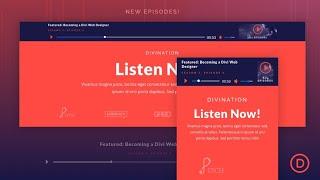
How to Create a Sticky Audio Content Bar in Divi
Added 67 Views / 0 LikesAdding a sticky audio content bar is a great way to feature an audio clip for easy access as a user scrolls through your page content. For example, podcasters can “stick” their featured audio at the top of an episode page so the user can always have access to those audio controls while listening and engaging with the rest of the page content. In this tutorial, we are going to get a bit creative with Divi’s built-in sticky position options to build a s
-
10:18

Download a FREE Blog Post Template for Divi’s Brokerage Firm Layout Pack
Added 67 Views / 0 LikesHey Divi Nation! Thanks for joining us for the next installment of our weekly Divi Design Initiative where each week, we give away brand new freebies. In the past, we shared the beautiful Brokerage Firm Layout Pack. To help you get your website up and running as soon as possible, we’re sharing a blog post template that matches this layout pack perfectly as well! Hope you enjoy it. Read more: https://www.elegantthemes.com/blog/divi-resources/download-a
-
13:17
Divi Creator Showcase: Divi Lover
Added 67 Views / 0 LikesHey Divi Nation! Thank you for joining us for another episode of Divi Creator Showcase, where we interview a Divi Creator from our Marketplace--learning all about their story, products, and ongoing journey as part of the Divi Community. Today I am joined by Divi Creator Ania of Divi Lover. Best known for Divi Toolbox, Divi Lover currently has over 900 sales and a 4 and a half star rating in the Divi Marketplace. Let's learn a bit more about Ania and h
-
12:21
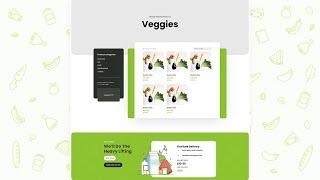
Download a FREE Product Category Page Template for Divi’s Grocery Delivery Layout
Added 67 Views / 0 LikesHey Divi Nation! Thanks for joining us for the next installment of our weekly Divi Design Initiative where each week, we give away brand new freebies. This time around we’re building upon the Grocery Delivery Layout Pack with a brand new product category page template that matches the rest of the layout pack perfectly. Hope you enjoy it! Read more: https://www.elegantthemes.com/blog/divi-resources/download-a-free-product-category-page-template-for-div
-
04:17
A Simple Guide to WordPress Load Testing
Added 67 Views / 0 LikesIn today's video, we'll learn what load testing is and how to stress test our WordPress website. Blog post: https://www.elegantthemes.com/blog/wordpress/wordpress-load-testing ➡️ Learn more about Divi: https://www.elegantthemes.com/gallery/divi 🔵 Like us on Facebook: https://www.facebook.com/elegantthemes/ #SEO #WordPress #ElegantThemes
-
13:50

Elegant Themes 2021 Cyber Monday Deal Overview LIVE
Added 67 Views / 0 Likes📢 Get 25% Off Divi: ➡️ https://www.elegantthemes.com/cybermonday 🎉 Welcome to Elegant Themes’ biggest, craziest Cyber Monday Sale of all time. Not only are we offering the largest discount we’ve ever offered on Divi, but we’ve got thousands of prizes, bonus deals, and exclusive gifts for new members, upgrading members, and existing lifetime members. 🎁 Download our FREE Cyber Monday pack ➡️ https://www.elegantthemes.com/members-area/perks/ 💬 Check out
-
06:26
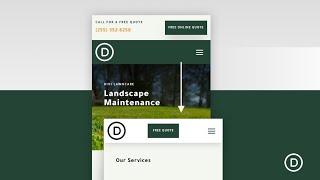
How to Add a Custom Sticky Header for Mobile Using Divi
Added 67 Views / 0 LikesIn this tutorial, we are going to show you how to add a custom sticky header for mobile using Divi. Using Divi’s built-in options (including the sticky position options), we’ll show you how to display a completely custom sticky header that includes those crucial elements (like a logo, a button, and a menu icon) without taking up too much space. Blog post: https://www.elegantthemes.com/blog/divi-resources/how-to-add-a-custom-sticky-header-for-mobile-us
-
03:26
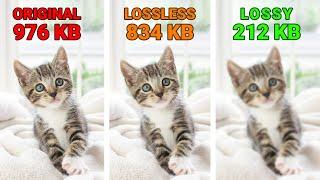
What Is the Difference in Lossy vs Lossless Compression?
Added 67 Views / 0 LikesIn this video, we'll learn about the difference between lossy and lossless compression. Blog post: https://www.elegantthemes.com/blog/wordpress/lossy-vs-lossless-compression ➡️ Learn more about Divi: https://www.elegantthemes.com/gallery/divi/ 🔵 Like us on Facebook: https://www.facebook.com/elegantthemes/ #WordPress #Divi #ElegantThemes
-
13:06

Contact Form With File Upload - WordPress File Upload In Contact Form 7
Added 67 Views / 0 LikesGrab your free 17-Point WordPress Launch Checklist PDF: https://wplearninglab.com/get/wordpress-redirects.php?utm_source=youtube&utm_medium=video&utm_campaign=wp_jumpstart&utm_id=17_point_wp_launch_checklist&utm_term=jRsi2Y4PvCc&utm_content=video_description In this quick tutorial you will learn how to create a contact form with file upload capability in your WordPress site. We're going to do it free with Contact Form 7. Here's a full playlist on CF7
-
14:14

How To Cloak Affiliate Links In WordPress For Free - With A Plugin And Without
Added 67 Views / 0 LikesGrab your free 17-Point WordPress Launch Checklist PDF: https://wplearninglab.com/get/wordpress-redirects.php?utm_source=youtube&utm_medium=video&utm_campaign=wp_jumpstart&utm_id=17_point_wp_launch_checklist&utm_term=Tw0a56uwjRo&utm_content=video_description If you are using WordPress, there's a chance may want to use your skills to generate affiliate sales. If that's the case, you should know how to cloak affiliate links so they look like regular lin
-
17:32

1 Plugin To Organize Wordpress Media Library, Posts, Pages, Plugins, WooCom, Tablepress Into Folders
Added 67 Views / 0 LikesGrab your free 11-Point WordPress Security Checklist PDF: https://wplearninglab.com/get/wordpress-redirects.php?utm_source=youtube&utm_medium=video&utm_campaign=wp_security_lockdown&utm_id=11_point_wp_security_checklist&utm_term=mmAh1He9un4&utm_content=video_description If you're not happy about the way WordPress organizes your content in the backend then this video is for you. Using the plugin I'm going to show you (it has a free and paid version) yo
-
06:42

Is Elementor's Speed Problem Finally Fixed?
Added 67 Views / 0 LikesGrab your free 17-Point WordPress Launch Checklist PDF: https://wplearninglab.com/get/wordpress-redirects.php?utm_source=youtube&utm_medium=video&utm_campaign=wp_jumpstart&utm_id=17_point_wp_launch_checklist&utm_term=FRB5uCdtNqI&utm_content=video_description If you've been using Elementor for any amount of time, you've probably noticed that Elementor sites are pretty slow. I'm hoping with Elementor Cloud we'll see some major speed improvements since i
-
1:09:07

How to create a WordPress website with Elementor Cloud
Added 67 Views / 0 LikesLearn how to build your website or client sites using the latest cutting edge technology in Elementor Cloud. Get Elementor Cloud here (aff): https://wplearninglab.com/go/elementor064 //* Video Chapters 00:00:00 Introduction 00:01:09 How to sign up for Elementor Cloud 00:02:42 Where to find Elementor Cloud in your Elementor account 00:03:31 Start creating your website in Elementor Cloud 00:04:16 Choosing a website kit 00:06:55 Elementor email with sign
-
03:19

How To Use The Elementor "Click To Expand" Accordion Widget
Added 67 Views / 0 LikesIt's important that you know how to use all of the Elementor widgets available to you, so that you build sites quickly and efficiently. The Elementor Skills playlist is designed to help you with that and this video is part of it. Check out the whole playlist here: https://www.youtube.com/watch?v=IkZqYk3mx_g&list=PLlgSvQqMfii5uJiBTKWHtbIr5HIRqAakl //* Grab your free Manuscript - The 5 Email Sequences Every Business MUST Have: https://wplearninglab.com/
-
05:06

5 Best WordPress Popup Plugins in 2023
Added 67 Views / 0 LikesWhether you’re looking to increase newsletter signups, generate more leads, or boost subscribers, adding opt-in and popup forms to your site can help. Plus, thanks to the many WordPress popup plugins available, you have plenty of options to choose from. However, deciding which tool is the right one for you can be time-consuming. Today we will go over the 5 Best WordPress Popup Plugins in 2023! 📣 Read The Full Blog Post: https://www.elegantthemes.com/b
-
12:41
How to Properly Move WordPress from HTTP to HTTPS (Beginner’s Guide)
Added 67 Views / 0 LikesIf you have a website still running on HTTP you need to migrate it to HTTPS as most web browsers mark a site still running on HTTP as not secure and that can have a negative effect on your website traffic. In this video we break down the process of migrating from HTTP to HTTPS and offer two methods that you can use to make the move as smooth as possible. 🔗 Link to article with step-by-step instructions and the code for the second method https://www.wp
-
35:01

5 Ways Tidio Can Make Your More Money This Year - Tidio Tutorial
Added 67 Views / 0 LikesIncrease your sales & offer amazing customer service: https://www.tidio.com/get/wplab/ . Start using Tidio FOR FREE now or get 20% off the premium plan. This special offer will only be applied when purchasing the plan through my link. Click it and start generating more sales right away! Do you want to make more money this year? Look no further than Tidio! This powerful tool is a great way to increase your profits and automate tedious tasks. In this vi
-
03:28
7 After Effects Plugins You Have to See to Believe
Added 66 Views / 0 LikesIn today’s video, we cover 7 After Effects plugins you have to see to believe. Blog post: https://www.elegantthemes.com/blog/design/after-effects-plugins Like us on Facebook: https://www.facebook.com/elegantthemes/ 1. Plexus 3: https://aescripts.com/plexus/ 2. Instagram Filters for Video: http://cineblur.com/downloads/instagram/ 3. Optical Flares: https://www.videocopilot.net/products/opticalflares/ 4. Duik: https://rainboxprod.coop/en/tools/duik/ 5.









