Wordpress
-
02:43 Popular
How to Allow Users to Edit their Comments in WordPress
Added 126 Views / 0 LikesHow many times you have felt the need to edit a comment you just left on a site? Maybe you want to correct a spelling or grammar error, or maybe you just regret saying something silly. Most sites do not allow users to edit their comments because they don't know how to. In this video, we will show you how to allow users to edit their comments in WordPress for a short period of time. If you liked this video, then please Like it and consider subscribing
-
00:34 Popular

Chris Ducker pimping out WPBeginner
Added 126 Views / 0 LikesChris Ducker is wearing WPBeginner T-Shirt "Baby Food for Your Blog" at BlogWorld Expo. Thanks Chris.
-
07:42 Popular
How to Add Post Thumbnails in WordPress
Added 126 Views / 0 LikesIn this video, we will show you how you can utilize the new feature added in WordPress 2.9 to add post thumbnails easier than before.
-
01:11 Popular

How to Add Resizeable Text for Site Visitors in WordPress
Added 126 Views / 0 LikesNot all of your users will be able to comfortably read your text on your site. Some sites have a tool to increase or decrease the size of the text. In this video, we will show you how to add realizable text for site visitors in WordPress. If you liked this video, then please Like and consider subscribing to our channel for more WordPress videos. Text version of this tutorial: http://www.wpbeginner.com/plugins/how-to-add-resizeable-text-for-site-visito
-
00:54 Popular

How to Limit the Number of Posts in WordPress RSS Feed
Added 126 Views / 0 LikesFor some sites you would want to limit the number of posts in the RSS feed of their site. Sometimes it will cause those reading your feed to be more likely to visit your site. In this video, we will show you how to limit the number of posts displayed in your RSS feed. If you liked this video, then please Like and consider subscribing to our channel for more WordPress videos. Text version of this tutorial: http://www.wpbeginner.com/wp-tutorials/how-to-
-
00:53 Popular

How to Crop, Rotate, Scale, and Flip Images in WordPress
Added 126 Views / 0 LikesWordPress has the power to edit your images in the back end to some extent. This is a limited editor for if you needed to edit on the go or if you have limited access to editing tools. In this video, we will show you how to crop, rotate, scale, and flip images in WordPress. If you liked this video, then please Like and consider subscribing to our channel for more WordPress videos. Text version of this tutorial: http://www.wpbeginner.com/beginners-guid
-
01:37 Popular

How to Fix WordPress Not Sending Email Issue
Added 126 Views / 0 LikesSometimes your WordPress will not send emails when you want it to. Mainly for emails from Gravity Forms or another plugin that should be sent but appear to be not. In this video, we will show you how to fix WordPress not sending email issue. If you liked this video, then please Like and consider subscribing to our channel for more WordPress videos. Text version of this tutorial: http://www.wpbeginner.com/wp-tutorials/how-to-fix-wordpress-not-sending-e
-
01:38 Popular

How to Add a PayPal Donate Button in WordPress
Added 126 Views / 0 LikesAre you looking to add a donate button to your WordPress site? PayPal makes it easy to accept donations on your Website. In this video, we will show you how to add a Paypal donate button in WordPress. If you liked this video, then please Like and consider subscribing to our channel for more WordPress videos. Text version of this tutorial: http://www.wpbeginner.com/beginners-guide/how-to-add-a-paypal-donate-button-in-wordpress/ Check us out on Facebook
-
01:03 Popular

How to Hide a Post From Home Page in WordPress
Added 126 Views / 0 LikesHave you wanted to hide a post from your home page? While you can make a post password protected or private you may want to simply hide the post. In this video, we will show you how to hide a post from the home page in WordPress. If you liked this video, then please Like and consider subscribing to our channel for more WordPress videos. Text version of this tutorial: http://www.wpbeginner.com/plugins/how-to-hide-a-post-from-home-page-in-wordpress/ Che
-
02:07 Popular
How to Create a Mobile Ready Responsive WordPress Menu
Added 126 Views / 0 LikesDo you want a mobile friendly menu for your WordPress site? Mobile users are getting more popular as time goes on and a mobile responsive menu makes it easier to navigate your site. In this video, we will show you how to easily create a mobile-ready responsive menu. Text version of this tutorial: http://www.wpbeginner.com/wp-themes/how-to-create-a-mobile-ready-responsive-wordpress-menu/ If you liked this video, then please Like and consider subscribin
-
07:41 Popular

How to Add Front End Login Page and Widgets in WordPress
Added 126 Views / 0 LikesDo you want to add a front-end login feature to your WordPress site? Sending users to the login page will normally redirect them to the WordPress admin area which is not always ideal. In this video, we will show you how to add a front-end login page in WordPress. Text version of this tutorial: http://www.wpbeginner.com/plugins/how-to-add-front-end-login-page-and-widgets-in-wordpress/ If you liked this video, then please Like and consider subscribing t
-
06:32 Popular

How to Fix the 403 Forbidden Error in WordPress
Added 126 Views / 0 LikesThe 403 Forbidden error is one of the more annoying errors that can crop up on a WordPress site. The 403 Forbidden error is shown when your server permissions are not allowing you to visit a specific page. This can seem like a daunting error to fix but we're here to show you some of the ways you can fix the 403 forbidden error in WordPress. Of the posibilities that could cause this would be one of your plugins causing this error. To fix this we will u
-
03:37 Popular
Change Your WordPress Password: 3 Easy Methods You Can Use
Added 126 Views / 0 LikesLearn how to change your WordPress password in this video. We'll use 3 methods so you can reset your password in WordPress quickly. Method one is in the WordPress profile area. Method two is the "forgot your password" method. Method three is more advanced and uses phpMyAdmin area to reset your WordPress password. For the first method we will go to the WordPress admin area and under Users, Your Profile we will click the generate password button. This w
-
16:23 Popular

How to Create Free Business Email & Use it with Gmail
Added 126 Views / 0 LikesGet your Domain here: https://websitelearners.com/get/domain Watch our UPDATED tutorial here • https://youtu.be/zElSfosZ48o How to create a website (compatible with business email): https://youtu.be/YWA-xbsJrVg This video shows you the simplest way to create a business email (using just your domain) and set it up with Gmail. Timestamp: 00:00 - Create a business email address on your domain 10:43 - Create multiple business email addresses on your domai
-
02:31 Popular
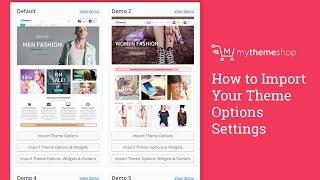
How to Import Your Theme Options Settings HD
Added 126 Views / 0 LikesImport theme options settings from demo themes of MyThemeShop to your WordPress site. Use the above tutorial to import the theme options settings to make your website look similar to one of the demo themes of MyThemeShop. Useful WordPress Themes Links: Premium WordPress Themes - https://mythemeshop.com/themes/ Free WordPress Themes - https://mythemeshop.com/theme-category/free-wordpress-themes/ Useful WordPress Plugins Links: Premium WordPress Plugins
-
03:22 Popular

Cookie Policy For WordPress Websites: How To Implement And Why
Added 126 Views / 0 LikesCookie Consent Implementation in WordPress explained in details here: http://bit.ly/2nXFqR5 Cookie consents provide your visitors and clients with the opportunity to protect their privacy, by either opting in or out of storing them. By offering a cookie consent, you’re not only keeping on the right side of the law, you’re also showing the visitor you care about their privacy. The Cookie Notice by dFactory plugin offers an easy way to implement cookie
-
06:01 Popular
WordPress Live Chat Plugins: Get Personal With Your Visitors
Added 126 Views / 0 LikesIf you want to crank the personal touch up a notch, nothing beats live chat. Get the best WordPress plugins: http://bit.ly/2n2uX6q Live chat empowers you to provide exceptional customer service by resolving customer problems instantly. It can drive more conversions, too, as you can respond to sales queries in real-time, eliminate buyer friction, and provide a reassuring human presence until customers are ready to pull out their wallets. Most bloggers
-
10:26 Popular

Get More Visits From Social Media With Revive Old Posts Plugin
Added 126 Views / 0 LikesGrow your Social Media presence and keep your content alive by sharing content on your social media accounts, all on autopilot. Revive Old Post works with the most popular URL shortening services and integrates with Google Analytics Campaign Tracking. This allows you to see how popular your posts are and monitor the exact traffic you're getting. Especially handy for custom websites using other content types apart from the default ones, Revive Old Post
-
04:34 Popular
WordPress Quiz: How To Create Quizzes For Free
Added 126 Views / 0 LikesWant to create a WordPress quiz for your readers? Quizzes can help you do everything from catching some of BuzzFeed’s viral magic to learning more about the demographics of your readers. So whether you use them for fun or business, they’re a powerful weapon in your WordPress arsenal. In this video, I’m going to give you a detailed tutorial on how you can create a WordPress quiz using a free plugin called Quiz Cat. Quiz Cat is a free plugin with a prem
-
05:29 Popular
WampServer Tutorial: WordPress Testing Environment (Windows)
Added 126 Views / 0 LikesSetting up a local WordPress testing site for Windows can save you a few headaches. In this WampServer tutorial you will see how a WordPress testing environment can be created step by step so you can test themes, plugins and other things without hurting a live website. Then you can move everything from the staging platform to the live website. Setting up a local WordPress testing site for Windows may sound complicated, but it can save you a lot of tim
-
11:11 Popular

10+ Magazine WordPress Themes: Best FREE Magazine Themes
Added 126 Views / 0 LikesMagazine websites are very popular these days, and you can launch yours all on your own. You just need some top quality free magazine WordPress themes. In order to succeed, an online magazine needs to deliver quality content and adapt to the current social and marketing trends. A good theme will help you make that happen and give you the technical grounds to build your publication’s online presence. •️ Demos + Themes - GET THEM BELOW •️ 0:49 | IsleMag
-
07:38 Popular

How To Create A Landing Page For Facebook Marketing Campaigns
Added 126 Views / 0 LikesCreating a custom landing page for your Facebook marketing campaigns is a must do if you want better results for your advertisement money. More Landing Page Templates: https://youtu.be/x-bsBe-i1Yw Since the Elementor WordPress plugin is on the market I completely forgot about those problems and I actually use it to build unique landing pages on my own. This page, for example, is created with Elementor and I will show you how to do that in the next min
-
03:07 Popular

Content Lockers For WordPress: How To Add Them QUICKLY And FOR FREE
Added 126 Views / 0 LikesTrying to figure out how to add content lockers to WordPress? By that, I mean “locking” your content behind a notification that requires your visitors to complete an action before they view your content. As you’ve probably figured out, WordPress doesn’t include this functionality in its core. But you can get it with plenty of handy plugins. And in this post, I’ll give you some of the best plugins, as well as quick tutorials on how to use them to add c
-
08:08 Popular

WordPress Website Examples and The Actual Theme They're Using
Added 126 Views / 0 LikesThis video contains some well designed WordPress website examples and the actual theme they're using. 1. PlayStation.blog • 0:21 The official PlayStation.blog is where the people who create the PlayStation experience meet gamers and fans directly and this is powered by the self-hosted WordPress platform. Video recommendation - Recreate Apple's Homepage https://youtu.be/H2JweI_Mg-4 2. StarWars.com/news • 1:15 The official Start Wars blog is also powere
-
02:05 Popular
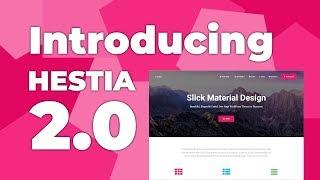
What’s New in Hestia 2.0?
Added 126 Views / 0 LikesIntroducing Hestia 2.0: check all the new features, a remaster of our popular material design WordPress theme. Download Hestia here: http://bit.ly/2NHHmLF Check the demo site templates: - Coffe Shop: https://themeisle.com/demo/?theme=Hestia%20Coffee%20Shop - Vet Center: https://themeisle.com/demo/?theme=Hestia%20Vet%20Center - Travel: https://themeisle.com/demo/?theme=Hestia%20Travel - Energy Panels: https://themeisle.com/demo/?theme=Hestia%20Energy%2
-
52:36 Popular
A Basic Overview Of The Bloom Plugin
Added 126 Views / 0 Likeshttp://www.elegantthemes.com/plugins/bloom/ is the best WordPress Email Opt-In Plugins around! Swing by ElegantThemes.com to download it.