WPBeginner
-
01:19 Popular
How to Restrict WordPress Site Access by IP or Logged In Users
Added 175 Views / 0 LikesWhen you are ready to publish a new product and want to promote it with a website. You may not be ready to make it public so you can test it for errors first. In this video, we will show you how to restrict WordPress site access by IP or logged in users. If you liked this video, then please Like and consider subscribing to our channel for more WordPress videos. Text version of this tutorial: http://www.wpbeginner.com/plugins/how-to-restrict-wordpress-
-
03:26 Popular
How to Add Your WordPress Site to Google Search Console
Added 175 Views / 0 LikesAn important step to optimize your site for search engines is to add your site to Google Search Console which can also be called Google Webmaster Tools. There are many suggestions for tips and tools to increase search traffic on their site, using Google Webmaster tools with these tips can be incredibly helpful. In this video we will show you how to add your WordPress site to Google Search Console. Start by visiting the Google Search Console site: http
-
06:10 Popular
Beginner's Guide to Creating Redirects in WordPress
Added 174 Views / 0 LikesAre you wanting to create a redirect on your WordPress site and not sure how to do so? Redirects send a browser from one location to a new one by telling the user's browser that the page has been moved and it should automatically point them to the new location. There are many types of redirects available but for this, we will be covering 301 or permanent redirect. In this video, we will show you how to create a redirect in WordPress. If you do not kno
-
00:54 Popular

How to Reset Your WordPress Database to Default Settings
Added 172 Views / 0 LikesYou may find yourself needing to reset your WordPress database to it's default settings. If you are using a local install of WordPress this can be a faster way than reinstalling WordPress. In this video, we will show you how to reset your WordPress database to default settings. If you liked this video, then please Like and consider subscribing to our channel for more WordPress videos. Text version of this tutorial: http://www.wpbeginner.com/plugins/ho
-
53:00 Popular
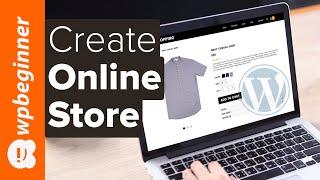
How to Create an eCommerce WordPress Website 2019 Make an Online Store (for Beginners)
Added 172 Views / 0 LikesAre you looking to create your online store with WordPress? In this video, you'll learn how to set up an eCommerce shop on your WordPress website. We'll walk you through it step by step so you can get up and running quickly. This video brought to you by MonsterInsights, take a look at their site here: ================================= http://monsterinsights.com/ ================================= For the discount, use our code: WPBVIP Sections: 0:00:00
-
04:19 Popular
How to Remove the Powered by WordPress Footer Links
Added 169 Views / 0 LikesDo you want to remove the Powered by WordPress link from your site's footer? We've had many questions about removing this from your site as it is normally added in most WordPress themes but what is involved in removing it or if you are allowed to remove it. In this video, we will show you how to remove the powered by WordPress footer links from your site. Many themes use the footer area to display the "Proudly powered by WordPress" link and it is lega
-
01:06 Popular

How to Turn Off Comment Notifications in WordPress
Added 168 Views / 0 LikesHave you received an email from WordPress about a comment notification? While these emails are exciting in the beginning, it can become really annoying if you get a lot of comments. In this video, we will show you how to disable comment notifications in WordPress. If you liked this video, then please Like and consider subscribing to our channel for more WordPress videos. Text version of this tutorial: http://www.wpbeginner.com/beginners-guide/how-to-t
-
05:45 Popular

How to Install a WordPress Plugin for Beginners (Step by Step Guide)
Added 167 Views / 0 LikesDo you want to install a plugin in WordPress? Well there are 3 ways to install a WordPress plugin. In this video, we will show you how to install a plugin in WordPress by using the search feature, upload feature, and through FTP. If you liked this video, then please Like and consider subscribing to our channel for more WordPress videos. Text version of this tutorial: http://www.wpbeginner.com/beginners-guide/step-by-step-guide-to-install-a-wordpress-p
-
01:06 Popular
How to Control Revisions for Post Types in WordPress
Added 167 Views / 0 LikesPost revisions provide you with an easy way to undo changes to posts and revert them to an older draft. Many users feel that too many revisions can slow your site down. In this video, we will show you how to control revisions for post types in WordPress. If you liked this video, then please Like and consider subscribing to our channel for more WordPress videos. Text version of this tutorial: http://www.wpbeginner.com/plugins/how-to-control-revisions-f
-
01:07 Popular

How to Display Recent Tweets in WordPress with Twitter Widgets
Added 166 Views / 0 LikesTwitter is a powerful tool to keep in touch with your audience as well as learn about events going on. Some users may want to add recent tweets to their WordPress sites to show the social media aspect of your site. In this video, we will show you how to display recent tweets in WordPress with Twitter Widgets. If you liked this video, then please Like and consider subscribing to our channel for more WordPress videos. Text version of this tutorial: http
-
04:23 Popular

How to Login to WordPress (6 Easy Ways to Access Your Admin Dashboard)
Added 166 Views / 0 LikesLogging in to WordPress can be confusing for a beginner to understand. It can be difficult for beginners to find exactly where to log in to their site. In this video, we will show you how to find your WordPress login URL. Most sites you can simply add admin or login to the end of your site to take you to the login page. If that does not work add wp-login.php to go to the page. If you have issues with this method you can either add the login to your me
-
02:35 Popular
Checklist 11 Things To Do Before Launching a WordPress Site
Added 165 Views / 0 LikesText version of this tutorial: http://www.wpbeginner.com/beginners-guide/checklist-11-things-to-do-before-launching-a-wordpress-site/ Are you ready to launch your site? We have made a handy checklist of things you should do before launching a WordPress website. In this video, we will show you our checklist of 11 things to do before launching a site. If you liked this video, then please Like and consider subscribing to our channel for more WordPress vi
-
02:21 Popular
How to Let Users Filter Posts and Pages in WordPress
Added 165 Views / 0 LikesDo you want to let users filter posts and pages when visiting your site? Letting your users filter posts by category, tags, post types, etc can help sort through your site. In this video, we will show you how to filter posts and pages in WordPress. Text version of this tutorial: http://www.wpbeginner.com/plugins/how-to-let-users-filter-posts-and-pages-in-wordpress/ If you liked this video, then please Like and consider subscribing to our channel for m
-
13:14 Popular

How to Create a Photo Contest in WordPress Step by Step
Added 165 Views / 0 LikesAre you looking to run a photo contest on your WordPress site? Photo contests require users to submit a photo for a chance to join the contest or giveaway and active participation makes them very engaging for your users. In this video, we'll show you, step by step, how to easily create a photo contest in WordPress. This video brought to you by RafflePress, the best WordPress giveaway plugin available, take a look at their site here: ==================
-
12:23 Popular

How to Install and Setup WordPress SEO Plugin by Yoast
Added 164 Views / 0 LikesAre you looking to set up the SEO by Yoast plugin? We at WPBeginner have helped many beginners get started with their websites and SEO by Yoast is a great way for beginners to get a handle on their site's search engine optimization. In this video we will show you how to set up SEO by Yoast. Text version of this tutorial: http://www.wpbeginner.com/plugins/how-to-install-and-setup-wordpress-seo-plugin-by-yoast/ For this tutorial we will be using the Yoa
-
07:26 Popular
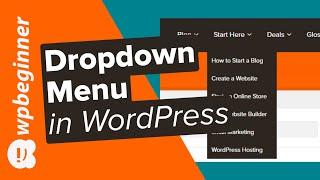
How to Create a Dropdown Menu in WordPress Beginners Guide
Added 164 Views / 0 LikesDo you want to make a dropdown menu and add it to your WordPress website? A dropdown menu shows a list of links as you take your mouse over them on the menu. We use a dropdown on our own site and in this guide, we will show you how to easily create a dropdown menu un WordPress with step by step instructions. We'll start by going under Appearance, Menus and create a new menu or edit the menu where we would like to add the dropdown. We will add the page
-
06:08 Popular
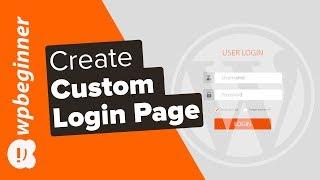
How to Create a Custom Login Page for WordPress
Added 163 Views / 0 LikesDo you want to create a custom login page for your WordPress site? A custom login page lets you customize the page for users to sign up for your site instead of using the default WordPress login page. In this article, we will show you how to create a custom login page for WordPress without writing any code. For the first method in our video, we will be using the Theme My Login plugin found here: https://wordpress.org/plugins/theme-my-login With that i
-
01:21 Popular

How to Add Additional User Profile Fields in WordPress Registration
Added 161 Views / 0 LikesWordPress has a great user management system due to your ability to to extend the functionality. Most sites where you wonder how they have such a great user profile page they are usually adding more user profile fields to collect data. In this video, we will show you how to add additional user profile fields in WordPress registration. If you liked this video, then please Like and consider subscribing to our channel for more WordPress videos. Text vers
-
01:00 Popular
How to Limit Comment Length in WordPress
Added 161 Views / 0 LikesWordPress comments encourage discussions around your topic but there may be a few comments with extreme lengths. These may not be helpful to users reading your article. In this video, we will show you how to how to limit comment length in WordPress. If you liked this video, then please Like and consider subscribing to our channel for more WordPress videos. Text version of this tutorial: http://www.wpbeginner.com/wp-tutorials/how-to-limit-comment-lengt
-
00:50 Popular
How to Add Character Limit to Post Titles in WordPress
Added 161 Views / 0 LikesThe optimal title lenth is normally between 55 and 60 characters. It becomes hard to manage the titles if you ar using a multi-author blog. In this video, we will show you how to add a character limit to post titles in WordPress. If you liked this video, then please Like and consider subscribing to our channel for more WordPress videos. Text version of this tutorial: http://www.wpbeginner.com/plugins/how-to-add-character-limit-to-post-titles-in-wordpr
-
24:46 Popular
How to Make a Small Business WordPress Website in 25 Minutes
Added 161 Views / 0 LikesCreating a website for a small business can be a confusing prospect for someone who is new to WordPress. In this video we will show you how to make a small business website in WordPress. If you liked this video, then please Like and consider subscribing to our channel for more WordPress videos. Check us out on Facebook: https://www.facebook.com/wpbeginner Follow us on Twitter: http://twitter.com/wpbeginner Join our circle on Google+: https://plus.goog
-
01:45 Popular
How to Send Email to All Registered Users in WordPress
Added 161 Views / 0 LikesHave you ever wanted to send a mass email to all registered users on your WordPRess site? If you run a multi-user WordPress site, then sometimes you may need to send notification emails to your users. In this video we will show you how to send emails to all registered users in WordPress. Text version of this tutorial: http://www.wpbeginner.com/plugins/how-to-send-email-to-all-registered-users-in-wordpress/ If you liked this video, then please Like and
-
05:14 Popular
How to Properly Add Google AdSense to Your WordPress Site
Added 161 Views / 0 LikesLooking to monetize your site with the powerful tool Google AdSense? Getting started with Google AdSense can feel a bit overwhelming for new users. We've helped hundreds of users get started and properly add Google AdSense to their WordPress sites. Google Adsense is an advertising network run by Google to help bloggers and site owners have the opportunity to earn money by showing text, images, video, and other advertising on their website targeted to
-
02:49 Popular

How to Create Custom Post Types in WordPress
Added 160 Views / 0 LikesMost users think WordPress is simply used as a blogging platform but, the system has evolved over the past years. By default pages and posts are the main content types however, you can create as many custom content types as you like called Custom Post Types. In this video, we will show you how to create custom post types in WordPress. If you liked this video, then please Like and consider subscribing to our channel for more WordPress videos. Text vers
-
05:48 Popular

How to Create a WordPress Child Theme
Added 160 Views / 0 LikesAre you looking to create a child theme in WordPress? Not sure how to create a WordPress child theme? Child themes make it easy for you to make WordPress customization without losing any changes on theme updates. In this video, we will show you how to create a child theme in WordPress. If you liked this video, then please Like and consider subscribing to our channel for more WordPress videos. Text version of this tutorial: http://www.wpbeginner.com/wp
-
03:54 Popular

How to Manually Update WordPress Plugins via FTP
Added 160 Views / 0 LikesSometimes a plugin update fails or has an issue that will break your website that can only be fixed by updating the plugin. This can be a confusing process for new users but we're here to help walk you through it. In this video we will show you how to manually update WordPress plugins via FTP. Text version of this tutorial http://www.wpbeginner.com/beginners-guide/how-to-manually-update-wordpress-plugins-via-ftp/ If you liked this video, then please L
-
11:50 Popular
How to Pick the Best Blogging Platform in 2019
Added 160 Views / 0 LikesIf you're looking to create a blog but can't figure out which platform is best for you, then you're watching the right video. It's a tough choice with multiple factors depending on your preferences. In this video, we will give you an overview of the different blogging platforms, our preference, and a few extra tips and discounts! Links mentioned in this video: ==BlueHost Discount== https://www.wpbeginner.com/refer/bluehost/ WeeblyToWP http://wptoweebl
-
19:13 Popular

5 Simple Ways to Get More Traffic to Your Website (2019)
Added 160 Views / 0 LikesStarting a site has become easy with platforms like WordPress to help you get started. Once the site is set up, however, the next big challenge you have is to bring more traffic to your blog or website. In this video, we will give you five actionable ways to get more traffic to your website. Links mentioned in this video: Keyword Research https://www.wpbeginner.com/beginners-guide/how-to-do-keyword-research-for-your-wordpress-blog/ Power Words to Use
-
01:17 Popular
How to Send A Custom Welcome Email to New Users in WordPress
Added 159 Views / 0 LikesEvery user that registers on your site will receive an email with their username and password. Sometimes you may want to add special information or a personal message to this email. In this video, we will show you how to send a custom welcome email to new users in WordPress. If you liked this video, then please Like and consider subscribing to our channel for more WordPress videos. Text version of this tutorial: http://www.wpbeginner.com/plugins/how-t
-
13:28 Popular
How to Properly Move from Medium to WordPress (2019)
Added 159 Views / 0 LikesTrying to move from Medium to WordPress? There previously was not a working method without going through WordPress.com but we have created a tool to help with this. We've created this helpful tool to guide you through the steps involved in moving your content from Medium to WordPress. WPBeginner's BlueHost deal: https://www.wpbeginner.com/refer/bluehost Start by signing up for hosting on BlueHost if you wanted to follow along with the method in this a









