WPBeginner
-
02:09
How to Add Dark Mode to Your WordPress Website (The Easy Way)
Added 78 Views / 0 LikesDo you want to add dark mode to your WordPress site? By adding a dark mode to WordPress, your website will adapt automatically based on the visitor’s browser preferences. You can also add a dark mode toggle to your site, so visitors can easily switch between dark and light modes. In this video, we’ll show you how to add dark mode to your WordPress website. 0:00 Droit Dark Mode, installation, and activation 0:27 General settings and appearance 1:43 Set
-
01:28
What’s New in WordPress 4 1
Added 77 Views / 0 LikesWordPress 4.1 was released with a few new improvements and features. Some of these you may want to know about.In this video, we will show you whats new in WordPress 4.1. If you liked this video, then please Like and consider subscribing to our channel for more WordPress videos. Text version of this tutorial: http://www.wpbeginner.com/news/whats-new-in-wordpress-4-1/ Check us out on Facebook: https://www.facebook.com/wpbeginner Follow us on Twitter: ht
-
03:51
Add Recurring Payments, Improve Site Speed, And Connect to Salesforce
Added 77 Views / 0 LikesAre you looking for the most up-to-date WordPress tutorials on how to add recurring payments or maybe you want to know what WPBeginner has been up to in the month of November? In this video, we will be sharing our guides on recurring payments, improving site speed, and connecting your site to Salesforce. This video is sponsored by All in One SEO, a powerful plugin to help you optimize your site for search engines, take a look at All in One SEO here: =
-
04:05

5 Best WordPress Business Directory Plugins
Added 77 Views / 0 LikesAre you looking for the best WordPress business directory plugins? A business directory helps users discover service providers in a particular niche or category. At the same time, it helps those businesses find customers and opportunities. As a website owner, you can even make money online by selling paid listings on your business directory. In this video, we'll talk about some of the best WordPress business directory plugins that can help you save ti
-
08:32

How to Track User Journey on WordPress Lead Forms
Added 77 Views / 0 LikesTracking the journey a user takes through your site before filling out a form give you a great amount of insight in how people use your website and what parts direct them to contact you or make a purchase. That kind of insight into user behaviour can mean big things for your website and business as you can make meaningful decisions on what content to put on your site. In this video we show how to easily collect that tracking data by installing the pow
-
04:23
Drip Content, Ask Questions, And Get Social
Added 76 Views / 0 LikesWant to know the most up to date tutorials for this month from us at WPBeginner? This month we'll focus on drip content, some common WordPress questions, and getting your site connected to social media. In this video, Christina will share some of the WordPress tutorials on WPBeginner. This video is sponsored by MonsterInsights, a powerful plugin to help you use your analytics information to the fullest, take a look at MonsterInsights here: ===========
-
06:25
How to Send Email in WordPress using the Gmail SMTP Server
Added 76 Views / 0 LikesAre you having trouble sending and receiving emails from your WordPress site? One easy way to solve this by sending WordPress emails using the Gmail SMTP server. In this video, we'll show you how to send emails from your WordPress site using the Gmail SMTP server. This video brought to you by WPForms, the most beginner friendly WordPress form plugin, take a look at their site here: ================================= https://wpforms.com/wpbeginner =====
-
09:31

7 Best Email Marketing Services for Small Business 2021
Added 76 Views / 0 LikesEmail marketing is a priority for 2021 but it is difficult to find the best email marketing software for your business. Choosing the right service for you can have a significant impact on the success of your marketing campaign. In this video, Syed and Christina will go over some of the best email marketing services for all businesses. This video brought to you by SeedProd, the best WordPress landing page plugin available, take a look at their site her
-
23:36

How to Create and Sell Online Courses with WordPress Step by Step
Added 76 Views / 0 LikesAre you wanting to create a successful online course with WordPress? Selling online courses is a popular business idea that you can start with a very small investment and technical knowledge. In this video, we will walk you through the steps involved in creating a successful online course in WordPress. To start, if you don't have a hosting provider yet, we would recommend BlueHost. We have our affiliate/referral link below where we will receive a comm
-
09:51

How to Integrate Slack with WordPress (Beginner’s Guide)
Added 76 Views / 0 LikesIntegrating Slack and WordPress opens up a whole new way for you to monitor events that happen on your WordPress site. By using Uncanny Automator to integrate these two fantastic platforms we can now get notifications straight to our desktop or mobile device when a writer updates a blog post on your site or a new lead form is submitted, and even when a new customer purchases something from your online store. In this video we show you how to set up eve
-
03:56

How to EASILY Embed Instagram Feed in Your WordPress Website (Step by Step)
Added 76 Views / 0 LikesAre you looking for an easy way to embed Instagram feeds on your WordPress website? Embedding Instagram on your WordPress site is one of the easiest ways to get more traffic, engagement, and followers. In this video, I'll show you how to easily embed Instagram feeds on your website in under 10 minutes. --Links-- ►Add This One Thing For Higher Click-Through Rates https://youtu.be/vpexf1x7_Hs ►Written Tutorial: How to Easily Embed Instagram in WordPress
-
04:46

The Best Web Design Software for Graphic Designers Video
Added 76 Views / 0 LikesAre you looking for the best web design software to make beautiful websites? Most experienced web designers have their own preferred software for different design tasks. However, if you’re just starting out, then it can take some time to find that perfect combination. In this video, we will show you the best web design software for different use-cases, so you can make the right decision for your need. 0:00 Intro 0:24 Photoshop 1:18 Sketch 1:44 Affinit
-
00:25

Replace the WordPress Logo in the Admin Bar
Added 76 Views / 0 Likes--Top Resources-- ⚡Use Promo Code WPBVIP⚡ ►Best WordPress Contact Form Plugin https://wpforms.com/wpbeginner ►Best WordPress Analytics Plugin https://www.monsterinsights.com/ ►Best Lead Generation Plugin https://optinmonster.com/ ►Best WordPress SEO Plugin https://aioseo.com/ ►Best Theme Builder for WordPress https://www.seedprod.com/ --Related Videos-- ►WordPress Tutorial - How to Make a WordPress Website for Beginners https://www.youtube.com/watch?v
-
04:54

4 Simple Ways to Grow Your Audience and Boost Traffic
Added 76 Views / 0 LikesSharing new blog posts with readers is an effective way to grow website traffic. Promoting your posts on social media and other channels can increase the chances of your readers returning to your website and converting into customers. This video will explore different strategies for sharing your blog posts with readers to boost engagement and traffic. Written tutorial: https://www.wpbeginner.com/beginners-guide/how-to-share-your-blog-posts-with-reader
-
01:14
How to Create Custom Taxonomies in WordPress
Added 75 Views / 0 LikesMost people don't know that all posts, categories, and tags can be replaced by custom post types and custom taxonomies. In this video, we will show you how to create custom taxonomies. If you liked this video, then please Like and consider subscribing to our channel for more WordPress videos. Text version of this tutorial: http://www.wpbeginner.com/wp-tutorials/create-custom-taxonomies-wordpress/ Check us out on Facebook: https://www.facebook.com/wpbe
-
09:28

How to Create a Landing Page With WordPress
Added 75 Views / 0 LikesAre you wanting to create a landing page for your WordPress website? Landing pages are powerful tools for generating sales or bringing attention to specific content on your site. In this guide, we will show you how to create a landing page with WordPress. This video brought to you by SeedProd, the best WordPress landing page plugin available, take a look at their site here: ================================= https://www.seedprod.com/ ==================
-
10:34

8 Best Live Chat Software for Small Business Compared 2022
Added 75 Views / 0 LikesAre you looking for the best live chat software to add to your WordPress site? We've gone through a few different live chat support options as we have needed support for our different products and have come up with a list of some of the recommended live chat support options available. --Links-- ►Written Tutorial https://www.wpbeginner.com/showcase/7-best-live-chat-support-software-for-your-wordpress-site/ --Top Resources-- Use Promo Code WPBVIP ►Best
-
13:57

How to Change Fonts in WordPress - 5 EASY Ways
Added 75 Views / 0 LikesEver wondered how to change your fonts in WordPress? It's easier than you think, and in this video, I'll show you how. Read the written guide here 👉🏼 https://www.wpbeginner.com/wp-tutorials/how-to-change-font-in-wordpress/ --Top Resources-- ⚡Use Promo Code WPBVIP⚡ ►Best WordPress Contact Form Plugin https://wpforms.com/wpbeginner ►Best WordPress Analytics Plugin https://www.monsterinsights.com/ ►Best Lead Generation Plugin https://optinmonster.com/ ►B
-
00:59

How to Add or Change Your Full Name in WordPress
Added 74 Views / 0 LikesIs your WordPress site showing the wrong name on your posts? During the installation of WordPress you are asked to set a username and it is then displayed on your site. In this video, we will show you how to add or change your full name in WordPress. If you liked this video, then please Like and consider subscribing to our channel for more WordPress videos. Text version of this tutorial: http://www.wpbeginner.com/beginners-guide/how-to-add-or-change-y
-
02:37
How to Allow Users to Edit their Comments in WordPress
Added 74 Views / 0 LikesHave you wanted to edit a comment you just left on a site? Maybe for correcting a spelling or grammar error or an unfinished comment? It happens to many people and some site owners want to give the option to edit the comments at least for a short time. In this video, we'll show you how to allow users to easily edit their comments in WordPress for a short time. This video brought to you by WPForms, the most beginner friendly WordPress form plugin, take
-
04:49

Avoid Getting Hacked: How to Add 2-Factor Authentication in WordPress (Free Method)
Added 74 Views / 0 LikesDo you want to add two-factor authentication to your WordPress website? There's nothing worse than the feeling you get when you go to your website and realize that it's been hacked. In this video, I'll show you how to enable two-factor authentication for your website, and we'll cover it step by step so you can get up and running quickly. Unfortunately, hackers are getting more and more sophisticated every day, and they can easily gain access to your w
-
13:51
How to Setup WordPress Email Logs and WooCommerce Email Logs (Improve Your Campaign Results!)
Added 74 Views / 0 LikesYou're sending emails to your audience or your customers on your WooCommerce store, but what results are they bringing? If you don't have the answer, you're leaving money on the table. In this video I show you how to set up logging on your email campaigns so you can start measuring the impact of your email campaigns and have a structured way of improving them as well. Top Resources ⚡Use Promo Code WPBVIP⚡ ►Best WordPress Contact Form Plugin https://wp
-
20:45
How to Create a Custom WooCommerce Customer Login Page
Added 74 Views / 0 LikesWooCommerce is awesome. But, when customers want to log-in to track their orders, they are presented with the default WordPress login experience, which isn't ideal. So, watch this video and learn how you can completely customize your WordPress Login pages in a few simple steps. Top Resources ⚡Use Promo Code WPBVIP⚡ ►Best WordPress Contact Form Plugin https://wpforms.com/wpbeginner ►Best WordPress Analytics Plugin https://www.monsterinsights.com/ ►Best
-
01:32

6 Best WordPress Plugins for YouTube Publishers
Added 73 Views / 0 LikesThere are multiple WordPress plugins to help you with YouTube. This will be a list of a few of them. In this video, we will show you 6 of the best WordPress plugins for YouTube Publishers. If you liked this video, then please Like and consider subscribing to our channel for more WordPress videos. Text version of this tutorial: http://www.wpbeginner.com/showcase/6-best-wordpress-plugins-for-youtube-publishers/ Check us out on Facebook: https://www.face
-
09:54

How to Create Smart Coupons in WooCommerce
Added 73 Views / 0 LikesWe've had different readers ask us how to create smart coupons for their WooCommerce store to give more options. This would allow for buy one get one, a free gift coupon, and other special deals. In this video, we'll show you how to create smart coupons in WooCommerce. This video brought to you by OptinMonster, the best Lead-generation plugin plugin available, take a look at their site here: ================================= https://optinmonster.com/
-
02:16
How to Change the Number of Posts Displayed On Your WordPress Blog Page
Added 73 Views / 0 LikesAre you wanting to change the number of posts displayed on your site's blog page? By default, WordPress uses the archive page and matches the number of posts per page to your settings area. In this short video, we will show you how to easily change the number of posts listed on your blog page. Most themes should follow our recommendations below and in the video, if your theme does not follow this method then you would normally find these settings unde
-
00:21

How to Add Posts and Pages in WordPress
Added 73 Views / 0 LikesHere are a couple of ways how you add a post or page to your WordPress website. --Top Resources-- ⚡Use Promo Code WPBVIP⚡ ►Best WordPress Contact Form Plugin https://wpforms.com/wpbeginner ►Best WordPress Analytics Plugin https://www.monsterinsights.com/ ►Best Lead Generation Plugin https://optinmonster.com/ ►Best WordPress SEO Plugin https://aioseo.com/ ►Best Theme Builder for WordPress https://www.seedprod.com/ --Related Videos-- ►WordPress Tutorial
-
07:26

5 Best WordPress Membership Plugins Compared – 2021
Added 72 Views / 0 LikesAre you wanting to build a membership site in WordPress? Want to know which is the best WordPress membership plugin? Come join us as Christina and Syed go over our top recommended membership plugins for WordPress from our top recommended to strong alternatives. Each site has its own needs and for those looking for a way to sell e-learning, lessons, or member-specific products and these tools can help you. Below you can find our recommended affiliate/r
-
08:37
![How to Find and Fix Broken Links in WordPress [UPDATED]](https://video.bestwebhosting.co/uploads/thumbs/3106444e0-1.jpg)
How to Find and Fix Broken Links in WordPress [UPDATED]
Added 72 Views / 0 LikesBroken links are bad for user experience but did you know they can significantly harm your SEO ranking? It's been proven that having broken internal links can negatively impact your site's SEO which worries some site owners. In this guide, we'll show you how to easily find and fix broken links in WordPress to help you improve your SEO ranking and user experience. --Links-- ►partner affiliate link https://www.monsterinsights.com/ ►written tutorial http
-
03:12
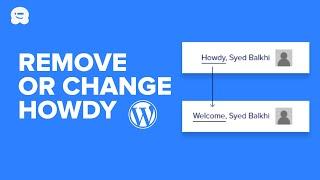
How to Change or Remove ‘Howdy Admin’ in WordPress (Easy Way)
Added 72 Views / 0 LikesWant to remove or change the Howdy greeting in WordPress? Many people ask how to change this or remove it completely since it's not something they would actually say. In this video, you'll learn how to change or remove Howdy in WordPress. ---Links--- ►Insert Headers and Footers https://wordpress.org/plugins/insert-headers-and-footers/ ►Code in Written Tutorial- How to Change or Remove ‘Howdy Admin’ in WordPress (Easy Way) https://www.wpbeginner.com/wp









