Elegant Themes
-
54:20 Popular

How to Add Ken Burns Hover Effects to Images, Modules and Rows in Divi
Added 111 Views / 0 LikesMultistreaming with https://restream.io/ Hey Divi Nation, welcome to a brand new Divi Use Case live stream where each week we show you how to add new design and functionality to your Divi website. In this tutorial, I’ll be showing you how easy it is to create completely unique ken burns hover effects to images, modules and rows using the Divi Builder. To do this, I'll be using Divi's new Transform options which allow you to scale, move and rotate elem
-
17:11 Popular
How to Add Labeled Dot Navigation to Elegant Themes’ Free 10th Anniversary Timeline Layout
Added 114 Views / 0 LikesThe new Timeline Layout can be downloaded for free but ONLY during Elegant Themes’ 10 Year Anniversary Sale which ENDS TODAY. It’s a slick design that’ll help you showcase the timeline of your company or any other type of timeline you want to share with your visitors. On top of the free layout, we’re going to share an interesting tutorial that’ll help your visitors navigate through this page using dot navigation. Dot navigation is a nice extra to have
-
04:23

How To Add Lazy Loading To WordPress
Added 44 Views / 0 LikesIn today's video, we'll learn how to add lazy loading to your WordPress website. Blog post: https://www.elegantthemes.com/blog/wordpress/lazy-loading WordPress Optimization Series: https://www.youtube.com/playlist?list=PLF17V-5878mV7kLsy9EXlFj9-BW-ZItrt ➡️ Learn more about Divi: https://www.elegantthemes.com/gallery/divi 🔵 Like us on Facebook: https://www.facebook.com/elegantthemes/ #Plugin #WordPress #ElegantThemes
-
06:10 Popular

How to Add Links to Divi Fullwidth Slider Images
Added 113 Views / 0 LikesIn this episode of Divi Nation I show you step by step how to make images on your full width sliders clickable. The tip is very easy to achieve and requires CSS code. What the CSS code does is, it hides the button and the text but allowing to to link the image to the desired page. Here is the code: font-size: 0px; background-color: rgba(0, 0, 0, 0.0) !important; top: -1000px; right: -1000px; height: 5000px; width: 5000px; position: absolute;
-
27:47 Popular

How To Add Mailing List Accounts In Bloom
Added 109 Views / 0 Likeshttp://www.elegantthemes.com/plugins/bloom/ is the best WordPress Email Opt-In Plugin, created by Elegant Themes. Swing by http://www.elegantthemes.com to download it!
-
27:59
How to Add Memberships to the Free Divi Yoga Layout Pack
Added 91 Views / 0 LikesYour website should reflect everything a yoga studio represents; serenity, peace and relaxation. While our design team was designing the free Yoga Layout Pack for Divi, these were the exact things they kept in mind. And to help you take your yoga studio website a little bit further, we’re going to show you how to add memberships to your website. Concretely, that means we’ll show you how to use the Paid Member Subscription plugin and how to add the reg
-
05:47
How to Add More Columns to Your Divi Builder Posts or Pages
Added 92 Views / 0 LikesThe Divi Builder allows you to have up to four columns for page layouts. And, for most websites, four columns is all you need. But sometimes you need to add more columns. Of course, there are plugins that allow you to embed shortcodes to add extra columns to your layout. But, this can be limiting when working with the Divi Builder since shortcodes require that you work from within a module. Read more: https://www.elegantthemes.com/blog/divi-resources/
-
05:00 Popular
How to Add More Social Icons to Divi's Header & Footer Sections
Added 116 Views / 0 LikesIn this video we show you how to manually add new social media icons to Divi's header and footer sections. This tutorial requires a child theme and a small php code snippet which we have provided via the link below. Get the code snippet: http://www.elegantthemes.com/blog/divi-resources/how-to-add-more-social-media-icons-divi FTP Clients: http://www.elegantthemes.com/blog/resources/best-ftp-clients-for-wordpress-users
-
12:16
How to Add Motion to Background Images on Scroll with Divi
Added 99 Views / 0 LikesWith Divi’s new scroll effects, you can create any kind of design you want using Divi’s built-in options and add some beautiful scroll motion effects to take your design to the next level. In today’s tutorial, we’ll add a creative technique to your list which you can use for upcoming projects. More specifically, we’ll show you how to add motion to background images using Divi’s Image Module and the absolute position. You’ll be able to download the JSO
-
16:39 Popular

How to Add Motion to Your Section Dividers with Divi
Added 123 Views / 0 LikesEvery week, we provide you with new and free Divi layout packs which you can use for your next project. For one of the layout packs, we also share a use case that’ll help you take your website to the next level. This week, as part of our ongoing Divi design initiative, we’re going to show you how to add motion to your section dividers using Divi’s Transportation Services Layout Pack. We’re already familiar with Divi’s built-in animations, they’re part
-
02:45
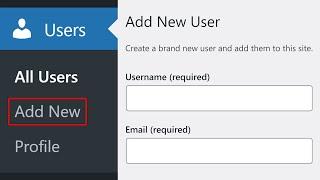
How to Add New Users to Your WordPress Website
Added 62 Views / 0 LikesIn today's video, we'll learn how to add new users to your WordPress website. Blog post: https://www.elegantthemes.com/blog/wordpress/how-to-add-new-users-to-your-wordpress-website ➡️ Learn more about Divi: https://www.elegantthemes.com/gallery... 🔵 Like us on Facebook: https://www.facebook.com/elegantthemes/ #Tutorial #WordPress #ElegantThemes
-
10:26 Popular
How to Add One Sided Box Shadows to Design Elements in Divi
Added 104 Views / 0 LikesAdding one-sided box shadows to various design elements in Divi is a subtle way to add a creative flourish without distracting from the content. In this tutorial, I’m going to show you how to add one-sided box shadows to Divi’s Therapy FAQ Page Layout. As a bonus tip, I’ll also show you how to combine blurb icons as a vertically centered graphic. By learning these Divi design techniques, you can add one-sided box shadows to any modules or columns you
-
02:42
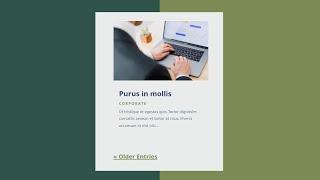
How to Add Pagination to Your Divi Blog Module
Added 62 Views / 0 LikesPagination is a great way to improve your website’s navigation while keeping your page content simple. Rather than displaying dozens of blog posts on a page, you can display a few and provide a link so the user can see more if they want to. Pagination is easy to add with Divi. In this article, we’ll see how to add pagination to your Divi Blog module. We’ll also see how to style it to fit your layout. Blog post: https://www.elegantthemes.com/blog/divi-
-
09:18 Popular
How to Add Parallax Elements and a Slide-Down Transition to the Divi Slider Module
Added 116 Views / 0 LikesIn today’s slider tutorial we’re going to change the slider animation so that the text and button slide down from the top. We’ll also be styling it using parallax settings so the transparent images we’re using appear to “float” above the background. It’s an appealing effect when done correct and draws the eyes to your call to action. Here is the link to the post: https://www.elegantthemes.com/blog/divi-resources/how-to-add-parallax-elements-and-a-slid
-
26:46 Popular
How to Add Post Category Menu Widgets to Your Divi Global Footer
Added 117 Views / 0 LikesGo to the blog post: https://www.elegantthemes.com/blog/divi-resources/how-to-add-post-category-menu-widgets-to-your-divi-global-footer When you’re building a custom footer inside Divi’s Theme Builder, there are several ways to approach adding the footer items. You could go for a module-based footer, where you add page footer items inside Text Modules with proper links, but you could also decide to add different footer widgets to your design, using Di
-
23:25 Popular
How to Add Product Wishlists to Divi’s Cosmetics Shop Layout Pack
Added 114 Views / 0 LikesEvery week, we provide you with a new and free Divi layout pack which you can use for your next project. Along with every layout pack, we also share a use case that’ll help you take your website to the next level. This week, as part of our ongoing Divi design initiative, we’re going to show you how to add product wishlists to your online store using Divi’s new Cosmetics Shop Layout Pack. Adding wishlists to your online store helps your visitors keep t
-
07:02 Popular

How to Add Pull Quotes to Divi Posts and Pages
Added 119 Views / 0 LikesPull quotes have been around for a long time as a useful way for writers and editors to break up the monotony of long copy and capture the attention of the reader with an important quote. Plus, well designed pull quotes add a clean and professional look to the text. Full post: https://www.elegantthemes.com/blog/divi-resources/how-to-add-pull-quotes-to-divi-posts-and-pages-with-5-different-styles
-
48:11 Popular

How to Add Real Estate Property Listings to Your Website with Divi
Added 118 Views / 0 LikesMultistreaming with https://restream.io/ Showcasing real estate property listings on your website is a big project, but it doesn’t have to be a difficult one. With the helpful design of Divi’s Real Estate Layout Pack and the functionality of the WordPress Property Listings (WPL) by Realtyna, you will be amazed at how easy it is add property listings to your real estate website. In this Divi use case, I'll walk you through how to add property listings
-
05:00
How to Add Related Posts to Your Divi Blog Post Template
Added 57 Views / 0 LikesRelated posts are a great way to increase your blog’s traffic. Users on your blog will see posts that they’re already interested in. This keeps them on your site longer and increases their interaction with you and your website. Fortunately, related posts are easy to add to your Divi blog post templates in the Divi Theme Builder. In this article, we’ll show you how. Read more: https://www.elegantthemes.com/blog/divi-resources/how-to-add-related-posts-t
-
25:19 Popular
How to Add Resume Downloads & Typing Effects to Divi’s Copywriter Layout Pack
Added 116 Views / 0 LikesHelping you get a website up and running without a lot of effort is the main goal of our Layout Pack Use Cases initiative. And this time, we’re helping you set up a copywriter website with the free Copywriter Layout Pack for Divi. Although this layout pack already has most of the elements your copywriter website needs, in this use case tutorial, we’re going to help you take it a step further by showing you how to add resume downloads and typing effect
-
41:39 Popular
How to Add Simple Stripe Payment Buttons to Your Pricing tables in Divi
Added 140 Views / 0 LikesMultistreaming with https://restream.io/ Hey Divi Nation, welcome to a brand new Divi Use Case live stream where each week we show you how to add new design and functionality to your Divi website. Stripe is an extremely flexible payment processing solution for online businesses, especially if you are a tech savvy developer. But, if you aren’t a developer, and still want to use Stripe to sell a few products online, there are simple ways to do just that
-
16:14
How to Add Slide-In Product Info to Your Divi Product Page
Added 83 Views / 0 LikesThe way you design your product pages says a lot about your shop in general. Your product page’s design is an important part of the purchase experience, so going the extra mile is often worth it. If you’re looking to create a product page that is a bit more interactive, you’ll love this post. In this tutorial, we’ll show you how to add slide-in product info inside a beautifully-built product page layout. We’ll also turn this layout into a product page
-
05:32 Popular
How to Add Social Icons to Divi’s Primary Menu
Added 119 Views / 0 LikesHow to Add Social Icons to Divi’s Primary Menu. In today’s Divi tutorial, we’re going to show you how to add social icons to the primary menu of your Divi website. By following this tutorial step by step, you’ll be able to add social icons to any website you create–whether it is for yourself or a client. Read article: https://goo.gl/WBzL2P
-
26:32 Popular
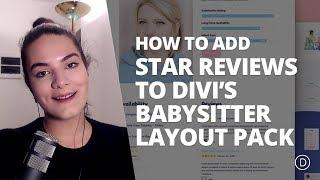
How to Add Star Reviews to Profile Pages with Divi’s Babysitter Layout Pack
Added 108 Views / 0 LikesHey Divi Nation! Thanks for joining us for the next installment of our weekly Divi Design Initiative; where each week, we give away a brand new, free Divi Layout Pack from our design team to you. This week Kenny and his team have created a charming and eye-catching babysitter layout pack. This layout pack has eight different layouts and uses a soft color palette that brings the website to life. Within each layout, beautiful section dividers have been
-
59:24
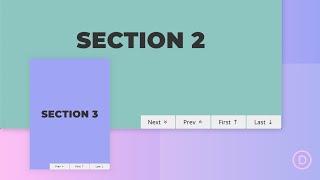
How to Add Sticky Page Navigation Links to Divi Sections
Added 85 Views / 0 LikesLearn more: https://www.elegantthemes.com/blog/divi-resources/how-to-add-sticky-page-navigation-links-next-previous-first-last-to-divi-sections Sometimes it is more convenient to navigate page content by clicking buttons rather than scrolling. This is especially true for one-pagers or if you have certain sequential sections on a page that warrant optimal accessibility for users. Adding sticky page navigation links to the bottom of sections can be a un
-
06:56
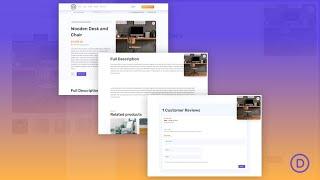
How to Add Sticky Product Images to Your Divi Product Page Template
Added 44 Views / 0 LikesWhen it comes to buying products online, great product images are essential to closing the sale. That’s why most product pages have those product images at the top of the page so it is the first thing buyers see. However, as the user scrolls down the page to view more information about the product (descriptions, reviews, etc.), the main product image is no longer in sight. One way to keep those product images in view is to add a sticky product image t
-
06:35 Popular
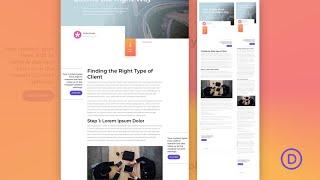
How to Add Sticky Sidebar CTAs to a Blog Post Template in Divi
Added 131 Views / 0 LikesSticky Sidebar CTAs are extremely effective at grabbing the attention of visitors without being overbearing or distracting. The trick is to include one or two elements in the sidebar that “stick” or stay fixed on the side of the post content as the user scrolls down the page. This is a refreshing alternative to a traditional sidebar layout because it provides the feel of a modern fullwidth (no sidebar) layout with the benefit of showcasing important C
-
13:08 Popular
How to Add Subtle & Animated Shapes to Your Website with Divi
Added 116 Views / 0 LikesWho doesn't love subtle animations on their website? They are super interactive and give a nice kind of complexity to your website. They're not the focus of your website but help your website look gorgeous and professional at the same time. In this tutorial, we're going to show you how to add subtle and animated shapes using Divi's built-in options. No extra CSS code needed. Once you get the approach and practice with the examples below, the sky becom
-
10:58 Popular

How to Add the Divi Builder to Custom Post Types and Third Party Plugins - Divi Nation Short
Added 146 Views / 0 LikesIn this episode of Divi Nation our host Nathan B. Weller will show you how you can add the Divi Builder to custom post types that you create yourself as well as custom post types that come with third party plugins. Get Code Snippets Here: http://goo.gl/JGm6Cy Subscribe to our YouTube Channel: https://goo.gl/oxCa4h Subscribe to Divi Nation on iTunes: https://goo.gl/w8fccT Subscribe to Divi Nation via RSS: http://goo.gl/vz04Vc Get Divi Nation on Faceboo
-
04:53 Popular
How to Add the “Last Updated” Date to Divi’s Blog Post Meta Data
Added 125 Views / 0 LikesIn this video, I will show you how to Add the “Last Updated” Date to Divi’s Blog Post Meta Data. Making sure your site visitors know when your posts were last updated is a great way of reassuring them of your content’s relevance. That’s why in today’s post I’m going to show you how to add a php snippet written by our sales/support agent Vlad Patrascu that alters your blog post’s date to show when the post was last updated. Here is a link to the articl









