Elegant Themes
-
51:54

How to Build a Dynamically Positioned Popover with Popper.js and Divi
Added 34 Views / 0 LikesGo to the blog post: https://www.elegantthemes.com/blog/divi-resources/how-to-build-a-dynamically-positioned-popover-with-popper-js-and-divi The popper.js library is a powerful positioning engine for tooltips and popovers. Today, we are going to harness the power of Popper.js in Divi to create a dynamically positioned popover when clicking a button. This will allow anyone to create a popover using Divi elements to display any content they want when cl
-
01:26

How to Build a Fullscreen Footer with Divi
Added 32 Views / 0 LikesFullscreen footers are interesting design elements. The fullscreen aspect of the design gives all of the attention to the footer. The tricky part, though, is making the footer full screen on different screen sizes. It gets even trickier when you consider that many users will view your website at different zoom levels. Fortunately, it’s easy to make a fullscreen Divi footer using the Divi settings. In this article, we’ll see how to make a small footer
-
23:46 Popular

How to Build a Membership Site with Divi – Part 1
Added 136 Views / 0 LikesWelcome to part 1 of this 2-part series where I am going to show you how to build a complete membership site by combining MemberPress and Divi. Join me as I walk you through how to setup your membership site with everything you need for selling an online course or product, including custom registration pages, email notifications, and three levels of membership that drips content over a period of time. Plus a whole lot more. I’ll also show you how to d
-
18:31 Popular

How to Build a Membership Site with Divi – Part 2
Added 144 Views / 0 LikesWelcome to part 2 of this 2-part series where I am going to show you how to build a complete membership site by combining MemberPress and Divi. Join me as I walk you through how to setup your membership site with everything you need for selling an online course or product, including custom registration pages, email notifications, and three levels of membership that drips content over a period of time. Plus a whole lot more. I’ll also show you how to d
-
56:12 Popular
How to Build a Multi-Vendor Marketplace using the Photo Marketplace Layout Pack
Added 130 Views / 0 LikesIn this Divi Use Case Live Stream, I’m going to show you how to build a multi-vendor marketplace using the photo marketplace layout pack. The plugins I will be using are WooCommerce, Product Vendors, WooCommerce Products Filter. In this tutorial, I will show you how to properly setup multi-vendor functionality to your marketplace, how to create a vendor registration page, and more. We will also be using elements of our existing layout to create new pa
-
12:36
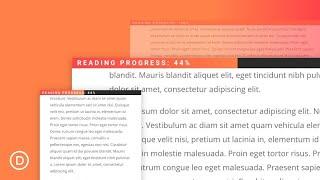
How to Build a Reading Progress Bar for your Divi Blog Posts without a plugin
Added 58 Views / 0 LikesAdding a Reading Progress Bar (or scroll indicator) to your blog post template is a smart way to showcase a user’s reading progress for a given article. The idea is to display a fixed progress bar at the top of the post that directly correlates with the user’s scroll position on the post content. When the user reaches the article, the progress bar begins to fill up. When the user reaches the end of the article, the progress bar is 100% full. In this t
-
09:10 Popular

How to Build a Responsive Fixed Sidebar with Smooth Scrolling Anchor Links with Divi
Added 174 Views / 0 LikesSidebars aren’t really as popular as they used to be. In many cases, they end up being more distracting than they are helpful. But sometimes a sidebar makes perfect sense, especially when dealing with lengthy content. That is why I set out to create a sidebar that makes a lot of sense. Today I’m showing you how you can use the Divi Builder to create a responsive fixed (or sticky) sidebar with smooth scrolling anchor links (or jump links). Because the
-
51:40 Popular
How to Build a Sermon Layout using Custom Fields and Dynamic Content in Divi
Added 130 Views / 0 LikesHey Divi Nation, welcome to a brand new Divi Use Case live stream where each week we show you how to add new design and functionality to your Divi website. The ability to access and listen to sermons is a vital part of any church website. And, with the release of Divi’s new Church Layout Pack, I thought it would be useful to show you how you can build a sermon layout using dynamic content. To do this, I’ll be using the Advanced Custom Fields plugin to
-
40:11
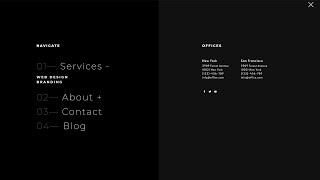
How to Build a Stagger-Animated Hamburger Menu with Divi & Anime.js
Added 48 Views / 0 LikesGo to blog post: https://www.elegantthemes.com/blog/divi-resources/how-to-build-a-stagger-animated-hamburger-menu-with-divi-anime-js In the past, we’ve shared different types of headers you can create with Divi and the Divi Theme Builder, but to help you take your header design even further, we’ll show you how to create a custom-animated hamburger menu as well. If you don't have Divi yet, you can learn more about this powerful theme on our website usi
-
06:18

How to Build a Sticky CTA Menu as You Scroll Down the Page
Added 50 Views / 0 LikesTraditionally, sticky menus are visible at the top (or bottom) of a page the moment the page loads. However, building a sticky CTA menu as the user scrolls down the page can be a creative and effective way to keep those important CTAs clickable at all times. In some ways, it is the best of both worlds. It allows the CTA to keep its prime placement in the original design. And, it keeps a minified version of the CTA (the button) visible in a sticky menu
-
13:25
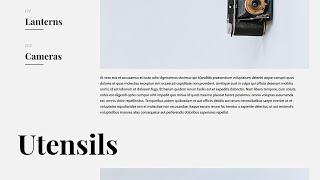
How to Build an Interactive List on Scroll with Divi’s Sticky Options
Added 60 Views / 0 LikesDivi’s sticky options allow you to effortlessly add interaction to the pages you create and design. If you’re looking for a way to mention multiple items without just creating a static list, you’ll enjoy this tutorial. Today, we’re showing you how to build an interactive list on scroll using Divi’s sticky options. As people are scrolling down the section, different items are added to the list on the left. This helps keep an overview. You’ll be able to
-
14:45

How to Build the Fastest Divi Page: Optimizing Your Divi Content For Speed
Added 44 Views / 0 LikesWith Divi’s new performance update come a ton of possibilities to increase page speed scores. Today, we’re sharing some practical tips and tricks that you should keep in mind when building a Divi page from scratch. These are recommendations, not rules that are set in stone. It’ll always come down to the main objectives of your page. Sometimes, you’ll find yourself sacrificing some speed for design and vice versa. We believe it’s about finding a health
-
06:50
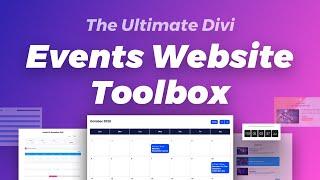
How to Build the Ultimate "Events Website Toolbox" with the Divi Marketplace
Added 65 Views / 0 LikesShop our Cyber Monday Deal here: https://www.elegantthemes.com/cybermonday In this video, we’re sharing a curated list of products that make up what we’re calling our ultimate “Events Website Toolbox”. Check out our accompanying blog post: https://www.elegantthemes.com/blog/general-news/how-to-build-the-ultimate-small-business-website-toolbox-from-the-divi-marketplace Divi Events Calendar: https://www.elegantthemes.com/marketplace/divi-events-calendar
-
09:16

How to Build the Ultimate "Small Business Website Toolbox" from the Divi Marketplace
Added 75 Views / 0 LikesShop our Cyber Monday Deal here: https://www.elegantthemes.com/cybermonday In this video, we’re sharing a curated list of products that make up what we’re calling our ultimate “Small Business Website Toolbox.” Check out our accompanying blog post: https://www.elegantthemes.com/blog/general-news/how-to-build-the-ultimate-small-business-website-toolbox-from-the-divi-marketplace Divi Plus: https://www.elegantthemes.com/marketplace/divi-plus/ Divi Rocket:
-
18:47

How to Change a Gradient Background on Hover with Divi
Added 99 Views / 0 LikesCreating websites is all about making sure every detail is right. Paying attention to small details in your design will quickly add up and elevate the quality of your website. With Divi’s new hover options, you can effortlessly add small interactions on your website. Hover options apply to almost all design settings. You can, for instance, indirectly change a gradient background on hover to create a nice transition. That’s exactly what we’re going to
-
15:53

How to Change an Image on Hover with Divi
Added 78 Views / 0 LikesKnowing how to change an image on hover can come in handy for any kind of website you’re working on. Furthermore, it helps you add subtle interaction to pages. You can, for instance, use it to give additional perspective to testimonials, about pages and team pages. With Divi’s new hover options, you can change an image on hover using the built-in options only. By combining column backgrounds and the opacity filter, you’ll get there in no time. Read th
-
40:25 Popular
How to Change Content on Hover to Create Unique CTA’s in Divi (3 Ways)
Added 165 Views / 0 LikesMultistreaming with https://restream.io/ Hey Divi Nation, welcome to a brand new Divi Use Case live stream where each week we show you how to add new design and functionality to your Divi website. Today, we’ll be showing you how to change content on hover in Divi for some unique calls to action. We’ll show clever ways to change button text (and icons) on hover. We’ll show how to elegantly change the title and button text within a call to action module
-
03:08

How to Change MX Records
Added 80 Views / 0 LikesIn today's video, we'll learn how to change MX records. Blog post: https://www.elegantthemes.com/blog/wordpress/how-to-change-mx-records •️ Learn more about Divi: https://www.elegantthemes.com/gallery/divi • Like us on Facebook: https://www.facebook.com/elegantthemes/ #MXRecords #WordPress #ElegantThemes
-
03:35
How to Change or Reset Passwords in WordPress
Added 60 Views / 0 LikesIn today's video, we'll learn how to change or reset passwords in WordPress. Blog post: https://www.elegantthemes.com/blog/wordpress/how-to-change-or-reset-passwords-in-wordpress ➡️ Learn more about Divi: https://www.elegantthemes.com/gallery/divi 🔵 Like us on Facebook: https://www.facebook.com/elegantthemes/ #Password #WordPress #ElegantThemes
-
05:23 Popular
How to Change The Colors of Divi's Copywriter Layout Pack Illustrations
Added 128 Views / 0 LikesThe free Copywriter Layout Pack, which is part of our ongoing Divi initiative, has illustrations included. These illustrations are part of the entire look and feel of the website that has an orange color at its theme color. However, that doesn't mean this color has to determine the color palette you choose for your website. Of course, you can already change this color throughout your website. But when it comes down to the illustrations, we want them t
-
13:51 Popular
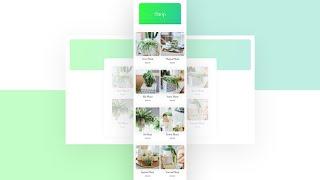
How to Change The Divi Shop Module’s Mobile Column Breakpoint
Added 117 Views / 0 LikesBy default, as soon as you switch over to a mobile device, the shop module turns into a one-column layout. Now, if you’re looking to highlight each product individually, that’s great, but with the bigger smartphone screen sizes nowadays, you might want to allow two products to appear next to each other when using the Shop Module. In today’s Divi tutorial, we’ll show you how to change the shop module’s mobile breakpoint using CSS, allowing two products
-
02:42
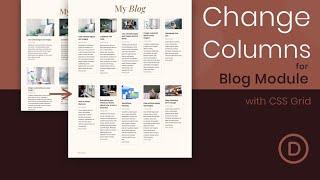
How to Change the Number of Columns in the Divi Blog Module
Added 54 Views / 0 LikesDivi’s blog module can display blog posts in either a fullwidth or grid layout. If you choose the grid layout, the maximum amount of columns you can have is three. In this tutorial, we are going to explore combining the power of CSS Grid with the Divi Blog module to create any number of columns you want. With just a few snippets of CSS, your blog will transform into a beautiful multi-column grid layout. Plus, the columns will be fluidly responsive wit
-
12:51
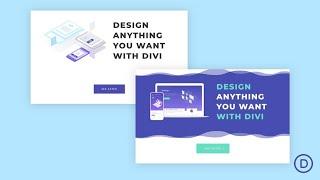
How to Change the Style of Multiple Elements on Hover or Click in Divi
Added 52 Views / 0 LikesEventually, in the world of web design, coders and non-coders alike will look to add more advanced customizations and functionality to their Divi websites. Usually, this involves using Javascript/JQuery to change the style of elements on the page for different reasons. You may want to make a contact form appear when clicking a button. Or you may want to change an image when hovering over a link. In this tutorial, we are going to show you how to change
-
02:41 Popular
How to Change Thumbnail Size in WordPress
Added 148 Views / 0 LikesIn today’s video, we cover how to change thumbnail size in WordPress. Blog post: https://www.elegantthemes.com/blog/tips-tricks/how-to-change-thumbnail-size-in-wordpress-and-why-you-want-to/ Like us on Facebook: https://www.facebook.com/elegantthemes/
-
03:31 Popular

How to Change Your Active WordPress Theme Through Your Database
Added 109 Views / 0 LikesIn today’s video, we're going to check out how to change your active WordPress theme through your database. Blog post: https://www.elegantthemes.com/blog/wordpress/how-to-change-your-active-wordpress-theme-through-your-database Like us on Facebook: https://www.facebook.com/elegantthemes/
-
24:56
How to Change Your Sticky Logo on Scroll with Divi
Added 81 Views / 0 LikesGo to the blog post: https://www.elegantthemes.com/blog/divi-resources/how-to-change-your-sticky-logo-on-scroll-with-divi Ever since the Divi sticky options have come out, endless interaction design possibilities have been added to our Divi toolboxes. Besides being able to turn a header sticky on scroll, you’re also able to change the style of your elements in a sticky state. This allows you to highlight your header once it’s turned sticky, and create
-
13:36

How to Change Your Sticky Logo on Scroll with Divi
Added 55 Views / 0 LikesTo lay your hands on the free global header template, you will first need to download it using the button below. To gain access to the download you will need to subscribe to our Divi Daily email list by using the form below. As a new subscriber, you will receive even more Divi goodness and a free Divi Layout pack every Monday! If you’re already on the list, simply enter your email address below and click download. You will not be “resubscribed” or rec
-
09:51 Popular

How to Choose the Best Email Marketing Services for Your Business
Added 117 Views / 0 LikesIn today’s video, we're going to check out the best email marketing services and choose one for your business. Blog post: https://www.elegantthemes.com/blog/marketing/how-to-choose-the-best-email-marketing-services-for-your-business Like us on Facebook: https://www.facebook.com/elegantthemes/
-
03:03
How to Choose the Best Fonts for Logos
Added 90 Views / 0 LikesIn today’s video, we cover how to choose the best fonts for logos. Blog post: https://www.elegantthemes.com/blog/design/how-to-choose-the-best-fonts-for-logos Like us on Facebook: https://www.facebook.com/elegantthemes/
-
03:33

How to Clear Your WordPress Cache: A Step by Step Guide
Added 50 Views / 0 LikesIn today's video, we'll learn how to clear your WordPress cache in an easy step by step guide. Blog post: https://www.elegantthemes.com/blog/wordpress/clear-wordpress-cache •️ Learn more about Divi: https://www.elegantthemes.com/gallery/divi • Like us on Facebook: https://www.facebook.com/elegantthemes/ #ClearCache #WordPress #ElegantThemes









