Wordpress
-
02:14 Popular

How To Change and Style Your Site Logo & Site Title
Added 118 Views / 0 LikesIn this video I'm going to show you how to change and style of your site logo & site title using Elementor theme builder. Learn how to use dynamic content to work smarter, not harder. https://elementor.com/theme-builder/
-
05:12

How To Change Author Name In Wordpress Post
Added 65 Views / 0 LikesThis is part of the WordPress Skills playlist on my channel. If you want to learn more WordPress basics, check out the playlist here: https://www.youtube.com/watch?v=24aKHfJwuw4&list=PLlgSvQqMfii7DBqNndpiioUsJzyDOXADk //* Grab your free 17-Point WordPress Launch Checklist PDF: https://wplearninglab.com/get/wordpress-redirects.php?utm_source=youtube&utm_medium=video&utm_campaign=wp_jumpstart&utm_id=17_point_wp_launch_checklist&utm_term=xGLaNnNq0gE&utm_
-
40:25 Popular
How to Change Content on Hover to Create Unique CTA’s in Divi (3 Ways)
Added 166 Views / 0 LikesMultistreaming with https://restream.io/ Hey Divi Nation, welcome to a brand new Divi Use Case live stream where each week we show you how to add new design and functionality to your Divi website. Today, we’ll be showing you how to change content on hover in Divi for some unique calls to action. We’ll show clever ways to change button text (and icons) on hover. We’ll show how to elegantly change the title and button text within a call to action module
-
03:52

How to Change Domain Name Nameservers
Added 72 Views / 0 LikesHow to Change Domain Name Nameservers In this video I show how to change nameservers on NameCheap. The process is fairly simple with any domain name registrar, but first it's best to add the domain name as an add-on within the hosting control panel when doing a nameserver change. From there we can easily configure nameservers within where our domain name is registered. I hope this tutorial helps! My Site: https://www.wpwithtom.com/ Best Hosts: SiteGro
-
01:09 Popular
How to Change Editor Background Color by Word Count in WordPress
Added 116 Views / 0 LikesDo you want to write longer articles on your blog? Sometimes it can be difficult when looking from the word count and back again. In this video, we will show you how to change editor background color by word count in WordPress. If you liked this video, then please Like and consider subscribing to our channel for more WordPress videos. Text version of this tutorial: http://www.wpbeginner.com/plugins/how-to-change-editor-background-color-by-word-count-i
-
04:51 Popular
How To Change Font Size In WordPress (2 ways) - Default, Post Titles, Menus, Widgets, Header, Footer
Added 126 Views / 0 LikesLearning how to change font size in WordPress is an important skill, especially if you're working with clients. Another common task in WordPress is getting blog posts to display on a specific page. I have a tutorial for exactly that here: https://youtu.be/0t5azK0MH7Y. Back to changing font size in WordPress, depending on how a site is built, there are a number of places where you can change the font size. You'll learn the two most common in this tutor
-
13:57
How to Change Fonts in WordPress - 5 EASY Ways
Added 76 Views / 0 LikesEver wondered how to change your fonts in WordPress? It's easier than you think, and in this video, I'll show you how. Read the written guide here 👉🏼 https://www.wpbeginner.com/wp-tutorials/how-to-change-font-in-wordpress/ --Top Resources-- ⚡Use Promo Code WPBVIP⚡ ►Best WordPress Contact Form Plugin https://wpforms.com/wpbeginner ►Best WordPress Analytics Plugin https://www.monsterinsights.com/ ►Best Lead Generation Plugin https://optinmonster.com/ ►B
-
01:59 Popular
How to Change GoDaddy Nameservers in 2 minutes
Added 124 Views / 0 LikesLearn how to change GoDaddy's nameservers in less than 2 minutes. GoDaddy's default nameservers are set to nsXX.domaincontrol.com, where "XX" equals a two-digit number. If you're using GoDaddy hosting, it's often easier to leave the nameservers as the default. This means GoDaddy will be managing your domain's DNS records. There are many free DNS management services out there that provide more security, along with an abundance of features that GoDaddy
-
03:08

How to Change MX Records
Added 81 Views / 0 LikesIn today's video, we'll learn how to change MX records. Blog post: https://www.elegantthemes.com/blog/wordpress/how-to-change-mx-records •️ Learn more about Divi: https://www.elegantthemes.com/gallery/divi • Like us on Facebook: https://www.facebook.com/elegantthemes/ #MXRecords #WordPress #ElegantThemes
-
03:12
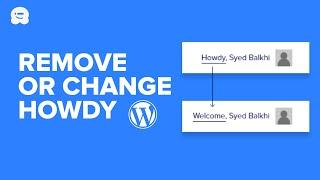
How to Change or Remove ‘Howdy Admin’ in WordPress (Easy Way)
Added 73 Views / 0 LikesWant to remove or change the Howdy greeting in WordPress? Many people ask how to change this or remove it completely since it's not something they would actually say. In this video, you'll learn how to change or remove Howdy in WordPress. ---Links--- ►Insert Headers and Footers https://wordpress.org/plugins/insert-headers-and-footers/ ►Code in Written Tutorial- How to Change or Remove ‘Howdy Admin’ in WordPress (Easy Way) https://www.wpbeginner.com/wp
-
03:35
How to Change or Reset Passwords in WordPress
Added 61 Views / 0 LikesIn today's video, we'll learn how to change or reset passwords in WordPress. Blog post: https://www.elegantthemes.com/blog/wordpress/how-to-change-or-reset-passwords-in-wordpress ➡️ Learn more about Divi: https://www.elegantthemes.com/gallery/divi 🔵 Like us on Facebook: https://www.facebook.com/elegantthemes/ #Password #WordPress #ElegantThemes
-
01:38 Popular

How to Change the Author of a Post in WordPress
Added 127 Views / 0 LikesDo you want to change the author of a post in WordPress? Sometimes you may need to display a different author such as a guest pots or a different author. In this video we will show you how to easily change the author of a post in WordPress with just a few clicks. Text version of this tutorial: http://www.wpbeginner.com/beginners-guide/how-to-change-the-author-of-a-post-in-wordpress/ If you liked this video, then please Like and consider subscribing to
-
01:15 Popular

How to Change the Background Image In Elementor
Added 147 Views / 0 LikesWant to change the background image on your WordPress site? There is no easier way than using Elementor Page Builder. Get Elementor Page Builder FREE → https://elementor.com For more tutorials subscribe to this channel.
-
05:23 Popular
How to Change The Colors of Divi's Copywriter Layout Pack Illustrations
Added 129 Views / 0 LikesThe free Copywriter Layout Pack, which is part of our ongoing Divi initiative, has illustrations included. These illustrations are part of the entire look and feel of the website that has an orange color at its theme color. However, that doesn't mean this color has to determine the color palette you choose for your website. Of course, you can already change this color throughout your website. But when it comes down to the illustrations, we want them t
-
01:00
How to Change the Cursor Set in Elemenor #shorts
Added 49 Views / 0 LikesIn this video, Selin shows us how to change the default cursor set in Elementor! 🔔 Subscribe to our channel!🔔 https://www.youtube.com/c/Elementor?s... Get Elementor: https://elementor.com Get Elementor Pro: https://elementor.com/pro For more tutorials on this topic: https://elementor.com/academy/ #shorts #elementor #elementorpro #cursor
-
03:47 Popular

How to Change the Default Search URL Slug in WordPress
Added 142 Views / 0 LikesAre you looking to change your search URL slug in WordPress? WordPress search URLs are not user friendly normally and some users want to change this for SEO or other reasons. In this video, we will show you how to easily change the default search URL slug in WordPress to make it SEO and user friendly. Normally the search URL starts with a question mark with text afterward which can be mildly confusing when viewing and not always the best for SEO. The
-
13:51 Popular

How to Change The Divi Shop Module’s Mobile Column Breakpoint
Added 119 Views / 0 LikesBy default, as soon as you switch over to a mobile device, the shop module turns into a one-column layout. Now, if you’re looking to highlight each product individually, that’s great, but with the bigger smartphone screen sizes nowadays, you might want to allow two products to appear next to each other when using the Shop Module. In today’s Divi tutorial, we’ll show you how to change the shop module’s mobile breakpoint using CSS, allowing two products
-
03:39 Popular
How to Change the Font Size in WordPress (3 Different Options)
Added 141 Views / 0 LikesAre you wanting to change the font size on your WordPress posts and pages? Not all themes have a simple built-in method for changing the size of text but we have taught many people the way to change this. In this video, we will show you how to change the font size in WordPress. The simplest step would be to use the header tags which are styled by the theme you are using. By highlighting specific text, clicking the dropdown, and selecting the style you
-
16:17 Popular

How To Change The Footer Copyright Credits On Any WordPress Theme - New For 2017
Added 127 Views / 0 LikesHow To Change The Footer Copyright Credits On Any WordPress Theme More info: https://www.wpcrafter.com This is the fastest and easiest way to change the footer copyright credits on ANY WordPress theme. It can be any free or paid theme, it doesn't matter, this method is the easiest to implement on any WordPress website. how to remove footer in wordpress free themes how to remove footer in wordpress free themes remove wordpress footer 2016 remove footer
-
05:40 Popular
How To Change The Footer Copyright In The Divi WordPress Theme
Added 132 Views / 0 LikesHow To Change The Footer Copyright In The Divi WordPress Theme https://www.wpcrafter.com/elegant-themes With Divi 3, you can now easily modify the footer credits. ~~~~~~~~~~~~~~~~~~~~~ All of my opinions in this video are my own, I was not paid to make this video. Whenever there is a link in any of my videos, if there is an affiliate program available, it's safe to assume that you are clicking on an affiliate link. Please check my website for any asso
-
12:34 Popular
How To Change The Footer Copyright Text In Any WordPress Theme (2019)
Added 149 Views / 0 LikesNeed to change the copyright text at the bottom of your WordPress website? No problem, we take you through how to do just this, step by step. Easy! - Interested in learning even more about WordPress. Check out https://winningwp.com for all kinds of tips, tricks, beginner guides, deals and resources! Looking for deals on top WordPress themes, plugins, hosting and more? Take a look at some of our exclusive WordPress deals and discounts: https://winningw
-
02:37 Popular

How to Change the Gravatar Image Size in WordPress
Added 138 Views / 0 LikesSome site owners may see the size of user's gravatars and decide they would like to either increase or decrease it's size. We will show you one method to do that in this video. Text version of this tutorial: http://www.wpbeginner.com/wp-themes/how-to-change-the-default-gravatar-image-size-in-wordpress/ If you liked this video, then please Like and consider subscribing to our channel for more WordPress videos. Check us out on Facebook: https://www.face
-
02:39

How to Change The Header In Raft - WordPress FSE Theme [2023]
Added 40 Views / 0 LikesThis video will teach you how to make changes to your website's header if you're using the Raft Theme. Raft is a lightweight, full-site-editing-ready, block-based theme for WordPress. It provides a clean start and a solid base in conjunction with the Otter Blocks plugin, supporting your ideas and creativity. Website → https://themeisle.com WordPress Articles → https://themeisle.com/blog/ Facebook → https://www.facebook.com/themeisle/ ThemeIsle is the
-
11:22
How to Change the Link Color in WordPress
Added 50 Views / 0 LikesDo you want to learn how to change the link color in WordPress? Changing your link color gives you more control over the design of your website and can make it easier for your visitors to navigate. In this video, we’ll show you how to change the link color in WordPress, step by step. 0:00 Intro 0:41 Changing color and underlines with code 6:41 Using Simple Custom CSS and JS 8:07 Using CSS Hero --Related Links-- Want to read rather than watch? https://
-
04:54

How to Change The Menu In Raft - WordPress FSE Theme [2023]
Added 45 Views / 0 LikesIn this video, you will learn how to make changes to your website's menu. Raft is a lightweight, full-site-editing-ready, block-based theme for WordPress. It provides a clean start and a solid base in conjunction with the Otter Blocks plugin, supporting your ideas and creativity. Website → https://themeisle.com WordPress Articles → https://themeisle.com/blog/ Facebook → https://www.facebook.com/themeisle/ ThemeIsle is the go-to source for High-Quality
-
02:42
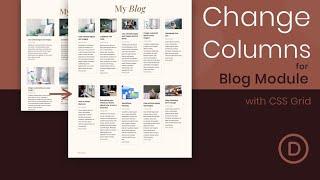
How to Change the Number of Columns in the Divi Blog Module
Added 59 Views / 0 LikesDivi’s blog module can display blog posts in either a fullwidth or grid layout. If you choose the grid layout, the maximum amount of columns you can have is three. In this tutorial, we are going to explore combining the power of CSS Grid with the Divi Blog module to create any number of columns you want. With just a few snippets of CSS, your blog will transform into a beautiful multi-column grid layout. Plus, the columns will be fluidly responsive wit
-
02:16
How to Change the Number of Posts Displayed On Your WordPress Blog Page
Added 73 Views / 0 LikesAre you wanting to change the number of posts displayed on your site's blog page? By default, WordPress uses the archive page and matches the number of posts per page to your settings area. In this short video, we will show you how to easily change the number of posts listed on your blog page. Most themes should follow our recommendations below and in the video, if your theme does not follow this method then you would normally find these settings unde
-
01:14 Popular

How to Change the Number of Posts Displayed on your WordPress Site
Added 155 Views / 0 LikesHave you ever wanted to change the number of posts displayed on your blog page? By default blog archive pages show a maximum of 10 posts per page, but that can be changed. In this video, we will show you how to change the number of posts displayed on your WordPress blog page. If you liked this video, then please Like and consider subscribing to our channel for more WordPress videos. Text version of this tutorial: http://www.wpbeginner.com/beginners-gu
-
05:09

How To Change The Number Of Posts Per Page On Your WordPress Blog Page - WordPress Tutorial
Added 54 Views / 0 LikesIf you're looking to change the number of posts per page in WordPress, this video is for you! This is part of the WordPress Skills playlist on YouTube: https://www.youtube.com/watch?v=24aKHfJwuw4&list=PLlgSvQqMfii7DBqNndpiioUsJzyDOXADk Watch and learn how to make this adjustment in just a few steps. By the end of this video, you'll know exactly how to change the number of posts per page on your WordPress site. So what are you waiting for? Click play a
-
01:49
How To Change The Page Template In WordPress
Added 83 Views / 0 LikesLearn how to use the page templates in any WordPress theme and how to improve your website by using them. Template List Will Show Only If: There is at least one custom page template file in your active Theme's folder. If you change your Theme, the page templates in your previously activated Theme will not display. You are viewing a screen for editing a Page: page templates are not a default option for posts or custom post types. Your theme files shoul









