Wordpress
-
00:26

How to Change the Post Author in WordPress
Added 62 Views / 0 LikesIn this video, we cover how to quickly change the author of a post in WordPress. --Top Resources-- ⚡Use Promo Code WPBVIP⚡ ►Best WordPress Contact Form Plugin https://wpforms.com/wpbeginner ►Best WordPress Analytics Plugin https://www.monsterinsights.com/ ►Best Lead Generation Plugin https://optinmonster.com/ ►Best WordPress SEO Plugin https://aioseo.com/ ►Best Theme Builder for WordPress https://www.seedprod.com/ --Related Videos-- ►WordPress Tutoria
-
00:53

How to Change the Shape of User Avatars in WordPress
Added 96 Views / 0 LikesHave you wanted to change the shape of your avatars or gravatars on your site? You are able to do this with CSS that not all users can be comfortable with, but there is a plugin to do this. In this video, we will show you how to change the shape of user avatars in WordPress. If you liked this video, then please Like and consider subscribing to our channel for more WordPress videos. Text version of this tutorial: http://www.wpbeginner.com/plugins/how-t
-
12:51

How to Change the Style of Multiple Elements on Hover or Click in Divi
Added 53 Views / 0 LikesEventually, in the world of web design, coders and non-coders alike will look to add more advanced customizations and functionality to their Divi websites. Usually, this involves using Javascript/JQuery to change the style of elements on the page for different reasons. You may want to make a contact form appear when clicking a button. Or you may want to change an image when hovering over a link. In this tutorial, we are going to show you how to change
-
05:23 Popular

How to Change the Text Color in WordPress 3 Easy Methods
Added 101 Views / 0 LikesWe've had a few users ask us if there was an easy way to change the text color in WordPress. If you are curious about it as well, you have multiple different options for the text across the whole site or even a single word in your content. In this video, we'll show you how to easily change the text color in WordPress step by step. This video brought to you by SeedProd, the best WordPress giveaway plugin available, take a look at their site here: =====
-
01:20
How to Change the WordPress Admin Language
Added 74 Views / 0 LikesHow to Change the WordPress Admin Language In this quick video I show how to change your language within the WordPress admin area. You can change the WordPress dashboard language in a matter of seconds, and I hope this video helps show you how! If it did please give the video a like and subscribe for more WordPress tutorials! My Site: https://www.wpwithtom.com/ Get WordPress Help on Fiverr: https://www.wpwithtom.com/wp-fixes Best Hosts: SiteGround: ht
-
01:47 Popular

How to Change the WordPress Database Prefix to Improve Security
Added 140 Views / 0 LikesYour WordPress database is the control center for your entire site because all of your information is stored there. Some people may try to hack your site if they know the database name. In this video, we will show you how to change the WordPress database prefix to improve your site’s security. If you liked this video, then please Like and consider subscribing to our channel for more WordPress videos. Text version of this tutorial: http://www.wpbeginne
-
00:32

How to Change the WordPress Site Icon (Favicon Replacement)
Added 80 Views / 0 LikesLearn how to quickly change your WordPress site's icon or favicon in this video. --Top Resources-- ⚡Use Promo Code WPBVIP⚡ ►Best WordPress Contact Form Plugin https://wpforms.com/wpbeginner ►Best WordPress Analytics Plugin https://www.monsterinsights.com/ ►Best Lead Generation Plugin https://optinmonster.com/ ►Best WordPress SEO Plugin https://aioseo.com/ ►Best Theme Builder for WordPress https://www.seedprod.com/ --Related Videos-- ►WordPress Tutoria
-
03:58 Popular
How To Change The WordPress Site Title And Other General Settings
Added 148 Views / 0 LikesHow To Change The WordPress Site Title And Other General Settings More info: https://www.wpcrafter.com It is crucial for SEO reasons, that your set your WordPress site title to be what you want it to be. https://www.youtube.com/watch?v=tALJnlnwbo4 In this video I will show you the run-through of Wordpress General Settings. I will show you how you can change your Site Title and other General Settings. Table of Contents 00:12 General Settings 00:20 Site
-
02:55

How to Change the “Just Another WordPress Site” Text Easy Way
Added 92 Views / 0 LikesAre you just starting out and want to change the "Just another WordPress site" in the header or title bar? We've heard from multiple beginners that don't know how or where to change this that say it does not make their site look good. In this quick video, we will show you how to change the "Just another WordPress site" text step by step. This video is sponsored by MonsterInsights, a powerful plugin to help you use your analytics information to the ful
-
02:41 Popular

How to Change Thumbnail Size in WordPress
Added 150 Views / 0 LikesIn today’s video, we cover how to change thumbnail size in WordPress. Blog post: https://www.elegantthemes.com/blog/tips-tricks/how-to-change-thumbnail-size-in-wordpress-and-why-you-want-to/ Like us on Facebook: https://www.facebook.com/elegantthemes/
-
05:48 Popular
How To Change User Password In phpMyAdmin If You're Locked Out Of Your Site | WP Learning Lab
Added 146 Views / 0 LikesGrab Your Free 17-Point WordPress Pre-Launch PDF Checklist: http://vid.io/xqRL When you don't have access to your website you can still Change User Password in phpMyAdmin. This situation could happen if you forget your password and the forgot password link doesn't work or if your site is hacked. You do need to have access to your cPanel for this to work. First, log into your hosting account and then locate the phpMyAdmin icon. Click that icon to acces
-
10:18 Popular

How To Change Webhosts, Move Your WordPress Websites, Emails, & Migrate All Your Data
Added 130 Views / 0 LikesHow To Change Webhosts, Move Your WordPress Websites, Emails, & Migrate All Your Data Special InMotion Discount And Bonus Offer: https://www.wpcrafter.com/hosting-special-offer/ Where I register my domain names: https://www.wpcrafter.com/namecheap You have nothing to be afraid of when changing website hosts. It is very easy to move web hosts if you current webhost and new webhost are using something call cPanel. In this video I show you how to backup
-
00:34

How to Change Website Theme Easily in WordPress
Added 82 Views / 0 LikesHow to change your WordPress site theme in a couple of simple steps. --Top Resources-- ⚡Use Promo Code WPBVIP⚡ ►Best WordPress Contact Form Plugin https://wpforms.com/wpbeginner ►Best WordPress Analytics Plugin https://www.monsterinsights.com/ ►Best Lead Generation Plugin https://optinmonster.com/ ►Best WordPress SEO Plugin https://aioseo.com/ ►Best Theme Builder for WordPress https://www.seedprod.com/ --Related Videos-- ►WordPress Tutorial - How to M
-
01:24 Popular

How to Change WordPress JPEG Image Compression
Added 125 Views / 0 LikesBy default, WordPress attempts to compress your images for better performance. If you are a photographer who want to showcase high quality images on your website then you can turn off the image compression. In this video we will show you how to increase or decrease WordPress image compression. Text version of this tutorial: http://www.wpbeginner.com/wp-tutorials/how-to-increase-or-decrease-wordpress-jpeg-image-compression/ If you liked this video, the
-
22:50 Popular

How To Change WordPress Themes - Switch Without Destroying Your Website
Added 123 Views / 0 LikesLearn how to change WordPress themes, all the gotchas, and things to consider. Know fully what's involved with this video tutorial. MY Advice Switch to a theme and page builder combo that will be timeless so that you are not locked into a style. Elementor https://www.wpcrafter.com/elementor Astra https://www.wpcrafter.com/astra GeneratePress https://www.wpcrafter.com/generatepress Hosting with staging: https://www.wpcrafter.com/hosting/ Siteground htt
-
04:28 Popular
How to Change WordPress Username - Important For SEO & Security
Added 154 Views / 0 LikesHow to Change WordPress Username - Important For SEO & Security More Info: https://www.wpcrafter.com -~-~~-~~~-~~-~- Please watch: "How-to Make A WordPress Website 2016 In 60 Minutes - Business or Restaurant, Create Build Develop" → https://www.youtube.com/watch?v=0j1NzwuBvSw -~-~~-~~~-~~-~- ~~~~~~~~~~~~~~~~~~~~~ All of my opinions in this video are my own, I was not paid to make this video. Whenever there is a link in any of my videos, if there is an
-
03:31 Popular

How to Change Your Active WordPress Theme Through Your Database
Added 110 Views / 0 LikesIn today’s video, we're going to check out how to change your active WordPress theme through your database. Blog post: https://www.elegantthemes.com/blog/wordpress/how-to-change-your-active-wordpress-theme-through-your-database Like us on Facebook: https://www.facebook.com/elegantthemes/
-
02:31 Popular
How to Change Your Default Permalink Settings in WordPress | Beginners Series
Added 110 Views / 0 LikesHow to change default permalink settings in WordPress - In this short video I cover how to change the permalink settings in WordPress, and why it's important. TMDHosting - Use coupon code: wpwithtom7 for a 7% discount! http://bit.ly/2ffslmn TMDHosting is simply the best WordPress hosting provider out there! Check them out for yourself - I highly recommend them! My website! http://wpwithtom.com/ More helpful WordPress resources available here! Elemento
-
01:37

How to Change Your Favicon in Raft - WordPress FSE Theme [2023]
Added 50 Views / 0 LikesIn this video, you will learn how to change your website's favicon in Raft. Raft is a lightweight, full-site-editing-ready, block-based theme for WordPress. It provides a clean start and a solid base in conjunction with the Otter Blocks plugin, supporting your ideas and creativity. Website → https://themeisle.com WordPress Articles → https://themeisle.com/blog/ Facebook → https://www.facebook.com/themeisle/ ThemeIsle is the go-to source for High-Quali
-
01:40 Popular

How to Change Your Password in WordPress
Added 143 Views / 0 LikesWant to learn how to change your WordPress password? Then this video is for you. If you liked this video, then please Like and consider subscribing to our channel for more WordPress videos. Text version of this tutorial: http://www.wpbeginner.com/beginners-guide/how-to-change-your-password-in-wordpress/ Follow us on Twitter: http://twitter.com/wpbeginner Checkout our website for more WordPress Tutorials http://www.wpbeginner.com/ Summary of this Tutor
-
24:56
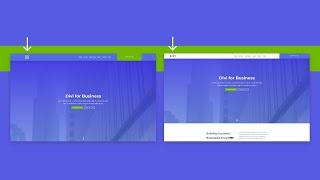
How to Change Your Sticky Logo on Scroll with Divi
Added 83 Views / 0 LikesGo to the blog post: https://www.elegantthemes.com/blog/divi-resources/how-to-change-your-sticky-logo-on-scroll-with-divi Ever since the Divi sticky options have come out, endless interaction design possibilities have been added to our Divi toolboxes. Besides being able to turn a header sticky on scroll, you’re also able to change the style of your elements in a sticky state. This allows you to highlight your header once it’s turned sticky, and create
-
13:36

How to Change Your Sticky Logo on Scroll with Divi
Added 56 Views / 0 LikesTo lay your hands on the free global header template, you will first need to download it using the button below. To gain access to the download you will need to subscribe to our Divi Daily email list by using the form below. As a new subscriber, you will receive even more Divi goodness and a free Divi Layout pack every Monday! If you’re already on the list, simply enter your email address below and click download. You will not be “resubscribed” or rec
-
01:35

How to Change Your Time Zone in WordPress
Added 73 Views / 0 LikesHow to Change Your Time Zone in WordPress In this video I go over how to set your time zone in WordPress in order to be correct for blog posts scheduling. If you didn't know how to change your timezone in WordPress prior to this I really hope this video helped you out! My Site https://www.wpwithtom.com Awesome Services on Fiverr: https://www.wpwithtom.com/fiverr Best Hosts: Hostinger: https://wpwithtom.com/hostinger - Coupon Code: WPWITHTOM GreenGeeks
-
02:47 Popular

How To Change Your Username in WordPress
Added 129 Views / 0 LikesOnce you create a user for WordPress, you will not be able to change the name. If you just want to change it to something else, watch the video for a quick WordPress trick. You can change your account username (the name you use to login) but you need to login to WP dashboard and have administrator access. If you want to change just the name that is seen in your posts and comments please only change your Display Name. ========================== • We po
-
03:57
How to Change Your WordPress Admin Username
Added 68 Views / 0 LikesHow to Change Your WordPress Admin Username In this video I cover how to change WordPress username for the administrative user of your website. When you change your WordPress admin username it will also change the default name posts are associated with. I hope this quick WordPress tutorial helps you out! My Site https://www.wpwithtom.com Awesome Services on Fiverr: https://www.wpwithtom.com/fiverr Best Hosts: Hostinger: https://wpwithtom.com/hostinger
-
03:56

How to Change Your WordPress Password | Beginners Series
Added 90 Views / 0 LikesHow to change your wordpress password - In this short video I show how to change your wordpress password, how to recover your wordpress password, and where you can login to wordpress. Besides this I also show where you can change your email address associated with your wordpress website. As always if you have any questions reach out to me in the comments! My website! http://wpwithtom.com/ More helpful WordPress resources available here! Best Hosts: Si
-
01:00 Popular

How to Change your WordPress Username
Added 131 Views / 0 LikesSometimes a user wants to change their username but WordPress does not appear have a simple method to do this. Luckily there is a fast way to change your user name with a simple trick. In this video, we will show you how to change your WordPress username. If you liked this video, then please Like and consider subscribing to our channel for more WordPress videos. Text version of this tutorial: http://www.wpbeginner.com/wp-tutorials/how-to-change-your-w
-
03:28 Popular

How to Change YouTube Playback Speed (Slow Motion, 2x, etc.)
Added 122 Views / 0 LikesThis video will show you how to quickly change the YouTube playback speed to 0.25, 0.5, 1.25, 1.5 or 2x. For slow motion YouTube videos, choose a playback speed of 0.25 or 0.5. For tutorials, educational videos, lectures, etc., increase your playback speed to 1.25x, 1.5x or 2x. YouTube playback speed is only available on the YouTube web player, and NOT for YouTube's mobile apps on Android & iPhone. HOWEVER, you can open YouTube videos on their mobile
-
18:39 Popular
How To Check Backlinks Of Any Website For Free Including Competitors - SEO Spyglass - SEO Powersuite
Added 139 Views / 0 LikesHow To Check Backlinks Of Any Website For Free Including Competitors - SEO Spyglass - SEO Powersuite https://youtu.be/ftujhO98dFc //* SEO Spyglass on AppSumo: https://wplearninglab.com/go/appsumo SEO Spyglass instruction post: https://www.link-assistant.com/seo-workflow/backlink-audit.html Join our private Facebook group today! https://www.facebook.com/groups/wplearninglab //* Still to this day, one of the most important ranking factors in Google is t
-
10:35 Popular

How To Check Backlinks To Your Site & Use The Google Disavow Tool | WP Learning Lab
Added 122 Views / 0 LikesGrab Your Free 17-Point WordPress Pre-Launch PDF Checklist: http://vid.io/xqRL With all of the Google algorithm "animal" updates there has been a significant focus put on the quality of the backlinks to a website. What this means is you need to have a pristine backlink profile if you want to rank your site well. The old ways of building 1,000's of spammy backlinks don't work anymore and probably never will work again. Which is good news for people who









