Wordpress
-
01:55 Popular
How to Upload Images to WordPress
Added 121 Views / 0 LikesThis lesson shows you multiple ways to upload files to your WordPress site. There are two main ways to upload files: 1. Drag’n’drop 2. Use the file uploader Drag’n’drop Make sure your Media Library is in grid view. Simply locate the file (or files) on your computer, click, hold and drag them into the Media Library window. This works for both single & multiple files, and also works when you’re editing any post or page on your site. File Uploader 1. Nav
-
04:04 Popular

How to Add an Image to your WordPress Sidebar (updated 2018)
Added 121 Views / 0 LikesWondering how to add an image to your WordPress sidebar? Look no further. WordPress 4.8 added a new image widget that makes it easy to add an image to your sidebar. Follow along in this step-by-step guide. ** This tutorial requires that you have WordPress 4.8 or higher installed. It will not work on previous versions. ** 3 types of images to add to your WordPress sidebar: 1. an existing image from your media library 2. upload a new image from your com
-
30:42 Popular
WordPress 5.0 Gutenberg - Major Update - Love It Or Hate It?
Added 121 Views / 0 LikesIn this video tutorial I talk about the WordPress 5.0 update which will include a new post/page editor called Gutenberg in the core (by default). I show how to enable the Gutenberg plugin before updating to 5.0 to test drive it as well as how to install the Classic Page Editor plugin to keep things as they are. What are your thoughts about this new WordPress 5.0 update? Do you love it or hate it? Let us know! You can learn more about our world-class W
-
04:29 Popular
WordPress Pages vs. Posts - 5 Main Differences & When to Use Which One | WP Learning Lab
Added 121 Views / 0 LikesDownload our exclusive 10-Point WP Hardening Checklist: http://bit.ly/10point-wordpress-hardening-checklist WordPress Pages vs. Posts - 5 Main Differences & When to Use Which One For WordPress beginners the difference between WordPress pages and WordPress posts isn't immediately clear. Even less clear is when to use which one. In the video above and in the text below I explain the differences between the two. WordPress Pages vs Posts Point #1: Amount
-
05:48 Popular

Create A Custom WordPress Username And Delete The Admin User | WP Learning Lab
Added 121 Views / 0 LikesGrab Your Free 17-Point WordPress Pre-Launch PDF Checklist: http://vid.io/xqRL Download our exclusive 10-Point WP Hardening Checklist: http://bit.ly/10point-wordpress-hardening-checklist Create A Custom WordPress Username And Delete The Admin User | WP Learning Lab Creating a custom WordPress username is quite easy during the installation process and via the admin dashboard after WordPress is installed. You want to avoid using Admin as a username for
-
07:27 Popular

How To Save Web-Optimized Images In Photoshop For WordPress SEO | WP Learning Lab
Added 121 Views / 0 LikesHow To Save Web-Optimized Images In Photoshop For Your WordPress Site https://youtu.be/2LWsdyOvZCo In this tutorial you will learn how to optimize images for SEO. Optimizing images is important because a well-optimized image loads faster with sacrificing image quality. Page load speed is ranking factor in Google, so if you have large images slowing down your site speed it could be affecting your search ranking. So for the sake of WordPress SEO we're g
-
04:04 Popular
CSS Button Style For Submit Button CSS In Contact Form 7 | Contact Form 7 Tutorials Part 17
Added 121 Views / 0 LikesGrab Your Free 17-Point WordPress Pre-Launch PDF Checklist: http://vid.io/xqRL CSS Button Style For Submit Button CSS In Contact Form 7 https://youtu.be/MXWqEhtOvFA Download your exclusive 10-Point WP Security Checklist: http://bit.ly/10point-wordpress-hardening-checklist CSS button styles will help your buttons and forms look much more enticing. A good looking submit button will attract more of your visitors attention. Subscribe to this awesome chann
-
01:49 Popular
WordPress Duplicate Page plugin - Installation, Setup & Demo
Added 121 Views / 0 LikesGrab Your Free 17-Point WordPress Pre-Launch PDF Checklist: http://vid.io/xqRL WordPress Duplicate Page plugin - Installation, Setup & Demo https://youtu.be/_uGDuHxEBvA Download your exclusive 10-Point WP Security Checklist: http://bit.ly/10point-wordpress-hardening-checklist The WordPress duplicate page plugin gives you the functionality to quickly and easily duplicate any page, post or custom post type on your website. Cloning pages has never been s
-
09:56 Popular
Hosting add-on domain process step-by-step | WP Learning Lab
Added 121 Views / 0 LikesHosting add-on domain process step-by-step | WP Learning Lab Download your exclusive 10-Point WP Security Checklist: http://bit.ly/10point-wordpress-hardening-checklist Hosting add-on domain process can be tricky if you haven't done it before. Especially when hosts, like Bluehost, change the process to make it more difficult. Watch over my shoulder as I add an add-on domain to my hosting account. The first thing you need to do to start the add-on doma
-
05:04 Popular
Here's How To Never Use Your WordPress Admin User For Better WordPress Security | WP Learning Lab
Added 121 Views / 0 LikesGrab Your Free 17-Point WordPress Pre-Launch PDF Checklist: http://vid.io/xqRL Here's How To Never Use Your WordPress Admin User For Better WordPress Security | WP Learning Lab On most websites the WordPress admin user username is exposed in the source code of the website. Protect your site by using this strategy to never reveal the WordPress admin user account. This way, if a user's account is hacked, they don't have admin privileges and a the damage
-
08:58 Popular
Contact Form 7 Design - Google Material Design Examples
Added 121 Views / 0 LikesGrab Your Free 17-Point WordPress Pre-Launch PDF Checklist: http://vid.io/xqRL Contact Form 7 Design - Google Material Design Examples https://youtu.be/8zox3KJNGEQ Join our private Facebook group today! https://www.facebook.com/groups/wplearninglab You can apply Google "Material" design to your Contact Form 7 design in just a few minutes using this simple plugin. It looks great, so check it out! Exclusive for WPLearningLab viewers, up to 50% off hosti
-
12:12 Popular

FNAME MailChimp Merge Tag Can Be Used TO Pre-Fill Forms
Added 121 Views / 0 LikesGrab Your Free 17-Point WordPress Pre-Launch PDF Checklist: http://vid.io/xqRL FNAME MailChimp Merge Tag • Can Be Used TO Pre-Fill Forms https://youtu.be/YL6C0NzRsgI Join our private Facebook group today! https://www.facebook.com/groups/wplearninglab MailChimp documentation: https://kb.mailchimp.com/merge-tags/all-the-merge-tags-cheat-sheet Add Javascript to any page tutorial: https://www.youtube.com/watch?v=Fw6VDOZYqrM&t=0s&index=8&list=PLlgSvQqMfii4
-
28:27 Popular
WordPress Tooltip Glossary Plugin - Wikipedia, Dictionary, Amazon Integration and More
Added 121 Views / 0 LikesGrab Your Free 17-Point WordPress Pre-Launch PDF Checklist: http://vid.io/xqRL Check out the free WP & Online Marketing Summit For Beginners. The online event is June 18, 2019: https://events.wplearninglab.com/ This plugin combines two major functions into one: full-fledged glossary and media-rich tooltip functionality. You can create a glossary which is a list of definitions that are important to the topic of your website and then have those definiti
-
1:04:58 Popular

Build A Hotel Booking Website With WordPress And MotoPress
Added 121 Views / 0 LikesGrab Your Free 17-Point WordPress Pre-Launch PDF Checklist: http://vid.io/xqRL Today I'm going to show you how to build a hotel booking website. During this long tutorial, you're going to discover a single plugin that allows you to: - create any accommodation type you need - add upsells for unlimited services - sync with TripAdvisor, AirBnB and more OTAs (online travel agencies) - accept payments online (or just deposits) - is translation ready - allo
-
03:50 Popular

How to Save Images Optimized for WordPress
Added 121 Views / 0 LikesHave you been saving images incorrectly? Most beginners don't know how to save images for optimum website speed. In this video, we will show you how to save images optimized for WordPress. If you liked this video, then please Like and consider subscribing to our channel for more WordPress videos. Text version of this tutorial: http://www.wpbeginner.com/beginners-guide/speed-wordpress-save-images-optimized-web/ Follow us on Twitter: http://twitter.com/
-
01:58 Popular

How to Hide Unnecessary Items From WordPress Admin with Adminimize
Added 121 Views / 0 LikesIf you manage a multi-author blog then you may sometimes wish to hide parts of the interface from users who will not need to use those sections. This is both for your site's safety as well as to prevent accidental issues later. In this video, we will show you how to hide unnecessary items from WordPress admin with Adminimize. If you liked this video, then please Like and consider subscribing to our channel for more WordPress videos. Text version of th
-
00:43 Popular
How to Get Bug Fixes in WordPress Before the Next Core Update
Added 121 Views / 0 LikesWordPress has grown to a very large project powering many websites. With all of the updates that come out it is sometimes still not enough and require a fix for your issue before the next update. In this video, we will show you how to get bug fixes in WordPress before the next core update. If you liked this video, then please Like and consider subscribing to our channel for more WordPress videos. Text version of this tutorial: http://www.wpbeginner.co
-
01:04 Popular

How to Allow Users to Add Doodles in WordPress Comments
Added 121 Views / 0 LikesWordPress has many possible uses and new ones are being discovered daily. The ability to extend the power of WordPress can create some very interesting creations. In this video, we will show you how to allow users to add drawings or doodles in WordPress comments. If you liked this video, then please Like and consider subscribing to our channel for more WordPress videos. Text version of this tutorial: http://www.wpbeginner.com/plugins/how-to-allow-user
-
00:52 Popular
How to Easily Add Title Attribute to Images in WordPress
Added 121 Views / 0 LikesThere is a difference between alt text and an image title. There is a easy way to add the title attribute to images. In this video, we will show you how to easily add the title attribute to images in WordPress. If you liked this video, then please Like and consider subscribing to our channel for more WordPress videos. Text version of this tutorial: http://www.wpbeginner.com/plugins/how-to-easily-add-title-attribute-to-images-in-wordpress/ Check us out
-
00:58 Popular

How to Move Comments Between WordPress Posts
Added 121 Views / 0 LikesSometimes you may feel the need to create a new version of a older post. The problem with doing this is you will lose all of your old comments. In this video, we will show you how to move comments between WordPress posts. If you liked this video, then please Like and consider subscribing to our channel for more WordPress videos. Text version of this tutorial: http://www.wpbeginner.com/plugins/how-to-move-comments-between-wordpress-posts/ Check us out
-
01:02 Popular

How to Stop Users From Sharing Passwords in WordPress
Added 121 Views / 0 LikesBy default users can login to an account from multiple locations at the same time. This may compromise security for your multi-author or membership site. In this video, we will show you how to stop users from sharing passwords in WordPress. If you liked this video, then please Like and consider subscribing to our channel for more WordPress videos. Text version of this tutorial: http://www.wpbeginner.com/plugins/how-to-stop-users-from-sharing-passwords
-
02:49 Popular

How to Make Your WordPress Blog Completely Private
Added 121 Views / 0 LikesDo you want to be able to make your site completely private? Often users will want to use WordPress to share personal photos with select people but not to the world. In this video, we will show you how to make your site completely private as well as password protecting specific posts. Text version of this tutorial: http://www.wpbeginner.com/beginners-guide/how-to-make-your-wordpress-blog-completely-private/ If you liked this video, then please Like an
-
02:23 Popular

How to Add Social Media Icons in Your WordPress Sidebar
Added 121 Views / 0 LikesDisplaying social media buttons on your site will help encourage your users to follow you on your different social networks. With the methods available, this video will show you one of our recommended methods to add social media icons to your WordPress sidebar. Text version of this tutorial: http://www.wpbeginner.com/plugins/how-to-add-social-media-icons-in-your-wordpress-sidebar/ If you liked this video, then please Like and consider subscribing to o
-
41:51 Popular

How to Create an Affiliate Marketing Website in WordPress
Added 121 Views / 0 LikesIn this second video in our make money online playlist, you'll learn how to add affiliate marketing to your site so you can start earning money with your blog. Including how to set up Amazon Associates and how to properly add their links to your site. This video brought to you by MonsterInsights, take a look at their site here: ================================= http://monsterinsights.com/ ================================= For the discount, use our cod
-
02:54 Popular
How To Allow Authors To Revise Published Posts in WordPress
Added 121 Views / 0 LikesWe've had users with authors on their site asking if they can allow the authors to edit published posts on their WordPress site. These revisions can help improve the content of the article as well as give authors more control over what they publish on your site. In this video, we will guide you on how to allow authors to revise published posts in WordPress. For this tutorial we will be using the 'Revision Manager TMC' plugin found here: https://wordpr
-
03:10 Popular
Creating Your First Soliloquy Slider - Wordpress Slider Plugin
Added 121 Views / 0 LikesSoliloquy is a responsive WordPress slider plugin that makes building sliders in WordPress a task that you will want to experience over and over again. In this tutoial we will show you how to create your first slider using Soliloquy. Under Soliloquy, Add new you will be able to create a new slider, name it, and select any images you would ike. Should you want to deselect an image you should be able to click it again or delete it from the slider itself
-
26:42 Popular

How to Make an E-Commerce Website in India - Build an Online Store
Added 121 Views / 0 LikesStart Here • https://websitelearners.com/make-ecommerce-website-india/#start Learn to make your own Ecommerce website from start to finish, in less than 30 mins. We are going to build our e-commerce website in just 4 parts: 1) Launch your new website - 00:33 2) Import sample e-commerce site - 04:13 3) Setup your online store - 08:35 4) Change the look of your website - 21:05 So after watching this video ! You will know: How to Add your own products on
-
04:43 Popular

How To Find A Good Domain Name for Your Website
Added 121 Views / 0 LikesCheck the price of your domain here • https://websitelearners.com/get/domaingdn18l 2nd Tool: http://www.bustaname.com/?rid=14434488 Get the best tools for your website • https://websitelearners.com/tools/ How to Make a Website in 10 minutes • https://youtu.be/YWA-xbsJrVg How to make a logo in 5 minutes • https://youtu.be/wVrEeImyg_E By following these steps, you can find a good domain name for your website in just a ‘few minutes’. Steps you need to fo
-
15:46 Popular

How to Create Business Email & Use it with Gmail for Free
Added 121 Views / 0 LikesCheck the price of your domain here • https://websitelearners.com/get/domainEmail Get the best tools for your website • https://websitelearners.com/tools/ Make a Website (compatible with business email) • https://youtu.be/YWA-xbsJrVg After creating the website, you can follow the steps shown in this video to create your business email. Both the website & email will work together. In this video, we show you, how you can create your Business Email Addre
-
19:31 Popular
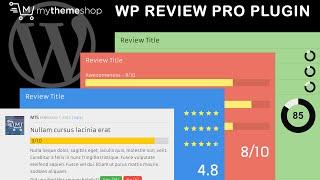
WP Review Pro Plugin Setup Tutorial
Added 121 Views / 0 Likeshttps://mythemeshop.com/plugins/wp-review-pro/ Create reviews! Choose from Stars, Percentages, Circles or Points for review scores. Supports Retina Display, WPMU & Unlimited Color Schemes. Useful WordPress Themes Links: Premium WordPress Themes - https://mythemeshop.com/themes/ Free WordPress Themes - https://mythemeshop.com/theme-category/free-wordpress-themes/ Useful WordPress Plugins Links: Premium WordPress Plugins - https://mythemeshop.com/plugin









