Wordpress
-
01:30 Popular

How to Clone a WordPress Site in 7 Easy Steps
Added 145 Views / 0 LikesMaybe you want to have a copy of your WordPress site in another location. This can be helpful for having a copy of your site for moving it or having an offline copy. In this video, we will show you how to clone a WordPress site in 7 easy steps. If you liked this video, then please Like and consider subscribing to our channel for more WordPress videos. Text version of this tutorial: http://www.wpbeginner.com/wp-tutorials/how-to-clone-a-wordpress-site-i
-
05:28 Popular

How To Clone A WordPress Site With Duplicator Plugin (4 Simple Steps)
Added 142 Views / 0 LikesLearn how to clone a WordPress website even if you are a total beginner Creating a copy of your site can come in handy for testing purposes or when you're switching web hosts. The process is simple and can be carried out by anyone. Get professional WordPress hosting with discount: http://bit.ly/WPHostingOffer Remember – this is all it takes to clone a WordPress website with Duplicator: 1. Create a copy of your site and download it. 2. Upload the copy
-
05:07

How to Clone a WordPress Website to another Domain Name
Added 88 Views / 0 Likeshttp://WPWithTom.com Have you ever wondered How to Clone a WordPress Website to another Domain Name? In the past I had always known that it was possible, but I'd never taken the time to look into it. When I decided to look into it more I began to realize that there wasn't many good solutions out there for cloning a wordpress site. Luckily, I was able to stumble upon this simple plugin called WP Clone by WP Academy. This plugin made it so much easier f
-
23:05 Popular
How To Clone Your WordPress Website With One Click
Added 131 Views / 0 LikesIn this video tutorial I teach you how to clone your WordPress website from inside of cPanel with just one click. This can be used for a number of different things, such as staging your WordPress website for a new design, plugin, or content. You can learn more about our WordPress hosting here: https://www.namehero.com/wordpress-hosting.php Make sure to subscribe to our channel and give this video a thumbs up if it helped you out!
-
21:09 Popular
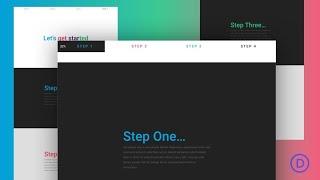
How to Combine a Scroll Progress Bar with a Fixed Navigation Menu in Divi
Added 150 Views / 0 LikesProgress Bar Indicators can add a nice touch to your website, boosting UX with a useful (and fun) interaction. Normally, progress bars stand alone at the top of the page without much connection to the actual content of the page. The user simply has a visual indicator of where they are on the page. But, today, we are going to take this functionality to another level. In this tutorial, we are going to show you how to combine a scroll progress bar with a
-
39:14 Popular

How to Combine Animations and Parallax in Divi for Unique Designs
Added 140 Views / 0 LikesMultistreaming with https://restream.io/ Hey Divi Nation, welcome to a brand new Divi Use Case live stream where each week we show you how to add new design and functionality to your Divi website. Today, we are going to use Divi’s built-in design settings to combine animations and parallax in all sorts of creative ways. The combination works together quite magically to create a beautiful layout of animated parallax images that look awesome as you scro
-
04:15

How to Combine Divi’s Background Gradient Builder, Masks and Patterns
Added 63 Views / 0 LikesToday we are going to show you how to combine Divi’s Background Gradient Builder with background masks and patterns to create a beautiful background design. We’ll show you how to add each of the background design elements (background gradient, masks and patterns) to a section. Plus, we’ll demonstrate how easy and fun it can be to change the design combinations with a few simple clicks. 📝 Blog post: https://www.elegantthemes.com/blog/divi-resources/how
-
13:21 Popular

How to Combine Hover Effects with CSS Parallax Backgrounds in Divi
Added 111 Views / 0 LikesUsing CSS Parallax with Background Images in Divi allow us to create hover effects that are surprisingly unique. Parallax is one of many ways we can add life to our websites. And when combining parallax with Divi’s vast array of hover options, we bring content to life even more. In this tutorial, we’ll show you can quickly and easily design unique CSS parallax background hover effects in Divi. No plugin or custom coding needed! Read more: https://www.
-
18:24 Popular
How to Combine Image Background & Box Shadow Options with Divi
Added 142 Views / 0 LikesIn this Divi post, we’ll be showing you how you can combine the background and shadow options of an Image Module. This post is meant to stimulate your imagination and show you how new Divi features can work with existing ones–leading to creative results. To help you with the creative process, we’ve created 4 combinations which we’ll show you how to recreate step by step. Read the article here: https://www.elegantthemes.com/blog/divi-resources/how-to-c
-
12:16

How to Combine Scroll Snapping and Motion Effects for Smooth Animations
Added 72 Views / 0 LikesIf you’re looking for a way to create smooth animations with Divi’s built-in scroll effects, you’re going to love this post. We’ll show you how to combine scroll snapping with Divi’s built-in motion effects to create full height sections that you can scroll between in one go. We’ll start by creating the first section. We will, then, reuse that section throughout our page design. To enable the scroll snapping, we’ll use CSS scroll snap properties which
-
08:46 Popular
How to Completely Disable Comments in WordPress
Added 129 Views / 0 Likesvisible, click the three ellipses in the top right, go to Options, and ensure the discussion is checked in the window that appears. While the above method is good for single posts or pages. If you have multiple posts and pages you want to retroactively disable comments on there is another method. Go to All Pages or Posts depending on which you want to edit, click the checkbox next to title to select all of the posts that are listed, click the bulk act
-
01:29 Popular
How to Completely Remove Comments From Your WordPress Site
Added 117 Views / 0 LikesDo you want to completely remove comments from your WordPress website? Some websites want to remove comments completely to avoid any issues that they could run into from comment moderation. In this video, we will show you how to completely remove comments from your WordPress site. Text version of this tutorial: http://www.wpbeginner.com/plugins/how-to-completely-remove-comments-from-your-wordpress-site/ If you liked this video, then please Like and co
-
05:04

How to Configure Cache Settings in the Multiple Pages Generator (MPG) WordPress Plugin [2022]
Added 62 Views / 0 LikesIn this video, we explore MPG's disk caching options. While MPG has two main caching options - Disk and Database we can confirm that there isn't any real performance difference between the two methods. Some hosting providers impose limits such as disk space therefore, you should always choose the option that best suits your hosting situation. You will learn to enable and disable both disk and database cache in MPG. We also walk you through the process
-
02:18 Popular

How to Configure MyThemeShop's Google Plus Widget Properly HD
Added 115 Views / 0 Likeshttps://mythemeshop.com/plugins/google-plus-badge-widget/ Google+ is a very powerful social networking platform. Use MyThemeShop's Google Plus Widget to reach your followers on Google+ Useful WordPress Themes Links: WordPress Blog Themes - https://mythemeshop.com/theme-category/wordpress-blog-themes/ WordPress Business Themes - https://mythemeshop.com/theme-category/wordpress-business-themes/ WordPress eCommerce Themes - https://mythemeshop.com/theme-
-
02:52 Popular

How to Configure MyThemeShop's Twitter's Widget Properly HD
Added 111 Views / 0 LikesConfigure the MyThemeShop's Twitter widget to add feeds and updates from your twitter profile. This will help your website users to stay updated about your twitter profile. Useful WordPress Themes Links: WordPress Blog Themes - https://mythemeshop.com/theme-category/wordpress-blog-themes/ WordPress Business Themes - https://mythemeshop.com/theme-category/wordpress-business-themes/ WordPress eCommerce Themes - https://mythemeshop.com/theme-category/wor
-
03:31

How to Configure Otter's Settings [2022]
Added 69 Views / 0 LikesHere we guide you through the process of configuring Otter's main settings including modules, default behaviours and API configurations. Otter is a lightweight, dynamic collection of page building blocks and templates for the WordPress block editor. Purchase Otter → https://themeisle.com/plugins/otter-blocks/ Documentation → https://docs.themeisle.com/article/1478-otter-blocks-documentation#ottersettings Website → https://themeisle.com WordPress Artic
-
10:10

How to Configure The Multiple Pages Generator (MPG) Search Settings [2022]
Added 73 Views / 0 LikesMPG is a WordPress plugin that allows you to generate unlimited pages however, by default, generated pages will not show up in search results on your website since WordPress only looks for physical pages. In this video, we demonstrate how to configure an MPG option to show generated pages using the default search. Make your HTML Pretty: https://jsonformatter.org/ Blog Post: https://docs.themeisle.com/article/1461-how-to-search-through-generated-pages
-
06:58 Popular
How To Configure WordPress After Installation
Added 151 Views / 0 LikesHow To Configure WordPress After Installation Watch the entire playlist: https://www.wpcrafter.com/create-course-2017 Hosting: http://www.OrderNewHosting.com Elementor: https://www.wpcrafter.com/elementor-page-builder GeneratePress: https://www.wpcrafter.com/gp-addons LifterLMS: https://www.wpcrafter.com/lifter-lms Table of Contents 00:27 Update Notifications 00:54 Trashing the default post 01:12 Trashing the default sample page 01:32 Deleting Pre-ins
-
09:24 Popular
How to Configure Your WooCommerce Shipping Options
Added 123 Views / 0 LikesIn today’s video, we're going to learn how to configure your WooCommerce shipping options. Blog post: https://www.elegantthemes.com/blog/wordpress/woocommerce-shipping Like us on Facebook: https://www.facebook.com/elegantthemes/
-
03:55
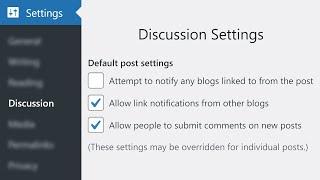
How to Configure Your WordPress Discussion Settings
Added 72 Views / 0 LikesIn today's video, we'll learn how to configure your WordPress discussion settings. Blog post: https://www.elegantthemes.com/blog/wordpress/how-to-configure-your-wordpress-discussion-settings ➡️ Learn more about Divi: https://www.elegantthemes.com/gallery... 🔵 Like us on Facebook: https://www.facebook.com/elegantthemes/ #Tutorial #WordPress #ElegantThemes
-
02:16
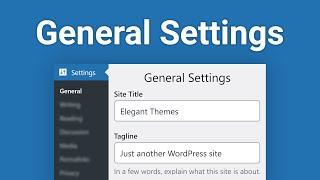
How to Configure Your WordPress General Settings
Added 70 Views / 0 LikesIn today's video, we'll learn how to configure your WordPress general settings. Blog post: https://www.elegantthemes.com/blog/wordpress/how-to-configure-your-wordpress-general-settings ➡️ Learn more about Divi: https://www.elegantthemes.com/gallery... 🔵 Like us on Facebook: https://www.facebook.com/elegantthemes/ #Tutorial #WordPress #ElegantThemes
-
02:19
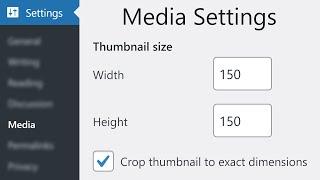
How to Configure Your WordPress Media Settings
Added 51 Views / 0 LikesIn today's video, we'll learn how to configure your WordPress media settings. Blog post: https://www.elegantthemes.com/blog/wordpress/how-to-configure-your-wordpress-media-settings ➡️ Learn more about Divi: https://www.elegantthemes.com/gallery... 🔵 Like us on Facebook: https://www.facebook.com/elegantthemes/ #Media #WordPress #ElegantThemes
-
03:13
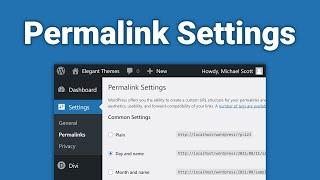
How to Configure your WordPress Permalink Settings
Added 70 Views / 0 LikesIn today's video, we'll learn how to configure your WordPress permalink settings. Blog post: https://www.elegantthemes.com/blog/wordpress/wordpress-permalink-settings ➡️ Learn more about Divi: https://www.elegantthemes.com/gallery... 🔵 Like us on Facebook: https://www.facebook.com/elegantthemes/ #Permalinks #WordPress #ElegantThemes
-
02:47
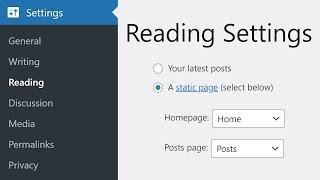
How to Configure Your WordPress Reading Settings
Added 79 Views / 0 LikesIn today's video, we'll learn how to configure your WordPress reading settings. Blog post: https://www.elegantthemes.com/blog/wordpress/how-to-configure-your-wordpress-reading-settings ➡️ Learn more about Divi: https://www.elegantthemes.com/gallery... 🔵 Like us on Facebook: https://www.facebook.com/elegantthemes/ #Reading #WordPress #ElegantThemes
-
03:29
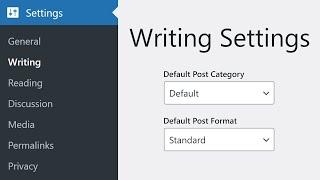
How to Configure Your WordPress Writing Settings
Added 80 Views / 0 LikesIn today's video, we'll learn how to configure your WordPress writing settings. Blog post: https://www.elegantthemes.com/blog/wordpress/how-to-configure-your-wordpress-writing-settings ➡️ Learn more about Divi: https://www.elegantthemes.com/gallery... 🔵 Like us on Facebook: https://www.facebook.com/elegantthemes/ #Writing #WordPress #ElegantThemes
-
07:23 Popular

How To Connect ConvertFox To WordPress The Right Way
Added 104 Views / 0 LikesLearn how to do it the right way, because at first, I did it the wrong way :-( ....Also the benefits of doing it the right way.... Ok, confession time, I initially did it the wrong way, but that's ok because I like to learn from my mistakes. Check out ConvertFox's amazing offer here: ConvertFox https://www.wpcrafter.com/convertfox Full Tutorial https://www.wpcrafter.com/convertfox-tutorial-complete-walkthrough/ *While I do like ConvertFox, the cost of
-
06:23
How to Connect Google Sheets with WooCommerce in 5 minutes
Added 52 Views / 0 LikesDo you want to connect Google Sheets with your WooCommerce store? With the integration of Google Sheets and WooCommerce, you can easily manage your store order data as well as present it in charts or graphs for better understanding. This will help not only yourself but also other members on staff that require access without having them login into their WordPress dashboard. In this video, we'll walk you through how to integrate your WooCommerce store w
-
05:46

How to Connect Microsoft Outlook to WordPress (Step by Step)
Added 56 Views / 0 LikesUsing Microsoft Outlook with WordPress can help increase the deliverability of your emails by ensuring that they reach your recipients' inboxes, even if you're sending a large number of them. In this video, we go step by step through how to connect Microsoft Outlook to WordPress. ►WP Mail SMTP Pro https://wpmailsmtp.com/ ►Microsoft azure https://portal.azure.com/ Prefer to read rather than watch? Check out the article https://www.wpbeginner.com/wp-tut
-
01:53 Popular

How to Connect WordPress to MailChimp With Elementor
Added 128 Views / 0 LikesThere has never been an easier way to connect WordPress to MailChimp. Learn how to do it with Elementor Pro's Form widget: https://elementor.com/pro
-
01:39 Popular

How to Connect WordPress with Meetup com Group
Added 127 Views / 0 LikesThere are many useful tools for users to build communities around their website. These communities use WordPress to publish news, run forums, and organize meetup groups. Meetup.com is a site where you can find others of similar mindsets for these meetups. In this video, we will show you how to connect WordPress with a Meetup.com group. If you liked this video, then please Like and consider subscribing to our channel for more WordPress videos. Text ver









