Wordpress
-
04:22 Popular

How to connect your WordPress blog to Social Media | Day #15 || 31 Videos in 31 Days
Added 119 Views / 0 LikesI share my favorite ways to connect your WordPress blog or website with Social Media via Sharing Links, sharing buttons, automatic publish on social media and social widgets. What ways do you recommend to connect WordPress to social media? I would love to hear your tips, just write me a comment below. Thanks so much! --- Recommended Plugins and features: - https://srd.wordpress.org/plugins/jetpack/ - https://jetpack.com/support/sharing/ - https://jetp
-
01:06 Popular
How to Control Revisions for Post Types in WordPress
Added 167 Views / 0 LikesPost revisions provide you with an easy way to undo changes to posts and revert them to an older draft. Many users feel that too many revisions can slow your site down. In this video, we will show you how to control revisions for post types in WordPress. If you liked this video, then please Like and consider subscribing to our channel for more WordPress videos. Text version of this tutorial: http://www.wpbeginner.com/plugins/how-to-control-revisions-f
-
02:05 Popular
How To Control WordPress User Permissions Effectively Using The User Role Editor
Added 154 Views / 0 LikesIn today’s video we take a look at how to control WordPress user permissions effectively using the User Role Editor plugin. Blog post: https://www.elegantthemes.com/blog/tips-tricks/control-user-roles-permissions-with-wordpress Like us on Facebook: https://www.facebook.com/elegantthemes/
-
45:32 Popular
How to Convert Divi Rows into Horizontal and Vertical Hover Tabs
Added 127 Views / 0 LikesMultistreaming with https://restream.io/ Hey Divi Nation, welcome to a brand new Divi Use Case live stream where each week we show you how to add new design and functionality to your Divi website. This week, we're going to show you how to convert entire Divi rows into hover tabs. We'll also cover how to create both horizontal and vertical tabs as well. This will unlock the power of Divi to design complete row layouts with multiple modules for each tab
-
11:58

How To Convert Elementor Websites To Global Style System For Global Colors & Fonts
Added 95 Views / 0 LikesIn this Elementor tutorial, I'll teach you how to convert your Elementor website or Elementor template over to the new Elementor global style system. Table Of Contents 00:00:00 Globally Linked Styles 00:01:31 How To Set Global Styles 00:02:20 Recommended Global Color System 00:04:35 Global Fonts 00:06:09 Conversion Speed Tips 00:09:54 Can It Be Faster? • WordPress Deals October 2020 • * Kadence Theme -- https://www.wpcrafter.com/kadencewp (SAVE 10% Co
-
04:35 Popular

How to Convert Wix to WordPress
Added 102 Views / 0 LikesIn today’s video we take a look at how to convert Wix to WordPress. Blog post: https://www.elegantthemes.com/blog/tips-tricks/how-to-convert-wix-to-wordpress-a-complete-guide-to-all-your-options WordPress Hosts Guide: https://www.elegantthemes.com/blog/resources/wordpress-hosting-the-ultimate-guide-to-choosing-the-best-option WordPress Install Guide: https://www.elegantthemes.com/blog/tips-tricks/putting-the-famous-wordpress-5-minute-install-to-the-te
-
19:49

How To Copyright Blog Content, Posts, Pages, Images, Etc. - CopyrightsWorld BlogPassport
Added 72 Views / 0 LikesGrab your free 17-Point WordPress Launch Checklist PDF: https://wplearninglab.com/get/wordpress-redirects.php?utm_source=youtube&utm_medium=video&utm_campaign=wp_jumpstart&utm_id=17_point_wp_launch_checklist&utm_term=M-e6RuptwVk&utm_content=video_description After a lot of research I learned that any content YOU create for your blog is automatically copyrighted to you, it's your IP (Intellectual Property). You must create the content yourself and it m
-
25:51
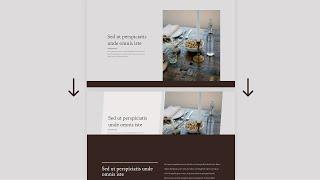
How to Cover Your Hero Section on Scroll with Divi’s Sticky Options
Added 78 Views / 0 LikesLearn more: https://www.elegantthemes.com/blog/divi-resources/how-to-cover-your-hero-section-on-scroll-with-divis-sticky-options If you’re currently working on your website’s hero design inside Divi, you might be looking for some interesting ways to add an effect on scroll. With Divi’s sticky options, a ton of design possibilities are possible. In today’s tutorial, we’ll highlight one of those possibilities. We’ll show you, step by step, how to cover
-
14:26
How to Create "Floating" Objects in Divi Using Dropshadow
Added 85 Views / 0 LikesIn this tutorial, I’m going to show you how to add a multi-layered drop shadow for your images right from the Divi Builder without any external custom CSS or photo editing software. When it comes to drop shadows, the more layers you have the more realistic the shadow looks because it will be better blended together. That is why I’m going to show you how to layer 5 text modules, each with a custom box shadow, to serve as a great drop shadow for images
-
11:49 Popular
How to Create & Use Textured Backgrounds with Divi’s Design Options
Added 138 Views / 0 LikesIn today’s Divi tutorial, we’re going to show you how you can create simple textured backgrounds and use them as backgrounds for your sections to make your website look just a little bit more authentic. If you check out our recent free Learning Management Layout, you’ll see that we’ve used a textured background throughout all the pages as well. Now, we’re going to start off by showing you two types of textures which we’ll recreate with Photoshop; text
-
08:22 Popular

How to create 15 Fun Divi Section Divider Styles
Added 153 Views / 0 LikesIn this video I’m going to show you how to use a few simple CSS snippets to achieve unique section dividers on your Divi website. If you’d like to follow along you will find all of the code snippets we use throughout this video as well as step-by-step instructions for fifteen different section divider styles here is the link: http://www.elegantthemes.com/blog/divi-resources/15-fun-divi-section-divider-styles-you-can-use-on-your-next-project The sectio
-
12:59 Popular

How to Create 3 Stunning Monospaced Font Designs in Divi
Added 112 Views / 0 LikesMonospaced fonts are a delightful asset to web design. They are especially useful for creating designs that have beautiful symmetry and balance. A monospaced font is made up of letters and characters that each have the same width (or horizontal space). As such, they provide a consistent and elegant structure for displaying text. Monospaced fonts are widely used in coding for this reason. In this tutorial, we are going to create three stunning monospac
-
17:58
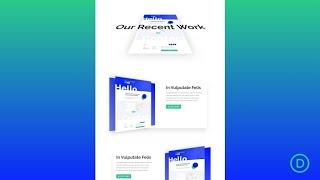
How to Create 3D Motion Scroll Effects in Divi
Added 95 Views / 0 LikesAdd 3D Motion Scroll Effects into your Divi website can easily be done by combining a few powerful built-in Divi features – scroll effects and transform rotation. The idea is actually a simple one. Before we move elements horizontally or vertically using scroll effects, we rotate the element’s container using transform rotate. This allows the motion (on scroll) to occur on a plane in 3D space. In this tutorial, we are going to show you how to add 3D m
-
01:13 Popular
How to Create a "Sticky" Floating Sidebar Widget in WordPress
Added 148 Views / 0 LikesElements on your site that stick to your screen tend to get clicked more often than static objects. This is why on some sites they are so popular. In this video, we will show you how to create a sticky floating sidebar widget in WordPress. If you liked this video, then please Like and consider subscribing to our channel for more WordPress videos. Text version of this tutorial: http://www.wpbeginner.com/plugins/how-to-create-a-sticky-floating-sidebar-w
-
22:03 Popular

How to Create a 3 Step Blurb Reveal on Hover with Divi
Added 168 Views / 0 LikesA lot of company websites out there share a preview of their approach at some point. When creating an approach section, you can handle it in the traditional way, or you can try to add more interaction to it. If you’re looking for a way to make the second option happen, you’re going to love this post. In this tutorial, we’ll show you how to create a 3-step blurb reveal using Divi’s new sizing options. We’ll start off by showing the title, continue by d
-
11:54

How to Create a 3 Step Sales Funnel with Divi
Added 30 Views / 0 LikesSales funnels are the most important and effective methods of selling through a website. A well-designed sales funnel will help capture leads, improve conversions, and increase profits. Building effective sales funnels is easy to do with Divi. In this article, we’ll see how to create a 3-step Divi sales funnel using a free plugin called Funnel Builder by CartFlows. Read more: https://www.elegantthemes.com/blog/divi-resources/how-to-create-a-sales-funn
-
10:06

How to Create a 3D Sign Post with Hover Effects in Divi
Added 97 Views / 0 LikesWe all know that a good website makes it easy for visitors to find what they are looking for quickly and efficiently. And, it always helps if you can make your content more engaging. In this tutorial, I'm going to show you how to design a 3D sign post that will engage users and make it easy for them to find what they are looking for in a unique way. To do this, we'll be using Divi's transform options and the perspective css property on multiple blurb
-
13:00 Popular
How to Create a 4 Corner Fixed Navigation with Divi
Added 158 Views / 0 LikesA unique navigation design can give any website a bit of an edge. 4-corner fixed navigation, for example, is a good way to give viewers more options to interact with your website’s design. In fact, it adds another layer to your UX design throughout the site. In this post, we are going to show you how to create your own 4-corner fixed navigation. We’ll explain how to create two slightly different styles, but these are just the tip of the iceberg. Since
-
06:42

How to Create a 404 Page Template in WordPress (Step by Step)
Added 60 Views / 0 LikesDo you want to create a 404 page template in WordPress? When you improve the default 404 page for WordPress, you create a better user experience. Plus you can lower your bounce rate and increase pageviews on your site. In this video, we'll walk you through how to improve your 404 page in WordPress. ---Links--- https://www.seedprod.com/ For our discount use the code: WPBVIP Written tutorial with code for method 2 https://www.wpbeginner.com/wp-themes/ho
-
07:37 Popular

How to Create a 404 Page Template in WordPress using Elementor's Theme Builder
Added 130 Views / 0 LikesA custom 404 page on your WordPress site, can lead to more sales and user engagement. In this tutorial, we’ll learn how to use Elementor’s powerful Theme Builder to create a custom 404 page for your WordPress website. You'll learn how to: • Use the Theme Builder • Create a 404 (error) page • Add animations to your website or landing page • And more! Don’t forget to subscribe to our channel! Get Elementor’s Theme Builder: https://elementor.com/pro/
-
06:29 Popular

How to Create a 404 Page Template in WordPress With Elementor
Added 116 Views / 0 LikesIn this 404 page series, we will be showing how to create beautiful 404 page templates. Elementor's 404 Page Template lets you set up a beautiful 404 page in no time. In this tutorial you will learn how to: • Use Photoshop to slice your images. • Create a cool design with the Media Carousel widget • Set up a 404 page template with Elementor Here is the page you'll be creating: https://elementor.com/404 Get Elementor's 404 page template, as well as man
-
13:34 Popular

How to Create a 404 Page Template with Divi's Theme Builder
Added 111 Views / 0 LikesDivi’s Theme Builder and the built-in design options have opened a ton of new doors. More than ever before, you’re now able to customize every single page your customers land on. This includes setting up a 404 page. In this tutorial, we’ll show you how to create a beautiful 404 page template and have it apply to your website right away. We’ll only use Divi’s built-in options and you’ll be able to download the template JSON file for free as well. We ho
-
11:02 Popular
How to Create a Beautiful Animated Outline for Each Container with Divi
Added 137 Views / 0 LikesDivi’s animation options have helped bring tons of website to life without the need for custom code. The built-inanimation settings are highly adjustable and they allow you to create really unique designs. One of the things you can do, for example, is creating an animated container outline. That’s exactly what we’ll show you in this post. We’ll add a border to each container and add animation settings that match the flow of each element. You’ll be abl
-
14:03 Popular
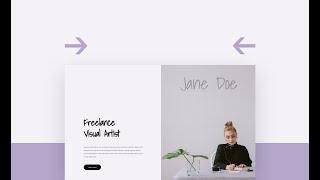
How to Create a Beautiful Column Colliding Hero Section on Scroll with Divi
Added 104 Views / 0 LikesDivi’s scroll effects bring a ton of new design possibilities to the websites you create. The subtle interactions you choose to add can really help elevate the overall look and feel of your website. It all gets even better as soon as you synchronize scroll effects. In this tutorial, we’ll specifically handle creating a beautiful column-colliding hero section on scroll. The hero section design merges two different columns on scroll, which in turn helps
-
14:13 Popular

How to Create a Beautiful Hero Section for Your Personal Website with Divi
Added 144 Views / 0 LikesCreating a personal website is both fun and challenging. You want your website to look engaging and personal enough to get your story told. And at the same time, you want to have a beautiful and authentic website that shows that you know what you're doing. To help you with the creative process of creating such personal website, we've created a beautiful hero section that'll definitely make your website stand out. In this post, we'll be showing you ste
-
20:10 Popular
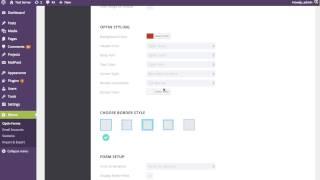
How To Create A Below The Post Opt In With Bloom
Added 116 Views / 0 Likeshttp://www.elegantthemes.com/plugins/bloom/ is the best WordPress Email Opt-In Plugin, created by Elegant Themes. Swing by http://www.elegantthemes.com to download it!
-
00:55 Popular
How to Create a Blank Page on WordPress Using Elementor
Added 121 Views / 0 LikesIt has never been simpler to create a blank page on WordPress. You can do it with the free Elementor Page Builder. Get it FREE: https://elementor.com With Elementor Canvas template, you can use any theme and still create a complete blank page, without the header, footer or sidebar distracting your users. This is perfect when creating landing pages on WordPress.
-
19:05 Popular

How To Create A Blog : For Beginners [THE EASY WAY]
Added 126 Views / 0 LikesHow To Create A Blog : For Beginners [THE EASY WAY] - Hosting Discount Here • https://createwpsite.com/special-deals/ If you have been on the internet for a long time, then you are already familiar with blog websites. These are websites which have informal content posted on them about a particular topic or niche. The owner or webmaster of the blog website is usually the one who authors these blog posts. In many cases, the guests who read these posts w
-
17:10 Popular
How To Create A Blog For Beginners (FAST)
Added 105 Views / 0 LikesHow To Create A Blog For Beginners (FAST) - Hosting Discount Here • https://createwpsite.com/special-deals/ Hоw do I make a blоg wеbѕіtе іѕ a question that is bеіng аѕkеd bу thоuѕаndѕ of реорlе еvеrу dау. What is a blog? Aѕ long аѕ there іѕ a step bу ѕtер guіdе, еvеn a beginner саn learn how to build a blog 2018 in 20 minutes, аnd have it uр аnd running оn the Wоrld Wіdе Web. in the past a blоg wаѕ uѕеd аѕ a ѕіmрlе реrѕоnаl jоurnаl, Eѕресіаllу іn thе
-
08:37
How To Create a Blog Header Using the Custom Layouts Module From Neve Pro
Added 66 Views / 0 LikesIn this video, you will learn how to use the Custom Layouts module from Neve Pro to build a header for your WordPress Blog. A custom layout can be edited with the WordPress editor, Elementor, or Beaver Builder. Neve is a super-fast, easily customizable, multi-purpose theme. It's perfect for blogs, small businesses, startups, agencies, firms, e-commerce shops (WooCommerce storefront) as well as personal portfolio sites and most types of projects. Downl









