Wordpress
-
19:39 Popular

Customize Genesis Child themes with no code! Design Palette Pro & Beaver Builder guide
Added 121 Views / 0 LikesSubscribe to PluginTut: http://www.youtube.com/subscription_center?add_user=plugintut Here are the themes & plugins I used in the video: + StudioPress themes: https://plugintut.com/go/studiopress + Design Palette Pro: https://plugintut.com/go/dpp + Beaver Builder: https://plugintut.com/go/beaverbuilder + Genesis Dambuster: https://wordpress.org/plugins/genesis-dambuster/ + SiteOrigin CSS: https://wordpress.org/plugins/so-css/ Skip ahead: 0:43 Intro to
-
49:18 Popular
How to find the best WordPress plugins & other Stuff | PluggedIn Radio Ep#7
Added 121 Views / 0 LikesToday we're learning how to find the best WordPress plugins and referencing this post: https://plugintut.com/how-to-find-the-best-wordpress-plugin/ Plugins we also talked about: https://wordpress.org/plugins/compact-archives/ https://wordpress.org/plugins/toggle-the-title/ https://wordpress.org/plugins/tweet-old-post/ Joe joins us from the website: https://wpinonemonth.com/ Tweet to Joe at: https://twitter.com/jcasabona
-
38:25 Popular

WordPress Tutorial for Beginners | Crash course
Added 121 Views / 0 LikesWordPress beginners should watch this tutorial "crash course" on getting started with WordPress. We move quite fast, and cover only the high-level important areas of managing a WordPress website in this video. If you're looking for a slow-paced, step-by-step (boring) guide -- this isn't it! Use the links below to skip ahead, and be sure to checkout additional resources mentioned below. Skip ahead: 00:14 Intro to WordPress tutorial for beginners 00:49
-
07:16 Popular

Create a clickable hotspot map with this WordPress plugin
Added 121 Views / 0 LikesGet Image Hotspot plugin: https://wordpress.org/plugins/devvn-image-hotspot/ I was looking for a simple to use plugin that allowed me to create clickable "hotspots" on an image for a project I was working on, and I found Image Hotspot by DevVN to be a perfect fit. It's super-lightweight, and doesn't come with a bunch of features I won't use. It would be nice to have a few more customization options, but otherwise, it was a piece of cake to use. Learn
-
33:01 Popular

Wordpress Tutorial für Anfänger | Website in 33 Minuten erstellen | Deutsch/German
Added 121 Views / 0 LikesLerne wie du eine Wordpress Website in nur 33 Minuten erstellen kannst | Anfänger Tutorial | • WordPress Hosting https://webseitenmachen.de/wpsiteground (50% Rabatt) (Über den Link unterstützt du mich :) ) • Siteground Review : https://webseitenmachen.de/review/ • SSL Installieren : https://youtu.be/1IySTy3Yejo • Tutorial 2 : https://youtu.be/kj20n1Np8v0?t=780 • Externe Domains : Inhaltsübersicht : 1.) Einführung - 00:00:00 2.) Domain Name & Hosting b
-
04:09 Popular
6 Ways to Prevent Computer Eye Strain
Added 121 Views / 0 LikesIn today’s video, we're going to learn 6 ways to prevent computer eye strain. Blog post: https://www.elegantthemes.com/blog/business/prevent-computer-eye-strain Like us on Facebook: https://www.facebook.com/elegantthemes/
-
12:40 Popular
How to Use the Post Content Module in the Divi Theme Builder
Added 121 Views / 0 LikesThe Post Content Module is a special module available when creating a Body Area Layout for a template in the Divi Theme Builder. Understanding what the Post Content Module is and how to use it will be extremely helpful when designing custom Templates with the Divi Theme Builder. In this tutorial, we are going to go over how the Post Content Module works and how best to use it when designing templates in Divi.
-
12:51 Popular
How to Add a Sticky Category Menu to Your Blog Templates in Divi
Added 121 Views / 0 LikesCategory menus are a delightful addition to any blog. They give bloggers an opportunity to showcase the different kind of topics available so readers can get to the stuff they care about quickly and easily. So, it’s important that you have a well-designed category menu on all the blog related templates in your website. In this tutorial, we are going to show you how to add a sticky category menu to your blog with Divi’s Theme Builder. We’ll cover how t
-
12:13 Popular

Elementor 2.8 New Features For Everyone - Easier On The Eyes, Speed Up Your Workflow
Added 121 Views / 0 LikesA brand new version of Elementor is right around the corner and here are all the details. And believe me, there is something here for everyone. Don't have Elementor Pro yet, visite https://www.wpcrafter.com/elementor • ----- Important Links ----- • * HappyAddons -- https://happyaddons.com/ * Page Builder Theme -- https://www.wpcrafter.com/wppbf * GeneratePress -- https://www.wpcrafter.com/generatepress * Elementor --- https://www.wpcrafter.com/element
-
11:33 Popular

Exclusive Divi Black Friday Gift #2: The Startup Divi Theme Builder Pack
Added 121 Views / 0 LikesWant this free gift? Shop our Black Friday Deal here: https://www.elegantthemes.com/blackfriday Everyone who purchases a new Elegant Themes Membership or who upgrades their existing Membership will gain access to this free gift in the members area of their new account. Current Lifetime Members can access it right now! Simply go to the new Black Friday Perks page in your members area: https://www.elegantthemes.com/members-area/perks/ Like us on Faceboo
-
00:31 Popular

Elementor 2019 Cyber Monday - Final Day
Added 121 Views / 0 LikesOur Cyber Monday is almost over... Hurry Up! Buy Now: https://elementor.com/cyber-monday
-
06:37 Popular

How to Stop Search Engines from Crawling a WordPress Site
Added 121 Views / 0 LikesWe've been asked if you can stop search engined from indexing a WordPress site by some of our users. This is mainly for sites just getting started or maintenance. In this article, we will show you how to stop search engines from crawling a WordPress site. This video brought to you by SeedProd take a look at their site here: ================================= https://www.seedprod.com/ ================================= For a discount, use our code: WPBVI
-
22:21 Popular

How to Automatically Place Your Header Below Each Page’s First Divi Section
Added 121 Views / 0 LikesMultistreaming with https://restream.io/ Ever since the Divi Theme Builder has come out, we’ve been sharing tutorials on how to create and customize a header to match it with different needs you might have. In today’s tutorial, we’ll continue that journey by showing you how to automatically place a custom header below each page’s first Divi section. This approach allows visitors to see the hero section of your pages first and then get access to the me
-
07:37 Popular

Best Free WordPress Plugins (NEW) for 2020
Added 121 Views / 0 LikesCheck out these new WordPress plugins that would be best for any website in 2020. In this video, I will give you a quick overview of eight WordPress plugins that caught my attention. 1. Ajax Autosearch 00.34 2. Quick Preview Post 01:35 3. Block Manager 02:13 4. Fancy Products for Elementor 03:15 5. SliceWP Affiliate Program Manager 03:43 6. Image Compositions 04:23 7. Category Tag Tidy 05:05 8. WP Presenter 05:47 How to make a website with Neve & Elem
-
02:29 Popular

Channel Changes Ahead, Not Sure What The Future Holds, Plus Live Event
Added 121 Views / 0 LikesIn this video, I will talk about the upcoming changes here to the channel, not sure what the future holds for future videos, and a live event I want you to attend. To register visit https://elementor.com/pages/future-website-building/ ~~~~~~~~~~~~~~~~~~~~~ All of my opinions in this video are my own, I was not paid to make this video. Whenever there is a link in any of my videos, if there is an affiliate program available, it's safe to assume that you
-
03:59 Popular
Lesson 4: Mobile Responsive Editing With Elementor
Added 121 Views / 0 LikesWelcome to the Elementor Getting Started Course. In this short video series, you'll learn the basics of using Elementor. We will cover all you need to know to streamline your workflow and easily create landing pages using the power of Elementor. Things you'll learn in this course: • Overview of Elementor • Building a Landing Page step-by-step • Responsive design with Elementor • Save your work as a template to reuse across your site • Publish your pag
-
24:47 Popular

Wishpond Review - Landing Pages, Email Marketing, Viral Contests, All In One Platform
Added 121 Views / 0 LikesIn this Wishpond review video, I will walk you through the platform, it's features, and what Wishpond can do for you. Essentially with it, you can create unlimited landing pages with split testing, online sweepstakes and contests, email broadcasts, email marketing automations, popups, and more. More info: https://www.wpcrafter.com/wishpond ~~~~~~~~~~~~~~~~~~~~~ All of my opinions in this video are my own, I was not paid to make this video. Whenever th
-
04:35 Popular

Introducing Divi Scroll Effects. The Ultimate Web Animation Builder!
Added 121 Views / 0 LikesLearn More Here: https://www.elegantthemes.com/blog/theme-releases/divi-scroll-effects Today we are excited to introduce one of Divi’s most amazing new features ever. It’s called Scroll Effects, and it allows you to create advanced animations and transitions that react to your visitors as they scroll up and down the page. Any element can be animated using a combination of effects and creating advanced animations is easy thanks to our brand new Scroll
-
14:20 Popular
Getting Creative with Divi’s New Image Replacement Hover Options
Added 121 Views / 0 LikesDivi’s new image replacement hover options give your projects a whole new level of creativity. In this post, we’ll show you how to create a beautiful section with images that change on hover. We hope this design inspires you to create your own creative sections with Divi’s image replacement hover options. You’ll be able to download the JSON file for free as well! Read More: https://www.elegantthemes.com/blog/divi-resources/getting-creative-with-divis-
-
09:48 Popular
How to Create a Dropdown Menu Button Using Divi's Fullwidth Menu Moduel
Added 121 Views / 0 LikesA dropdown menu button can really come in handy when designing a website. Aside from the main menu, there are areas on a site that may require a dropdown menu of sub items. We see them being used for things like blog post categories, lists, and form inputs. But they can even be used for a main call to action. In this tutorial, we’ll show you how to create a dropdown menu button using Divi’s fullwidth menu module. To do this, we will first create a men
-
1:00:47 Popular
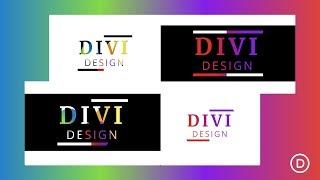
How to Create Colorful Text Background Scroll Animation with Divi
Added 121 Views / 0 LikesHey Divi Nation, welcome to a brand new Divi Use Case live stream where each week we show you how to add new design and functionality to your Divi website. Creating text background scroll animation is a unique way to add colorful moving textures to the text on your website as a user scrolls down the page. With Divi, the process is surprisingly easy once you learn a few key techniques. In this tutorial, we are going to use nothing but the power of Divi
-
20:29 Popular
How to Create a Responsive Block Design for Woo Product Pages with Divi
Added 121 Views / 0 LikesNow that you can use woo modules in Divi, the only limit is your imagination. Every dynamic woo module is customizable like all other modules inside the builder. In this post, we’ll show you how to recreate a creative block design for your product pages. The dynamic modules are grouped into a creative set that stands out from the dark background. You can also download the JSON file for free! Read more: https://www.elegantthemes.com/blog/divi-resources
-
05:32 Popular

What is Bounce Rate, Why is it Important, and How Can You Lower It?
Added 121 Views / 0 LikesIn today's video, we'll learn what bounce rate is, why it's important and how you can lower it! Blog post: https://www.elegantthemes.com/blog/marketing/bounce-rate •️ Learn more about Divi: https://www.elegantthemes.com/gallery/divi • Like us on Facebook: https://www.facebook.com/elegantthemes/ #BounceRate #Marketing #ElegantThemes
-
17:04 Popular

How to Create, Set up & Launch an Online Course Website — Monday Masterclass
Added 121 Views / 0 LikesThis Monday Masterclass we’re showing you how you can share your knowledge and expertise in online courses, and how to monetize them, in 3 simple steps. The main focus of this episode is on a simple way of setting up an online course, to draw potential clients and traffic to your website, using Elementor. We also cover how to pick a promising lesson subject, in addition to creating and building a good lesson plan. This episode covers a lot of valuable
-
26:17 Popular
Neve WordPress Theme Demo and Tutorial (FREE WordPress Website 2020)
Added 121 Views / 0 LikesIn this video tutorial, I will show you everything you need to know about our Neve WordPress theme, and how to use the latest version step by step. First, I will install the theme and show you how to import a ready-made website from our Starter Sites library. After that, I will edit some pages with Elementor to show you how easy it is to make Neve look as you want. The final step would be to Customize things like the Layout of my website, add new thin
-
41:28 Popular
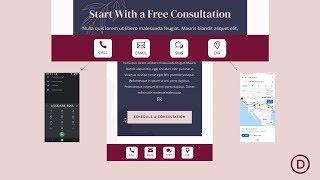
How to Create a Divi Mobile Contact Bar with Click-to-Call, Email, SMS and Direction Links
Added 121 Views / 0 LikesHey Divi Nation, welcome to a brand new Divi Use Case live stream where each week we show you how to add new design and functionality to your Divi website. With the world living on mobile devices, it makes sense to provide clickable contact links on your website that take advantage of the mobile experience. These contact links, like a click-to-call link, can jumpstart a call on your mobile phone in a single click. Others, like a directions link, can o
-
2:02:08 Popular

Live Streaming - WordPress News, Elementor Updates, Gutenberg Widgets, Q&A And More...
Added 121 Views / 0 LikesIn this WPCrafter Live, we will cover breaking updates you want to be aware of. Table Of Contents (Will be added after the live stream is over) 00:00:00 - Introduction 00:06:20 - Guttenberg 8.9.1 (like a virus, moving on throughout WordPress) 00:12:56 - Kadence 'Headers and Footers' 00:15:50 - Elementor 3.0 (What happened there?) breaking sites!!! 00:19:52 - Elementor 3.0 blog post (some ugly messages) 00:24:40 - Going a bit trough the comments about
-
20:08 Popular

How To Choose The Right Plugins & Themes To Use When You Make A WordPress Website
Added 120 Views / 0 LikesChoosing the right plugins and themes when you make a WordPress website can be challenging. In this video learn how to avoid the dangers and pitfalls to make sure you are choosing the right tools. Here are links referenced in the video: Elementor https://www.wpcrafter.com/elementor Astra https://www.wpcrafter.com/astra GeneratePress https://www.wpcrafter.com/generatepress Let me know what additional tips you have in the comment. How To Choose The Righ
-
42:32 Popular

Best WordPress Theme? 7 Questions To Ask Before Choosing A Theme (2018)
Added 120 Views / 0 LikesThis video will give you the 7 questions to ask before choosing a WordPress theme for your website. These questions will help you make the best choice for you now and into the future. In the video, I made several theme and page builder recommendations. Here are the links to those: Astra: https://www.wpcrafter.com/astra GeneratePress: https://www.wpcrafter.com/generatepress OceanWP: https://www.wpcrafter.com/oceanwp Page Builder Framework: https://www.
-
02:32 Popular

WordPress 4.9: New Features Highlight Reel
Added 120 Views / 0 LikesWelcome to WordPress 4.9, the second major update to WordPress in 2017. This beautiful montage of new features will showcase all the best that WordPress 4.9 has to offer. WORDPRESS 4.9 NEW FEATURES: • New photo gallery widget • Better code editing experience, provided by CodeMirror • Draft & Schedule changes in the WordPress Customizer • "Add Media" button in the text wigdet • Preview wordpress.org themes in the Customizer • Improved menu creation in









