Wordpress
-
02:39 Popular

How To Add A WordPress User To Your WordPress Website | WP Learning Lab
Added 116 Views / 0 LikesDownload our exclusive 10-Point WP Hardening Checklist: http://bit.ly/10point-wordpress-hardening-checklist How To Add A WordPress User To Your WordPress Website | WP Learning Lab The first time you add a WordPress user there is a bit of a learning curve, but after you do it once you'll be ready to go. The basics that are required when you add a new user are: 1. A username 2. An email address 3. A password 4. Confirm the password Once you've entered t
-
06:00 Popular

WordPress Theme Install via the WordPress Repository | WP Learning Lab
Added 116 Views / 0 LikesDownload our exclusive 10-Point WP Hardening Checklist: http://bit.ly/10point-wordpress-hardening-checklist WordPress Theme Install: ThemeForest.net Premium Wordpress Theme | WP Learning Lab There are two places you can find WordPress themes: 1. The WordPress respository which you can find in your website's admin panel (click Appearances then click Add New). Or you can browser the repository here: https://wordpress.org/themes/. This is the place to go
-
07:51 Popular

Integrate An Infusionsoft Optin Form With WordPress - Start Building Your List | WP Learning Lab
Added 116 Views / 0 LikesGrab Your Free 17-Point WordPress Pre-Launch PDF Checklist: http://vid.io/xqRL Download our exclusive 10-Point WP Hardening Checklist: http://bit.ly/10point-wordpress-hardening-checklist Integrate An Infusionsoft Optin Form With WordPress - Start Building Your Mailing List | WP Learning Lab In this tutorial you will learn the basics of how to integrate an Infusionsoft optin form with your WordPress site. This will allow you to start collection mailing
-
06:20 Popular

SEO Your H1 Tag In WordPress | WP Learning Lab
Added 116 Views / 0 LikesGrab Your Free 17-Point WordPress Pre-Launch PDF Checklist: http://vid.io/xqRL Download our exclusive 10-Point WP Hardening Checklist: http://bit.ly/10point-wordpress-hardening-checklist SEO Your H1 Tag In WordPress | WP Learning Lab The H1 tag is one of the most important places to add your main focus keyword. Usually WordPress themes are coded in such a way that the title you choose for the post or page becomes the H1 tag. To optimize h1 all you hav
-
04:37 Popular
How To Edit The WordPress Header | WP Learning Lab
Added 116 Views / 0 LikesGrab Your Free 17-Point WordPress Pre-Launch PDF Checklist: http://vid.io/xqRL How To Edit The WordPress Header | WP Learning Lab The WordPress header is one of those place where a lot of important things happen. Scripts are called, integrations are set up and validated, stylesheets are imported, and so on. Usually, leaving the header.php file alone is the best plan, but sometimes you have to make additions or changes. Before you do, keep in mind that
-
02:42 Popular

How To Set HTML5 Video Autoplay
Added 116 Views / 0 LikesHow To Set HTML5 Video Autoplay https://youtu.be/_QrBbXRK844 Blog post with code: https://wplearninglab.com/html5-video-embed-loop-autoplay/ HTML video embed code video: https://youtu.be/KRC1NNc7g70 The HTML5 video autoplay feature can be activated using a single word in the video tag. It's fast, easy, and seamless. If you add the loop feature then you'll have a video that autoplays and loops indefinitely. Exclusive for WPLearningLab viewers, up to 50
-
06:07 Popular

Contact Form 7 Multiple Recipients Determined By Form Selections
Added 116 Views / 0 LikesGrab Your Free 17-Point WordPress Pre-Launch PDF Checklist: http://vid.io/xqRL Contact Form 7 Multiple Recipients Determined By Form Selections https://youtu.be/5D9GDwDIJ3I With this method you can send different people in your organization depending on what selections the user makes on the form. You can make it explicit so they select a specific person to send to. Or you can make it topical so that the email is routed to specific people without the p
-
05:55 Popular

RSS Feed With Images - How To Add Featured Image To WordPress RSS
Added 116 Views / 0 LikesGrab Your Free 17-Point WordPress Pre-Launch PDF Checklist: http://vid.io/xqRL RSS Feed With Images - How To Add Featured Image To WordPress RSS https://youtu.be/dzOgj-RTKeM Join our private Facebook group today! https://www.facebook.com/groups/wplearninglab How to create an RSS feed with images. All you need to add the post's featured image to an RSS feed is a simple piece of code that you can get from the blog right here: https://wplearninglab.com/w
-
09:58 Popular

3 WordPress Countdown Clock Designs Without A Plugin - Codepen in WordPress
Added 116 Views / 0 LikesGrab Your Free 17-Point WordPress Pre-Launch PDF Checklist: http://vid.io/xqRL Check out the free WP & Online Marketing Summit For Beginners. The online event is June 18, 2019: https://events.wplearninglab.com/ 3 WordPress Countdown Clock Designs Without A Plugin - Codepen in WordPress https://youtu.be/_BoEXDsZAOU Join our private Facebook group today! https://www.facebook.com/groups/wplearninglab Code on the blog: https://wplearninglab.com/countdown-
-
00:50 Popular

How to Force Strong Password on Users in WordPress
Added 116 Views / 0 LikesSome sites out there are requireing their users to have a strong password such as Bluehost. There are a plethora of reasons to have a stong password it is sometimes easeir for your users to use weak passwords. In this video, we will show you how to force strong passwors on users in WordPress. If you liked this video, then please Like and consider subscribing to our channel for more WordPress videos. Text version of this tutorial: http://www.wpbeginner
-
01:01 Popular

How to Put Your WordPress Site in Read Only State for Site Migrations and Maintenance
Added 116 Views / 0 LikesManaging a multi-author blog is difficult on its own but once you attempt to update or do site maintenance it gets more difficult. You have to notify everyone multiple times that you are updating and to stop making changes to the site. In this video, we will show you how to put your WordPress site in read only state for site migrations and maintenance. If you liked this video, then please Like and consider subscribing to our channel for more WordPress
-
00:53 Popular

How to Fix the Missed Schedule Post Error in WordPress
Added 116 Views / 0 LikesWordPress allows you to schedule posts to be published at specific times which can be great if you are not available when you would want to publish the post. There is sometimes an issue when your posts do not publish when they were scheduled. In this video, we will show you how to fix the missed schedule post error in WordPress. If you liked this video, then please Like and consider subscribing to our channel for more WordPress videos. Text version of
-
02:17 Popular

7 Best Live Chat Support Software for Your WordPress Site
Added 116 Views / 0 LikesA majority of users on eCommerce website users abandon their carts before even checking out. Once reason why is they have questions that they want answered instantly. In this video, we will show you the 7 best live chat support software for your WordPress site. If you liked this video, then please Like and consider subscribing to our channel for more WordPress videos. Text version of this tutorial: http://www.wpbeginner.com/showcase/7-best-live-chat-s
-
00:45 Popular

How to Highlight Author’s Comments in WordPress
Added 116 Views / 0 LikesOn most sites it is difficult for users to track author comments. Many sites highlight their author's comments to help resolve this issue. In this video, we will show you how to highlight authors comments in WordPress. If you liked this video, then please Like and consider subscribing to our channel for more WordPress videos. Text version of this tutorial: http://www.wpbeginner.com/wp-tutorials/how-to-highlight-authors-comments-in-wordpress/ Check us
-
01:53 Popular

How to Create a Facebook Like Popup in WordPress with OptinMonster
Added 116 Views / 0 Likes**OptinMonster has been updated since this video** Popups when abused can be bad for your site's traffic, but limited popups can be helpful. One such popup would be to share your Facebook page. In this video, we will show you how to create a facebook like popup in WordPress. If you liked this video, then please Like and consider subscribing to our channel for more WordPress videos. Text version of this tutorial: http://www.wpbeginner.com/plugins/promo
-
01:09 Popular

How to Change Editor Background Color by Word Count in WordPress
Added 116 Views / 0 LikesDo you want to write longer articles on your blog? Sometimes it can be difficult when looking from the word count and back again. In this video, we will show you how to change editor background color by word count in WordPress. If you liked this video, then please Like and consider subscribing to our channel for more WordPress videos. Text version of this tutorial: http://www.wpbeginner.com/plugins/how-to-change-editor-background-color-by-word-count-i
-
01:07 Popular

How to Properly Use the More Tag in WordPress
Added 116 Views / 0 LikesDo you want to show a summary of your article on your home page with a read more link? WordPress comes with two methods that allow you to do that. In this video, we will show you how to properly use the more tag in WordPress. If you liked this video, then please Like and consider subscribing to our channel for more WordPress videos. Text version of this tutorial: http://www.wpbeginner.com/beginners-guide/how-to-properly-use-the-more-tag-in-wordpress/
-
01:56 Popular

How to Add Audio Files and Create Playlists in WordPress
Added 116 Views / 0 LikesDo you want to add audio files to your WordPress site? As a content management system, WordPress is able to handle audio files by default. In this video, we will show you how to add audio files and create playlists in WordPress. If you liked this video, then please Like and consider subscribing to our channel for more WordPress videos. Text version of this tutorial: http://www.wpbeginner.com/beginners-guide/how-to-add-audio-files-and-create-playlists-
-
01:24 Popular

How to Add A Restaurant Reservation System in WordPress
Added 116 Views / 0 LikesAre you looking to build a restaurant website with WordPress? There are thousands of restaurant websites using WordPress to power their site. In this video, we will show you how to add a restaurant system in WordPress. If you liked this video, then please Like and consider subscribing to our channel for more WordPress videos. Text version of this tutorial: http://www.wpbeginner.com/plugins/how-to-add-a-restaurant-reservation-system-in-wordpress/ Check
-
01:19 Popular

How to Add Links as Content Cards in WordPress
Added 116 Views / 0 LikesText version of this tutorial: http://www.wpbeginner.com/plugins/how-to-add-links-as-content-cards-in-wordpress/ Do you like how social media sites such as Facebook and Twitter show link previews when you paste a link in your status? Wouldn't it be great if you could add similar content cards functionality on your site? In this video, we will show you how to add links as content cards in WordPress. If you liked this video, then please Like and conside
-
00:56 Popular

How to Add WhatsApp Share Button in WordPress
Added 116 Views / 0 LikesManaging apps like WhatsApp are becoming a new way to share things with friends. There is a way to add a WhatsApp share button in your posts. In this video, we will show you how to add a WhatsApp share button. If you liked this video, then please Like and consider subscribing to our channel for more WordPress videos. Text version of this tutorial: http://www.wpbeginner.com/plugins/how-to-add-whatsapp-share-button-in-wordpress/ Check us out on Facebook
-
02:26 Popular

How to Add WordPress Navigation Menu in Posts Pages
Added 116 Views / 0 LikesUsually your WordPress theme handles how and where your navigation menus are displayed. Luckily there are plugins and tools to change that for your site. In this video we will show you how to add WordPress navigation menus in posts and pages. Text version of this tutorial: http://www.wpbeginner.com/plugins/how-to-add-wordpress-navigation-menu-in-posts-pages/ If you liked this video, then please Like and consider subscribing to our channel for more Wor
-
02:52 Popular

How to Add Header and Footer Code in WordPress (the Easy Way)
Added 116 Views / 0 LikesAre you looking to add header or footer code to your WordPress website? One method would be to go into your theme's files to edit the PHP yourself which can be daunting for new users. In this video, we will show you how to insert header and footer code in WordPress the easy way. For this video we will be using the Insert Headers and Footers plugin that WPBeginner maintains found here: https://wordpress.org/plugins/insert-headers-and-footers/ With the
-
06:37 Popular

How to Add an Image Gallery in WordPress
Added 116 Views / 0 LikesWatch ‘How to Make a Website’ in 10 Mins • https://youtu.be/YWA-xbsJrVg Learn ‘How to add an Image gallery on your wordpress website’ You can create an image gallery in just 2 steps: Step 1 : create an image gallery (00:20) Step 2 : add lightbox to gallery (03:57) Let’s get started : Step 1 : Create an image gallery To create the image gallery, Just go to your wordpress dashboard and then add a new page , so that, you can create a image gallery in tha
-
34:37 Popular

NewsPaper WordPress Theme Setup Tutorial
Added 116 Views / 0 Likeshttps://mythemeshop.com/themes/newspaper/ NewsPaper is a beautiful and elegant WordPress theme built for content-rich sites. With trending and latest sort features, media rich features, and multiple post layouts, NewsPaper is perfect for blogs that post frequently across multiple categories to engage their readers. Useful WordPress Themes Links: WordPress Blog Themes - https://mythemeshop.com/theme-category/wordpress-blog-themes/ WordPress Business Th
-
02:09 Popular

TruePixel WordPress Theme by MyThemeShop
Added 116 Views / 0 Likeshttps://mythemeshop.com/themes/truepixel/ TruePixel is a fully responsive WordPress Theme from MyThemeShop. This Widget ready, clean WordPress theme is a perfect mix of elegance and style. You get an eye catchy layout without compromising on the space for your content. TruePixel is highly customized for speed and usability, comes with tons of options and unlimited color schemes. Useful WordPress Themes Links: Premium WordPress Themes - https://mytheme
-
24:54 Popular

SociallyViral WordPress Theme Setup Tutorial
Added 116 Views / 0 Likeshttps://mythemeshop.com/themes/sociallyviral/ SociallyViral is a beautifully designed WordPress theme that is built to be engaging, fast, and most importantly, boost viral traffic. With features to help increase social sharing, you'll get more traffic from the web's top social media websites and also boost your search engine rankings. Useful WordPress Themes Links: Premium WordPress Themes - https://mythemeshop.com/themes/ Free WordPress Themes - http
-
01:29 Popular

Hestia - Sharp Free Business WordPress Theme
Added 116 Views / 0 LikesHestia is free Multipurpose WordPress theme for small businesses and startups. • Download it now for FREE: http://bit.ly/2jLrV9C • Check Orbit Fox: a WordPress plugin with powerful features you didn't know you needed: https://youtu.be/YHhK_twfYB8 It comes with a beautiful and modern interface, built on a one-page layout. The theme is a perfect fit for both corporate and creative purposes, as it provides a clean and flexible appearance, an elegant port
-
05:42 Popular
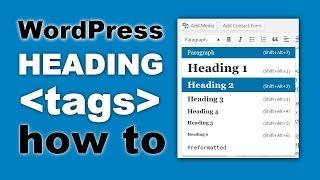
WordPress Heading Tags: How to Use Them For SEO And Readability
Added 116 Views / 0 LikesDiscover what WordPress Heading Tags are and why they should be used for readability and SEO: http://bit.ly/2n2e0Jo Heading Tags are important for webpages and can make a big difference to readability and search engine visibility. They need to be contextual, to stress the importance of content. Use them sparingly on a webpage to capture the essence of the content in a single phrase. Most of all, it’s so easy to practice headings, so let’s do ourselves
-
04:47 Popular

Charts In WordPress: Front-End User Settings [VIDEO #5]
Added 116 Views / 0 LikesTo create advanced charts in WordPress, consider using the PRO version of Visualizer: Charts & Graphs plugin for some good reasons: 0:23 | You can set who can see a chart. 2:00 | You can set who can edit a chart. 4:02 | You can set who can copy, export and print charts data. These are just a few reasons why you may want to use this plugin. Check out other reasons in the vdeos below: 1. Getting started: https://youtu.be/avVObmreVzc 2. Import & edit dat









