Wordpress
-
16:23 Popular

How to Create Free Business Email & Use it with Gmail
Added 126 Views / 0 LikesGet your Domain here: https://websitelearners.com/get/domain Watch our UPDATED tutorial here • https://youtu.be/zElSfosZ48o How to create a website (compatible with business email): https://youtu.be/YWA-xbsJrVg This video shows you the simplest way to create a business email (using just your domain) and set it up with Gmail. Timestamp: 00:00 - Create a business email address on your domain 10:43 - Create multiple business email addresses on your domai
-
22:08 Popular
How to Create Full Screen Sections with Top and Bottom Scroll Links with Divi
Added 198 Views / 0 LikesDivi’s fullwidth header module comes with a full-screen option that will set the height of the header to equal the height of your browser window. This is a great way to boost UX and design by keeping everything visible to the user (above the fold) no matter what size their screen may be. But you don’t have to stop at one header. In this post, I’m going to show you how you can actually use the fullwidth header module to create multiple “full screen” se
-
08:06 Popular
How to Create Fullscreen, Transparent or Fullwidth Bloom Opt in Forms
Added 120 Views / 0 LikesIn today’s tutorial, we’re going to show you how to create fullscreen, transparent and fullwidth opt-in forms with Bloom–a plugin that helps you add opt-in forms to your website. We’ll guide you, step by step, through the process of designing and setting up two example opt-in forms. By following this post carefully, you’ll be able to make the transparent opt-in forms yourself and use it on any website that has the Bloom plugin installed–whether it’s y
-
09:55 Popular

How to Create GIF Stickers to Boost Your Instagram Stories
Added 119 Views / 0 LikesThis week we’re looking at Instagram, its growing potential as a marketing platform, and share how to create and use your own story stickers on Instagram to expand your own reach and business potential. Instagram has become the New World of social media marketing. Not because of the number of users but because of their behavior. It’s this behavior that has made Instagram a major influencer in its own right. Over 60% of users log into Instagram daily,
-
07:49
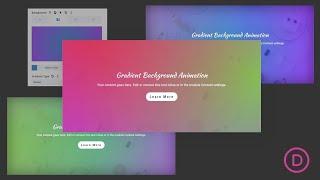
How to Create Gradient Background Animation in Divi 2 Ways
Added 89 Views / 0 LikesGradient background animation can be a beautiful design technique for making background colors come to life on your website. It is a perfect solution for those who want something more lifelike than a static background color without having to resort to slow-loading video background. The basic idea behind gradient background animation is to use CSS to create enlarge and animate a gradient background to create seamless moving color transitions. In this t
-
04:08

How to Create Gradient Backgrounds for Buttons
Added 61 Views / 0 Likes👋🏼 Help us improve by answering this short survey: http://elemn.to/survey-time In this tutorial we will learn how to create beautiful gradient backgrounds for buttons. This tutorial will cover: ✔︎ How to add gradient backgrounds to your buttons ✔︎ How to use the location and angle settings for unique effects ✔︎ How to add a gradient background hover effect ✔︎ And much more! Don’t forget to subscribe to our channel! Get Elementor: https://elementor.com
-
07:26

How To Create Hotspots On An Image For Free - Image Hotspot Plugin for WordPress - Elementor Safe
Added 92 Views / 0 LikesGrab your free 17-Point WordPress Launch Checklist PDF: https://wplearninglab.com/get/wordpress-redirects.php?utm_source=youtube&utm_medium=video&utm_campaign=wp_jumpstart&utm_id=17_point_wp_launch_checklist&utm_term=TM2RByQ_BcQ&utm_content=video_description Adding hotspots to an image adds a little bit of interactivity to your site. If the hotspots are well chosen, they can engage your visitors and hopefully help turn them into customers. In this tut
-
07:45 Popular
How to Create Hover Sections with Divi’s New Sizing & Overflow Settings
Added 121 Views / 0 LikesUsing Divi’s new draggable sizing options do not only help you create highly responsive websites, but they can also really help create unique interactions. By playing around with these options, you can customize any website you’re creating and customize your page structures to meet current design trends. In this tutorial, specifically, we’re going to show you how to create hover sections with Divi. We’ll create a new page and allow all the section tit
-
37:57
How to Create Icon Font Buttons with Divi
Added 99 Views / 0 LikesMultistreaming with https://restream.io/ Hey Divi Nation, welcome to a brand new Divi Use Case live stream. Icon font buttons have many uses in the world of web design. Since font icons stay crisp in color and design as they scale to different sizes, it makes sense to use them in buttons. And, creating an icon font button in Divi is actually quite easy using the Elegant Icon Font. In this tutorial, I'm going to show you how you can use icon fonts with
-
08:13 Popular
How To Create Images For Blog Posts With Canva For FREE
Added 185 Views / 0 LikesImages are an important part of your WordPress website. Learn how to create free blog images with Canva. Lots of public case studies show that blog posts with images get more views and social shares than those without, but they don't often talk about how to create images for your articles for Free. This is where Canva comes to help, you'll be able to create your own beautiful images for your blog posts in minutes, you don't have to be a designer. Text
-
08:31 Popular
How to Create Irregularly Shaped Section Transitions with Divi
Added 135 Views / 0 LikesOne of the best ways to boost the design of your website is by using different section transitions. In a previous post, we’ve shown you how you can do that using the Divi built-in options only. However, if you’re looking to create something a little bit more advanced or personalized, you can create irregularly shaped section transitions as well. Because of their complexity, the best way to approach this is by using images with a transparent border. Re
-
08:51 Popular

How to Create Knockout Text Images for Stunning Divi Headers
Added 152 Views / 0 LikesKnockout text images can open up a lot of opportunities for designing unique headers in Divi. Creating a knockout text effect can easily be done using a photo editor like Photoshop using the built-in knockout blending option. Basically, this allows you to create images with transparent text (appearing to be knocked out of the image). And knockout text images are really fun to use in Divi. Because the image text is transparent, you can add any kind of
-
22:07 Popular
How to Create Locked Content Corner Popups with Divi
Added 123 Views / 0 LikesMultistreaming with https://restream.io/ Every week, we provide you with new and free Divi layout packs which you can use for your next project. For one of the layout packs, we also share a use case that’ll help you take your website to the next level. This week, as part of our ongoing Divi design initiative, we’re going to show you how to create locked content corner popups with Divi and the Resort Layout Pack. The concept of a locked content optin f
-
16:52 Popular

How to Create Mobile First Designs with Divi
Added 143 Views / 0 LikesMany websites get tons of visitors from mobile devices. This leads to the question of whether or not your designs are sufficiently optimized for smaller screen sizes. With Divi, a design that is built for a desktop experience ends up being instantly responsive as well. But just because something is responsive doesn’t mean it’s optimized as well. If mobile is your main source of visitors, it can really help to start designing and building from a mobile
-
14:03 Popular
How to Create Mobile Walkthroughs with Divi’s Slider Module
Added 106 Views / 0 LikesSliders have always been really popular in web design. One of their biggest advantages is the fact that visitors can swipe through them on mobile devices. Nowadays, swiping is the new clicking, so it goes without saying that including sliders can help improve the mobile user experience visitors have on your website. When building a website with Divi, you can easily add the Slider Module to any row or section you’re working on. And with a bit of creati
-
11:43
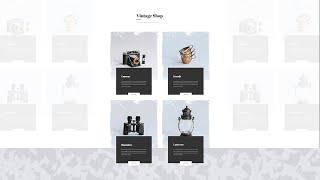
How to Create Module Overlaps on Scroll with Divi’s Scroll Effects
Added 81 Views / 0 LikesUsing overlaps in your design has increased in popularity over the past few years. It gives your design a more abstract look and feel. At the same time, it helps you save space, which in turn limits the vertical scrolling that is required. Inside Divi, there are a couple of ways to effortlessly add overlaps to modules. You can also go the extra mile and add some scroll interaction! In today’s Divi tutorial, we’ll show you how to create subtle module o
-
32:12
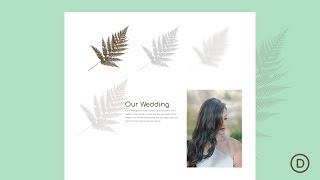
How to Create Moving Image Shadows on Scroll in Divi
Added 69 Views / 0 LikesGo to the blog post: https://www.elegantthemes.com/blog/divi-resources/how-to-create-moving-image-shadows-on-scroll-in-divi In this tutorial, we are going to show you how to create moving image shadows on scroll in Divi. The trick is to find a PNG image with a unique shape so that, once the image is transformed, it will keep the shape and look like a realistic shadow of the image. After the image/shadow is ready, we can add a few scroll effects to mov
-
05:11 Popular

How to Create Multi-Step Forms
Added 108 Views / 0 LikesLearn how to how to create Multi-Step Forms with Elementor’s Visual Form Builder. Allowing your customers and leads to fill in their information in smaller steps, making your long forms, such as registration or shipping forms, less intimidating and much easier to complete and submit. In this tutorial you'll learn how to: •︎ Add special step fields that act as separators for your multi-step form •︎ Choose the step indicator: Icon, Text, Icon + Text, Nu
-
06:09 Popular
How To Create One Page Websites With Divi
Added 102 Views / 0 LikesWhen you create a new page, you can easily enable Divi's Single Page navigation option, giving your visitors a visual and clickable representation of their progress on the page. You can also use custom anchor links and Section ID's to create one-page menus for the complete One-Page package. View full documentation: https://www.elegantthemes.com/documentation/divi/one-page-website/
-
13:00 Popular
How to Create Overlapping Columns with Divi’s Column & Transform Options
Added 113 Views / 0 LikesThe way you display contact forms on your website can definitely help increase conversion rates. Besides creating beautiful and user-friendly contact forms, you can also approach it in a more targeted way. In this post, we’ll show you how to create one design with multiple contact forms that appear depending on which service your visitors are interested in. You’ll be able to download the JSON file for free as well! Read more: https://www.elegantthemes
-
05:23 Popular
How To Create Overlapping Images In WordPress Using The New Visual Composer Z-Index
Added 125 Views / 0 LikesGrab Your Free 17-Point WordPress Pre-Launch PDF Checklist: http://vid.io/xqRL How To Create Overlapping Images In WordPress Using The New Visual Composer Z-Index https://youtu.be/SSX_FTy1bIE //* Check out Visual Composer: https://visualcomposer.com/ Join our private Facebook group today! https://www.facebook.com/groups/wplearninglab //* Overlapping images when scrolling down a page is a really cool effect. You can do this with custom CSS or any page
-
11:02

How to Create Parallax Copy Transitions with Divi’s Sticky Options
Added 76 Views / 0 LikesWhen you’re looking for creative ways to spice up your page designs, parallax effects can come in handy. They bring that extra interaction on scroll without being too invasive. If you’re looking for a way to extend that parallax effect to multiple sections on your page, you’re going to love this tutorial. Today, we’ll show you how to create parallax copy transitions with Divi’s sticky options. As soon as visitors scroll past a certain section, the cop
-
08:37 Popular
How to Create Polls With Gravity Forms - Gravity Forms Tutorials Part 3
Added 149 Views / 0 LikesGrab Your Free 17-Point WordPress Pre-Launch PDF Checklist: http://vid.io/xqRL How to Create Polls With Gravity Forms - Gravity Forms Tutorials Part 3 https://youtu.be/BGZk5y1Dbmo Download your exclusive 10-Point WP Security Checklist: http://bit.ly/10point-wordpress-hardening-checklist Gravity Forms polls are a simple way to gather feedback from your audience. If your audience likes what you do, they want to help you help them get the information the
-
06:19 Popular
How to Create Pop Out Sections with Divi’s Boxed Layout
Added 117 Views / 0 LikesIn this tutorial, I’ll be showing you how to use Divi’s box layout and the Divi Builder to create pop out sections and rows on your website. All it takes is a small amount of custom CSS that extends the section or row past the page container. You can then make additional adjustments and styling using the Divi Builder. Watch the video here: https://www.elegantthemes.com/blog/divi-resources/how-to-create-pop-out-sections-with-divis-boxed-layout
-
02:13 Popular

How To Create Redirects With WordPress
Added 123 Views / 0 LikesIn today’s video we take a look at how to create redirects with WordPress. Blog post: https://www.elegantthemes.com/blog/tips-tricks/how-to-create-redirects-with-wordpress Like us on Facebook: https://www.facebook.com/elegantthemes/
-
03:19
How to Create Responsive Tables in WordPress
Added 100 Views / 0 LikesIn today’s video, we cover how to create responsive tables in WordPress. Blog post: https://www.elegantthemes.com/blog/resources/responsive-tables-in-wordpress Like us on Facebook: https://www.facebook.com/elegantthemes/
-
02:08 Popular
How to Create Reusable Blocks in WordPress
Added 115 Views / 0 LikesIn today’s video, we cover how to create reusable blocks in WordPress. Blog post: https://www.elegantthemes.com/blog/wordpress/wordpress-reusable-blocks Like us on Facebook: https://www.facebook.com/elegantthemes/
-
12:13 Popular

How To Create Reusable Design Elements For Elementor Page Builder
Added 138 Views / 0 LikesHow To Create Reusable Design Elements For Elementor Page Builder Watch the entire playlist: https://www.wpcrafter.com/create-course-2017 Hosting: http://www.OrderNewHosting.com Elementor: https://www.wpcrafter.com/elementor-page-builder GeneratePress: https://www.wpcrafter.com/gp-addons LifterLMS: https://www.wpcrafter.com/lifter-lms In this video I show you how to create reusable design elements to quickly build content pages, and make sure that you
-
46:46

How to Create Scroll Animated Before and After Images in Divi
Added 63 Views / 0 LikesLearn more: https://www.elegantthemes.com/blog/divi-resources/how-to-create-scroll-animated-before-and-after-images-in-divi A lot of websites need to display before and after images for a variety of reasons. Usually, websites settle for a simple design that displays each photo adjacent to one another. In this tutorial, we are going to enhance this traditional design with interactive animation. We are going to show how to create scroll animated before
-
04:07

How To Create Scrolling Text In Elementor Without A Plugin - Marquee In Elementor - News Ticker
Added 68 Views / 0 LikesThere are Elementor plugins that will give you scrolling text or marquee widgets to your site. Some are free and some are paid. But today, you'll learn how to create a basic scrolling text effect in Elementor for free and without a plugin. There is a little bit of HTML involved, but I promise it's very simple! //* Get Elementor Free here: https://wplearninglab.com/go/elementor062 Get Elementor Pro here (aff): https://wplearninglab.com/go/elementor063









