Wordpress
-
08:47

How To Create Seamless Background Design Transitions Between Divi Elements
Added 61 Views / 0 LikesIn this tutorial, we are going to use Divi’s built-in background design options to create a seamless background design transition between a Divi section and row. The application and versatility of this design are boundless, taking Divi’s background design options to a whole new level! Blog post: https://www.elegantthemes.com/blog/divi-resources/how-to-create-seamless-background-design-transitions-between-divi-elements ➡️ Learn more about Divi: https:/
-
24:46 Popular

How to Create Section Chapters Using Divi’s New Design Options
Added 125 Views / 0 LikesIn today’s Divi tutorial, we’ll be showing you how you can create stunning section chapters for your website. These chapters serve as a guideline for your visitors. It’ll show them when they are entering another section of a page. Usually, chapters are used in combination with one specific background color throughout all of the sections. If you are considering using section chapters on your website, this post might be a nice place to get some inspirat
-
43:54 Popular
How to Create Section Divider Scroll Effects in Divi
Added 146 Views / 0 LikesMultistreaming with https://restream.io/?ref=wVYnR Hey Divi Nation, welcome to a brand new Divi Use Case live stream where each week we show you how to add new design and functionality to your Divi website. Creating section divider scroll effects is a simple and fun technique that can add life to your Divi website. A section divider continues to be a versatile design element, useful for adding a touch of creativity to your page content transitions. Bu
-
12:08 Popular
How to Create Showstopping Hero Sections with Divi
Added 143 Views / 0 LikesHero sections; they serve all kinds of purposes. They’re the first thing visitors see when they visit your website, they immediately show the style of your website and they influence the way your visitors feel and behave on your site. We’re already used to all kinds of hero sections out there, but most of them include a hero image, a tagline and a call to action. There are other possibilities as well, though. In this post, we’ll show you another appro
-
09:54

How to Create Smart Coupons in WooCommerce
Added 73 Views / 0 LikesWe've had different readers ask us how to create smart coupons for their WooCommerce store to give more options. This would allow for buy one get one, a free gift coupon, and other special deals. In this video, we'll show you how to create smart coupons in WooCommerce. This video brought to you by OptinMonster, the best Lead-generation plugin plugin available, take a look at their site here: ================================= https://optinmonster.com/
-
10:05

How to Create Social Media Graphics With Fotor
Added 80 Views / 0 LikesHow to Create Social Media Graphics With Fotor In this video I show just how easy it is to make social media graphics with Fotor. I do this by creating the thumbnail for this video while walking through the process of making various types of edits along the way. I hope you saw how easy it was to edit social media graphics and consider using the student discount below! Fotor: https://www.fotor.com/?utm_source=tom&utm_medium=YouTube Student Discount: ht
-
05:30

How To Create Sticky Blocks In Gutenberg Using Otter [2022]
Added 71 Views / 0 LikesLearn how to use Otter's sticky feature to create Sticky blocks in the WordPress editor. Download Otter → https://themeisle.com/plugins/otter-blocks/ Documentation → https://docs.themeisle.com/article/1529-block-sticky Website → https://themeisle.com WordPress Articles → https://themeisle.com/blog/ Facebook → https://www.facebook.com/themeisle/ ThemeIsle is the go-to source for High-Quality WordPress Themes (both free & premium), and plugins every web
-
14:15
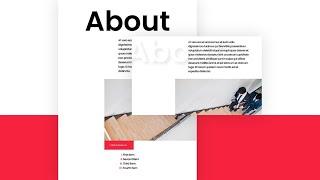
How to Create Sticky Section Titles with Divi
Added 70 Views / 0 LikesThe way you design your pages is a direct reflection of your brand. That’s why at some point in your design brainstorm, you might want to find and add unique design elements to your website that’ll help generate a pattern throughout all pages. One unique way to highlight your website’s identity is by using sticky section titles. These sticky section titles will follow your visitors’ navigation behavior by sticking to the top of their browser. In this
-
24:39 Popular
How to Create Stunning Gallery Testimonials with Divi
Added 133 Views / 0 LikesMultistreaming with https://restream.io/ Every week, we provide you with new and free Divi layout packs which you can use for your next project. For one of the layout packs, we also share a use case that’ll help you take your website to the next level. This week, as part of our ongoing Divi design initiative, we’re going to show you how to create stunning gallery testimonials using Divi’s Wedding Planner Layout Pack. This tutorial will help you link t
-
09:47 Popular
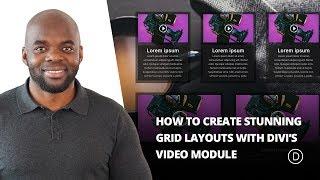
How to Create Stunning Grid Layouts with Divi’s Video Module (Part 1)
Added 114 Views / 0 LikesHow to Create Stunning Grid Layouts with Divi’s Video Module. To begin this series, I’m going to show you how to create a grid layout for your videos much like a blog grid layout using a combination of video module stacked on top of a blurb module. This tutorial will include both a dark and a light version of the grid design. The great thing about this layout design is that it is super easy to implement and I’ve tried to give you a lot of visuals to h
-
08:20 Popular
How to Create Stunning Grid Layouts with Divi’s Video Module (Part 4)
Added 131 Views / 0 LikesToday’s layout is number 4 in the series, and it is one of my favorites (and fastest to implement). Not only is it easy (and fun) to build using Divi, but it is also customizable to fit the color scheme of your site. The background gradient options are the main feature of this design which has been used to create the two tone colors separated by a diagonal line. The spacing is also purposeful to make the videos readily perceived. Arguably, this design
-
12:00 Popular
How to Create Stunning Grid Layouts with Divi’s Video Module (Part2)
Added 120 Views / 0 LikesWe made it to part 2 of the series! And I have to say that I am really enjoying building these layouts. Today, I’m going to show you how to create a grid layout for your videos that resembles a feature section of a product page or a landing page. Read article: https://goo.gl/RWidwR
-
11:19 Popular
How to Create Stunning Grid Layouts with Divi’s Video Module Part 3
Added 123 Views / 0 LikesHow to Create Stunning Grid Layouts with Divi’s Video Module (Part 3) Welcome to part 3 of the series! I have a feeling this one will surprise you a little bit. Today, I’m going to show you how to use semi-transparent background colors and gradients to create multiple border color variations. At the end, I will show you how you can completely change the color scheme with just a few clicks. Read the article: https://goo.gl/FhAuYr
-
07:21 Popular
How to Create Stunning Grid Layouts with Divi’s Video Module Part 5
Added 136 Views / 0 LikesHere it is! Today is the last post in the miniseries. And if I could compare this miniseries to a five course dining experience (I’m thinking French cuisine maybe?), this one would be the dessert because it is both light and colorful. The subtle checkered background is clean and not too complicated. And when adding color, the design becomes playful, like stacking Legos. It is easy (and fun) to build using Divi, but it is also customizable to fit the c
-
12:39 Popular

How to Create Stunning Text Designs Using Section Dividers in Divi
Added 166 Views / 0 LikesCreating unique text designs for your website can be challenging, especially if you don’t want to use a ton of CSS or resort to supplementing seo-friendly text for images you design in Photoshop. With Divi (and some “out of the box” thinking), you can create some unique text designs without any external css or custom images. The trick is to use Divi’s section dividers to overlay your text to add breaks and texture in a number of different ways. In thi
-
08:32
How to Create Styled Content Boxes in Divi for Tips, Info, Warnings, and More
Added 54 Views / 0 LikesStyled content boxes for things like tips, warnings, and other important info are handy assets for any website or blog. They are an effective and convenient way to showcase important content with consistent design users will appreciate. For example, you may be a need a content box design for highlighting a key tip in a tutorial or for warning users about a potential problem. In this tutorial, we are going to show you how to build 3 content box designs
-
03:27
How to Create Subtle Background Pattern Masks with Divi (3 Examples)
Added 57 Views / 0 LikesIn this video, we’ll learn how to create three subtle background designs with Divi's brand new background options, including Masks and Patterns. Blog post: https://www.elegantthemes.com/blog/divi-resources/how-to-create-subtle-background-pattern-masks-with-divi-3-examples ➡️ Learn more about Divi: https://www.elegantthemes.com/gallery/divi/ 🔵 Like us on Facebook: https://www.facebook.com/elegantthemes/ #WordPress #Divi #ElegantThemes
-
01:47
How to Create Template Sets In Divi!
Added 46 Views / 0 LikesThe Divi Theme Builder Library allows us to do more with the templates that we have created in the Theme Builder. We now have access to tools such as tags, categories, and search. These make the job of keeping our templates organized as we work with Divi on a day-to-day basis. Furthermore, with the Divi Theme Builder Library you can bundle all of these together into a template set. Blog post: https://www.elegantthemes.com/blog/divi-resources/how-to-cr
-
01:49 Popular
How to Create Temporary Login for WordPress
Added 107 Views / 0 LikesHave you ever needed to create a temporary account that will automatically expire after a specific date? Sometimes offering temporary access to the admin area is required. In this video, we will show you how to create a temporary login for WordPress without passwords. Text version of this tutorial: http://www.wpbeginner.com/plugins/how-to-create-temporary-login-for-wordpress-no-passwords/ If you liked this video, then please Like and consider subscrib
-
05:01 Popular
How to create temporary support accounts in WordPress w/ Support Me plugin
Added 159 Views / 0 LikesHere's how to create temporary WordPress admin accounts that expire after a certain amount of time. The Support Me plugin makes this super easy for anyone that needs to create support accounts for their site, but doesn't want to run the risk of forgetting to remove accounts. Download the plugin: https://wordpress.org/plugins/support-me/ Purchase & Download the plugin here: http://themeisle.com/plugins/easy-con... Learn how to setup Google Analytics in
-
17:36
How to Create Text & Images that Change on Scroll in Divi
Added 73 Views / 0 LikesDivi scroll effects are great for creating interesting layouts. We’ve published quite a few since the feature was launched. In this tutorial, we’ll show you how to create a layout with text and images that change on scroll. This design can be used for a services page or any type of page you require. We kept it clean and simple for the scroll effect to take the spotlight. Read more: https://www.elegantthemes.com/blog/divi-resources/how-to-create-text-i
-
04:57

How to Create the Best Sponsorship Page Possible
Added 77 Views / 0 LikesIn today’s video, we're going to learn how to create the best sponsorship page possible. Blog post: https://www.elegantthemes.com/blog/wordpress/how-to-create-the-best-sponsorship-page-possible Like us on Facebook: https://www.facebook.com/elegantthemes/
-
03:55 Popular

How To Create The Hestia Contact Form In Wp Forms [WordPress]
Added 141 Views / 0 LikesAfter installing the Hestia WordPress theme (Download HESTIA here: http://bit.ly/2PrdQL0) you may end up with this "pirate forms" shortcode in the contact section on your front page, instead of the beautiful contact form you see on the demo page. So, what can we do to recreate that form and even make a custom one if needed? 0:30 First, install and activate the WP Forms plugin. Then go to All Forms over here and click on Add New. On the next screen, ty
-
04:36 Popular
How To Create The Mega Menu Of Zelle WordPress Theme (Step By Step)
Added 156 Views / 0 LikesIn this tutorial, we'll show you how to create a Mega Menu that perfectly suits Zelle (former Zerif), Parallax One, ShopIsle or any other theme you like. We post a NEW VIDEO every other day so be sure to SUBSCRIBE to our channel •https://goo.gl/RFB75x We used WR Mega Menu plugin, which is free and can be downloaded here: https://wordpress.org/plugins/wr-megamenu/ Once installed, you'll find the plugin in the default WordPress main panel. Then just pre
-
00:42
How to Create Trendy and Colorful Gradient Backgrounds in Elementor #shorts
Added 48 Views / 0 LikesIn this video, Simi shows us how to create vibrant and trendy colorful gradient backgrounds for our Elementor websites. 🔔 Subscribe to our channel!🔔 https://www.youtube.com/c/Elementor?sub_confirmation=1 Get Elementor: https://elementor.com Get Elementor Pro: https://elementor.com/pro Watch the full tutorial: Vibrant Gradient Backgrounds: https://youtu.be/xnhx_8M8Ovk For more tutorials on this topic: https://elementor.com/academy #shorts #elementor #g
-
20:10 Popular

How to Create Unique Hover Overlaps for Testimonials with Divi
Added 155 Views / 0 LikesTestimonials are a huge deal for many websites. They show expertise and visitors usually go looking for them if they want to figure out how credible a company or person is. That’s why it’s important to think about the way you visually present testimonials on your website. With Divi, you can display your testimonials exactly the way you want to. To inspire you, we’ll show you how to create a stunning and unique way to showcase testimonials using hover
-
15:57 Popular

How to Create Unique Social Media Follow Button Hover Effects with Divi
Added 167 Views / 0 LikesDivi’s Social Media Follow module allows you to easily style and add those important links to your social networks anywhere on your website. And if you want to get your hands dirty with some of Divi’s powerful built-in hover effects, you can design some creative hover effects for your social media follow buttons as well. In this tutorial, I’m going to show you some unique social media follow button hover effects that just may surprise you. Read more:
-
06:50 Popular

How To Create Unlisted WordPress Posts & Pages Only Viewable With Private Link
Added 145 Views / 0 LikesHow To Create Unlisted WordPress Posts & Pages Only Viewable With Private Link There are many situations where you may want to have unlisted content on your WordPress website. They are not all marketing related, but I can think of many marketing related examples. The problem is, most people don't realize that all WordPress content is discoverable via WordPress search. Wether you have a search box or not, the content is still discoverable. In this vide
-
14:57 Popular

How to Create Vibrant Section Titles for Your Next Divi Project
Added 136 Views / 0 LikesWe know that most of you are always looking for new ways to make the websites you create unique. With Divi, there are many ways to make your website stand out from the other ones out there. Today, we’re going to show you how you can create stunning section titles using Divi’s built-in options only. This approach is great if you want to create a stunning design, maintain the overall page structure and keep the navigation seamless. Read more: https://ww
-
03:47 Popular

How to Create WooCommerce Coupons (And Make Them Effective!)
Added 124 Views / 0 LikesIn today’s video, we're going to learn how to create WooCommerce coupons and make them effective. Blog post: https://www.elegantthemes.com/blog/wordpress/woocommerce-coupons Like us on Facebook: https://www.facebook.com/elegantthemes/









