Wordpress
-
17:44 Popular

How to Create WooCommerce Lucky Wheel Optin Forms with Divi
Added 104 Views / 0 LikesMultistreaming with https://restream.io/ Every week, we provide you with new and free Divi layout packs which you can use for your next project. For one of the layout packs, we also share a use case that’ll help you take your website to the next level. This week, as part of our ongoing Divi design initiative, we’re going to show you how to create WooCommerce lucky wheel optin forms with Divi and the WP Optin Wheel plugin. This tutorial will hopefully
-
15:14

How to Create WooCommerce Sales Notifications on Your Store (Make More $$$)
Added 61 Views / 0 LikesDo you want to show live sale notifications to WooCommerce customers? Live sale notifications let your visitors know about all the real-time sales happening on your online store. It’s a powerful social proof method that can increase your overall sales. In this video, we’ll show you how to create a live sale notification for WooCommerce. FOMO & Social Proof Notifications by TrustPulse https://wordpress.org/plugins/trustpulse-api/ TrustPulse https://tru
-
22:36 Popular

How to Create WordPress Child Themes - The Complete Guide
Added 128 Views / 0 LikesIn this video, I am going to teach you everything you need to know about WordPress child themes. Learn how to use Filezilla - https://www.youtube.com/watch?v=SDjdFLsqM1c Learn how to use Notepad++ - https://www.youtube.com/watch?v=a5Z4YXlqp4c Get your FREE WordPress SEO Course from the Web Monkey Academy - https://thewebmonkeyacademy.com/ Get 2 months FREE access to more than 16,000 courses on SkillShare - https://www.skillshare.com/r/profile/Alexande
-
04:42 Popular

How to create WordPress CUSTOM MENUS | Day #22 || 31 Videos in 31 Days
Added 124 Views / 0 LikesToday I created another WordPress beginners tutorial on how to create custom menus. I hope you find this video helpful, please give it a thumbs up or ask any question you have in the comments. Thanks for watching :) --- Our Website: http://www.elmastudio.de/en/ Our WordPress Themes: http://www.elmastudio.de/en/themes/ Twitter: https://twitter.com/ellenbauer/ Facebook: http://www.facebook.com/elmastudio Instagram: https://instagram.com/elmastudio
-
04:23
How to Create WordPress Custom Post Types
Added 90 Views / 0 LikesIn today's video, we'll learn how to create WordPress custom post types. Blog post: https://www.elegantthemes.com/blog/wordpress/how-to-create-wordpress-custom-post-types •️ Learn more about Divi: https://www.elegantthemes.com/gallery/divi • Like us on Facebook: https://www.facebook.com/elegantthemes/ #PostTypes #WordPress #ElegantThemes
-
04:19 Popular
How to Create WordPress Theme Navigation Menu HD
Added 138 Views / 0 LikesCreate easy Navigation Menus on your WordPress website. Navigation menus help your user to navigate easily on your WordPress website. Useful WordPress Themes Links: WordPress Blog Themes - https://mythemeshop.com/theme-category/wordpress-blog-themes/ WordPress Business Themes - https://mythemeshop.com/theme-category/wordpress-business-themes/ WordPress eCommerce Themes - https://mythemeshop.com/theme-category/wordpress-ecommerce-themes/ Free WordPress
-
01:36 Popular
How To Create XING Application For Revive Old Post
Added 101 Views / 0 LikesThe following video demonstrates how to create a LinkedIn App for Revive Old Post Pro. Through the settings of Revive Old Post, you can define when the posts are shared and how often this happens. You can also easily exclude certain posts or categories from being promoted by the plugin. Furthermore, you can even specify hashtags to be included in each of the social media posts generated by the plugin. This is great, as it can help increase the visibil
-
11:54 Popular

How to Create Your First Divi Nation Meetup (in Just 4 Steps!) - Divi Nation Short
Added 143 Views / 0 LikesIn this episode I’ll be talking about three things: First, I’ll be providing an update on where our Meetup community is at and what our goals are for the remainder of the year. Second, I’ll explain how you can become a Divi Nation Meetup Event Host. And finally, I’ll walk you through how to go about getting your first Divi Nation Meetup off the ground. Get all the details on our blog: https://www.elegantthemes.com/blog/divi-resources/how-to-create-you
-
17:04 Popular

How to Create, Set up & Launch an Online Course Website — Monday Masterclass
Added 121 Views / 0 LikesThis Monday Masterclass we’re showing you how you can share your knowledge and expertise in online courses, and how to monetize them, in 3 simple steps. The main focus of this episode is on a simple way of setting up an online course, to draw potential clients and traffic to your website, using Elementor. We also cover how to pick a promising lesson subject, in addition to creating and building a good lesson plan. This episode covers a lot of valuable
-
16:07 Popular
How to Creatively Combine Row & Column Backgrounds with Divi’s New Options
Added 146 Views / 0 LikesIn this Divi tutorial, we’re going to show you how you can combine row and column background options to create stunning results. By choosing the right combinations and settings, you can achieve designs that enhance the overall look and feel of your website. To demonstrate what we’re talking about, we’ve made an example that we’ll help you build step by step. We’ve created this result by using the Divi built-in options only so you won’t need to add any
-
19:55
How to Creatively Feature Popular Products on Your Divi Landing Page
Added 88 Views / 0 LikesWhen showing popular products on a landing page, it’s not only important to choose the right products but also to display them attractively. With Divi’s new WooCommerce Modules, countless new design possibilities have fallen into our lap. To help you get inspired, we’ll recreate a beautiful and elegant popular product design that you can use for your next Divi landing page. You’ll be able to download the JSON file for free as well! Read more: https://
-
19:51 Popular

How to Creatively Highlight Your Membership Deals with Divi
Added 111 Views / 0 LikesIf you’re offering membership deals on your website, it’s important to make sure people will notice them on your website. To give you a headstart, we’re going to provide you with a stunning membership showcase that you can recreate step by step using Divi’s built-in options only. We’re combining a beautiful section background with Blurb Modules that showcase membership deals and a separate button that takes your visitors to the right page. Read the po
-
13:42 Popular
How to Creatively Use Device Screen Mockups within Divi Layouts
Added 122 Views / 0 LikesUsing mockups is one of the easiest ways bring the needed professionality to your website. There are plenty of sites out there that offer free mockups that you can adjust to your need; we've created a list of some of the best ones out there in this post. And to help you get started with mockups, we're going to show you how you can make use of a screen mockup, a laptop screen in particular, to make your website shine along with some of Divi's best buil
-
28:47 Popular
How to Creatively Use Divi’s New Row Alignment Options
Added 125 Views / 0 LikesIn today’s Divi tutorial, we’re going to show you how you can use the new row alignment options in Divi to your advantage. We’ll be combining the row alignment options with other built-in design options to give you an idea of what is possible with Divi’s Advanced Design Options. The example that we’ll show you how to recreate contains absolutely no additional code, which means anyone of any skill level can achieve this design. Read more: https://www.e
-
16:45 Popular
How to Creatively Use Divi’s Row Borders to Create a Stunning Hero Section Design
Added 157 Views / 0 LikesYour page’s hero section usually sets the bar for the rest of the page. It also plays a major role in your visitors’ first impression. With Divi, you can create amazing hero sections using the built-in options only. Now, if you’re looking for a way to make your next hero section stand out, you’ll love this post. We’re going to show you how to create an effective and beautiful hero section design while playing around with Divi’s row borders. You’ll be
-
09:30 Popular

How to Creatively Use Divi’s Toggle Module to Showcase Pricing Plans
Added 145 Views / 0 LikesWhen it comes to showcasing pricing plans on your website, you can take many turns and create absolutely stunning and attractive pricing pages or sections. When building a website with Divi, you’ll most likely go for the Pricing Tables Module. This module allows you to quickly add pricing tables and style them however you want to. But if you want to add more interaction to this particular section of your page, you can also use the Toggle Module to sho
-
19:20 Popular
How to Creatively Use Row Box Shadows with Divi
Added 116 Views / 0 LikesOne of the most recent Divi updates was long-awaited; the integration of box shadows into sections, rows and modules. In this post, we’ll be focusing on how row box shadows can improve the overall look and feel of your website. To illustrate the depth box shadows can bring to your website, we’ve created an example that we’ll show you how to recreate step by step. Read the article here: https://www.elegantthemes.com/blog/divi-resources/how-to-creativel
-
11:07 Popular

How to Creatively Use Symbols in Your Web Design with Divi
Added 128 Views / 0 LikesEvery week, we provide you with new and free Divi layout packs which you can use for your next project. For one of the layout packs, we also share a use case that’ll help you take your website to the next level. This week, as part of our ongoing Divi design initiative, we’re going to show you how to creatively use symbols in your web design with Divi. For this tutorial, we’ll use the Life Coach Layout Pack but what I’m showing you in this post can be
-
01:07 Popular

How to Crop and Edit WordPress Post Thumbnails
Added 115 Views / 0 LikesAre you frustrated with automated thumbnail sizes which crop the image from the middle and cut off the sides. There is an easy solution for cropping and scaling post thumbnails. In this article, we will show you how to crop and edit WordPress post thumbnails. If you liked this video, then please Like and consider subscribing to our channel for more WordPress videos. Text version of this tutorial: http://www.wpbeginner.com/plugins/how-to-crop-and-edit-
-
02:41 Popular

How to Crop Images in WordPress
Added 111 Views / 0 LikesLearn the 3 ways to crop images in WordPress: 1. freehand with your cursor 2. enter an aspect ratio (16:9) 3. use exact pixel dimensions Crop Images Freehand *Important: You have to select an area on your image first, before the crop button becomes available. Click & hold down your mouse, drag an area overtop your image, and release. Now you can move that rectangle around, or simply click the crop button to crop it. Crop Images by Aspect Ratio If you’
-
00:53 Popular

How to Crop, Rotate, Scale, and Flip Images in WordPress
Added 126 Views / 0 LikesWordPress has the power to edit your images in the back end to some extent. This is a limited editor for if you needed to edit on the go or if you have limited access to editing tools. In this video, we will show you how to crop, rotate, scale, and flip images in WordPress. If you liked this video, then please Like and consider subscribing to our channel for more WordPress videos. Text version of this tutorial: http://www.wpbeginner.com/beginners-guid
-
09:26 Popular
How to Customize a Divi Product Page with Inline Dynamic Content
Added 114 Views / 0 Likes -
08:49 Popular

How to Customize a Password Protected Page in WordPress
Added 101 Views / 0 LikesDo you want to customize a password protected page on your WordPress site? By default, WordPress has a password-protected feature but not a good way to brand the section to enter a password. In this guide, we'll show you how to customize the password-protected page on your WordPress site. This video brought to you by SeedProd, the best WordPress landing page plugin available, take a look at their site here: ================================= https://ww
-
03:06 Popular
How to customize an Archive Page with ACF
Added 115 Views / 0 LikesIn this tutorial, you’ll learn how to customize Archive Pages with content drawn from ACF on your WordPress website. This lets you dynamically insert data directly into your Archive Pages, giving you full control over your design with Elementor. You'll learn how to: •︎ Enter custom content in your Archive Page ACF Fields •︎ Connect the ACF fields to your Archive Page in Elementor ‘s Editor •︎ And more! Get Elementor: https://elementor.com/ Get Element
-
07:49 Popular
How To Customize Belise WordPress Theme #MULTIPURPOSE DESIGN
Added 145 Views / 0 LikesLet’s dig a bit into Belise’s core to see all of the great features that come packaged with it. Even though we’ve built Belise specifically for restaurants, it’s by no means limited to that use. Belise has a multipurpose design and provides all the features that you’d expect in a multipurpose WordPress theme. Our primary goal is always to build a product to meet all of our customers’ needs and give them the flexibility needed to create a gorgeous site
-
39:52 Popular
How To Customize CSS On A WordPress Website - Beginners Guide
Added 172 Views / 0 LikesHow To Customize CSS On A WordPress Website - Beginners Guide My Website: https://www.wpcrafter.com CSSHero: https://www.wpcrafter.com/csshero If you have a website, then no doubt you have wanted to change something that there isn't a setting for. That is where CSS comes in. In this video I will show you how to find the right CSS classes and make the changes that you want on your website. ~~~~~~~~~~~~~~~~~~~~~ All of my opinions in this video are my o
-
06:20 Popular

How To Customize Hestia About Us Section (With Elementor)
Added 140 Views / 0 LikesStart creating custom elements in the About Us section of Hestia WordPress theme. By using Elementor (Get the plugin: http://bit.ly/DownloadElementor) with Hestia you can make your website stand out. Learn how to create a WordPress About section can help your site look more professional and bring in new business. Plus, it's easy to do with Hestia and Elementor. Both are FREE resources. Why? Telling clients who you are and what you can do for them is c
-
06:05 Popular
How To Customize Oblique Free WordPress Theme
Added 118 Views / 0 LikesOblique is a free Masonry WordPress Theme and in this video, you'll see how you can set it up. Some example websites built with Oblique Pro: https://themeisle.com/themes/oblique-pro/?utm_medium=description&utm_source=youtube&utm_campaign=youtubevideos Oblique is a creative masonry theme that works great for fashion or general bloggers. Amongst the features you will find a a parallax header image, full color control with unlimited color variations, eas
-
01:31 Popular

How to Customize Search Results Pages
Added 156 Views / 0 LikesA search results page is an archive that lists the relevant results according to the visitors search query. Using Elementor Theme Builder, you can quickly customize your site's search results page and add relevant widgets that will improve the page's user experience. Get Elementor Pro: https://elementor.com/theme-builder/ Learn about the Archive Template: https://www.youtube.com/watch?v=7rDIS1Li4jM The Archive tutorial: https://www.youtube.com/watch?v
-
04:14
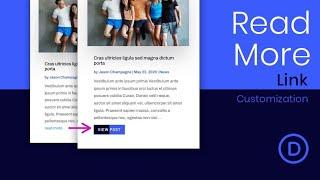
How to Customize the "Read More" Link in the Divi Blog Module
Added 53 Views / 0 LikesA blog’s “Read More” links can be a crucial element for boosting user experience. So it’s important that we know how to customize it properly. In Divi, the “Read More” link can be customized within the Blog Module along with many other elements that make up the blog content. In this tutorial, we’ll be showing you how to customize the “Read More” link in the Divi Blog Module so that you have more control over the design. Blog post: https://www.elegantt









