Wordpress
-
02:03 Popular

How To Customize The Contact And About Us page [ShopIsle]
Added 120 Views / 0 LikesTo customize the Contact and About Us page it's easy and you need to follow this steps. 1. Create a page and select the template "Contact page" for it. 2. Open the newly created page in the browser. 3. In the top navbar (make sure you are logged in in the Dashboard) click on Customize. 4. Click on Contact Page in the left menu. There you will find the options to customize the Contact page You need the follow the same steps for the About us page ( usin
-
11:06 Popular

How To Customize The GeneratePress Theme Colors
Added 149 Views / 0 LikesIf you have been following along in my how to create an online course website video tutorial series, then you may find this lesson useful to change the colors of the theme. Watch the entire playlist: https://www.wpcrafter.com/create-course-2017 Hosting: http://www.OrderNewHosting.com Elementor: https://www.wpcrafter.com/elementor-page-builder GeneratePress: https://www.wpcrafter.com/gp-addons LifterLMS: https://www.wpcrafter.com/lifter-lms In this vid
-
05:08 Popular

How To Customize The Style Of Contact Form 7 To Match Your Website
Added 120 Views / 0 LikesLearn how to customize the style of Contact Form 7 to match your website. Blog post: https://www.elegantthemes.com/blog/tips-tricks/how-to-customize-the-style-of-contact-form-7-to-match-your-website Like us on Facebook: https://www.facebook.com/elegantthemes/ With over a million active installs, Contact Form 7 is by far one of the most popular WordPress plugins ever. It's simple yet. Contact Form 7 is so simple that it seems literally anyone can use i
-
05:34 Popular
How to customize the TwentySeventeen WordPress theme | Part 2
Added 105 Views / 0 LikesGet Advanced Twenty Seventeen plugin: https://wordpress.org/plugins/advanced-twenty-seventeen/ If you're looking to customize the look & feel of the Twenty Seventeen WordPress theme, this plugin is a great way to do so. It's new to the WordPress.org repo, so I can't provide feedback on the author or support, but it looks like it's put together fairly well. You can customize colors, backgrounds, fonts, and even full-wdith versus boxed layout for your e
-
20:17 Popular

How To Customize The WooCommerce Checkout Page With Elementor, Beaver Builder, Divi (FREE)
Added 164 Views / 0 LikesIn this tutorial, I'll show you how to customize your WooCommerce checkout page using your page builder. Easily reduce checkout abandonment and get more sales. Have you ever tried to edit your WooCommerce checkout page and discovered its nearly impossible. If so you are not alone. Page builders can't even do it. So I made a solution and here it is. Please take a moment to share this video with anyone that you know who is using WooCommerce. It can make
-
06:57

How to Customize the WooCommerce Shop Page Using Neve PRO [2022]
Added 51 Views / 0 LikesIn this video, you will learn how to customize the WooCommerce shop page using Neve PRO. The WooCommerce Booster from Neve Pro provides powerful features that allow you to personalize your WooCommerce Shop (Product Catalog) Page. We also used the Neve Starter Site called "Print Shop" for this demonstration. Neve is a super-fast, easily customizable, multi-purpose theme. It's perfect for blogs, small businesses, startups, agencies, firms, e-commerce sh
-
05:20

How to Customize the WooCommerce Single Product Page Using Neve PRO [2022]
Added 76 Views / 0 LikesIn this video, you will learn how to use Neve Pro to customize your WooCommerce Single Product Page. The WooCommerce booster from Neve Pro unlocks powerful features that let you build stunning single product pages. We also the Neve Starter Site called "Print Shop" for this demonstration. Neve is a super-fast, easily customizable, multi-purpose theme. It's perfect for blogs, small businesses, startups, agencies, firms, e-commerce shops (WooCommerce sto
-
16:13 Popular
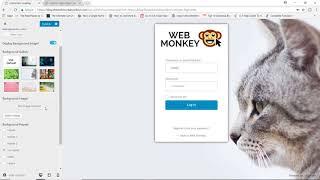
How to Customize the WordPress Login Page
Added 115 Views / 0 LikesIn today's video, you are going to learn how to brand the default WordPress login and registration pages using a very cool plugin called 'LoginPress'. Buy LoginPress - https://wpbrigade.com/ref/T-1000/?campaign=YouTubeDirect Visit our blog - http://thewebmonkeyonline.com/
-
18:28 Popular

How To Customize The WordPress Reset Password Page
Added 383 Views / 0 LikesThe default Password Rest Page in WordPress can be quite boring, and unfortunately, it doesn't allow for any customization. However, it's WordPress, you already know that you can do almost anything if you know how. So in this video I go over a few different ways to customize your password reset pages. Top Resources ⚡Use Promo Code WPBVIP⚡ ►Best WordPress Contact Form Plugin https://wpforms.com/wpbeginner ►Best WordPress Analytics Plugin https://www.mo
Featured -
10:17 Popular

How to Customize WooCommerce Checkout Page (The Easy Way)
Added 104 Views / 0 LikesDo you want to customize your WooCommerce checkout page? The default WooCommerce checkout page isn’t optimized for conversions. By customizing and optimizing your checkout page, you can increase your conversions and make more sales. In this video, we’ll show you how to easily customize your WooCommerce checkout page, step by step without writing any code. 0:00 Intro 0:12 Using SeepProd 2:08 Setting up and designing your checkout page 8:21 Tip #1 - Red
-
15:39

How To Customize WooCommerce Emails For Free With A Plugin
Added 79 Views / 0 LikesLearn how to customize WooCommerce emails with a simple a plugin that turns the WordPress customizer into an email customizer. It's simple and free. If you want to customize WooCommerce emails without a plugin check out this tutorial: Coming soon. Doing it without a plugin is also free, but not as simple. Compare that to the email customizer plugin created by WooCommerce which costs $79/year. //* Link to Local by FlyWheel tutorial: https://www.youtube
-
18:55 Popular

How To Customize WooCommerce My Account Page With Any WordPress Page Builder
Added 152 Views / 0 LikesIn this tutorial, I will show you how to make a custom WooCommerce my account page for free without a plugin. It is so easy to do, anyone can do it. In fact, you can make you WooCommerce my account page look however you want it to. The only limitation is your imagination. Here is where you can get the custom CSS shown in the tutorial. https://www.wpcrafter.com/custom-woocommerce-my-account-page/ Here are the 3 other tutorials in the series: Custom Che
-
12:53 Popular
How To Customize Woocommerce Order Confirmation Emails
Added 103 Views / 0 LikesIn this tutorial you will learn how to customize WooCommerce order confirmation emails with more data. In a previous tutorial (here: https://www.youtube.com/watch?v=qN7eU_UboMg&list=PLlgSvQqMfii4RPNBbdpjCdmlJfSJRt6Cw ), you learned how to customize the appearance of your WooCommerce emails. Here you will learn how to add more data to your emails. You can combine these two emails to create highly customized WooCommerce emails. //* Local by Flywheel bui
-
26:32 Popular

How To Customize Woocommerce Pages With Elementor & Woolentor
Added 110 Views / 0 LikesIf you want to learn how to customize WooCommerce pages with Elementor then you're going to run into a brick wall pretty quickly. Out of the box, Elementor can only customize a handful of the WooCommerce templates. Luckily, the good folks who created Woolentor, made it possible to use the free version of Elementor (or the Pro version if you have it) to create templates for every one of the important WooCommerce pages. Video note: For the custom Shop p
-
07:22 Popular
How to Customize WooCommerce Product & Product Archive Pages Via Elementor
Added 174 Views / 0 LikesIn this tutorial learn how you can build the WooCommerce single and archive product page templates using Elementor's WooCommerce Builder. You'll learn how to: • Use WooCommerce with Elementor • Create a custom design for your products and archive • Save a single and archive template with conditions by category Subscribe to our Youtube channel and be the first to get our AWESOME videos! Get Elementor: https://elementor.com/ Join Pro: https://elementor.
-
13:01 Popular

How To Customize WooCommerce Thank You Pages - Don't Miss This Opportunity
Added 145 Views / 0 LikesHow To Customize WooCommerce thank you Pages, it's EASY! So many sellers are missing this golden opportunity to have your buyers fall in love with you and your products. Don't miss this opportunity. ~~~~~~~~~~~~~~~~~~~~~ All of my opinions in this video are my own, I was not paid to make this video. Whenever there is a link in any of my videos, if there is an affiliate program available, it's safe to assume that you are clicking on an affiliate link.
-
01:08 Popular

How to Customize WordPress Excerpts No Coding Required
Added 107 Views / 0 LikesText version of this tutorial: http://www.wpbeginner.com/plugins/how-to-customize-wordpress-excerpts-no-coding-required/ Do you want to customize your WordPress excerpt? Excerpts are the short extracts of text from your posts followed normally by "read more...". In this video, we will show you how to customize WordPress excerpts with no coding required. If you liked this video, then please Like and consider subscribing to our channel for more WordPres
-
04:37
How to Customize WordPress Excerpts No Coding Required
Added 84 Views / 0 LikesAre you wanting to customize the excerpts on your WordPress site? An excerpt is a short snippet a post displays on the posts/blog page or other similar pages on your website. In this video, we will show you how to customize your WordPress excerpt with no coding required. This video brought to you by SeedProd, the best WordPress landing page plugin available, take a look at their site here: ================================= https://www.seedprod.com/ ==
-
05:58 Popular
How To Customize WordPress Faster & Eliminate Frustration At The Same Time
Added 106 Views / 0 LikesOne of the biggest frustrations with WordPress is finding the setting or option that you want to change, but that is about to change. The plugin I am talking about is Customizer Search and it will massively cut down the time it takes to tweak your website. Link https://wordpress.org/plugins/customizer-search/
-
01:03 Popular
How to Customize WordPress Login Page No HTML or CSS Required
Added 119 Views / 0 LikesDo you want a customized login page for your WordPress site? It can be great for multi-user sites but normally requires HTML or CSS knowledge. In this video, we will show you how to customize your login page without any HTML or CSS. Start by installing and activating the Custom Login Page Customizer plugin. Go to Appearance, Customize to add customizations to your login page. You can upload a logo, change the background, styling and more. After you ha
-
10:52
How to Customize Your Divi Slider to Change Specific Elements with Each Slide
Added 93 Views / 0 LikesWe all know that sliders are wonderful for maximizing that prime above-the-fold section of your website. They are great! Users are welcomed with multiple CTAs and important features that slide into view without ever having to scroll down the page. But, sometimes too much change in design and content from slide to slide can distract or overwhelm visitors. That’s why in this tutorial, I’m going to show you how to customize your Divi slider to change onl
-
00:50
How to Customize Your Elementor Workspace - Part 1! #Shorts
Added 52 Views / 0 Likes👋🏼 Help us improve by answering this short survey: http://elemn.to/survey-time In this video, we’ll cover a few ways to customize your Elementor work space. Part 1 of 2 🔔 Subscribe to our channel!🔔 https://elemn.to/subscribe Get Elementor: https://elementor.com Get Elementor Pro: https://elementor.com/pro See Part 2 here: https://youtu.be/mM6YYDdgcMo #shorts #elementor #customui #layout #workflow
-
00:54
How to Customize Your Elementor Workspace - Part 2! #Shorts
Added 62 Views / 0 Likes👋🏼 Help us improve by answering this short survey: http://elemn.to/survey-time In this video, we’ll cover a few ways to customize your Elementor work space. Part 2 of 2 🔔 Subscribe to our channel!🔔 https://elemn.to/subscribe Get Elementor: https://elementor.com Get Elementor Pro: https://elementor.com/pro See Part 1 here: https://youtu.be/KLtbJSI2NeA #shorts #elementor #customui #layout #workflow
-
05:32
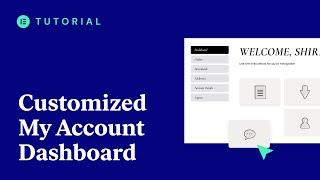
How To Customize Your My Account Dashboard With Elementor Pro!
Added 73 Views / 0 Likes👋🏼 Help us improve by answering this short survey: http://elemn.to/survey-time In this tips & tricks tutorial we’re going to learn how to establish our brand in the WooCommerce my account page dashboard. We’ll then connect this dashboard to a contact form popup, which will populate fields automatically with logged in user information using dynamic tags. The tutorial will cover: ✔︎ Creating a custom WooCommerce account dashboard template ✔︎ Using Woo e
-
06:45

How To Customize Your WooCommerce Checkout And Cart Pages In Neve Pro [2022]
Added 63 Views / 0 LikesIn this tutorial, you will learn how to customize your WooCommerce checkout and cart pages using the Neve WordPress theme. We explore Neve's powerful styling and layouts options which enable you to design a unique checkout experience for your users. Neve is a super-fast, easily customizable, multi-purpose theme. It's perfect for blogs, small businesses, startups, agencies, firms, e-commerce shops (WooCommerce storefront) as well as personal portfolio
-
01:59
How To Deactivate A Theme In WordPress Via The WordPress Dashboard | WordPress Deactivate Theme
Added 62 Views / 0 LikesIn this tutorial you will learn how to deactivate theme in WordPress. In doing so, you'll have to activate another theme in its' place. Another WordPress skill you need to learn is how to install a WordPress plugin. See the tutorial here: //* Join our private Facebook group today! https://www.facebook.com/groups/wplearninglab //* Here are 20+ reasons why I host all my sites with SiteGround: https://wplearninglab.com/siteground-wordpress-hosting-review
-
03:25

How To Deactivate A WordPress Theme Via cPanel - Remove A WordPress Theme
Added 80 Views / 0 LikesLearning how to deactivate a WordPress theme via cPanel is an important skill to have. Once you've learned how to remove a WordPress theme via cPanel, you'll need to learn how to remove a plugin via cPanel. This tutorial will show you how: //* Join our private Facebook group today! https://www.facebook.com/groups/wplearninglab //* Here are 20+ reasons why I host all my sites with SiteGround: https://wplearninglab.com/siteground-wordpress-hosting-revie
-
03:13 Popular
How To Deactivate All Plugins In WordPress At One Time
Added 105 Views / 0 LikesGrab Your Free 17-Point WordPress Pre-Launch PDF Checklist: http://vid.io/xqRL Check out the free WP & Online Marketing Summit For Beginners. The online event is June 18, 2019: https://events.wplearninglab.com/ How To Deactivate All Plugins In WordPress At One Time https://youtu.be/UrVbGptXABw Join our private Facebook group today! https://www.facebook.com/groups/wplearninglab To deactivate all plugins WordPress the easiest thing to do is go through F
-
04:35 Popular

How to Deactivate All Plugins When Not Able to Access WP Admin
Added 114 Views / 0 LikesDoes your site have an error that is preventing you from reaching your wp-admin? Some sites will ask that you disable all of your plugins which if you do not have access to your admin area can seem confusing to a new user but we're here to help remove that confusion. In this video, we will show you how to deactivate all plugins when not able to access your wp-admin. For the first method we are recommending using an FTP, if you do not know what that is
-
05:20 Popular

How to deactivate the WordPress Gutenberg Editor
Added 123 Views / 0 LikesYou want to use the latest Wordpress 5+ version, but are not ready for the new Gutenberg editor? Don't worry, you can just install the "Classic Editor" plugin, switch back to the classic editor this way and deactivate Gutenberg. You can even choose to use the Gutenberg editor just at some times (e.g. for your posts but not for your pages). The Classic editor plugin will be officially supported until Dec 31, 2021. --- Links from the video: Classic edit









