Wordpress
-
16:10 Popular

WordPress Gutenberg Tutorial For Content Writers & Editors
Added 115 Views / 0 LikesLearn how to use the new WordPress content editor named Gutenberg. The future of content writing is finally here. If you want to check out the free theme I used in the video that is 100% Gutenberg compatible, here is the link https://www.wpcrafter.com/astra It's also the them I use on all of my websites. ~~~~~~~~~~~~~~~~~~~~~ All of my opinions in this video are my own, I was not paid to make this video. Whenever there is a link in any of my videos, i
-
15:13 Popular

How To Add Yelp & Google Business Reviews To Your WordPress Websites
Added 115 Views / 0 LikesIn this tutorial, I will show you several ways to add yelp reviews and google reviews to your website manually and automatically. The free way is to use your page builder. Elementor https://www.wpcrafter.com/getelementor Beaver Builder https://www.wpcrafter.com/beaverbuilder The better way, if you are using a page builder is with UA Elementor https://www.wpcrafter.com/uael UA Beaver https://www.wpcrafter.com/ultimate-beaver ~~~~~~~~~~~~~~~~~~~~~ All o
-
24:04 Popular

Another WordPress ZeroDay Security Vulnerability In The Wild!
Added 115 Views / 0 LikesAnother WordPress ZeroDay Security Vulnerability In The Wild! If you are using the Yellow Pencil plugin, deactivate it immediately. Multistreaming with https://www.wpcrafter.com/restream
-
02:24 Popular
How to Install a WordPress Plugin from the Repository | WP Learning Lab
Added 115 Views / 0 LikesDownload our exclusive 10-Point WP Hardening Checklist: http://bit.ly/10point-wordpress-hardening-checklist How to Install a WordPress Plugin from the Repository | WP Learning Lab Installing WordPress plugins from inside your WordPress admin is very straight forward. If you want to install a premium WordPress plugin that you need to upload please watch this video instead (https://youtu.be/JBxRuJVnMOY). How to install WordPress plugin with FTP will be
-
18:45 Popular

Elementor Pro Part 3 - Elementor Form Builder
Added 115 Views / 0 LikesGrab Your Free 17-Point WordPress Pre-Launch PDF Checklist: http://vid.io/xqRL Get 25% off Elementor Pro here (aff): https://wplearninglab.com/go/elementor024 Elementor Pro makes building forms pretty easy with the form builder widget. In this tutorial, I show you how to use and customize the stock Elementor form builder, not ones that appear when you have form builders like Contact Form 7 or NinjaForms. You'll want to special attention when I show yo
-
35:43 Popular

SEO Keyword Hound - One Of The Top SEO Keyword Tools
Added 115 Views / 0 LikesGrab Your Free 17-Point WordPress Pre-Launch PDF Checklist: http://vid.io/xqRL Check out the free WP & Online Marketing Summit For Beginners. The online event is June 18, 2019: https://events.wplearninglab.com/ SEO Keyword Hound - One Of The Top SEO Keyword Tools https://youtu.be/c3DdweRAPao //* Join our private Facebook group today! https://www.facebook.com/groups/wplearninglab Get SEO Keyword Hound Here (aff): https://wplearninglab.com/go/kwh001 Moz
-
18:12 Popular

Bridge Theme Review - Over 376+ Complete Website Templates
Added 115 Views / 0 LikesGrab Your Free 17-Point WordPress Pre-Launch PDF Checklist: http://vid.io/xqRL Check out the free WP & Online Marketing Summit For Beginners. The online event is June 18, 2019: https://events.wplearninglab.com/ Bridge Theme Review - Over 376+ Complete Website Templates https://youtu.be/-oxTbFl6N3A //* Join our private Facebook group today! https://www.facebook.com/groups/wplearninglab Bridge Theme on Themeforest.net: https://themeforest.net/item/bridg
-
02:27 Popular

Free Online WordPress Summit Coming Your Way Soon
Added 115 Views / 0 LikesGrab Your Free 17-Point WordPress Pre-Launch PDF Checklist: http://vid.io/xqRL Free Online WordPress Summit Coming Your Way Soon https://youtu.be/9teB9fnPDCY Here's the event registration page: https://events.wplearninglab.com Join our private Facebook group today! https://www.facebook.com/groups/wplearninglab It's less than 6 days away and I created it just for you. It's the first ever, WordPress & Online Marketing for Beginners Summit. It's 100% onl
-
01:34 Popular
How to Rearrange the Post Edit Screen in WordPress
Added 115 Views / 0 LikesAfter using WordPress for a while you may notice some areas of the post edit screen you almost never use. Some areas you may use a massive amount but they are placed awkwardly. In this video we will show you how to rearrange the post edit screen in WordPress. If you liked this video, then please Like and consider subscribing to our channel for more WordPress videos. Text version of this tutorial: http://www.wpbeginner.com/beginners-guide/how-to-rearra
-
01:30 Popular

How To Efficiently Manage Post Series in WordPress
Added 115 Views / 0 LikesLong posts may not always be the most interesting to read through and sometimes feel required. You may want to separate the post into a series but WordPress does not innately have the best tools to keep these posts organized. In this video, we will show you how to efficiently manage post series in WordPress. If you liked this video, then please Like and consider subscribing to our channel for more WordPress videos. Text version of this tutorial: http:
-
00:59 Popular

How to Enforce Clean Image Filenames in WordPress
Added 115 Views / 0 LikesSearch engines prefer your images to have clean file names. File names with uncommon characters can break images in some browsers. In this video, we will show you how to enforce clean image file names in WordPress. If you liked this video, then please Like and consider subscribing to our channel for more WordPress videos. Text version of this tutorial: http://www.wpbeginner.com/plugins/how-to-enforce-clean-image-filenames-in-wordpress/ Check us out on
-
00:55 Popular

How to Notify Post Authors of New Disqus Comments in WordPress
Added 115 Views / 0 LikesDisqus is a comment system that many sites use to reduce the load on your site. Normally only admins and moderators are notified of new comments. In this video, we will show you how to notify post authors of new Disqus comments in WordPress. If you liked this video, then please Like and consider subscribing to our channel for more WordPress videos. Text version of this tutorial: http://www.wpbeginner.com/plugins/how-to-notify-post-authors-of-new-disqu
-
01:28 Popular

How to Easily Create a Coupon Site in WordPress
Added 115 Views / 0 LikesAre you looking to create a coupon site with WordPress? We often get asked about how we do our coupons and deals section on our site. In this video, we will show you how to easily create a coupon site in WordPress. If you liked this video, then please Like and consider subscribing to our channel for more WordPress videos. Text version of this tutorial: http://www.wpbeginner.com/wp-tutorials/how-to-easily-create-a-coupon-site-in-wordpress/ Check us out
-
01:07 Popular

How to Show Real Time Online Users in WordPress
Added 115 Views / 0 LikesDO you want to show the number of online users visiting your WordPress site? Online users widgets are fairly common for community sites and forums. In this video, we will show you how to show real time online users in WordPress. If you liked this video, then please Like and consider subscribing to our channel for more WordPress videos. Text version of this tutorial: http://www.wpbeginner.com/plugins/how-to-show-real-time-online-users-in-wordpress/ Che
-
01:07 Popular

How to Crop and Edit WordPress Post Thumbnails
Added 115 Views / 0 LikesAre you frustrated with automated thumbnail sizes which crop the image from the middle and cut off the sides. There is an easy solution for cropping and scaling post thumbnails. In this article, we will show you how to crop and edit WordPress post thumbnails. If you liked this video, then please Like and consider subscribing to our channel for more WordPress videos. Text version of this tutorial: http://www.wpbeginner.com/plugins/how-to-crop-and-edit-
-
04:40 Popular
How to Easily Add a Client Feedback Form
Added 115 Views / 0 LikesWant to add a client feedback form to your website? Client feedback helps you improve your products and services based on their needs. In this article, we will show you how to easily add a client feedback form in WordPress. For this tutorial we will be using WPForms: https://wpforms.com/ Using WPForms, we will create a new form and select the Suggestion form for some recommended fields to be automatically added. You even have the option to add or remo
-
07:12 Popular
MyThemeShop - WordPress Options Panel Tutorial - Part 1
Added 115 Views / 0 LikesThis tutorial covers all the options that are available in general settings of Sensational WordPress Theme options panel. More info about the theme http://mythemeshop.com/themes/sensational/ Useful WordPress Themes Links: WordPress Blog Themes - https://mythemeshop.com/theme-category/wordpress-blog-themes/ WordPress Business Themes - https://mythemeshop.com/theme-category/wordpress-business-themes/ WordPress eCommerce Themes - https://mythemeshop.com/
-
01:57 Popular

SociallyViral WordPress Theme by MyThemeShop
Added 115 Views / 0 Likeshttps://mythemeshop.com/themes/sociallyviral/ SociallyViral is a beautifully designed WordPress theme that is built to be engaging, fast, and most importantly, boost viral traffic. With features to help increase social sharing, you'll get more traffic from the web's top social media websites and also boost your search engine rankings. Useful WordPress Themes Links: Premium WordPress Themes - https://mythemeshop.com/themes/ Free WordPress Themes - http
-
06:49 Popular
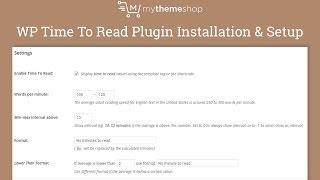
WP Time To Read Plugin Installation & Setup
Added 115 Views / 0 Likeshttps://mythemeshop.com/plugins/wp-time-to-read/ WP Time to read creates notifies the user about the approximate time they will need to read the following article. Useful WordPress Themes Links: WordPress Blog Themes - https://mythemeshop.com/theme-category/wordpress-blog-themes/ WordPress Business Themes - https://mythemeshop.com/theme-category/wordpress-business-themes/ WordPress eCommerce Themes - https://mythemeshop.com/theme-category/wordpress-ec
-
02:18 Popular

How to Configure MyThemeShop's Google Plus Widget Properly HD
Added 115 Views / 0 Likeshttps://mythemeshop.com/plugins/google-plus-badge-widget/ Google+ is a very powerful social networking platform. Use MyThemeShop's Google Plus Widget to reach your followers on Google+ Useful WordPress Themes Links: WordPress Blog Themes - https://mythemeshop.com/theme-category/wordpress-blog-themes/ WordPress Business Themes - https://mythemeshop.com/theme-category/wordpress-business-themes/ WordPress eCommerce Themes - https://mythemeshop.com/theme-
-
40:24 Popular

Video WordPress Theme Setup Tutorial
Added 115 Views / 0 Likeshttps://mythemeshop.com/themes/video/ Video is a WordPress theme that is built for blogs that have media such as videos. With a like/dislike feature, watch later feature, playlist, low bounce rate, integration with YouTube for view counts, and all the features you expect from MyThemeShop such as search engine optimization, you need Video for your site. Useful WordPress Themes Links: Premium WordPress Themes - https://mythemeshop.com/themes/ Free WordP
-
03:12 Popular

How To Add Buttons In WordPress With MaxButtons Plugin
Added 115 Views / 0 LikesGet really creative and create WordPress buttons by using MaxButtons plugin. Add them to your posts or pages. We post a NEW VIDEO every other day so be sure to SUBSCRIBE to our channel •https://goo.gl/RFB75x To create WordPress buttons with MaxButtons, you just need to download and install the plugin. Then, you can create a button by clicking on the MaxButtons link in your dashboard sidebar. Unfortunately, you can’t add buttons directly in the WordPre
-
44:55 Popular

SJ James Interview - Mastering the Final 5%: Taking Your Website from Good to Great
Added 115 Views / 0 LikesIn this interview Divi Nation host Nathan B. Weller talks with WordPress Designer and front end developer SJ James about what he does to take his web projects from good to great. Read the accompanying blog post: http://goo.gl/H7FaS0 Subscribe to our YouTube Channel: https://goo.gl/oxCa4h Subscribe to Divi Nation on iTunes: https://goo.gl/w8fccT Subscribe to Divi Nation via RSS: http://goo.gl/vz04Vc Get Divi Nation on Facebook: https://goo.gl/zPFjxj SJ
-
03:18 Popular
Divi Quick Tip 02: How to Manually Edit the Divi Footer Credits
Added 115 Views / 0 LikesIn this Divi Quick Tip I show you two different methods for manually editing the footer credits of Divi--the proper way; so that they stay changed. This is something that you'll probably want to do on every single Divi website you operate, so don't miss this tip! Watch the full Divi Nation Episode: https://youtu.be/zQyYD1ir_1s Read the accompanying blog post: http://goo.gl/0VhOiz Tools & Resources Mentioned: The Divi Child Theme Builder - http://goo.g