Wordpress
-
02:32 Popular

How to Install Elementor Page Builder for WordPress
Added 103 Views / 0 LikesCheck out our updated installation video: https://www.youtube.com/watch?v=AdddRkjwMDU In this quick tutorial we explain how to install the Elementor page builder on your WordPress website. Follow us on Facebook: https://www.facebook.com/elemntor, and Twitter: https://twitter.com/elemntor Get Elementor Page Builder FREE: https://elementor.com Download Elementor for free and start designing your WordPress site.
-
04:47 Popular

How to Use the Heading Widget on the Elementor Page Builder
Added 145 Views / 0 LikesIn this video I will show you how to use the heading widget on the Elementor page builder for WordPress. Download Elementor For Free: https://elementor.com To learn more about using Elementor's many widgets and features, subscribe to this channel or visit https://docs.elementor.com Follow us on Facebook: https://www.facebook.com/elemntor, and Twitter: https://twitter.com/elemntor
-
04:52 Popular
How to Add YouTube Videos to WordPress with Elementor
Added 117 Views / 0 LikesDownload Elementor Page Builder, FREE Forever: https://elementor.com Follow us on Facebook: https://www.facebook.com/elemntor, and Twitter: https://twitter.com/elemntor Need to add a YouTube video using Elementor Page Builder for WordPress? In this video I will show you how to use the video widget on the Elementor page builder for WordPress. To learn more about using Elementor's many widgets and features, subscribe to this channel or visit docs.elemen
-
02:57 Popular
How to Add Google Maps to WordPress Using the Free Elementor Page Builder
Added 148 Views / 0 LikesIn this video I will show you how to add the Google Maps widget to any WordPress page using the free Elementor page builder. Download Elementor: https://elementor.com To learn more about using Elementor's many widgets and features, subscribe to this channel or visit docs.elementor.com
-
04:15 Popular
How to use the icon list widget on the Elementor page builder
Added 113 Views / 0 LikesIn this video I will show you how to use the icon list widget on the Elementor page builder for WordPress. To learn more about using Elementor's many widgets and features, subscribe to this channel or visit http://docs.elementor.com
-
05:29 Popular
Add Drop Shadow Effects to Your WordPress Website Using Elementor Page Builder
Added 144 Views / 0 Likes** See it live: http://demo.elementor.com/box-shadow/ ** In this video I will show you how to create Box Shadow effects to widgets, sections and columns, by using the Elementor page builder for WordPress. That's right - beautiful drop shadows with absolutely no coding or CSS. To learn more about using Elementor's many widgets and features, subscribe to this channel or visit http://docs.elementor.com Download Free: https://elementor.com
-
03:15 Popular

How to Add Entrance Animations to Your WordPress Website Using Elementor Page Builder
Added 151 Views / 0 Likes** See it live: http://demo.elementor.com/entrance-animations/ ** In this video I will show you how to add Entrance Animations to widgets, sections and columns, by using the Elementor page builder for WordPress. That's right - beautiful entrance animations with absolutely no coding or CSS. To learn more about using Elementor's many widgets and features, subscribe to this channel or visit http://docs.elementor.com Download Elementor: https://elementor.
-
05:37 Popular

How to Add Testimonials to Your WordPress Website Using Elementor
Added 108 Views / 0 LikesWant to learn how to add testimonials to WordPress for FREE? https://elementor.com In this video, I will show you how to use the testimonial widget on the Elementor page builder for WordPress. To learn more about using Elementor's many widgets and features, subscribe to this channel or visit http://docs.elementor.com
-
06:24
How to Add Image Carousel in WordPress With Elementor
Added 98 Views / 0 LikesIn this video, I will show you how to add an image carousel in WordPress, with the free to use Elementor page builder for WordPress. To learn more about using Elementor's many widgets and features, subscribe to this channel or visit http://docs.elementor.com Check out the more advanced media carousel: https://www.youtube.com/watch?v=WY3HqKWgqKg
-
10:38 Popular

How to Create a Stunning Landing Page on WordPress in Minutes [FREE Plugin]
Added 145 Views / 0 LikesLearn how to create a beautiful landing page on WordPress in under 10 minutes, absolutely FREE! - Download FREE WP Landing Page Builder: https://elementor.com - Follow an updated tutorial for building landing pages with Elementor: https://elementor.com/create-wordpress-landing-page/ This is the best way to create landing pages on WordPress. Watch it live: https://library.elementor.com/landing-page-tourism/ In this video, I'll show you a step by step g
-
02:23 Popular
How to Add Hover Animations to Your WordPress Website Using Elementor Page Builder
Added 133 Views / 0 Likes** See it live: http://demo.elementor.com/hover-animations/ ** In this video I will show you how to add Hover Animations to Image, Buttons and Icons, by using the Elementor page builder for WordPress. With this featue you can add beautiful hover animations with absolutely no coding or designing skills. To learn more about using Elementor's many widgets and features, subscribe to this channel or visit http://docs.elementor.com Download Elementor: https
-
06:49 Popular
How to Add Buttons to WordPress With Elementor
Added 125 Views / 0 LikesDownload Elementor Page Builder, FREE Forever: https://elementor.com Follow us on Facebook: https://www.facebook.com/elemntor, and Twitter: https://twitter.com/elemntor In this video, I will show you how to use the button widget on the Elementor page builder to add buttons on WordPress. To learn more about using Elementor's many widgets and features, subscribe to this channel or visit http://docs.elementor.com
-
00:59 Popular
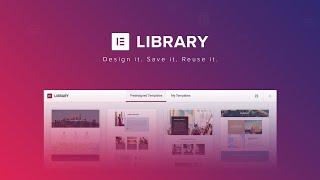
Introducing Library — The New Template Library From Elementor
Added 151 Views / 0 LikesElementor Page Builder brought you a whole new and better way to design your WordPress website. Now, we are supercharging your entire workflow, with Elementor Library, an amazing template library that lets you save and reuse your designs. Library comes pre-packed with 20 free & amazingly designed templates that fit your every need. It also lets you save the pages and sections you create and use them on your site, or export them to different sites. Dis
-
04:23 Popular

How to Use the Template Library With the Elementor Page Builder
Added 135 Views / 0 Likes20 beautiful and free WordPress page templates are all available on the free Elementor page builder. You can insert them with one click! Get Elementor FREE Forever: https://elementor.com Follow us on Facebook: https://www.facebook.com/elemntor, and Twitter: https://twitter.com/elemntor Our template library also allows you to save your own pages and sections and export them to other websites that have Elementor. Download Elementor, free forever, and st
-
03:00 Popular
How to use Elementor's Menu Anchor Widget to Create One Page Websites on WordPress
Added 162 Views / 0 LikesBuilding a one pager website design on WordPress could not be easier. Follow us on Facebook: https://www.facebook.com/elemntor, and Twitter: https://twitter.com/elemntor First of all install the free Elementor page builder. Then drag the Anchor widget wherever you want the menu to scroll to, and name it any way you like. Each area should get the proper name. For example: 'heading', 'features', 'about us' and 'contact page'. Then, go to Appearance - Me
-
03:31 Popular

How to Use Image Gallery Widget on Elementor Page Builder Plugin
Added 153 Views / 0 LikesEasily add images galleries to WordPress with Elementor. Download Elementor Page Builder, FREE Forever: https://elementor.com Follow us on Facebook: https://www.facebook.com/elemntor, and Twitter: https://twitter.com/elemntor If you are looking for the best, and easiest plugin to add an image gallery to your WordPress website, then look no further, because it's actually easier and less of a burden on your WordPress to use your Elementor page builder p
-
01:30 Popular
How to Add Shortcode in WordPress with Elementor Page Builder
Added 133 Views / 0 LikesIn this video we explain how to add shortcodes to any WordPress page using the Elementor page builder. You can also add shortcodes with the regular text editor widget, but the shortcode widget is much more powerful because you can see how the shortcode looks like without going to preview mode. It is rendered automatically. Get Elementor Free Forever: https://elementor.com Using shortcodes this way is easier, because it saves you time and lets you add
-
05:06 Popular

Mobile Editing - Create a Responsive Website Visually with Elementor Page Builder
Added 156 Views / 0 LikesTHIS VIDEO HAS BEEN UPDATED -https://www.youtube.com/watch?v=VPyBuNLpt4U One of the biggest challenges in web design is getting your design to look perfect across all devices. We are thrilled to introduce Mobile Editing, a set of features that will give you full responsive control, down to the last pixel, so you can create an astonishing and truly responsive mobile version of your website. Download Elementor, now with Mobile Editing: https://elementor
-
03:33 Popular
How to Use the Progress Bar Widget on Elementor Page Builder
Added 147 Views / 0 LikesDisplay your progress or skills and add a beautiful progress bar to any WordPress website using Elementor Page Builder. To learn more about using the many widgets and features, subscribe to this channel or visit http://docs.elementor.com Get Elementor Free Forever: https://elementor.com
-
02:55 Popular
How to Use the Counter Widget on Elementor Page Builder
Added 146 Views / 0 LikesIn this video we'll learn how to add a number counter to WordPress using the Counter Widget on Elementor. In the video you see a page with 4 dynamic numbers. With every refresh the numbers go up again. I can give them each their own icons, captions and styles. With a widget like this you can display the number of like, purchases etc. in an interesting way. To learn more about using the many widgets and features, subscribe to this channel or visit http
-
01:38 Popular
How to Use the Text Editor widget on Elementor Page Builder
Added 149 Views / 0 LikesThe Text Editor is simple, but is very important in order to insert content into the page. In the video we review expanding the editor, style and typography settings and alignment. Get Elementor Free Forever: https://elementor.com To learn more about using the many widgets and features, subscribe to this channel or visit http://docs.elementor.com
-
06:24

Build Your Page Layout on Elementor
Added 93 Views / 0 LikesDo you want to build your page layout on WordPress in the easiest possible way? Try the FREE Elementor Page Builder for WordPress Follow us on Facebook: https://www.facebook.com/elemntor, and Twitter: https://twitter.com/elemntor Get Elementor free forever: https://elementor.com This is a really basic and fundamental tutorial about using Elementor, and is the first part of three tutorials we will publish that concerns with using sections and columns i
-
29:42 Popular

9 Unique Elementor Add-ons To Supercharge Your WordPress Website
Added 140 Views / 0 LikesWith so many Elementor add-ons available, in this video, I have found 9 of the most unique Elementor add-ons that can make a huge difference on your website. Want discounts? They are all listed here on my website: https://www.wpcrafter.com/9-unique-elementor-addons-to-supercharge-your-wordpress-website/ ~~~~~~~~~~~~~~~~~~~~~ All of my opinions in this video are my own, I was not paid to make this video. Whenever there is a link in any of my videos, if
-
30:47 Popular

WebARX WordPress Security Tutorial - All Settings & Features Covered
Added 133 Views / 0 LikesGrab Your Free 17-Point WordPress Pre-Launch PDF Checklist: http://vid.io/xqRL WebARX WordPress Security Tutorial - All Settings & Features Covered https://youtu.be/JiGXKgQHhpQ //* Join our private Facebook group today! https://www.facebook.com/groups/wplearninglab //* WebARX is a security plugin that works with many CMS's including WordPress. I use it on all of my important sites. I've been using it for just over a year and I'm very happy with the re
-
39:00 Popular
How to Create a Circular Icon Menu that Expands on Click in Divi
Added 109 Views / 0 LikesHey Divi Nation, welcome to a brand new Divi Use Case live stream where each week we show you how to add new design and functionality to your Divi website. Today, we will show how to create a circular icon menu that expands on click in Divi. This menu really highlights the powerful design capabilities of the Divi Builder when combined with a snippet of JavaScript. And it is perfect for mobile devices as well. Let’s get started. You can read the post f
-
03:09 Popular

7 Best HTML5 Player Plugins for WordPress
Added 119 Views / 0 LikesIn today’s video, we're going to check out the 7 best HTML5 player plugins for WordPress. Blog post: https://www.elegantthemes.com/blog/wordpress/best-html5-player-plugins-for-wordpress Like us on Facebook: https://www.facebook.com/elegantthemes/
-
02:06 Popular

Visualizer Tables and Charts Plugin: An Overview and Review
Added 148 Views / 0 LikesIn today’s video, we're going to check out Visualizer: Tables and Chart Manager plugin for WordPress. Blog post: https://www.elegantthemes.com/blog/wordpress/visualizer-tables-and-charts-plugin-an-overview-and-review Like us on Facebook: https://www.facebook.com/elegantthemes/
-
1:03:44 Popular

The Weekly WP Roundup with B.J. Keeton (July 12, 2019)
Added 113 Views / 0 LikesMultistreaming with https://restream.io/ Welcome back to the stream, everyone. Expand the description of this video to find the list of curated news, tutorials, and resources we’ve put together for you. Say hi in the live chat, ask any questions you may have, and make yourselves comfortable. --NEWS Divi Global Defaults are here! https://www.elegantthemes.com/blog/theme-releases/the-global-defaults-editor Why I Removed Advertisements From My Blog https
-
05:43 Popular

Divi Child Themes for Travel Websites
Added 163 Views / 0 LikesIn today’s video, we're going to check out 10 Divi child themes for travel websites. Blog post: https://www.elegantthemes.com/blog/divi-resources/divi-child-themes-for-travel-websites Like us on Facebook: https://www.facebook.com/elegantthemes/
-
09:54 Popular

How to Design Reflections for Images and Text in Divi
Added 107 Views / 0 LikesDesigning reflections for images and text is a classic design technique that can be used to spice up the content of a web page. And, Divi makes it easy to create these reflections right from the Divi Builder without having to use a photo editor. In this tutorial, I’m going to show you how to design reflections for images and text in Divi. The key to making reflections is to use Divi’s transform scale option to create a mirrored version of the element.









