Wordpress
-
03:17 Popular
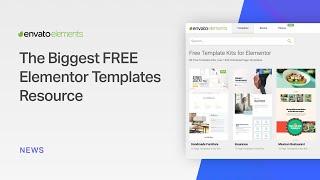
Envato Elements Launched, Featuring 2,000+ FREE Elementor Templates
Added 133 Views / 0 LikesGet the Envato Elements plugin here: https://elements.envato.com/extensions/wordpress The plugin offers: - Over 2,000 Free Templates for Elementor - Over 680,000 premium stock images - Photo Search, Browse and Import feature - Integration with Paid Elements account - Integration with the core Media Library so Elementor users can easily import images Read more about this plugin: https://elementor.com/blog/envato-elements-launched/
-
02:09 Popular
How to Create an Image Movement Illusion in Elementor
Added 119 Views / 0 LikesIn this tutorial, we’ll create a cool image movement illusion with motion effects that you can add to your WordPress website using Elementor. You'll learn how to: •︎ Use position absolute •︎ Set a custom width to an image •︎ Add a horizontal scroll motion effect Read more on Motion Effects here: https://elementor.com/blog/introducing-motion-effects/ Get Elementor Pro: https://elementor.com/pro/
-
02:57 Popular
How to Add Mouse Track Animations to Your Hero Section in Elementor
Added 172 Views / 0 LikesIn this tutorial, we’ll add mouse track effects to a hero section in a WordPress website using Elementor. You'll learn how to: •︎ Add mouse track effect animation •︎ Use the 3d tilt effect •︎ Set absolute position Note that mouse track effects do not work on mobile or tablet because they don’t use a mouse. Read more on Motion Effects here: https://elementor.com/blog/introducing-motion-effects/ Get Elementor Pro: https://elementor.com/pro/
-
03:32 Popular
How to Create a Popup With a Mouse Track Effect in Elementor
Added 145 Views / 0 LikesIn this tutorial, we’ll create a popup with a mouse track effect that you can add to your WordPress website using Elementor. You'll learn how to: •︎ Create a mouse track effect animation •︎ Use position absolute •︎ Set conditions and triggers Note: Mouse track effects do not work on mobile or tablet because they don’t use a mouse. Read more on Motion Effects here: https://elementor.com/blog/introducing-motion-effects/ Get Elementor Pro: https://elemen
-
05:11 Popular

Advanced Tutorial: How to Create an Animated Text Effect in Elementor
Added 141 Views / 0 LikesIn this tutorial, we’ll create cool animated text with motion effects that you can add to your WordPress website using Elementor. You'll learn how to: •︎ Add a horizontal scroll •︎ Use the overflow: hidden dropdown •︎ Create a cool text trick! (Advanced) Read more on Motion Effects here: https://elementor.com/blog/introducing-motion-effects/ Get Elementor Pro: https://elementor.com/pro/
-
03:28 Popular
How to Use X and Y Anchor Points With Motion Effects in Elementor
Added 159 Views / 0 LikesIn this tutorial, we'll go over how to use the X and Y anchor points with rotation and scale settings when adding motion effects to your WordPress website using Elementor. You'll learn how to: •︎ Add rotation & scale animations to your website •︎ Change your anchor points position •︎ And much more! Read more on Motion Effects here: https://elementor.com/blog/introducing-motion-effects/ Get Elementor Pro: https://elementor.com/pro/ Link to the viewport
-
09:43 Popular

Web Design Speed Art - How We Built Our Landing Page Using Motion Effects
Added 150 Views / 0 LikesThis speed art displays how we built our Motion Effects landing page using Elementor 2.5 scrolling effects, mouse track effects and positioning capabilities. Check out the page here: https://elementor.com/pages/motion-effects/ Tools Used: Elementor: https://elementor.com Elementor Pro: https://elementor.com/pro Photoshop: https://www.adobe.com/products/photoshopfamily.html
-
04:13 Popular

How to Use Motion Effects Viewport Settings in Elementor
Added 134 Views / 0 LikesIn this tutorial, we'll go over how to use the viewport settings when adding scrolling effects to your WordPress website using Elementor. You'll learn how to: •︎ Add scrolling effects to your website or landing page •︎ Use motion effect's speed slider •︎ Set your animations according to the viewport Read more on Motion Effects here: https://elementor.com/blog/introducing-motion-effects/ Get Elementor Pro: https://elementor.com/pro/
-
02:15

How to Add Scrolling Effects to Your Website
Added 87 Views / 0 LikesIn this tutorial, we'll go over how to add scrolling effects and animations to your website. You'll learn: •︎ How to create scrolling effects •︎ Add horizontal scroll animations •︎ Use an element anchor point, and much more! Read more on Motion Effects here: https://elementor.com/blog/introducing-motion-effects/ Get Elementor Pro: https://elementor.com/pro/
-
31:31 Popular

Elementor Webinar: Motion Effects
Added 163 Views / 0 LikesIntroducing Motion Effects in Elementor. Bring your website to life! Hadas & Ziv introduce and show you how to use the new Mouse Track Effect and Motion Effects which include: - Vertical Scroll (Classic Parallax Effect) - Horizontal Scroll - Transparency - Blur - Rotate - Scale - 3D Tilt Read more on Motion Effects here: https://elementor.com/blog/introducing-motion-effects/ Get Elementor Pro: https://elementor.com/pro/
-
02:22 Popular
Introducing Motion Effects: Powerful Animations to Bring Your Site to Life
Added 151 Views / 0 LikesElementor Pro V2.5 unleashes Motion Effects: powerful tools for creating amazing scrolling & mouse animations, including sophisticated parallax effects. Visit the zero gravity page - https://elementor.com/pages/motion-effects/ Learn More - https://elementor.com/blog/introducing-motion-effects/ Take it for a spin and experience the simplest process for adding interactions to your designs.
-
12:26 Popular
How to Use Custom Positioning Units For Best Mobile Responsive Behavior
Added 115 Views / 0 LikesLearn how to use the custom positioning units (px.%, VH, VW) with responsive behavior in mind. You will learn: •︎ The difference between px, %, VH & VW •︎ How to properly use these values •︎ Best positioning practices for mobile responsive behavior Learn more about custom positioning here: https://www.youtube.com/watch?v=RA0T52VB2Os Learn More: https://elementor.com/blog/introducing-flexible-layout/ Get Elementor Pro: https://elementor.com/pro/
-
09:17 Popular
Do's & Don'ts: Absolute & Fixed Position in Elementor
Added 155 Views / 0 LikesLearn how to properly use absolute and fixed custom positioning orientation settings in Elementor 2.5. You will learn: •︎ The horizontal & vertical orientation concept •︎ How to use the offset values •︎ Resetting your position Learn More: https://elementor.com/blog/introducing-flexible-layout/ Get Elementor Pro: https://elementor.com/pro/
-
33:39 Popular
Elementor Webinar: Custom Positioning
Added 152 Views / 0 LikesElementor 2.5 introduces Flexible Layout: Freehand web design never before possible on WordPress. Join Josh & Hadas and learn: •︎ Best practices for flexible layout (absolute and fixed) •︎ How to avoid common mistakes •︎ And more... Read more here: https://elementor.com/blog/introducing-flexible-layout/ Get Elementor: https://elementor.com/
-
01:11 Popular
How to Hide Columns Per Device in Elementor
Added 107 Views / 0 LikesIn this tutorial, we'll go over how to hide a column in Elementor 2.5. Learn More: https://elementor.com/blog/introducing-flexible-layout/ Get Elementor Pro: https://elementor.com/pro/
-
02:01 Popular
How to Use Inline Positioning in Elementor
Added 124 Views / 0 LikesIn this tutorial, we'll go over how to use inline positioning in Elementor 2.5. You'll learn: •︎ How to align elements side-by-side in the same column •︎ Control an element position •︎ Use custom width to align your inline elements Learn More: https://elementor.com/blog/introducing-flexible-layout/ Get Elementor Pro: https://elementor.com/pro/
-
04:53 Popular
How to Use Absolute & Fixed Custom Positioning in Elementor
Added 151 Views / 0 LikesLearn how to use absolute and fixed custom positioning in Elementor 2.5. You will learn: •︎ The difference between absolute & fixed position •︎ How to freely position your widgets on the page •︎ Use absolute & fixed positioning the right way! Learn More: https://elementor.com/blog/introducing-flexible-layout/ Get Elementor Pro: https://elementor.com/pro/
-
01:33 Popular
How to Use Text Editor Columns in Elementor
Added 118 Views / 0 LikesLearn how to use Text Editor Columns in Elementor 2.5. You'll learn how to: •Divied your text into columns. •Set responsive columns per device. •Control your columns gap Learn More: https://elementor.com/blog/introducing-flexible-layout/ Get Elementor Pro: https://elementor.com/pro/
-
02:49 Popular

How to Use Column Alignment in Elementor
Added 103 Views / 0 LikesLearn how to align widgets inside a column in Elementor using flexbox distribution. Learn More: https://elementor.com/blog/introducing-flexible-layout/ Get Elementor Pro: https://elementor.com/pro/
-
14:14 Popular
Fastest Theme For WordPress And Elementor? See How You Can Test It
Added 110 Views / 0 LikesSee how I test which is the fastest theme for WordPress and Elementor. I compare OceanWP, Astra and Neve: http://bit.ly/DownloadNEVE Tools and resources: • Speed test: https://gtmetrix.com • Hosting tutorial: https://youtu.be/92fjAc0sRBc Get professional WordPress hosting: http://bit.ly/WPHostingOffer 1. Ocean WP • 2:08 2. Neve • 7:54 3. Astra • 9:42 These are some of the most popular WordPress themes out there, optimized for Elementor. Just take a lo
-
04:58 Popular

How to Create Conversational Forms in WordPress (Typeform Alternative)
Added 117 Views / 0 LikesDo you want your forms to have a more human feel? Many people look for conversational forms to give their users a one question at a time experience. In this video, we will show you how to create a conversational form in WordPress. This video brought to you by WPFormstake a look at their site here: ================================= https://wpforms.com/ ================================= For the discount, use our code: WPBVIP For this guide, we will be u
-
1:41:21 Popular

Restaurant Website Design Tutorial | Building a Restaurant Website with WordPress [EASY]
Added 147 Views / 0 LikesIn this restaurant website design tutorial, we’ll show you how to make a restaurant website using WordPress. Steps: https://ohklyn.com/how-to-make-a-restaurant-website-in-wordpress/ You’ll learn the fundamentals of building a restaurant website with WordPress plus how to integrate OpenTable to enable you to take reservations on your website. Discounts: Bluehost Hosting (Up to 50% OFF): https://ohklyn.com/go/bluehost-discount/ Divi WordPress Theme (10%
-
1:55:34 Popular

How to Create a Small Business Website | WordPress Business Tutorial
Added 168 Views / 0 LikesIn this small business website design tutorial, we’ll show you how to create a small business website step by step using WordPress. Follow along here: https://ohklyn.com/how-to-create-a-small-business-website/ If you run a successful small business or you're looking to start a new business - then this video is for you! HOSTING + WORDPRESS THEME DISCOUNTS: Discount hosting: https://ohklyn.com/go/bluehost-discount WordPress Theme: https://ohklyn.com/go/
-
1:55:44 Popular
WordPress Tutorial for Beginners 2019 [NEW]
Added 120 Views / 0 LikesWordPress Tutorial for Beginners - Learn how to make a WordPress website for 2019 & 2020 step by step. OHKLYN Community Benefits: Discount Hosting: https://ohklyn.com/go/bluehost-discount/ Divi Theme Discount: https://ohklyn.com/go/divi-discount Free Step by Step guide: https://ohklyn.com/wordpress-tutorial-for-beginners/ We’ll cover the fundamentals of what you’ll need to get your website up and running and provide an introduction to the WordPress co
-
1:35:45 Popular

How to Make a Portfolio Website For 2019 | WordPress Portfolio Tutorial
Added 150 Views / 0 LikesLearn How to Make a Portfolio Website for 2019 with WordPress. Easy Step-By-Step Tutorial for Beginners. Free Domain + Discount Hosting. In this step by step WordPress portfolio tutorial, we'll show you how to register your domain, set up hosting, and customise your portfolio website to suit you. Instructions: https://ohklyn.com/how-to-make-a-portfolio-website-in-wordpress/ LINKS Bluehost discount: https://ohklyn.com/go/bluehost-discount/ Photography
-
1:23:14 Popular

How to Start a Fashion Blog, Beauty Blog, or Lifestyle Blog 2019 | WordPress Tutorial
Added 187 Views / 0 LikesIn this video, we’ll show you how to start a fashion blog, beauty blog or lifestyle blog using WordPress for 2018 and 2019. Follow along step by step here: https://ohklyn.com/how-to-start-a-fashion-blog/ HOSTING + WORDPRESS THEME: Discount hosting: https://ohklyn.com/go/bluehost-discount WordPress Theme: https://ohklyn.com/go/cheerup Live demos: https://ohklyn.com/go/cheerup-demos Regardless of whether you want to learn how to start a fashion blog, ho
-
1:39:57 Popular
How to Make a One Page Website | Single Page WordPress Tutorial 2019
Added 145 Views / 0 LikesLearn how to make a one page website with WordPress for 2018 & 2019! In this one page WordPress website tutorial we'll show you how create and customize a one page website step by step. Follow along here: https://ohklyn.com/how-to-make-a-one-page-website-in-wordpress/ Bluehost discount: https://ohklyn.com/go/bluehost-discount/ One Page WordPress theme (Divi): https://ohklyn.com/go/divi-discount/ Free one page Divi Layouts: https://ohklyn.com/free-divi
-
1:23:47 Popular

How to Make a Photography Website 2019 | WordPress Photography Website Tutorial
Added 132 Views / 0 LikesWant to know how to make a photography website for 2018 & 2019? In this WordPress photography website tutorial we'll show you how to do it step by step. Follow along here: https://ohklyn.com/how-to-make-a-photography-website-with-wordpress/ Bluehost discount: https://ohklyn.com/go/bluehost-discount/ Photography theme: https://ohklyn.com/go/photography/ Live Demos: https://ohklyn.com/go/photography-demos/ In this photography website tutorial, we show y
-
1:35:21 Popular

How to Make a WordPress Website 2019
Added 111 Views / 0 LikesHow to make a WordPress website 2019 - WordPress tutorial for beginners. Learn step by step how to create a $3,000+ website using WordPress. Follow along here: https://ohklyn.com/how-to-make-a-wordpress-website-2018-2019/ Bluehost discount: https://ohklyn.com/go/bluehost-discount/ Divi theme: https://ohklyn.com/go/divi-discount/ In this WordPress tutorial for beginners, we show you how to create an agency level WordPress website step by step, and save
-
1:26:41 Popular

How To Start A Travel Blog 2019 | WordPress Travel Blog Tutorial
Added 175 Views / 0 LikesWant to know how to start a travel blog for 2019? In this WordPress travel blog tutorial, we show you how to do it. Follow along here: https://ohklyn.com/how-to-start-a-travel-blog/. Discount hosting: Bluehost (shared hosting - incl free domain): https://ohklyn.com/go/bluehost-discount/ Soledad WordPress Theme (discounts when available): https://ohklyn.com/go/soledad Nomadic Matt's Trvael Blogging Course Superstar Blogging Course: https://ohklyn.com/g









