Wordpress
-
05:05 Popular

How to Easily Change the Author in WordPress
Added 128 Views / 0 LikesIn today’s video, we're going to learn how to change the author in WordPress. Blog post: https://www.elegantthemes.com/blog/wordpress/how-to-easily-change-the-author-in-wordpress Create redirects: https://www.elegantthemes.com/blog/tips-tricks/how-to-create-redirects-with-wordpress Remove author: https://www.youtube.com/watch?v=U_O322lTtmw Like us on Facebook: https://www.facebook.com/elegantthemes/
-
05:21 Popular

How to Easily Change the Font Size in WordPress
Added 122 Views / 0 LikesAre you wanting to change the font size in your WordPress posts and pages? You may not like how your theme has styled the text or want to customize a line or paragraph for your uses. In this video, we will show you how to easily change the font size in WordPress! This video is sponsored by MonsterInsights, a powerful plugin to help you use your analytics information to the fullest, take a look at MonsterInsights here: =================================
-
01:32 Popular

How to Easily Check Which WordPress Version You are Using
Added 109 Views / 0 LikesSometimes you may need to know which version of WordPress you are using to see if your website is up to date. This helps with certain plugins that require your WordPress to be a specific version or higher. In this video, we will show you how to easily check which WordPress version you are using. Text version of this tutorial: http://www.wpbeginner.com/beginners-guide/how-to-easily-check-which-wordpress-version-you-are-using/ If you liked this video, t
-
01:28 Popular

How to Easily Create a Coupon Site in WordPress
Added 115 Views / 0 LikesAre you looking to create a coupon site with WordPress? We often get asked about how we do our coupons and deals section on our site. In this video, we will show you how to easily create a coupon site in WordPress. If you liked this video, then please Like and consider subscribing to our channel for more WordPress videos. Text version of this tutorial: http://www.wpbeginner.com/wp-tutorials/how-to-easily-create-a-coupon-site-in-wordpress/ Check us out
-
00:57

How to Easily Create A Full Width Slider In Elementor! #Shorts
Added 48 Views / 0 Likes👋🏼 Help us improve by answering this short survey: http://elemn.to/survey-time In this tutorial we’ll learn how to create a full-width slider using Elementor’s “Slides” widget. 🔔 Subscribe to our channel!🔔 https://elemn.to/subscribe Get Elementor: https://elementor.com Get Elementor Pro: https://elementor.com/pro For more tutorials on this topic: https://elementor.com/academy/design-layout/ #shorts #elementor #elementorpro #slider #slides
-
03:53 Popular
How to Easily Create a Multilingual WordPress Site
Added 134 Views / 0 LikesNot all websites are in English or just a single language. Are you looking to have your site boe more than one language? W've helped many users understand the tools to make their sites multilingual. In this video, we will show you how to easily create a multilingual WordPress site. For our first recommended method we will be using the polylang plugin that you are able to find here: http://www.wordpress.org/plugins/polylang The plugin will add a Langua
-
04:10 Popular

How to Easily Create a Responsive WordPress Slider with Soliloquy
Added 119 Views / 0 LikesSliders are commonly used to show images on the front page of a website. There are many slider plugins out there that can be complicated but there is at least one that is not. In this video, we will show you how to easily create a responsive WordPress slider with Soliloquy. If you liked this video, then please Like and consider subscribing to our channel for more WordPress videos. Text version of this tutorial: http://www.wpbeginner.com/plugins/how-to
-
01:22 Popular

How to Easily Create Responsive WordPress Image Galleries with Envira
Added 101 Views / 0 LikesHave you tried adding an image gallery to find it is missing some built in functionality. There are several gallery plugins available out there but we would recommend our gallery plugin Envira Gallery. In this video, we will show you how to easily create responsive WordPress image galleries with Envira. If you liked this video, then please Like and consider subscribing to our channel for more WordPress videos. Text version of this tutorial: http://www
-
00:49 Popular

How to Easily Create Short Amazon Affiliate Links in WordPress
Added 142 Views / 0 LikesAmazon's affiliate program is one of the largest and most popular programs in the market. Due to the large number of products available there is always something you can recommend and earn a commission. In this video, we will show you how to easily create short Amazon affiliate links in WordPress. If you liked this video, then please Like and consider subscribing to our channel for more WordPress videos. Text version of this tutorial: http://www.wpbeg
-
03:56

How to EASILY Embed Instagram Feed in Your WordPress Website (Step by Step)
Added 77 Views / 0 LikesAre you looking for an easy way to embed Instagram feeds on your WordPress website? Embedding Instagram on your WordPress site is one of the easiest ways to get more traffic, engagement, and followers. In this video, I'll show you how to easily embed Instagram feeds on your website in under 10 minutes. --Links-- ►Add This One Thing For Higher Click-Through Rates https://youtu.be/vpexf1x7_Hs ►Written Tutorial: How to Easily Embed Instagram in WordPress
-
02:45 Popular
How to Easily Embed Videos in WordPress Blog Posts
Added 128 Views / 0 LikesAre you looking to add videos to your site on WordPress? Videos help draw attention to your site and are a great way to boost user engagement on posts and pages when placed there. These videos can take up a large amount of space if you upload them directly which is why we recommend embedding them. In this video, we will show you how to easily embed videos in WordPress. WordPress comes with an auto-embed feature to make embedding videos on your site a
-
06:08
How to Easily Embed Videos in WordPress Blog Posts
Added 69 Views / 0 LikesDo you want to embed videos in your WordPress blog posts? WordPress has tools to make embedding your videos from hosting sites super easy. In this guide, we'll show you how to easily embed videos in your WordPress blog posts, pages, and widgets. This video is sponsored by Smash Balloon, a powerful plugin to help you bring your social media content to your WordPress site, take a look at Smash Balloon here: ================================= https://smas
-
00:57 Popular

How to Easily Hide Widget Title in WordPress
Added 122 Views / 0 LikesWidgets are useful tools for beginner level WordPress users to drag and drop items into different widget areas.These plugins are great for creating layouts for your site the problem is if you do not want to show the title on your site. In this video, we will show you how to easily hide widget titles in WordPress. If you liked this video, then please Like and consider subscribing to our channel for more WordPress videos. Text version of this tutorial:
-
02:12
How to Easily Hide Widget Title in WordPress
Added 92 Views / 0 LikesDo you want to hide the title of a widget on your WordPress site? WordPress has a tool to make it easy to drag and drop dynamic content into your theme to create unique layouts. However, if you need to hide the title it previously required knowledge of HTML and CSS. In this guide, we'll show you how to easily hide the widget title in WordPress without any code. This video is sponsored by MonsterInsights, a powerful plugin to help you use your analytic
-
02:15 Popular
How to Easily Import and Export WordPress Users
Added 142 Views / 0 LikesDo you want to import and export your WordPress users between one site to another? This is very helpful when you are merging sites and want to automatically allow your users to log in with the same information. In this video, we will show you how to easily import and export users in WordPress. Text version of this tutorial: http://www.wpbeginner.com/plugins/how-to-easily-import-and-export-wordpress-users/ If you liked this video, then please Like and
-
16:15
How to Easily Move WordPress to a New Domain Without Losing SEO
Added 74 Views / 0 LikesDo you want to move your WordPress site to a new domain? Changing your website’s domain name can significantly impact your SEO rankings, so it’s a process that needs to be done very carefully. While you cannot avoid temporary SEO fluctuations when migrating your website to a new domain, you can definitely minimize the impact and quickly regain your search traffic and rankings. In this video, we will show you the proper way to move WordPress to a new d
-
00:56 Popular

How to Easily Replace Image and Media Files in WordPress
Added 130 Views / 0 LikesReplacing an image in WordPress can be a tedious process. You need to upload a new file, rename it and insert it into the old post. There is an easier way using a plugin. In this video, we will show you how to easily replace image and media files in WordPress. If you liked this video, then please Like and consider subscribing to our channel for more WordPress videos. Text version of this tutorial: http://www.wpbeginner.com/plugins/how-to-easily-replac
-
04:42

How to Easily Track 404 Pages and Redirect Them in WordPress
Added 63 Views / 0 LikesDo you need to track 404 error pages on your WordPress website and find an easy way to redirect them? 404 errors happen site visitors try to view a page on your website that no longer exists. These 404 errors create a bad user experience which can lead to a drop in search engine rankings and lower eCommerce sales. In this video, we will show you how to easily track 404 pages and redirect them in WordPress. --Links-- ►Written Tutorial - How to Easily T
-
04:30 Popular

How to Easily Verify Your WordPress Site on Pinterest
Added 131 Views / 0 LikesDo you want to add analytics for your Pinterest audience for your WordPress site? This analytics helps you monitor how your site is performing for images pinned from your site. In this video, we will show you how to verify your WordPress site on Pinterest to get Pinterest analytics. To begin you want to ensure you have a business Pinterest account, if you have a personal account you are able to upgrade without a charge by clicking the ellipses(...) an
-
03:45

How to Edit a Podcast in Audacity - Amplify & Normalize
Added 61 Views / 0 LikesIn part three of a four part series, we cover how to use Amplify and Normalize. Blog post: https://www.elegantthemes.com/blog/marketing/how-to-edit-a-podcast-in-audacity Chapters: 0:00 Intro 0:08 Amplify vs. Normalize 0:36 Amplify 2:10 Normalize •️ Learn more about Divi: https://www.elegantthemes.com/gallery/divi • Like us on Facebook: https://www.facebook.com/elegantthemes/ #Podcast #Audacity #ElegantThemes
-
05:06

How to Edit a Podcast in Audacity - Compression & EQ
Added 57 Views / 0 LikesIn part four of a four part series, we cover how to use compression and equalization. Blog post: https://www.elegantthemes.com/blog/marketing/how-to-edit-a-podcast-in-audacity Chapters: 0:00 Intro 0:09 Compression 1:09 Auphonic.com 2:00 Chris's Dynamic Compressor 2:21 Equalization 3:35 EQ Guides 4:20 Outro Resources: Auphonic: https://auphonic.com/ Chris's Dynamic Compressor: https://manual.audacityteam.org/man/chris_s_dynamic_compressor.html TheAudac
-
03:40
How to Edit a Podcast in Audacity - Presets & Noise Reduction
Added 57 Views / 0 LikesIn part two of a four part series, we cover user presets and how to apply noise reduction. Blog post: https://www.elegantthemes.com/blog/marketing/how-to-edit-a-podcast-in-audacity Chapters: 0:00 Intro 0:10 Presets 1:01 Noise Reduction •️ Learn more about Divi: https://www.elegantthemes.com/gallery/divi • Like us on Facebook: https://www.facebook.com/elegantthemes/ #Podcast #Audacity #ElegantThemes
-
07:02

How to Edit a Podcast in Audacity - The Basics
Added 57 Views / 0 LikesIn part one of a four part series, we cover the basics you need to know when it comes to editing a podcast in Audacity. Blog post: https://www.elegantthemes.com/blog/marketing/how-to-edit-a-podcast-in-audacity Chapters: 0:00 Intro 0:25 Mono vs. Stereo 1:15 Splitting a stereo track 2:05 Deleting a section 3:35 Generate silence 4:18 Time shift tool 5:00 Podcast music •️ Learn more about Divi: https://www.elegantthemes.com/gallery/divi • Like us on Faceb
-
14:35
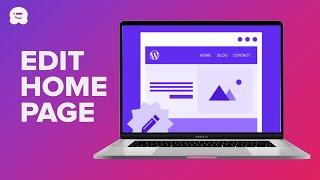
How to Edit a WordPress Homepage (Easily & Effectively)
Added 52 Views / 0 LikesDo you need to make a custom homepage for your WordPress site? The WordPress homepage displays your blog posts by default, but you can edit it to show something different. For example, your homepage could be a landing page that highlights your products and services. In this video, we’ll show you 3 methods to customize your WordPress homepage. Top Resources ⚡Use Promo Code WPBVIP⚡ ►Best WordPress Contact Form Plugin https://wpforms.com/wpbeginner ►Best
-
08:22 Popular
How to Edit Footer Copyright Text In Any WordPress Theme
Added 153 Views / 0 LikesHow to Edit Footer Copyright Text In Any WordPress Theme More info: https://www.wpcrafter.com So you found a great free theme, but you are now stuck with a copyright that is not easy to change. In this video I show you one way to change the footer copyright text. ~~~~~~~~~~~~~~~~~~~~~ All of my opinions in this video are my own, I was not paid to make this video. Whenever there is a link in any of my videos, if there is an affiliate program available,
-
01:34 Popular
How to edit text in the Note WordPress plugin
Added 121 Views / 0 LikesFor more hand-crafted WordPress tutorials visit: http://plugintut.com The Note WordPress plugin is a live-edit widget creator for WordPress websites. It's like a lightweight page builder for your WordPress websites. Download it free at: http://wordpress.org/plugins/note Tune into our podcast! http://pluggedinradio.com Follow us on Twitter! http://twitter.com/plugintut Like us on Facebook! http://facebook.com/plugintut Don't forget to hit LIKE if you l
-
07:10

How to Edit the Footer in WordPress Step by Step
Added 43 Views / 0 LikesAre you wanting to edit the footer area of your WordPress website? The footer is the bottom section of each page on your WordPress website. There are a few different ways in which you can use and edit this area for your visitors. In this video, we'll show you how to edit the footer in WordPress. All code in this video can be found in the article below: https://www.wpbeginner.com/wp-tutorials/how-to-edit-the-footer-in-wordpress This video is sponsored
-
07:17 Popular
How To Edit The WordPress Footer | WP Learning Lab
Added 142 Views / 0 LikesGrab Your Free 17-Point WordPress Pre-Launch PDF Checklist: http://vid.io/xqRL How To Edit The WordPress Footer | WP Learning Lab To edit the WordPress footer all you have multiple options available to you. You can use the WordPress editor, which is what I show you in this video. You can also edit the footer in the cPanel file manager and via FTP. No matter which method you use to edit your footer, he trick is open the footer.php file. That is where a
-
04:37 Popular
How To Edit The WordPress Header | WP Learning Lab
Added 116 Views / 0 LikesGrab Your Free 17-Point WordPress Pre-Launch PDF Checklist: http://vid.io/xqRL How To Edit The WordPress Header | WP Learning Lab The WordPress header is one of those place where a lot of important things happen. Scripts are called, integrations are set up and validated, stylesheets are imported, and so on. Usually, leaving the header.php file alone is the best plan, but sometimes you have to make additions or changes. Before you do, keep in mind that
-
06:17 Popular
How to Edit WordPress Files - with Notepad++
Added 119 Views / 0 LikesUPDATE - Please watch this video - https://www.youtube.com/watch?v=uCIpWOrmxmU to learn how to use the updated version of Notepad++ In this short video, you will learn how to edit WordPress files using a powerful free text editor known as Notepad++. Learn how to use Filezilla to upload files to your website - https://www.youtube.com/watch?v=SDjdFLsqM1c Get your FREE WordPress SEO Course from the Web Monkey Academy - https://thewebmonkeyacademy.com/ Ge









