Wordpress
-
02:00 Popular
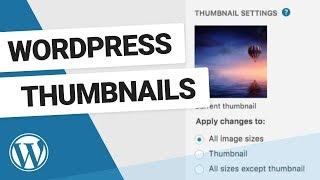
How to Edit WordPress Thumbnails
Added 116 Views / 0 LikesWhat are WordPress image thumbnails and how can you edit just a thumbnail without editing the entire image? A few things to remember when editing image thumbnails in WordPress: Different WordPress themes use thumbnail images in different ways By default, WordPress thumbnails are a square (aspect ratio of 1:1) You can edit your default thumbnail size & crop options by going to Settings • Media.
-
02:09

How to Edit wp-config.php File in WordPress
Added 98 Views / 0 LikesDid you ever read a tutorial that wanted you to edit your wp-config file and you don't know what it is? In this video we will show you how to edit the wp-config.php file. If you liked this video, then please Like and consider subscribing to our channel for more WordPress videos. Text version of this tutorial: http://www.wpbeginner.com/beginners-guide/how-to-edit-wp-config-php-file-in-wordpress/ Check us out on Facebook: https://www.facebook.com/wpbegi
-
14:27 Popular

How to Effectively Use Letter Spacing to Create a Stunning Design with Divi
Added 129 Views / 0 LikesHave you ever tried experimenting with font families and letter spacing at the same time? Let me tell you that it can bring eye-catching results. It gives an abstract feeling to your design and it also matches design trends in 2018. Not only can you add extra letter spacing to your text, you can also use negative letter spacing to bring your characters closer to each other. In this tutorial, that is inspired by one of Roney Gibson's designs, we're goi
-
23:37 Popular

How To Efficiently Collaborate & Communicate With Clients On Website Development
Added 142 Views / 0 LikesHow To Efficiently Collaborate & Communicate With Clients On Website Development More info: https://www.wpcrafter.com/projecthuddle Every so often a plugin comes along that makes me say WOW. This is one of those plugins. If you are a designer or web developer, then this is the most efficient way for your client communication. I'm even considering creating websites again, and this would be the cornerstone plugin that I would use. There are so many uses
-
01:30 Popular

How To Efficiently Manage Post Series in WordPress
Added 115 Views / 0 LikesLong posts may not always be the most interesting to read through and sometimes feel required. You may want to separate the post into a series but WordPress does not innately have the best tools to keep these posts organized. In this video, we will show you how to efficiently manage post series in WordPress. If you liked this video, then please Like and consider subscribing to our channel for more WordPress videos. Text version of this tutorial: http:
-
25:09
How to Effortlessly Combine Scroll Effects & Sticky Options in Your Divi Design
Added 62 Views / 0 LikesLearn more: https://www.elegantthemes.com/blog/divi-resources/how-to-effortlessly-combine-scroll-effects-sticky-options-in-your-divi-design The more you get familiar with Divi, the more you realize how far the built-in features can go. Sometimes, it might even become tempting to start combining them. But as with everything in design, harmony should be prioritized. Using features such as scroll effects and sticky options works best if they don’t overbu
-
07:54 Popular

How To Elementor Import / Export Templates + What To Do When It Doesn't Work
Added 155 Views / 0 LikesIn this video, I will show you how to import and export templates into Elementor and what to do if you run into issues. Don't have Elementor? Visit https://www.wpcrafter.com/elementor ~~~~~~~~~~~~~~~~~~~~~ All of my opinions in this video are my own, I was not paid to make this video. Whenever there is a link in any of my videos, if there is an affiliate program available, it's safe to assume that you are clicking on an affiliate link. Please check my
-
04:28 Popular

How to Embed a Facebook Video in WordPress
Added 134 Views / 0 LikesFacebook videos are becoming a popular option for uploading videos. Facebook has made it slightly complicated to add the video. In this video, we will show you how to embed a Facebook video in WordPress. Text version of this tutorial: http://www.wpbeginner.com/wp-tutorials/how-to-embed-a-facebook-video-in-wordpress/ If you liked this video, then please Like and consider subscribing to our channel for more WordPress videos. Check us out on Facebook: ht
-
06:23 Popular

How to Embed a Facebook Video in WordPress
Added 138 Views / 0 LikesDo you want to embed a Facebook video on your WordPress site? With the popularity of Facebook live and Facebook's videos, we've had several of our users ask if it was possible to embed Facebook videos in WordPress. In this video, we will show you how to easily embed a Facebook video and a Facebook live video in WordPress. To start, you will want to visit the Facebook Embedded Video and Live Video Player page found here: https://developers.facebook.com
-
11:04 Popular

How To Embed a Google Calendar onto a WordPress Website
Added 134 Views / 0 Likeshttp://www.wpsculptor.com In this step-by-step tutorial video, I demonstrate how to set up a Google Calendar and then embed that Calendar onto a page on your WordPress site. This is great for people that have events that they would like to display with a calendar on their website. I also show you how to use hyperlinks with your Google Calendar so that users can be directed to other webpages such as a ticket purchasing page or a PayPal page directly fr
-
02:46 Popular
How to Embed a Google Form in WordPress
Added 128 Views / 0 LikesAre you looking to embed a Google form on your WordPress site? Google Forms are easy to embed in multiple locations and useful when you need to share it with multiple methods. In this video, we will show you how to embed a Google Form in WordPress. The first question would be why would you use Google Forms when there are so many other methods to create a form such as a form builder plugin? While there are plugins that can create forms for you, they ar
-
13:18

How To Embed A Google Map in Contact Forms (Step by Step)
Added 54 Views / 0 LikesDo you want to display a map on your website’s contact form? You can use geolocation to pre-fill a user’s address and show their location by placing a pin on a map. This makes filling in the form more manageable, leading to a better completion rate. This video will show you how to embed a Google Map in contact forms with a map pin. Written tutorial: https://www.wpbeginner.com/plugins/how-to-embed-a-google-map-in-contact-forms/ Top Resources ⚡Use Promo
-
06:20

How To Embed A PDF In WordPress Without Using A Plugin
Added 49 Views / 0 LikesGrab your free 17-Point WordPress Launch Checklist PDF: https://wplearninglab.com/get/wordpress-redirects.php?utm_source=youtube&utm_medium=video&utm_campaign=wp_jumpstart&utm_id=17_point_wp_launch_checklist&utm_term=PhJK7hvIW8Q&utm_content=video_description Many WordPress sites have PDF documents for download, so it's important to know how to embed a PDF in WordPress without having to use a plugin. There are many WordPress plugins available that will
-
14:00

How to Embed a Twitter Feed On a WordPress Site
Added 82 Views / 0 LikesIf you are looking to add a Twitter feed to your WordPress site you may already know that there are a few options out there; the one we recommend in this video is the Twitter Feed plugin from Smash Ballon as it is really easy to use, creates an amazing looking feed and you can customize the look to fit in with your website. Check out the plugin here https://smashballoon.com/custom-twitter-feeds/ If you would prefer to read the article which covers add
-
04:56 Popular

How to Embed a YouTube Playlist in WordPress
Added 117 Views / 0 LikesHow do you embed a YouTube playlist in WordPress? You’ll be happy to know it’s quite easy, and the process is not that much different from embedding a single video. I'll walk you through 3 different ways to embed a YouTube playlist in WordPress: 0:32 - Using WordPress oEmbed (copy/paste) 1:46 - Using YouTube's iframe embed code (more customization) 3:27 - YouTube playlist in a WordPress sidebar Starting at 0:32, I show you how to get your YouTube play
-
04:11

How To Embed a YouTube Playlist In WordPress - BEST Method
Added 54 Views / 0 LikesDo you want to embed your YouTube playlists on your WordPress website? Adding a playlist to your landing pages and blog posts can help boost user engagement and improve your SEO or search engine optimization rankings. Plus, it can help grow your channel and get more subscribers. In this video, we'll show you how to embed YouTube playlists in WordPress. --Links-- ►6 Best Video Editing Software Compared (Easy & Powerful) https://www.youtube.com/watch?v=
-
05:30 Popular

How to Embed a YouTube Video in WordPress
Added 119 Views / 0 LikesStep-by-step guide how to embed a YouTube video in WordPress. We'll cover 3 main ways: 0:20 - oEmbed method (easiest, no customization) 1:45 - iframe method (lots of customization options) 3:39 - Embed YouTube video in WordPress Sidebar FULL LIST of customization options for the iframe method: https://wpsmackdown.com/embed-youtube-video-wordpress/#using-iframe Please leave a comment below if you have any trouble embedding a YouTube video on your WordP
-
03:35

How to Embed a YouTube Video in WordPress
Added 66 Views / 0 LikesHow to Embed a YouTube Video in WordPress In this video I go through 2 different ways of how to add a YouTube video in WordPress. The 2nd option gives you a bit more flexibility over the start time, controls, and size of the YouTube video that you embed. I hope you enjoy the video! My Site https://www.wpwithtom.com Awesome Services on Fiverr: https://www.wpwithtom.com/fiverr Best Hosts: Hostinger: https://wpwithtom.com/hostinger - Coupon Code: WPWITHT
-
02:11

How to Embed a YouTube Video in WordPress | Beginners Series
Added 91 Views / 0 Likeshttp://wpwithtom.com/ Hey everyone! In this short tutorial I show you how to embed a YouTube Video In WordPress. This is an important thing to know how to do because so many websites and especially blog posts add videos within them. These videos are often found on YouTube so it only makes sense to learn how to embed them. I hope you've found this video helpful! Reach out to me with any questions. Elementor: https://bit.ly/2Ct0I1U How to Install Wordpr
-
02:17 Popular
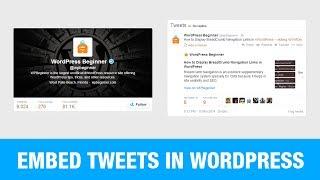
How to Embed Actual Tweets in WordPress Blog Posts
Added 130 Views / 0 LikesAs a blogger, do you get an urge to quote a tweet from somebody in your blog post? We know we do. In this video, we will show you how to embed tweets in WordPress blog posts. If you liked this video, then please Like it and consider subscribing to our channel for more WordPress videos. Text version of this tutorial: http://www.wpbeginner.com/plugins/how-to-embed-actual-tweets-in-wordpress-blog-posts/ Follow us on Twitter: http://twitter.com/wpbeginner
-
02:46

How to Embed Actual Tweets in WordPress Blog Posts
Added 71 Views / 0 LikesDo you want to embed specific tweets on your WordPress posts? These embeds allow you to easily quote tweets inside your content to help make it more engaging. In this video, we will show you how to easily embed tweets in your WordPress posts and pages. This video is sponsored by Smash Balloon, a powerful plugin to help you bring your social media content to your WordPress site, take a look at Smash Balloon here: ================================= https
-
06:23 Popular

How To Embed Amazon S3 Player In WordPress Without A Plugin for 2018
Added 114 Views / 0 LikesGrab Your Free 17-Point WordPress Pre-Launch PDF Checklist: http://vid.io/xqRL How To Embed Amazon S3 Player In WordPress Without A Plugin for 2018 https://youtu.be/_567eK-CMQw Exclusive for WPLearningLab viewers, up to 50% off hosting: https://wplearninglab.com/wordpress-hosting-offer/ Blog post with embed code: https://wplearninglab.com/amazon-s3-video-embed-code/ The easiest Amazon S3 player for WordPress is the HTML5 video player. All you need is
-
08:09 Popular

How to Embed an Amazon S3 Video in WordPress | WP Learning Lab
Added 126 Views / 0 LikesDownload our exclusive 10-Point WP Hardening Checklist: http://bit.ly/10point-wordpress-hardening-checklist How to Embed an Amazon S3 Video in WordPress | WP Learning Lab Amazon S3 is basically a hard drive in the cloud with similar functionality to Dropbox, Google Drive, and SkyDrive. The biggest difference is that Amazon S3 has more functionality, but it's also more difficult to use. Amazon S3 and WordPress can work together to embed videos in your
-
14:01

How to Embed an Instagram Feed on a WordPress Website (2023)
Added 100 Views / 0 LikesLooking for the most cost effective WordPress web hosting, check out Hostinger: https://wpventure.com/hostinger - Coupon Code: WPVENTURE For the best premium WordPress web hosting, check out WP Engine: https://wpventure.com/wpengine In this video we’ll show you a simple step-by-step guide on how to quickly embed an Instagram Feed on your website with nearly any page builder using Smash Balloon’s Instagram Feed Plugin. You can customize the layout, col
-
03:10 Popular
How to Embed Bing Maps in WordPress
Added 137 Views / 0 LikesWhile we have previously covered how to add Google Maps in WordPress but, some people may prefer using a different Map. One such map being Bing maps. In this video we will show you how to embed Bing maps in WordPress. If you liked this video, then please Like and consider subscribing to our channel for more WordPress videos. Text version of this tutorial: http://www.wpbeginner.com/wp-tutorials/how-to-embed-bing-maps-in-wordpress/ Follow us on Twitter:
-
41:35 Popular

How to Embed Divi Galleries into Toggles to Create a Custom Restaurant Menu
Added 119 Views / 0 LikesMultistreaming with https://restream.io/ Hey Divi Nation, welcome to a brand new Divi Use Case live stream where each week we show you how to add new design and functionality to your Divi website. In this live stream tutorial, I’m going to show you how create a restaurant menu with intuitive and mobile friendly toggles using Divi toggles and galleries. I’ll even show you how to optimize your toggles for mobile and embed Divi image galleries inside of
-
06:28

How to Embed Facebook Status Posts in WordPress
Added 61 Views / 0 LikesAre you wanting to include your Facebook status in WordPress? Facebook statuses are great for sharing important updates and build excitement with your audience. When you embed your Facebook status on your website it helps increase engagement and let people know what's happening on your Facebook page or group, and grow your followers. --Links-- ►partner affiliate link https://smashballoon.com/ ►written tutorial https://www.wpbeginner.com/wp-tutorials/e
-
07:30

How To Embed MailChimp Signup Forms In WordPress
Added 62 Views / 0 LikesGrab your free Manuscript - The 5 Email Sequences Every Business MUST Have: https://wplearninglab.com/get/wordpress-redirects.php?utm_source=youtube&utm_medium=video&utm_campaign=online_marketing&utm_id=5_email_sequences_manuscript&utm_term=wVo6NGZaiw0&utm_content=video_description In this video I show you how to embed a MailChimp signup form in your WordPress site. I have a whole playlist dedicated to helping you get better at using MailChimp here: h
-
03:21

How to Embed PDF in WordPress
Added 74 Views / 0 LikesIn this quick video I cover how to Embed a PDF in WordPress. I'll show you how to add a downloadable PDF to your WordPress website without using a plugin. You can have the PDF open in a new browser tab or download directly to the computer with the 2 ways I show you here. I hope this helps you out! My Site https://www.wpwithtom.com Awesome Services on Fiverr: https://www.wpwithtom.com/fiverr Best Hosts: Hostinger: https://wpwithtom.com/hostinger - Coup
-
05:52

How to Embed PDF on Your WordPress Website
Added 97 Views / 0 LikesAre you wanting to embed a PDF file on your WordPress site? Offering your users an upgrade PDF on a membership page or a PDF version of your articles can be a great addition to your content for your users to help your site. In this video, we'll cover two different ways to embed a PDF on your WordPress site. This video is sponsored by MonsterInsights, a powerful plugin to help you use your analytics information to the fullest, take a look at MonsterIns









