Wordpress
-
03:26
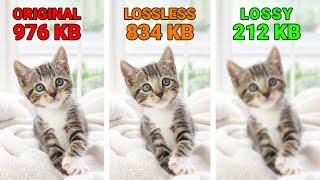
What Is the Difference in Lossy vs Lossless Compression?
Added 66 Views / 0 LikesIn this video, we'll learn about the difference between lossy and lossless compression. Blog post: https://www.elegantthemes.com/blog/wordpress/lossy-vs-lossless-compression ➡️ Learn more about Divi: https://www.elegantthemes.com/gallery/divi/ 🔵 Like us on Facebook: https://www.facebook.com/elegantthemes/ #WordPress #Divi #ElegantThemes
-
04:16
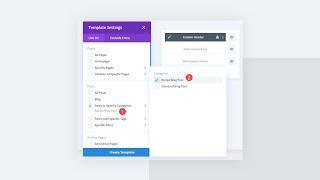
How to Add a Different CTA Per Post Category Using Divi’s Theme Builder
Added 88 Views / 0 LikesWebsite users can be passive and indecisive unless called to take action. That’s why tools like the Divi Theme Builder are so handy. For websites that use multiple categories of content, a single Call-To-Action module (CTA) or optin cannot be optimized for all visitor types. However, by using theme builder layouts and Divi’s dynamic content feature, you can show varied calls to action based on the post content the user is viewing. Doing so will make y
-
07:12
![How to Create a Page Header With a Sales Countdown Timer Using Otter Blocks & Neve [2022]](https://video.bestwebhosting.co/uploads/thumbs/dc1b6abe4-1.jpg)
How to Create a Page Header With a Sales Countdown Timer Using Otter Blocks & Neve [2022]
Added 80 Views / 0 LikesLearn how to create a sales countdown timer in WordPress using the Countdown Block from Otter. We also used Neve's custom layouts module to create a header for the product archive page and added the countdown block that we made. Otter is a lightweight, dynamic collection of page building blocks and templates for the WordPress block editor. Download Otter: https://themeisle.com/plugins/otter-blocks/ Download Neve: https://themeisle.com/themes/neve/ Web
-
10:10
![How to Configure The Multiple Pages Generator (MPG) Search Settings [2022]](https://video.bestwebhosting.co/uploads/thumbs/757899a6a-1.jpg)
How to Configure The Multiple Pages Generator (MPG) Search Settings [2022]
Added 72 Views / 0 LikesMPG is a WordPress plugin that allows you to generate unlimited pages however, by default, generated pages will not show up in search results on your website since WordPress only looks for physical pages. In this video, we demonstrate how to configure an MPG option to show generated pages using the default search. Make your HTML Pretty: https://jsonformatter.org/ Blog Post: https://docs.themeisle.com/article/1461-how-to-search-through-generated-pages
-
06:28
![How To Create a Discount Popup in Gutenburg Using the Otter Popup Block [2022]](https://video.bestwebhosting.co/uploads/thumbs/d9e854dcc-1.jpg)
How To Create a Discount Popup in Gutenburg Using the Otter Popup Block [2022]
Added 58 Views / 0 LikesLearn how to use the Otter popup block to create a stunning discount popup for your WooCommerce product sales campaigns, in the WordPress editor (Gutenburg). Otter is a lightweight, dynamic collection of page building blocks and templates for the WordPress block editor. Download Otter: https://themeisle.com/plugins/otter-blocks/ Website → https://themeisle.com WordPress Articles → https://themeisle.com/blog/ Facebook → https://www.facebook.com/themeis
-
06:25
![How To Create a Custom Header For Product Category Pages using Neve's Custom Layouts Module [2022]](https://video.bestwebhosting.co/uploads/thumbs/11f200a39-1.jpg)
How To Create a Custom Header For Product Category Pages using Neve's Custom Layouts Module [2022]
Added 77 Views / 0 LikesLearn how to use Neve's Custom Layouts feature to create custom headers for your WooCommerce product category pages in WordPress. Neve is a super-fast, easily customizable, multi-purpose theme. It's perfect for blogs, small businesses, startups, agencies, firms, e-commerce shops (WooCommerce storefront) as well as personal portfolio sites and most types of projects. Download Neve: 👉 https://themeisle.com/themes/neve/ Website → https://themeisle.com Wo
-
06:17
![Create a 404 Page in WordPress Using Otter Blocks, Neve Custom Layouts, and Lottie Animations [2022]](https://video.bestwebhosting.co/uploads/thumbs/c68454286-1.jpg)
Create a 404 Page in WordPress Using Otter Blocks, Neve Custom Layouts, and Lottie Animations [2022]
Added 82 Views / 0 LikesThis is a quick and easy tutorial where you will learn how to build amazing animated WordPress 404 pages in Gutenburg, using Neve's Custom Layouts Module, Otter Blocks and Lottie Animations. You would need a Neve Pro License to access the Custom Layouts Module. Download Neve 👉 https://themeisle.com/themes/neve/pricing/ Check out Otter Blocks 👉 https://themeisle.com/plugins/otter-blocks/ Get your Lottie animations here 👉 https://lottiefiles.com/ Websit
-
05:04
![How to Configure Cache Settings in the Multiple Pages Generator (MPG) WordPress Plugin [2022]](https://video.bestwebhosting.co/uploads/thumbs/965262f25-1.jpg)
How to Configure Cache Settings in the Multiple Pages Generator (MPG) WordPress Plugin [2022]
Added 59 Views / 0 LikesIn this video, we explore MPG's disk caching options. While MPG has two main caching options - Disk and Database we can confirm that there isn't any real performance difference between the two methods. Some hosting providers impose limits such as disk space therefore, you should always choose the option that best suits your hosting situation. You will learn to enable and disable both disk and database cache in MPG. We also walk you through the process
-
06:45
![How To Customize Your WooCommerce Checkout And Cart Pages In Neve Pro [2022]](https://video.bestwebhosting.co/uploads/thumbs/85bae6873-1.jpg)
How To Customize Your WooCommerce Checkout And Cart Pages In Neve Pro [2022]
Added 62 Views / 0 LikesIn this tutorial, you will learn how to customize your WooCommerce checkout and cart pages using the Neve WordPress theme. We explore Neve's powerful styling and layouts options which enable you to design a unique checkout experience for your users. Neve is a super-fast, easily customizable, multi-purpose theme. It's perfect for blogs, small businesses, startups, agencies, firms, e-commerce shops (WooCommerce storefront) as well as personal portfolio
-
02:02

How to generate a Sitemap Using The Multiple Pages Generator (MPG) WordPress Plugin [2022}
Added 76 Views / 0 LikesIn this video, you will learn how to generate a sitemap for your Multiple Pages Generator (MPG) Project. MPG requires its own. sitemap to be generated since the pages it generates are not typical WordPress entities (they'e kept virtual). Using MPG however, will not cause any negative SEO effects. Documentation 👉 https://docs.themeisle.com/article/1460-how-to-generate-a-sitemap Download MPG 👉 https://themeisle.com/plugins/multi-pages-generator/ Website
-
04:35
![How to Create a Custom 404 Page Using the Custom Layouts Module From Neve Pro [2022]](https://video.bestwebhosting.co/uploads/thumbs/f988c33a2-1.jpg)
How to Create a Custom 404 Page Using the Custom Layouts Module From Neve Pro [2022]
Added 58 Views / 0 LikesIn this tutorial, you will learn how to create a custom 404 error page for your WordPress website using the WordPress editor (Gutenburg) We will be using the custom layouts module from Neve pro to design a custom yet simple layout to make it really easy to follow along. Feel free to create a layout that matches the look and feel of your website. Neve is a super-fast, easily customizable, multi-purpose theme. It's perfect for blogs, small businesses, s
-
02:41
![How to Set Different WordPress Menu Colors on Desktop vs Mobile Using Neve [2022]](https://video.bestwebhosting.co/uploads/thumbs/386e6dd29-1.jpg)
How to Set Different WordPress Menu Colors on Desktop vs Mobile Using Neve [2022]
Added 63 Views / 0 LikesIn this video, you will learn how to use the Neve header builder module to set a different WordPress menu colour for mobile devices from what you've set for desktops. The header builder module allows you to configure desktop and mobile styling options separately. Neve is a super-fast, easily customizable, multi-purpose theme. It's perfect for blogs, small businesses, startups, agencies, firms, e-commerce shops (WooCommerce storefront) as well as perso
-
05:20
![How to Customize the WooCommerce Single Product Page Using Neve PRO [2022]](https://video.bestwebhosting.co/uploads/thumbs/05a8906bd-1.jpg)
How to Customize the WooCommerce Single Product Page Using Neve PRO [2022]
Added 74 Views / 0 LikesIn this video, you will learn how to use Neve Pro to customize your WooCommerce Single Product Page. The WooCommerce booster from Neve Pro unlocks powerful features that let you build stunning single product pages. We also the Neve Starter Site called "Print Shop" for this demonstration. Neve is a super-fast, easily customizable, multi-purpose theme. It's perfect for blogs, small businesses, startups, agencies, firms, e-commerce shops (WooCommerce sto
-
06:57
![How to Customize the WooCommerce Shop Page Using Neve PRO [2022]](https://video.bestwebhosting.co/uploads/thumbs/64a96c049-1.jpg)
How to Customize the WooCommerce Shop Page Using Neve PRO [2022]
Added 50 Views / 0 LikesIn this video, you will learn how to customize the WooCommerce shop page using Neve PRO. The WooCommerce Booster from Neve Pro provides powerful features that allow you to personalize your WooCommerce Shop (Product Catalog) Page. We also used the Neve Starter Site called "Print Shop" for this demonstration. Neve is a super-fast, easily customizable, multi-purpose theme. It's perfect for blogs, small businesses, startups, agencies, firms, e-commerce sh
-
01:34

Otter - Page Builder Blocks & Extensions for Gutenberg
Added 64 Views / 0 LikesOtter is a dynamic collection of page building blocks and templates for the WordPress Gutenberg Block Editor. Create beautiful and attractive posts, pages, and landing pages with Gutenberg Blocks and Template Library by Otter. Otter comes with dozens of Gutenberg blocks that are all you need to build beautiful pages in Gutenberg. Website → https://themeisle.com WordPress Articles → https://themeisle.com/blog/ Facebook → https://www.facebook.com/themei
-
07:04
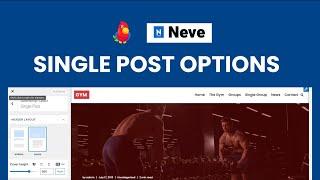
Neve Single Post Options - How to Customize a Single Post Layout in Neve PRO (2022)
Added 79 Views / 0 LikesIn this video, you will learn how to use Neve's Single Post Options to customize the layout of your WordPress Posts. These customizations apply to all existing and future posts. We also demonstrate how to use individual post options in the WordPress editor to customize the layout of a specific post. Check out the blog post 👉 https://docs.themeisle.com/article/1310-neve-single-post-options Neve is a super-fast, easily customizable, multi-purpose theme.
-
09:32

Neve WordPress Theme - Exploring Starter Sites & The Templates Cloud Feature (2022)
Added 53 Views / 0 LikesIn this video, you will learn how to install and access the Starter Sites Library to import beautiful, ready-made WordPress sites quickly. The Library contains sites that are built using the most popular page builders on the market - Gutenburg, Elementor, Divi, Beaver, Brizzy and Thrive Architech. We also demonstrate the use of the "Templates Cloud", a feature connected to your Neve license key, that allows you to save blocks, sections and pages to th
-
08:47
Neve WordPress Theme - Getting Started | Free and Pro Features Explored (2022)
Added 51 Views / 0 LikesIn this video, we explore some of Neve's amazing features which allow you to build premium WordPress websites. You will learn how to import, set up, and customize a starter site, which is super convenient for both new and pro users looking to deploy a functional WordPress website quickly. We also briefly demonstrate some of Neve's Free and Pro customization options. Neve is a super-fast, easily customizable, multi-purpose theme. It's perfect for blogs
-
12:40

Feedzy WordPress RSS Feeds Plugin Tutorial
Added 64 Views / 0 LikesLearn how to add feeds to posts and pages on your WordPress website for free using Feedzy, a powerful RSS aggregator that helps you curate content, Autoblog, display, and import RSS feeds within a few minutes. Get Feedzy 👉https://themeisle.com/plugins/feedzy-rss-feeds/ Feedzy documentation: 👉https://bit.ly/3HHM2wv Feedzy documentation (shortcode/parameters): 👉https://bit.ly/3Bdwj5D We are using the Neve WordPress theme for this demonstration. Neve is
-
06:31

How to Build a Custom WordPress Header Using Neve Pro
Added 63 Views / 0 LikesHere's a video demonstrating how to build a custom header using components from the free version of Neve: 👉 https://www.youtube.com/watch?v=TVrIOXTs-r8 In this video, you will learn how to build a professional WordPress header using powerful components from Neve Pro with its Header Builder, using drag and drop functionality. We also explore some additional pro features such as "stick to top" which you can apply to any or all of your header rows (top,
-
08:37
How To Create a Blog Header Using the Custom Layouts Module From Neve Pro
Added 65 Views / 0 LikesIn this video, you will learn how to use the Custom Layouts module from Neve Pro to build a header for your WordPress Blog. A custom layout can be edited with the WordPress editor, Elementor, or Beaver Builder. Neve is a super-fast, easily customizable, multi-purpose theme. It's perfect for blogs, small businesses, startups, agencies, firms, e-commerce shops (WooCommerce storefront) as well as personal portfolio sites and most types of projects. Downl
-
07:00
![How to Create a Custom Header Using the Neve Header Builder [Free]](https://video.bestwebhosting.co/uploads/thumbs/498b3f979-1.jpg)
How to Create a Custom Header Using the Neve Header Builder [Free]
Added 84 Views / 0 LikesIn this video, we will show you how to create your own custom WordPress header for free using Neve's Header and Footer Builder. You will learn how to build a simple, professional header with free components using drag and drop functionality. Neve is a super-fast, easily customizable, multi-purpose theme. It's perfect for blogs, small businesses, startups, agencies, firms, e-commerce shops (WooCommerce storefront) as well as personal portfolio sites an
-
01:16

Neve 3.0 "Danube"
Added 40 Views / 0 LikesWebsite → https://themeisle.com WordPress Articles → https://themeisle.com/blog/ Facebook → https://www.facebook.com/themeisle/ ThemeIsle is the go-to source for the High-Quality WordPress Themes (both free & premium), and plugins every website owner needs. We're passionate about all things WordPress, but we're not afraid to tackle other web-related subjects. Our goal is to give those websites easy-to-use themes and designs that can be managed by ever
-
11:06 Popular

Beginner’s Guide to Creating 301 Redirects in WordPress (Step by Step)
Added 104 Views / 0 LikesDo you want to create 301 redirects on your WordPress website? 301 redirects help fix 404 page not found errors and point users to the correct page. It provides a better user experience and improves your keyword rankings. --Links-- ►partner affiliate link - https://aioseo.com/ ►written tutorial - https://www.wpbeginner.com/beginners-guide/beginners-guide-to-creating-redirects-in-wordpress/#:~:text=Next%2C%20select%20the%20404%20error,the%20'Add%20Redi
-
12:01
![How to Add a Countdown Timer Widget in WordPress [UPDATED]](https://video.bestwebhosting.co/uploads/thumbs/08aa27a50-1.jpg)
How to Add a Countdown Timer Widget in WordPress [UPDATED]
Added 81 Views / 0 LikesAre you wanting to add a milestone countdown in WordPress? Countdown timers help bring attention to important achievements, anniversaries, upcoming events, and more. In this video, we'll show you a few easy ways to add a countdown timer in WordPress. --Links-- ►partner affiliate link - https://optinmonster.com/ ►written tutorial - https://www.wpbeginner.com/plugins/how-to-add-a-milestone-countdown-widget-in-wordpress/ --Top Resources-- Use Promo Code
-
08:37
![How to Find and Fix Broken Links in WordPress [UPDATED]](https://video.bestwebhosting.co/uploads/thumbs/3106444e0-1.jpg)
How to Find and Fix Broken Links in WordPress [UPDATED]
Added 72 Views / 0 LikesBroken links are bad for user experience but did you know they can significantly harm your SEO ranking? It's been proven that having broken internal links can negatively impact your site's SEO which worries some site owners. In this guide, we'll show you how to easily find and fix broken links in WordPress to help you improve your SEO ranking and user experience. --Links-- ►partner affiliate link https://www.monsterinsights.com/ ►written tutorial http
-
26:10 Popular
The Complete WooCommerce Tutorial for Beginners - Step by Step - 2022 (Best eCommerce Tutorial)
Added 101 Views / 0 LikesUltimate WooCommerce Tutorial for Beginners in 2022 - Start your eCommerce store today! Do you want to start an eCommerce business using WooCommerce? WooCommerce is the world's most popular eCommerce platform that is super-flexible, cost-effective, and easy to manage even for beginners. In this ultimate WooCommerce tutorial, we'll guide you through how to set up your WooCommerce site with step-by-step instructions and we will also share some WooCommer
-
03:59

How to Verify Your WordPress Site on Pinterest - UPDATED TUTORIAL!
Added 56 Views / 0 LikesDo you need to verify your WordPress website with Pinterest? When you verify your site with Pinterest, you can see more data on your pins, Pinterest analytics, and more. In this video we'll walk you through how to verify your WordPress website with Pinterest. To begin make sure you have a business Pinterest account, if you have a personal account you can upgrade by clicking the ellipses(...) and there should be the option to upgrade in the menu that w
-
09:27
How to Easily Accept Credit Card Payments on Your WordPress Site
Added 60 Views / 0 LikesDo you want to learn how to accept credit card payments on your WordPress site? By default, WordPress does not come with a credit card payment option but, there are plenty of plugins and tools to solve this issue. Come join us as Christina shows one of the ways to easily accept credit card payments on your WordPress site! For this tutorial, we will be using WPForms and we have a discount for our wonderful viewers. For our discount visit: https://WPFor
-
07:12

What’s Coming in WordPress 5 8 Features and Screenshots
Added 55 Views / 0 LikesWordPress 5.8 has an expected release date of July 20th, 2022. It will be the second major release of the year with plenty of new improvements and features. Come join us as Christina covers what's coming in WordPress 5.8! One of the major improvements in the template editor that allows you to add site editing blocks such as the site logo, tagline, title, and many other layout blocks to design the site how you're wanting without the need for a page bui









