WPBeginner
-
02:21 Popular

How to Add Title and NoFollow to the Insert Link Popup in WordPress
Added 138 Views / 0 LikesAre you looking to add a title or nofollow tag to your WordPress links? WordPress adds an open in new window option for your links but as you learn about SEO and other topics you may decide you need to add nofollow to your links or a title for better accessibility. In this video, we will show you how to add a title and nofollow to your insert link popup in WordPress. When you add a link and open the link options, the default options are to modify the
-
02:46 Popular
How to Embed a Google Form in WordPress
Added 127 Views / 0 LikesAre you looking to embed a Google form on your WordPress site? Google Forms are easy to embed in multiple locations and useful when you need to share it with multiple methods. In this video, we will show you how to embed a Google Form in WordPress. The first question would be why would you use Google Forms when there are so many other methods to create a form such as a form builder plugin? While there are plugins that can create forms for you, they ar
-
02:07 Popular

How to Fix Destination Folder Already Exists Error in WordPress
Added 216 Views / 0 LikesAre you running into the error 'Destination folder already exists' when installing a plugin or theme? This can be due to a failed uninstall of a plugin or possibly an error when installing a new plugin but it can be confusing when you first run into this error. In this video, we will show you how to fix the destination folder already exists error in WordPress. The most common reason for the destination folder already exists error is due to how plugins
-
03:47 Popular

How to Change the Default Search URL Slug in WordPress
Added 142 Views / 0 LikesAre you looking to change your search URL slug in WordPress? WordPress search URLs are not user friendly normally and some users want to change this for SEO or other reasons. In this video, we will show you how to easily change the default search URL slug in WordPress to make it SEO and user friendly. Normally the search URL starts with a question mark with text afterward which can be mildly confusing when viewing and not always the best for SEO. The
-
03:58 Popular
How to Add a Mega Menu on Your WordPress Site
Added 137 Views / 0 LikesLooking to add a mega menu to your WordPress site? Mega menus allow you to add multi-column drop-down menus to your navigation with media items such as images and videos. In this video, we will show you how to add a mega menu to your WordPress site. Mega Menus are helpful for sites that have a massive amount of content and are designed to show more content in the top menu. WordPress navigation menus by default let you add drop-down submenus and image
-
02:39 Popular

How to Find Which WordPress Theme a Site is Using
Added 112 Views / 0 LikesHave you wanted to know which WordPress theme a website is using? We often get questions from users asking what theme a specific site is using and how they can get it. In this video, we will show you how to easily find out which WordPress theme a specific site is using. For the first method, we will use in this video is the site IsItWP found here: http://www.isitwp.com Enter the URL for the site you want to know about and it will attempt to scan the s
-
05:21 Popular
How to Install a WordPress Plugin (3 Different Methods)
Added 140 Views / 0 LikesAfter installing WordPress itself the first thing tutorials want you to know how to do and what most beginners want to know how to do is how to install a plugin. Plugins give you the ability to easily add new features to your site such as a slideshow, gallery, and many other tools for you to improve with. There are thousands of free and paid plugins available and in this video, we will show you how to install a WordPress plugin. Note: If you are on Wo
-
06:08 Popular

How to Create a Custom Login Page for WordPress
Added 163 Views / 0 LikesDo you want to create a custom login page for your WordPress site? A custom login page lets you customize the page for users to sign up for your site instead of using the default WordPress login page. In this article, we will show you how to create a custom login page for WordPress without writing any code. For the first method in our video, we will be using the Theme My Login plugin found here: https://wordpress.org/plugins/theme-my-login With that i
-
06:10 Popular

Beginner's Guide to Creating Redirects in WordPress
Added 174 Views / 0 LikesAre you wanting to create a redirect on your WordPress site and not sure how to do so? Redirects send a browser from one location to a new one by telling the user's browser that the page has been moved and it should automatically point them to the new location. There are many types of redirects available but for this, we will be covering 301 or permanent redirect. In this video, we will show you how to create a redirect in WordPress. If you do not kno
-
03:39 Popular

How to Change the Font Size in WordPress (3 Different Options)
Added 141 Views / 0 LikesAre you wanting to change the font size on your WordPress posts and pages? Not all themes have a simple built-in method for changing the size of text but we have taught many people the way to change this. In this video, we will show you how to change the font size in WordPress. The simplest step would be to use the header tags which are styled by the theme you are using. By highlighting specific text, clicking the dropdown, and selecting the style you
-
02:06 Popular

How to Allow Users to Upload Images in WordPress Comments
Added 158 Views / 0 LikesIn this video, we will show you how to allow users to upload images with their comments in WordPress. Comments are powerful tools for engaging your users and sometimes you want more than just the option for text. Some sites allow images in the comments and that can be a great way to increase engagement on your own site. If you do not know how to install a plugin, you can take a look at our guide here: http://www.wpbeginner.com/beginners-guide/step-by-
-
04:31 Popular

How to Add an Image in the WordPress Sidebar Widget: 4 Simple Ways
Added 154 Views / 0 LikesAre you looking to add an image to your WordPress site in the sidebar? WordPress has methods to easily upload images including into widgets and we will walk you through few methods to add the image to your site. In this video, we will show you how to add an image in the WordPress sidebar widget. For the first method, we will use the built-in image widget. You can set the title then click the add image button to have the choice of using an image from y
-
04:30 Popular

How to Easily Verify Your WordPress Site on Pinterest
Added 131 Views / 0 LikesDo you want to add analytics for your Pinterest audience for your WordPress site? This analytics helps you monitor how your site is performing for images pinned from your site. In this video, we will show you how to verify your WordPress site on Pinterest to get Pinterest analytics. To begin you want to ensure you have a business Pinterest account, if you have a personal account you are able to upgrade without a charge by clicking the ellipses(...) an
-
01:43 Popular

How to Recover a Lost Password in WordPress
Added 113 Views / 0 LikesForgot your password? Are you not sure how to recover your lost password to log back into your WordPress site? Everyone forgets their passwords every so often and we've helped thousands of people get back into their WordPress sites. In this video, we will show you the simple steps to recover a lost password in WordPress. Start by going to the login screen of your WordPress site. You can add the following to the end of your domain to normally get to th
-
03:39 Popular
How to Reset a WordPress Password from phpMyAdmin
Added 176 Views / 0 LikesAre you trying to reset your password and not able to get in your site? Sometimes you don't have access to the email account that your user is set up with or your site is not correctly sending you the email. We've helped hundreds of users solve this issue and have created this video to help guide you on how to reset your WordPress password from phpMyAdmin. WordPress makes it easy to reset your password on the login page but can sometimes have an issue
-
02:39 Popular

How to Display Random Posts in WordPress
Added 142 Views / 0 LikesWant to add a list of random posts in WordPress? Having a list of random posts helps some of your older content gain exposure with your site's visitors. In this video, we will show you two different methods to display random posts in WordPress. WordPress has a default recent posts widget that lists your most recent posts in reverse chronological order which is good for your newer posts but your older posts don't get as much exposure using that widget.
-
03:05 Popular

How to Import External Images in WordPress
Added 141 Views / 0 LikesDo you have external images on your WordPress site that you want to import? This can happen when you move your site from one platform to another this is a common occurrence to have them embedded on your site. In this video, we will show you how to properly import those external images in WordPress. For this tutorial we will be using the Auto Upload Images plugin found here: https://wordpress.org/plugins/auto-upload-images/ Install and activate the plu
-
03:38 Popular
How to Fix Broken Links in WordPress with Broken Link Checker
Added 128 Views / 0 LikesTrying to fix 404 errors on your WordPress site? Broken links are annoying for your site visitors and can ruin the experience of your site but are difficult to notice when they happen. We've helped thousands of users fix these links and in this video, we will show you how to fix broken links in WordPress with the Broken Link Checker plugin. For this video we will be using the Broken Link Checker plugin found here: http://wordpress.org/plugins/broken-l
-
02:35 Popular

How to Add Click to Tweet Boxes in Your WordPress Posts
Added 139 Views / 0 LikesHave you seen the quote boxes on some of the popular sites that encourage their users to tweet? These click to tweet quotes are great for increasing site engagement and for shares on Twitter itself. In this video, we will guide you on how to add click to tweet boxes on your WordPress site. For this tutorial we will be using the Better Click to Tweet plugin found here: https://wordpress.org/plugins/better-click-to-tweet/ With the plugin active there wi
-
01:40 Popular

How to Notify Users Only On Replies to Their WordPress Comments
Added 136 Views / 0 LikesLooking to improve user engagement by sending a notification to users only when someone replies to their WordPress comments? There is not a built-in method in WordPress for letting users know there is a reply to a comment on your site. In this video, we will show you how to notify users only on replies to their WordPress comments. For this tutorial we will be using the Subscribe to Comments Reloaded plugin found here: https://wordpress.org/plugins/sub
-
02:18 Popular

How to Create a Table of Content in WordPress Posts and Pages
Added 131 Views / 0 LikesDo you want to add a Wikipedia style table of contents to some of your longer articles? Tables of contents make it easy to jump to a specific section that they want to read. In this video, we will show you how to create a table of contents in WordPress posts and pages without HTML or CSS. For this tutorial we will be using the Easy Table of Contents plugin found here: https://wordpress.org/plugins/easy-table-of-contents/ With the plugin activated you
-
02:20 Popular

How to Add a Cookies Popup in WordPress
Added 125 Views / 0 LikesWanting to add a cookie consent popup to your WordPress site? The European Union's cookie law requires website owners to get consent before they can set any cookies on your computer. As a site owner you may be using cookies on your site so, in this video, we will show you how to add a cookies popup in WordPress. For this tutorial we will be using the plugin called 'Cookie Consent' found here: https://wordpress.org/plugins/uk-cookie-consent/ With the p
-
03:16 Popular

How to Display Popular Posts by Day, Week, and Month in WordPress
Added 127 Views / 0 LikesAre you wanting to display your most popular posts by day, week, month, and all time in WordPress? Popular posts allow your visitors to quickly discover your top content to help improve user engagement and page views. In this video, we will show you how to display popular posts by day, week, month, and all time in WordPress. For this tutorial, we will be using the plugin WordPress Popular Posts plugin found here: https://wordpress.org/plugins/wordpres
-
02:00 Popular
How to Redirect Users to a Random Post in WordPress
Added 112 Views / 0 LikesDo you want to show random posts on your WordPress site? Displaying the random posts gives your users a chance to view more of your content on your site that they normally may not have. In this video, we'll show you how you can easily redirect your users to a random post in WordPress. For this tutorial we will be using the plugin 'Redirect URL to Post' found here: https://wordpress.org/plugins/redirect-url-to-post/ With that plugin installed and activ
-
02:12
How to Add a Glossary or Dictionary Section in Your WordPress Site
Added 95 Views / 0 LikesWould you like to add a glossary or dictionary to your WordPress site? These normally have abbreviations, definitions, and other useful information to help your customers understand your industry topics. In this video, we will show you how to add a glossary or dictionary section to your WordPress site. For this tutorial, we will be using the 'CM Tooltip Glossary' plugin found here: https://wordpress.org/plugins/enhanced-tooltipglossary/ Once you activ
-
01:56 Popular
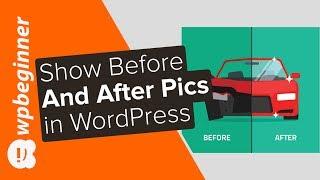
How to Show Before and After Photo in WordPress
Added 107 Views / 0 LikesAre you looking to display before and after photos on your site? These before and after photos can help give a side by side comparison of two identical images in an appealing way. In this video, we will show you how to easily show a before and after photo in WordPress. For this tutorial we will be using the plugin 'Twenty20 Image Before-After' found here: https://wordpress.org/plugins/twenty20/ With the plugin installed and activated you can now add o
-
33:42 Popular

How to Start a WordPress Blog The RIGHT WAY - Beginners Guide (Step by Step)
Added 176 Views / 0 LikesWant to start a blog without making the rookie mistakes? We have helped 130,000+ users start a blog successfully. Watch this video to learn more. Starting a blog can be a terrifying thought specially when you are not techy. Guess what -- you're not alone. Having helped over 130,000+ users start a blog, we have decided to create the most comprehensive guide on how to start a WordPress blog without any technical knowledge. The process of creating a blog
-
02:13 Popular

How to Properly Add Your Business Address in WordPress
Added 122 Views / 0 LikesDo you want to display your business address on your WordPress site? You could just type it in to a text widget but there is a more optimized way for SEO. In this video, we will show you how to properly add your business address in WordPress with a map and other useful information. Text version of this tutorial: http://www.wpbeginner.com/plugins/how-to-properly-add-your-business-address-in-wordpress/ If you liked this video, then please Like and consi
-
02:02 Popular

How to Reset WordPress Admin Password on Localhost
Added 184 Views / 0 LikesIf you have a local install of wordpress and lose the password it can be quite difficult to reset hat password without knowing how. The main reason this is difficult is that most local installs do not have the option to reset by email due to how they are installed. In this video, we will show you how to reset the WordPress admin password on localhost. Text version of this tutorial: http://www.wpbeginner.com/wp-tutorials/how-to-reset-wordpress-admin-pa
-
02:37 Popular

How to Change the Gravatar Image Size in WordPress
Added 138 Views / 0 LikesSome site owners may see the size of user's gravatars and decide they would like to either increase or decrease it's size. We will show you one method to do that in this video. Text version of this tutorial: http://www.wpbeginner.com/wp-themes/how-to-change-the-default-gravatar-image-size-in-wordpress/ If you liked this video, then please Like and consider subscribing to our channel for more WordPress videos. Check us out on Facebook: https://www.face









