WPBeginner
-
03:16 Popular
How to Create a Custom User Registration Form in WordPress
Added 185 Views / 0 LikesAre you looking for a way to allow users to register to your site on the front end? The default method WordPress allows for registering on your site shows WordPress' branding and can not match your site's theme. In this video we will show you how to create a custom user registration form in WordPress. Text version of this tutorial: http://www.wpbeginner.com/plugins/how-to-create-a-custom-user-registration-form-in-wordpress/ If you liked this video, th
-
04:10 Popular
How to Add Autocomplete for Address Fields in WordPress
Added 118 Views / 0 LikesUsers have asked us how to add autocomplete for address fields in their WordPress forms. Autocomplete allows your visitors to quickly select an address form suggestions generated in realtime as they type. In this video we'll show you how to add autocomplete for address fields in WordPress using the Google Places API. Text version of this tutorial: http://www.wpbeginner.com/plugins/how-to-add-autocomplete-for-address-fields-in-wordpress/ If you liked t
-
02:00
How to Add Google Slides Presentations to WordPress
Added 89 Views / 0 LikesDo you want to show your slideshow presentations on your WordPress site? Google Slides is one of the ways to make it easy for you to create and share your beautiful presentations. In this video we will show you how to easily add Google Slides presentations in WordPress. Text version of this tutorial: http://www.wpbeginner.com/plugins/how-to-add-google-slides-presentations-to-wordpress/ If you liked this video, then please Like and consider subscribing
-
04:19

How to Hide a WordPress Page From Google
Added 99 Views / 0 LikesSometimes you may want to hide a page from search engines to keep away unwanted users or to protect your privacy. We understand how important this can be and we want to show you how you can hide pages from search engines on your site. In this video we will show you how to hide a WordPress page from Google without affecting your site's SEO. Text version of this tutorial: http://www.wpbeginner.com/wp-tutorials/how-to-hide-a-wordpress-page-from-google/ I
-
02:05 Popular
How to Remove Visual Editor Mode in WordPress
Added 136 Views / 0 LikesDo you want to remove the visual editor for WordPress? The visual editor is a WYSIWYG interface that WordPress offers for writing your posts and pages but some users are more comfortable writing in HTML in the text editor. In this video we will show you how to remove the visual editor in WordPress. Text version of this tutorial: http://www.wpbeginner.com/beginners-guide/how-to-remove-visual-editor-mode-in-wordpress/ If you liked this video, then pleas
-
01:53 Popular
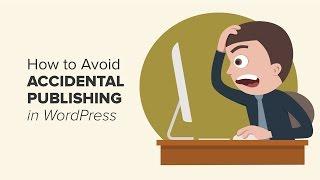
How to Avoid Accidental Publishing in WordPress
Added 113 Views / 0 LikesAccidentally publishing a post is something you definitely want to avoid on your site. Even the most experienced bloggers have accidentally published their post or page. In this video we will show you how to easily avoid accidental publishing in WordPress. Text version of this tutorial: http://www.wpbeginner.com/plugins/how-to-avoid-accidental-publishing-in-wordpress/ If you liked this video, then please Like and consider subscribing to our channel fo
-
25:10 Popular
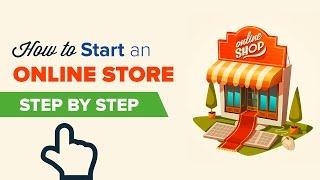
How to Start an Online Store the RIGHT WAY (Step by Step)
Added 141 Views / 0 LikesWant to start a online store but not sure where to begin? We have helped 130,000+ users start their sites successfully. Watch this video to learn more. Starting an online store (ecommerce website) can be terrifying for those who are not comfortable with techie things. Well -- you're not alone. Having helped thousands of our users with their websites, we have decided to create the most comprehensive guide on how to start an online store and build your
-
03:28 Popular
How to Add Signature Ads After Post Content in WordPress
Added 105 Views / 0 LikesAdding Signatures or advertisements after your posts is not always easy to do. We have tackled this problem and in this video we will show you how to display signatures or ads after your post content. Text version of this tutorial: http://www.wpbeginner.com/wp-tutorials/how-add-signature-ads-post-content-wordpress/ If you liked this video, then please Like and consider subscribing to our channel for more WordPress videos. Check us out on Facebook: htt
-
02:23 Popular

How to Add Social Media Icons in Your WordPress Sidebar
Added 121 Views / 0 LikesDisplaying social media buttons on your site will help encourage your users to follow you on your different social networks. With the methods available, this video will show you one of our recommended methods to add social media icons to your WordPress sidebar. Text version of this tutorial: http://www.wpbeginner.com/plugins/how-to-add-social-media-icons-in-your-wordpress-sidebar/ If you liked this video, then please Like and consider subscribing to o
-
01:01 Popular

How to Prevent Duplicate Post Titles in WordPress
Added 149 Views / 0 LikesPost titles and urls are important for the SEO of your site and having duplicates can have a negative effect. We have helped many users and will tell you how we would prevent duplicate post titles. Text version of this tutorial: http://www.wpbeginner.com/plugins/how-to-prevent-duplicate-post-titles-in-wordpress/ If you liked this video, then please Like and consider subscribing to our channel for more WordPress videos. Check us out on Facebook: https:
-
01:23 Popular

How to Add Title Attribute in WordPress Navigation Menus
Added 129 Views / 0 LikesAdding something simple such as the title attribute to the menu can seem confusing but we will show you how to add it in this video. The title attribute allows you to provide extra information about a link. It will show a tooltip text when someone hovers over the link. Text version of this tutorial: http://www.wpbeginner.com/wp-tutorials/how-to-add-title-attribute-in-wordpress-navigation-menus If you liked this video, then please Like and consider sub
-
14:14 Popular
How to Properly Move from Weebly to WordPress (Step by Step)
Added 149 Views / 0 LikesSwitching from Weebly to WordPress? Want to properly move your Weebly content to WordPress? We created an easy tool that will help you migrate from Weebly to WordPress. The best part is that you can do it yourself without hiring any developer or having any coding knowledge. Most users that start their site on Weebly do it because it was recommended from a friend or they saw a commercial. As you get more versed in blogging, you learn about the limitati
-
06:07 Popular
How to Create a Contact Form in WordPress
Added 124 Views / 0 LikesAre you looking to add a contact form on your WordPress site? Contact forms can certainly help your readers get in contact with you for any reason that you can imagine. In this video we will show you how to create a contact form for your site as simply as possible. Text version of this tutorial: http://www.wpbeginner.com/beginners-guide/how-to-create-a-contact-form-in-wordpress/ If you liked this video, then please Like and consider subscribing to our
-
03:39 Popular

How to Link to an Email Address in WordPress
Added 132 Views / 0 LikesAre you wanting to add an email address to your WordPress site? Adding an email address link to your site can be confusing to new users but we have helped many people add this to their own site. In this video we will show you how to link to an email address in WordPress. Text version of this tutorial: http://www.wpbeginner.com/beginners-guide/how-to-link-to-an-email-address-in-wordpress/ If you liked this video, then please Like and consider subscribi
-
05:49 Popular
How to Properly Setup Google AMP on Your WordPress Site
Added 155 Views / 0 LikesAre you wanting to set up Google AMP for your WordPress website? AMP will make your website load faster on mobile devices. In this video, we will show you how to set up Google AMP in WordPress. Text version of this tutorial: http://www.wpbeginner.com/wp-tutorials/how-to-properly-setup-google-amp-on-your-wordpress-site/ If you liked this video, then please Like and consider subscribing to our channel for more WordPress videos. Check us out on Facebook:
-
06:09 Popular
How to Add Underline and Justify Text Buttons in WordPress
Added 114 Views / 0 LikesThere are a few methods for adding the underline and justify buttons in the WordPress post editor. These buttons were removed in WordPress 4.7 but there are ways to add them back. In this video we will show two methods for adding the buttons. Text version of this tutorial: http://www.wpbeginner.com/plugins/how-to-add-underline-and-justify-text-buttons-in-wordpress/ If you liked this video, then please Like and consider subscribing to our channel for m
-
01:29 Popular
How to Completely Remove Comments From Your WordPress Site
Added 117 Views / 0 LikesDo you want to completely remove comments from your WordPress website? Some websites want to remove comments completely to avoid any issues that they could run into from comment moderation. In this video, we will show you how to completely remove comments from your WordPress site. Text version of this tutorial: http://www.wpbeginner.com/plugins/how-to-completely-remove-comments-from-your-wordpress-site/ If you liked this video, then please Like and co
-
01:45 Popular

How to Send Email to All Registered Users in WordPress
Added 161 Views / 0 LikesHave you ever wanted to send a mass email to all registered users on your WordPRess site? If you run a multi-user WordPress site, then sometimes you may need to send notification emails to your users. In this video we will show you how to send emails to all registered users in WordPress. Text version of this tutorial: http://www.wpbeginner.com/plugins/how-to-send-email-to-all-registered-users-in-wordpress/ If you liked this video, then please Like and
-
02:26 Popular

How to Add WordPress Navigation Menu in Posts Pages
Added 116 Views / 0 LikesUsually your WordPress theme handles how and where your navigation menus are displayed. Luckily there are plugins and tools to change that for your site. In this video we will show you how to add WordPress navigation menus in posts and pages. Text version of this tutorial: http://www.wpbeginner.com/plugins/how-to-add-wordpress-navigation-menu-in-posts-pages/ If you liked this video, then please Like and consider subscribing to our channel for more Wor
-
02:13 Popular

How to Duplicate a WordPress Page or Post with a Single Click
Added 158 Views / 0 LikesSometimes you have a need to duplicate a post or a page from your site for a reason. Creating a duplicate post or page allows you to work on it without affecting the existing version. In this video we will show you how to quickly duplicate a WordPress page or post with all the settings. Text version of this tutorial: http://www.wpbeginner.com/plugins/how-to-duplicate-a-wordpress-page-or-post-with-a-single-click/ If you liked this video, then please Li
-
02:37 Popular

How to Change the Gravatar Image Size in WordPress
Added 138 Views / 0 LikesSome site owners may see the size of user's gravatars and decide they would like to either increase or decrease it's size. We will show you one method to do that in this video. Text version of this tutorial: http://www.wpbeginner.com/wp-themes/how-to-change-the-default-gravatar-image-size-in-wordpress/ If you liked this video, then please Like and consider subscribing to our channel for more WordPress videos. Check us out on Facebook: https://www.face
-
02:02 Popular

How to Reset WordPress Admin Password on Localhost
Added 184 Views / 0 LikesIf you have a local install of wordpress and lose the password it can be quite difficult to reset hat password without knowing how. The main reason this is difficult is that most local installs do not have the option to reset by email due to how they are installed. In this video, we will show you how to reset the WordPress admin password on localhost. Text version of this tutorial: http://www.wpbeginner.com/wp-tutorials/how-to-reset-wordpress-admin-pa
-
02:13 Popular

How to Properly Add Your Business Address in WordPress
Added 122 Views / 0 LikesDo you want to display your business address on your WordPress site? You could just type it in to a text widget but there is a more optimized way for SEO. In this video, we will show you how to properly add your business address in WordPress with a map and other useful information. Text version of this tutorial: http://www.wpbeginner.com/plugins/how-to-properly-add-your-business-address-in-wordpress/ If you liked this video, then please Like and consi
-
33:42 Popular

How to Start a WordPress Blog The RIGHT WAY - Beginners Guide (Step by Step)
Added 176 Views / 0 LikesWant to start a blog without making the rookie mistakes? We have helped 130,000+ users start a blog successfully. Watch this video to learn more. Starting a blog can be a terrifying thought specially when you are not techy. Guess what -- you're not alone. Having helped over 130,000+ users start a blog, we have decided to create the most comprehensive guide on how to start a WordPress blog without any technical knowledge. The process of creating a blog
-
01:56 Popular
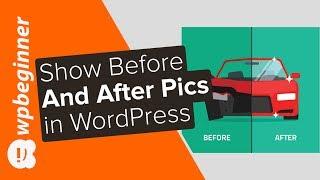
How to Show Before and After Photo in WordPress
Added 107 Views / 0 LikesAre you looking to display before and after photos on your site? These before and after photos can help give a side by side comparison of two identical images in an appealing way. In this video, we will show you how to easily show a before and after photo in WordPress. For this tutorial we will be using the plugin 'Twenty20 Image Before-After' found here: https://wordpress.org/plugins/twenty20/ With the plugin installed and activated you can now add o
-
02:12
How to Add a Glossary or Dictionary Section in Your WordPress Site
Added 95 Views / 0 LikesWould you like to add a glossary or dictionary to your WordPress site? These normally have abbreviations, definitions, and other useful information to help your customers understand your industry topics. In this video, we will show you how to add a glossary or dictionary section to your WordPress site. For this tutorial, we will be using the 'CM Tooltip Glossary' plugin found here: https://wordpress.org/plugins/enhanced-tooltipglossary/ Once you activ
-
02:00 Popular
How to Redirect Users to a Random Post in WordPress
Added 112 Views / 0 LikesDo you want to show random posts on your WordPress site? Displaying the random posts gives your users a chance to view more of your content on your site that they normally may not have. In this video, we'll show you how you can easily redirect your users to a random post in WordPress. For this tutorial we will be using the plugin 'Redirect URL to Post' found here: https://wordpress.org/plugins/redirect-url-to-post/ With that plugin installed and activ
-
03:16 Popular

How to Display Popular Posts by Day, Week, and Month in WordPress
Added 127 Views / 0 LikesAre you wanting to display your most popular posts by day, week, month, and all time in WordPress? Popular posts allow your visitors to quickly discover your top content to help improve user engagement and page views. In this video, we will show you how to display popular posts by day, week, month, and all time in WordPress. For this tutorial, we will be using the plugin WordPress Popular Posts plugin found here: https://wordpress.org/plugins/wordpres
-
02:20 Popular
How to Add a Cookies Popup in WordPress
Added 125 Views / 0 LikesWanting to add a cookie consent popup to your WordPress site? The European Union's cookie law requires website owners to get consent before they can set any cookies on your computer. As a site owner you may be using cookies on your site so, in this video, we will show you how to add a cookies popup in WordPress. For this tutorial we will be using the plugin called 'Cookie Consent' found here: https://wordpress.org/plugins/uk-cookie-consent/ With the p
-
02:18 Popular

How to Create a Table of Content in WordPress Posts and Pages
Added 131 Views / 0 LikesDo you want to add a Wikipedia style table of contents to some of your longer articles? Tables of contents make it easy to jump to a specific section that they want to read. In this video, we will show you how to create a table of contents in WordPress posts and pages without HTML or CSS. For this tutorial we will be using the Easy Table of Contents plugin found here: https://wordpress.org/plugins/easy-table-of-contents/ With the plugin activated you









